vue-cli-plugin-navigator
vue-cli-plugin-navigator




Page navigation in a vue-cli 3 multi-page development.
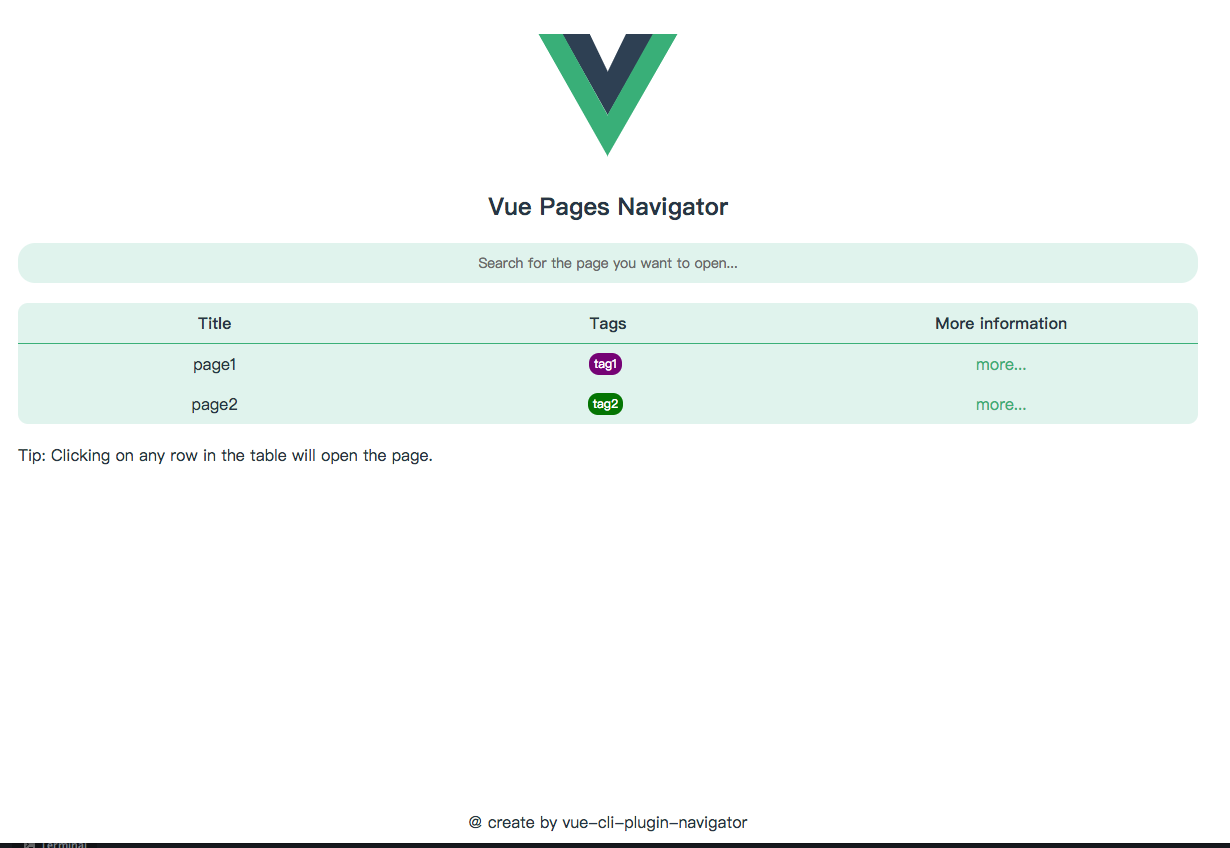
This plugin will provide a homepage.
On the plugin's home page, it lists the pages you defined in vue.config.js. You can select a page that you want to open.
Usage
vue cli
vue add navigator
yarn
yarn add vue-cli-plugin-navigator --dev
npm
npm i vue-cli-plugin-navigator --save-dev
Configuration
The namespace of the plugin configuration is navigator.
This plugin has two personalized configurations,
Help you find your page better on the plugin homepage.
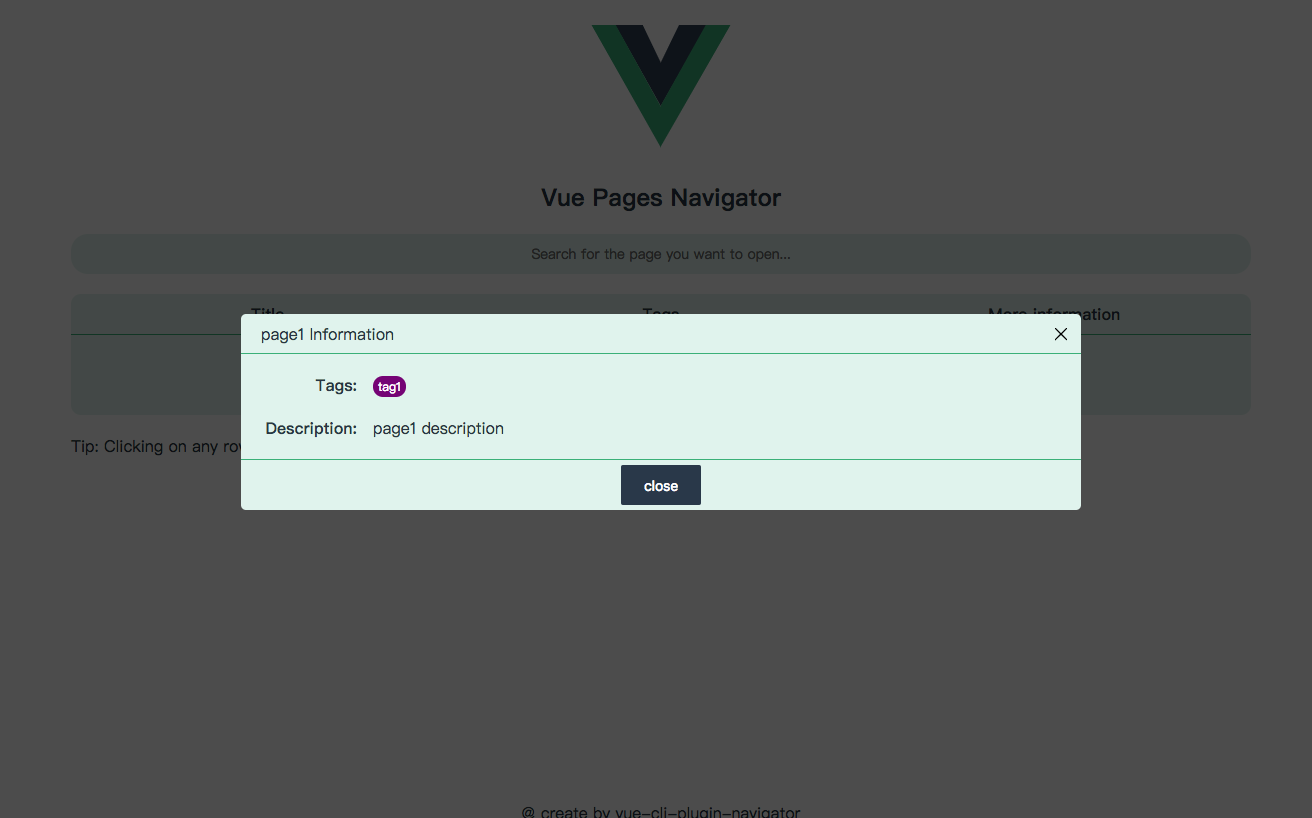
You can now assign tags and descriptions to your pages as you configure them.
See this file for config options.
example:
vue.config.js
{
   ...other config
   pages: {
      page1: {
         entry: './src/page1.js',
         title: 'page1',
         filename: 'page1.html'
      },
      page2: './src/page2.js'
   },
   pluginOptions: {
      navigator: {
         // The title configured here will be displayed on the title of the home page.
         title: 'welcome'
         // Define your tags
         // Type is Tag[]
         // Tag typedef is
         // {
         //    name: string,
         //    color: string,
         // }
         defineTags: [
            {
               name: 'tag1',
               color: 'purple'
            },
            {
               name: 'tag2',
               color: 'green'
            }
         ],
         // If a page does not have specific configuration
         // its configuration will be the same as the secondary configuration.
         defaults: {
            tags: [],
            description: 'none'
         }
         pages: {
             page1: {
                 tags: ['tag1'],  // This is the tags of the page, type is string[].
                 description: 'page1 description'  // This is the description of the page, type is string
             }
         }
      }
   }
}
Example
If you have a vue.config.js file configured as follows
{
   pages: {
      page1: './src/page1.js',
      page2: './src/page2.js'
   },
   pluginOptions: {
      navigator: {
         title: 'Hello world'
         defineTags: [
            {
               name: 'tag1',
               color: 'purple'
            },
            {
               name: 'tag2',
               color: 'green'
            }
         ],
         defaults: {
            tags: ['tag2'],
            description: 'none'
         }
         pages: {
             page1: {
                 tags: ['tag1'],
                 description: 'page1 description'
             }
         }
      }
   }
}
Run your project on dev mode
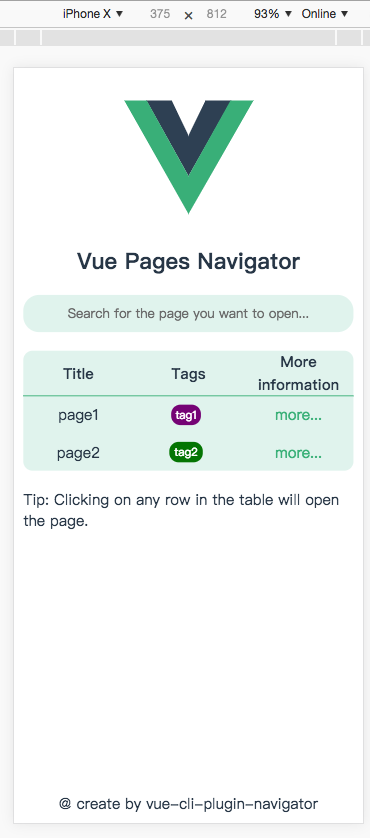
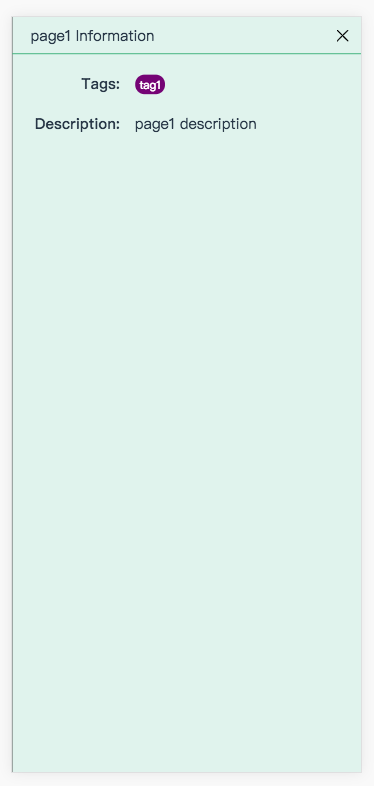
Here is a screenshot of the plugin.
on PC
on Mobile
Related Packages
vue-cli-plugin-platformsh
vue-cli plugin to add Platform.sh configuration files to a Vue.js project
1,878
0
Version History
| Version | Released | Vue | License |
|---|---|---|---|
| 2.1.0 | ^2.5.17 | MIT | |
| 2.0.3 | ^2.5.17 | MIT | |
| 2.0.2 | ^2.5.17 | MIT | |
| 2.0.1 | ^2.5.17 | MIT | |
| 2.0.0 | ^2.5.17 | MIT | |
| 1.4.1 | ^2.5.17 | ISC | |
| 1.4.0 | ^2.5.17 | ISC | |
| 1.3.1 | ^2.5.17 | ISC | |
| 1.3.0 | ^2.5.17 | ISC | |
| 1.2.4 | ^2.5.17 | ISC | |
| 1.2.3 | ^2.5.17 | ISC | |
| 1.2.2 | ^2.5.17 | ISC | |
| 1.2.1 | ^2.5.17 | ISC | |
| 1.1.2 | ^2.5.17 | ISC | |
| 1.1.1 | ^2.5.17 | ISC | |
| 1.0.1 | ^2.5.17 | ISC | |
| 1.0.0 | ^2.5.17 | ISC |