ui-stories
UIStories
A Nuxt 4 module that turns *.story.vue files into a local component workshop: sidebar navigation, live previews, optional controls, code snippets (Shiki), and story metadata.
Install
pnpm add ui-stories
Setup
Add the module to nuxt.config.ts:
export default defineNuxtConfig({
  modules: ['ui-stories'],
})
Place story files under your app srcDir (usually app/ or project root, depending on your Nuxt layout). The module discovers **/*.story.vue automatically.
Configuration
| Option | Type | Default | Description |
|---|---|---|---|
enabled |
boolean |
true |
Turn the workshop UI off without removing the module. |
route |
string |
'/stories' |
Base path for the stories page (/stories/:id?). |
Example:
export default defineNuxtConfig({
  modules: ['ui-stories'],
  uiStories: {
    route: '/docs/components',
  },
})
Runtime config exposes public.uiStories.route for link generation inside the UI.
Writing a story
- Create a file named like
MyWidget.story.vuenext to your component (any depth undersrcDir). - Export
storyMetafrom a<script lang="ts">block (build-time metadata). - Use
UIStoriesStoryas the root andUIStoriesVariantfor each example block.
Minimal example:
<script lang="ts">
export const storyMeta = {
  name: 'My widget',
  directory: ['Components'],
  description: 'Short description for the panel.',
  tags: ['Widget'],
}
</script>

<script setup lang="ts">
import MyWidget from './MyWidget.vue'
</script>

<template>
  <UIStoriesStory>
    <UIStoriesVariant title="Default">
      <MyWidget />
    </UIStoriesVariant>
  </UIStoriesStory>
</template>
Story metadata (storyMeta)
| Field | Required | Description |
|---|---|---|
name |
yes | Title in the sidebar. |
directory |
yes | Folder segments for grouping (e.g. ['Components', 'Forms']). |
description |
no | String or array of paragraphs in the content panel. |
figma |
no | URL shown as a Figma link. |
tags |
no | Labels for search/filtering. |
Interactive controls
Use useControls in <script setup> to drive props from the controls panel (text, boolean, select):
import { useControls } from 'ui-stories/runtime/utils'

const controls = useControls({
  label: { type: 'text', default: 'Hello' },
  disabled: { type: 'boolean', default: false },
  size: {
    type: 'select',
    options: ['sm', 'md', 'lg'],
    default: 'md',
  },
})
Bind controls.label.value, controls.size.value, etc. in your template.
Story URL
Each file gets an id from its path: slashes become --, and the .story.vue suffix is removed.
Example: app/components/Badge.story.vue → id components--Badge →
/stories/components--Badge (with default route).
Module behavior
- Registers runtime components with the
UIStoriesprefix (e.g.UIStoriesStory,UIStoriesVariant,UIStoriesSidebar). - Ignores
*.story.vuein Nuxt’s component auto-import scan so they are only used as stories. - Injects shared UI styles (
uis.css) and theme CSS variables (--uis-*).
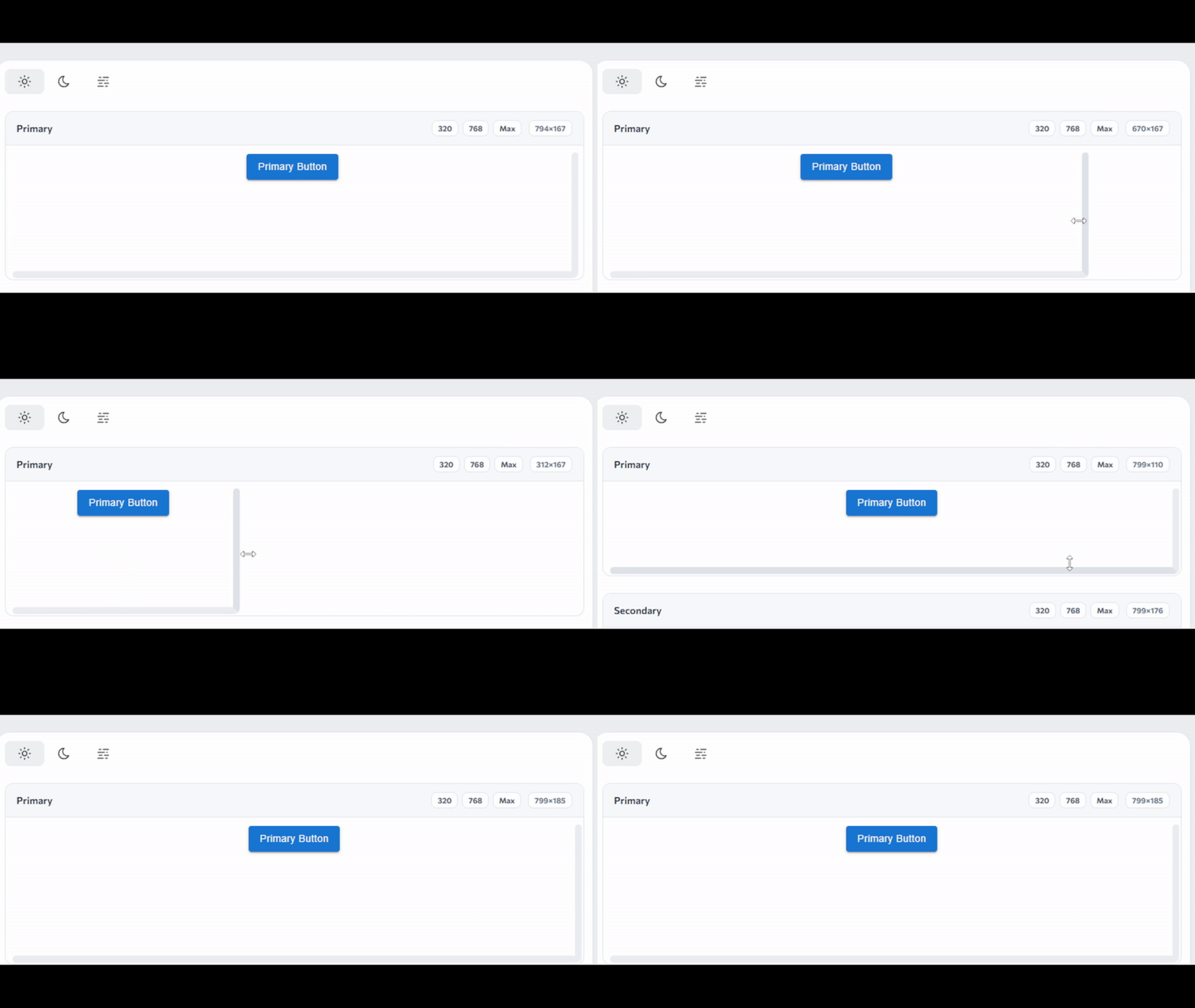
Variant resize
Drag the resize handles to adjust the preview size. Preset width buttons snap cleanly to the current measured width.
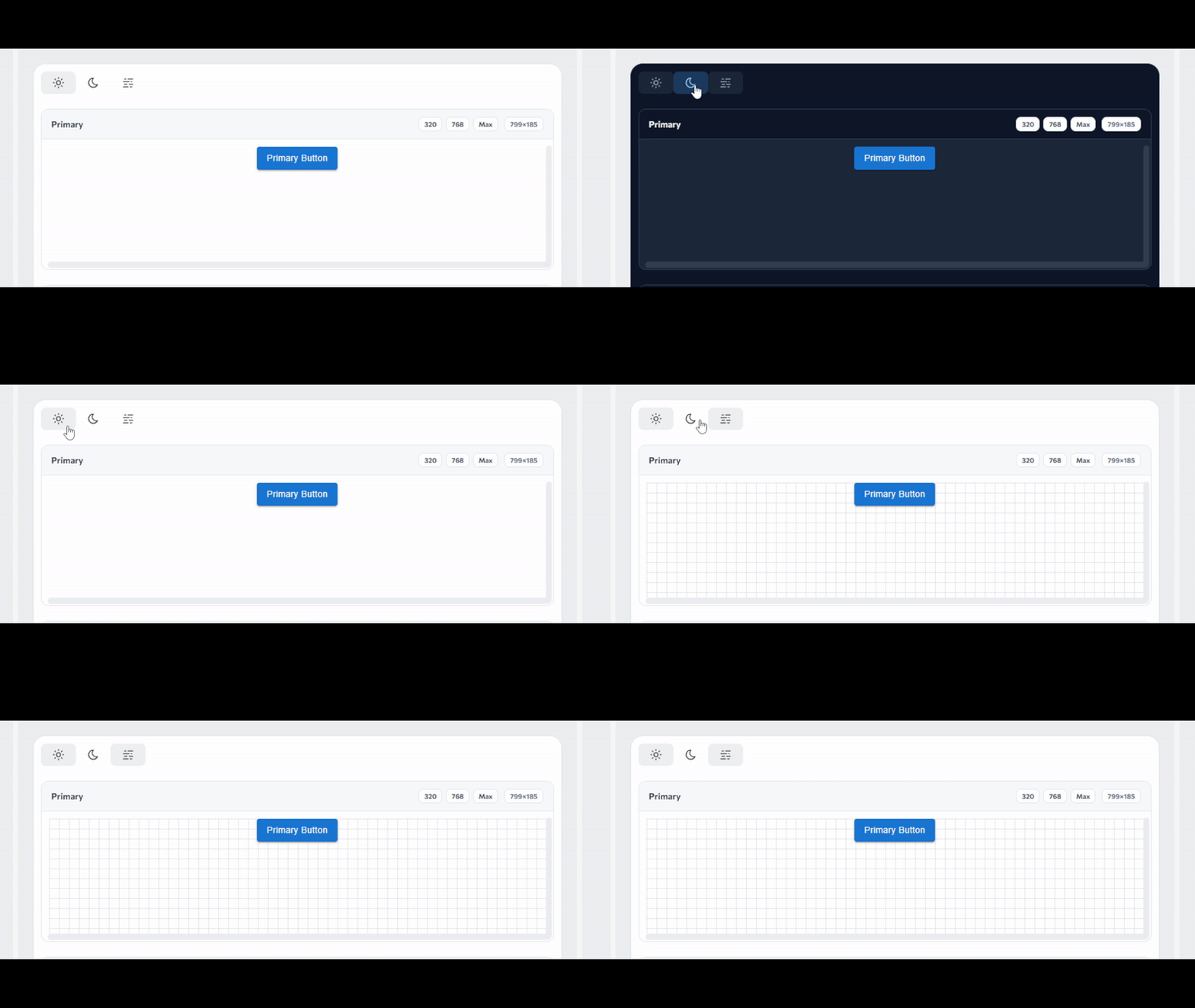
Themes
Switch between themes to preview your components in different color schemes.
Development (this repo)
pnpm install
pnpm run prepack    # build the module into dist/
pnpm run play-dev   # playground dev server
Related Packages
Add import define props type support for Vue3 script-setup and lang is typescrip...
Storybook for Nuxt and Vite: Develop Vue3 components in isolation with Hot Reloa...
Version History
| Version | Released | Vue | License |
|---|---|---|---|
| 1.1.9 | ^3.5.0 | MIT | |
| 1.1.8 | ^3.5.0 | MIT | |
| 1.1.7 | ^3.5.0 | MIT | |
| 1.1.6 | ^3.5.0 | MIT | |
| 1.1.5 | ^3.5.0 | MIT | |
| 1.1.4 | ^3.5.0 | MIT | |
| 1.1.3 | ^3.5.0 | MIT | |
| 1.1.2 | ^3.5.0 | MIT | |
| 1.1.1 | ^3.5.0 | MIT | |
| 1.1.0 | ^3.5.0 | MIT | |
| 1.0.0 | ^3.5.0 | MIT | |
| 0.5.5 | MIT | ||
| 0.5.4 | MIT | ||
| 0.5.3 | MIT | ||
| 0.5.2 | MIT | ||
| 0.4.0 | ^3.5.0 | MIT | |
| 0.3.0 | ^3.5.0 | MIT | |
| 0.2.2 | ^3.5.0 | MIT | |
| 0.2.1 | ^3.5.0 | MIT | |
| 0.2.0 | ^3.5.0 | MIT | |
| 0.1.9 | ^3.5.0 | MIT | |
| 0.1.8 | ^3.5.0 | MIT | |
| 0.1.7 | ^3.5.0 | MIT | |
| 0.1.6 | ^3.5.0 | MIT | |
| 0.1.5 | ^3.5.0 | MIT | |
| 0.1.4 | ^3.5.0 | MIT | |
| 0.1.3 | ^3.5.0 | MIT | |
| 0.1.2 | ^3.5.0 | MIT | |
| 0.1.1 | ^3.5.0 | MIT | |
| 0.1.0 | ^3.5.0 | MIT |
Pre-releases (6)
| Version | Released | Vue | License |
|---|---|---|---|
| 1.0.0-beta.5 | ^3.5.0 | MIT | |
| 1.0.0-beta.4 | ^3.5.0 | MIT | |
| 1.0.0-beta.3 | ^3.5.0 | MIT | |
| 1.0.0-beta.2 | ^3.5.0 | MIT | |
| 1.0.0-beta.1 | ^3.5.0 | MIT | |
| 0.4.0-beta.2 | ^3.5.0 | MIT |