easy-circular-progress
easy circular progress component with counting effect
72,111
114
| Install | |
|---|---|
npm install easy-circular-progress |
|
| Latest Version: | 1.0.4 |
| Vue: | 2 |
| License: | MIT |
| Last Updated: | Dec 8, 2020 |
| Links: | GitHub · npm |
Maintainer: dreambo8563








easy-circular-progress
Install
npm install easy-circular-progress --save
Quick Start
<template>
  <div id="app">
    <Progress value="16.88">
      <!-- <template v-slot:footer>
        <b>goood</b>
      </template>-->
    </Progress>
    <Progress strokeColor="#FF00AA" value="16.88">
      <template v-slot:footer>
        <b>More Color</b>
      </template>
    </Progress>

    <Progress :radius="50" :strokeWidth="10" value="86.12">
      <template v-slot:footer>
        <b>Bolder & Bigger One</b>
      </template>
    </Progress>

    <Progress
      :transitionDuration="5000"
      :radius="50"
      :strokeWidth="10"
      value="86.12"
    >
      <template v-slot:footer>
        <b>Slow One</b>
      </template>
    </Progress>

    <Progress
      :transitionDuration="5000"
      :radius="55"
      :strokeWidth="10"
      value="86.12567"
    >
      <template v-slot:footer>
        <b>More Precise</b>
      </template>
    </Progress>

    <Progress :transitionDuration="5000" :radius="55" :strokeWidth="10" value="86.12567">
      <div class="content">hello</div>
      <template v-slot:footer>
        <b>More Precise</b>
      </template>
    </Progress>
  </div>
</template>

<script>
import Progress from "./index.vue";

export default {
  name: "app",
  components: {
    Progress
  }
};
</script>

<style lang="scss">
#app {
  font-family: "Avenir", Helvetica, Arial, sans-serif;
  -webkit-font-smoothing: antialiased;
  -moz-osx-font-smoothing: grayscale;
  text-align: center;
  height: 100vh;
  color: #fff;
  background: #3e423a;
  display: flex;
  justify-content: center;
  align-items: center;
}
body {
  margin: 0;
  padding: 0;
}
</style>
Prop Types
| Property | Type | Required? | Description |
|---|---|---|---|
| strokeWidth | Number | default is 4, the width of the progress circle, the bigger the bolder | |
| radius | Number | the inner circle radius, default is 38 | |
| transitionDuration | Number | default is 1000, transitionDuration for the animation | |
| strokeColors | String | default is "#aaff00" | |
| value | Number | String | default is 0.0, should be less or equal then 100 |
Slot
| Slot Name | Description |
|---|---|
| footer | we can add a footer for the circle |
| default | the content displayed in the circle |
if default slot provided, the coutdown effect will be ignored.
Advance Guide
Customized Theme
- In your customized scss file (demo.scss)
$--circular-progress-int-fz: 28px;
$--circular-progress-dec-fz: 12px;
@import '~easy-circular-progress/src/index';
- import the scss to override the default theme in main.js (entry file) before you import the Draw component
import './demo.scss';
variables
We split the number into two parts (int, dec) We can define the font-size for each part
- $--circular-progress-int-fz: 28px;
- $--circular-progress-dec-fz: 12px;
Possibly Polyfill
Number.isNaN =
  Number.isNaN ||
  function(value) {
    return value !== value;
  };
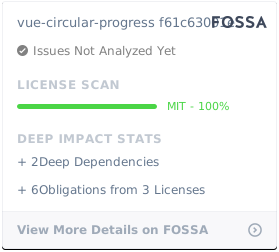
License
Contributors
Thanks goes to these wonderful people (emoji key):
This project follows the all-contributors specification. Contributions of any kind welcome!
Related Packages
vue-circular-count-down-timer
Fully customizable circular count down timers for Vue 3: step timers, countdowns...
52,031
43
Version History
| Version | Released | License |
|---|---|---|
| 1.0.4 | MIT | |
| 1.0.3 | MIT | |
| 1.0.2 | MIT | |
| 1.0.1 | MIT | |
| 1.0.0 | MIT |