create-nexwire
| Install | |
|---|---|
npm install create-nexwire |
|
| Latest Version: | 4.2.3 |
| Vue: | 3 |
| License: | MIT |
| Last Updated: | Oct 22, 2026 |
| Links: | GitHub · npm |

Stop wiring the stack together. Ship the app.




Every serious TypeScript app needs the same ten things: an HTTP API, auth with refresh-token rotation, a database with migrations, background jobs, real-time sockets, cron, file uploads, email, security headers, and a frontend. Assembling them is a week of glue code — and the failures are the silent kind, where a job never runs or a socket never joins a room.
nexwire ships that stack already connected. Auth reads the database. Enqueueing a job is one call. Events broadcast to the right rooms. Uploads land on disk or in S3. maker supervises the API, worker, and cron, and Docker Compose puts the whole thing behind nginx with automatic SSL.
- Runnable the second it exists — the scaffold ships a pre-migrated, pre-seeded SQLite database, so
npm install && npm run maker devlands you on a login screen that already works. Sign in withadmin@example.com/Password@123. No Docker, no Postgres, no services to configure. - Nothing to register —
maker module:make blogscaffolds the whole module (routes, controllers, models, seeders, jobs, tests) and the app auto-discovers it. No router file to edit, no registry to update. - One import for every subsystem —
db,cache,queue,jwt,mail,storage,notify, andurlsall come from@/framework/facade.js. Drop Redis in dev and the in-memory fallback takes over without touching a single call site. - Infrastructure is optional — Redis, mail, and S3 sit behind circuit breakers with real fallbacks, so nothing hard-fails when a service is absent or down.
- Deploy to a VPS over SSH — one-time
maker deploy:init, thenmaker deploy:workflow:remotebuilds the image, provisions nginx, requests Let's Encrypt certificates, and supervises API, worker, and cron as long-running processes.
Quick Start
Hono (default)
npm create nexwire@latest my-app
cd my-app
npm install
npm run maker dev
Express
npm create nexwire@latest my-app -- --engine=express
cd my-app
npm install
npm run maker dev
Your API is live at http://localhost:3000, Scalar docs at /api-docs, and the Vue frontend at http://localhost:5173.
The scaffold already ships a pre-migrated, pre-seeded SQLite database, so there is no migration step before maker dev. If you point DATABASE_URL at MySQL or PostgreSQL, run npm run maker db:migrate -- --seed once to build and populate that database instead.
Requires Node.js >= 22 or Bun >= 1.3.
Current directory
Scaffold directly into the current directory:
npm create nexwire@latest .
npm create nexwire@latest . -- --engine=express
Works with any package manager: pnpm, yarn, or bun.
Package Manager
All examples use npm as the default. nexwire works with any major package manager:
| Manager | Create project | Run commands |
|---|---|---|
| npm | npm create nexwire@latest my-app |
npm run maker <cmd> |
| pnpm | pnpm create nexwire@latest my-app |
pnpm maker <cmd> |
| yarn | yarn create nexwire@latest my-app |
yarn maker <cmd> |
| bun | bun create nexwire@latest my-app |
bun maker <cmd> |
| all | npm create nexwire@latest . |
current directory |
Runtime
nexwire runs on Node.js or Bun — pick whichever fits your deployment:
| Runtime | Minimum version | Notes |
|---|---|---|
| Node.js | >= 22 |
Default. Uses node in Dockerfile. |
| Bun | >= 1.3 |
Pass --runtime=bun to deploy:init. Uses oven/bun in Dockerfile. |
Demo
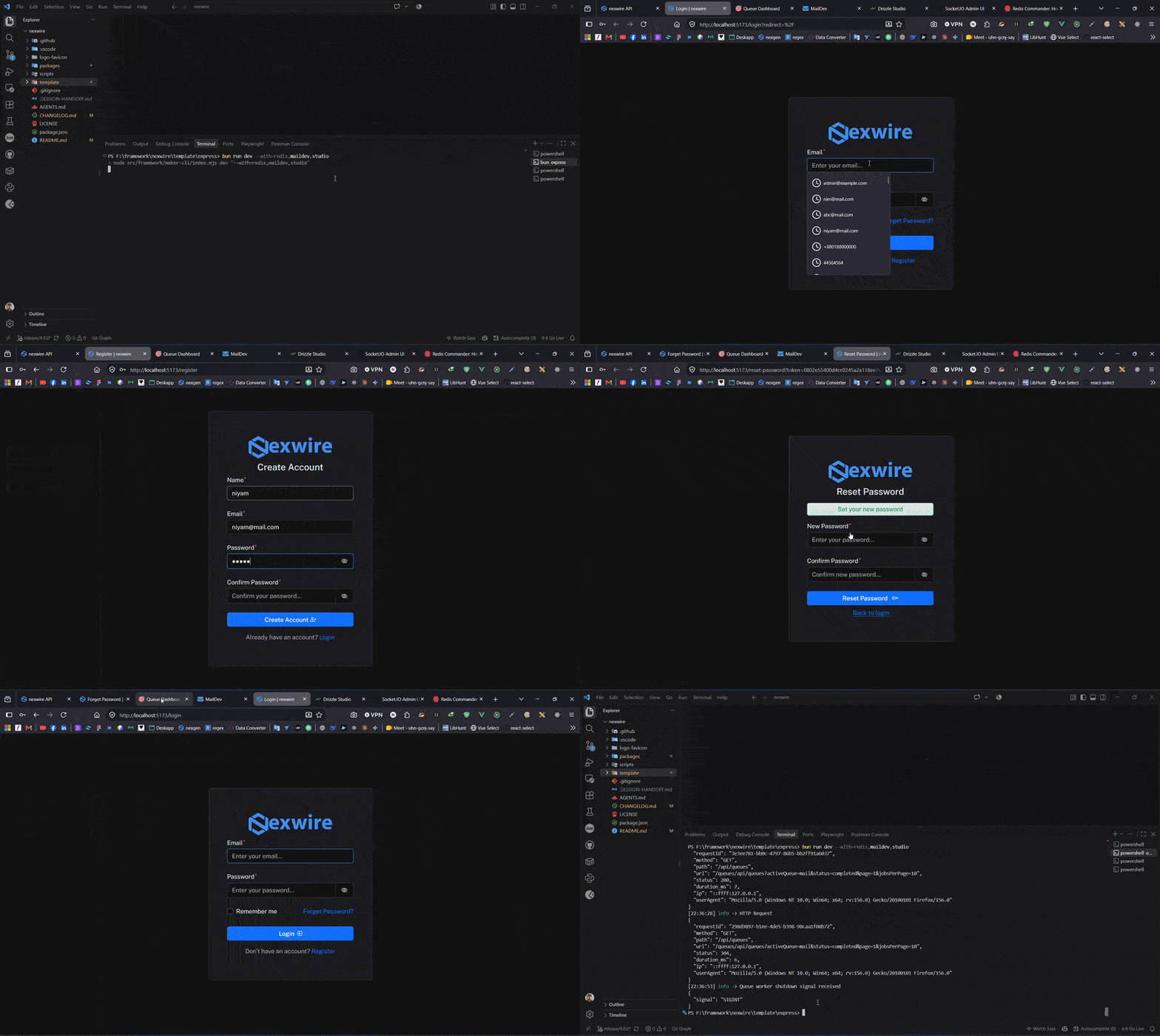
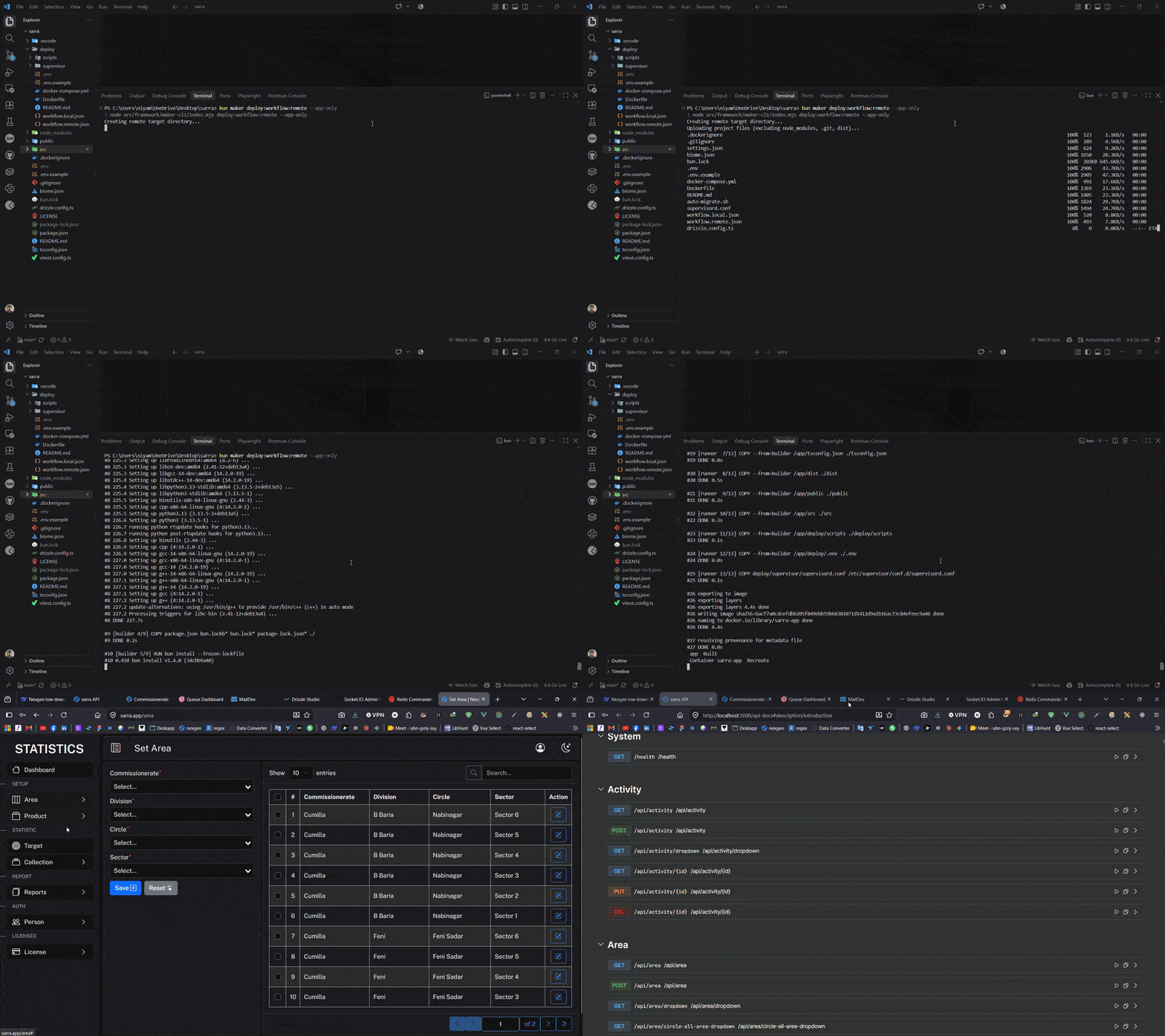
Real recordings from a freshly scaffolded project — no mockups, no staging data.
Dev mode — one command boots the API, Vue UI, Scalar docs, Bull Board queues, MailDev and Redis UI together:
Real deploy — the same framework running on a live server as a real project, with HTTPS, process supervision, and zero-downtime restarts:
Features
| Category | What you get |
|---|---|
| API | Hono/Express HTTP server with Zod validation, OpenAPI/Scalar docs, CORS, rate limiting |
| Database | Drizzle ORM — SQLite by default, shipped pre-migrated and seeded; MySQL/PostgreSQL also supported, dialect auto-detected from DATABASE_URL. |
| Auth | JWT access + refresh token rotation, signed httpOnly cookies, role middleware |
| Queue | BullMQ background jobs with shouldQueue decorator and Bull Board dashboard |
| Realtime | Socket.IO with auto room joining (user, role, auth) and broadcast events |
| Cache & Session | Redis-backed with graceful fallback when Redis is disabled |
| Scheduler | Cron-based task scheduling with distributed Redis lock |
| Storage | Local disk or S3-compatible (AWS S3, R2, MinIO, DigitalOcean Spaces) |
| Notifications | Database-persisted notifications with broadcast + mail delivery |
| Frontend | Vue 3 SPA — Vite, Pinia, Vue Router, Bootstrap 5, real-time Pulse plugin |
| Security | CSP, HSTS, X-Frame headers — configured in one place, toggled per environment |
| Reliability | Circuit breakers for Redis, mail, and S3 with auto-fallback; startup config validation |
| CLI | maker command for code generation, migrations, runtime, and deploy |
| Deploy | Two-layer Docker Compose — nginx-proxy, auto SSL, supervisor |
Architecture
src/
├── env.ts              # Zod-validated environment config
├── database/           # Drizzle schema, migrations, seeders
├── framework/          # Reusable engine (HTTP, auth, queue, cache, etc.)
├── modules/            # Application modules (auto-discovered)
├── middlewares/        # Auth & role guards
├── resources/          # Vue 3 SPA frontend
└── storage/            # Uploaded files & logs
Modules
Every feature is a self-contained module under src/modules/<name>/:
src/modules/posts/
├── console/           # CLI commands & scheduled tasks
├── controllers/       # Request handlers + Zod schemas
├── database/
│   ├── models/        # Drizzle table definitions
│   └── seeders/       # Test data generators
├── jobs/              # BullMQ queue handlers
├── routes/            # HTTP route definitions (auto-discovered)
└── __test__/          # Unit test
Modules are auto-discovered — no manual registration. Create one with:
npm run maker module:make blog
npm run maker module:make-controller blog post
npm run maker module:make-route blog post
npm run maker module:make-model blog post
Framework Facade
Access all subsystems through a single import:
import {
  db,
  cache,
  session,
  queue,
  dispatchEvent,
  notify,
  storage,
  jwt,
  mail,
  password,
  urls,
  logger,
} from "@/framework/facade.js";
CLI Reference
| Command | Description |
|---|---|
maker dev |
Start API server + frontend HMR + queue worker |
maker serve [--prod] |
API server (dev or production) |
maker queue:work |
BullMQ worker process |
maker schedule:work |
Cron scheduler |
maker db:migrate --seed |
Run migrations + seeders |
maker db:fresh |
Drop all tables, re-migrate, re-seed |
maker module:make <name> |
Scaffold a new module |
maker deploy:init |
Generate Docker deploy scaffolding |
maker deploy:workflow |
Local deploy (Docker Desktop) |
maker deploy:workflow:remote |
Remote deploy via SSH + rsync |
Deployment
nexwire includes a complete Docker deployment system out of the box.
Local (Docker Desktop)
npm run maker deploy:init        # Generate deploy files (one-time)
npm run maker deploy:workflow    # Build and start everything
Remote (VPS / Cloud)
npm run maker deploy:init                      # Generate files
# Edit deploy/workflow.remote.json with your SSH details
npm run maker deploy:workflow:remote           # Deploy to server
The deploy system provisions:
- Multi-stage Dockerfile — builder (install + build) → runner (minimal production image)
- Shared infrastructure — nginx-proxy, MySQL/PostgreSQL, Redis, phpMyAdmin, pgAdmin
- Auto SSL — Let's Encrypt via nginx-proxy companion
- Process supervisor — API server, queue worker, cron scheduler, auto-migration
- Two-layer architecture — server infra runs once per host, app stack rebuilds per deploy
See the deploy documentation for full details.
Documentation
Complete documentation is available at Documentation
Contributing
Contributions are welcome. Open an issue or pull request on GitHub.
License
nexwire is open-sourced software licensed under the MIT license.
Related Packages
CLI for scaffolding a Nuxt 3 or Nuxt 4 project with ESLint configured out of the...
Battlestack — plugin-based scaffolding CLI for Nuxt 4. This unscoped package is...
Version History
| Version | Released | Vue | License |
|---|---|---|---|
| 4.2.3 | ^3 | MIT | |
| 4.2.2 | ^3 | MIT | |
| 4.2.1 | ^3 | MIT | |
| 4.2.0 | ^3 | MIT | |
| 4.1.2 | ^3 | MIT | |
| 4.1.1 | ^3 | MIT | |
| 4.1.0 | ^3 | MIT | |
| 4.0.0 | ^3 | MIT |