vuepress-plugin-demo-block
| Install | |
|---|---|
npm install vuepress-plugin-demo-block |
|
| Latest Version: | 0.7.2 |
| License: | MIT |
| Last Updated: | Jan 28, 2023 |
| Links: | GitHub · npm |
vuepress-plugin-demo-block





Introduction
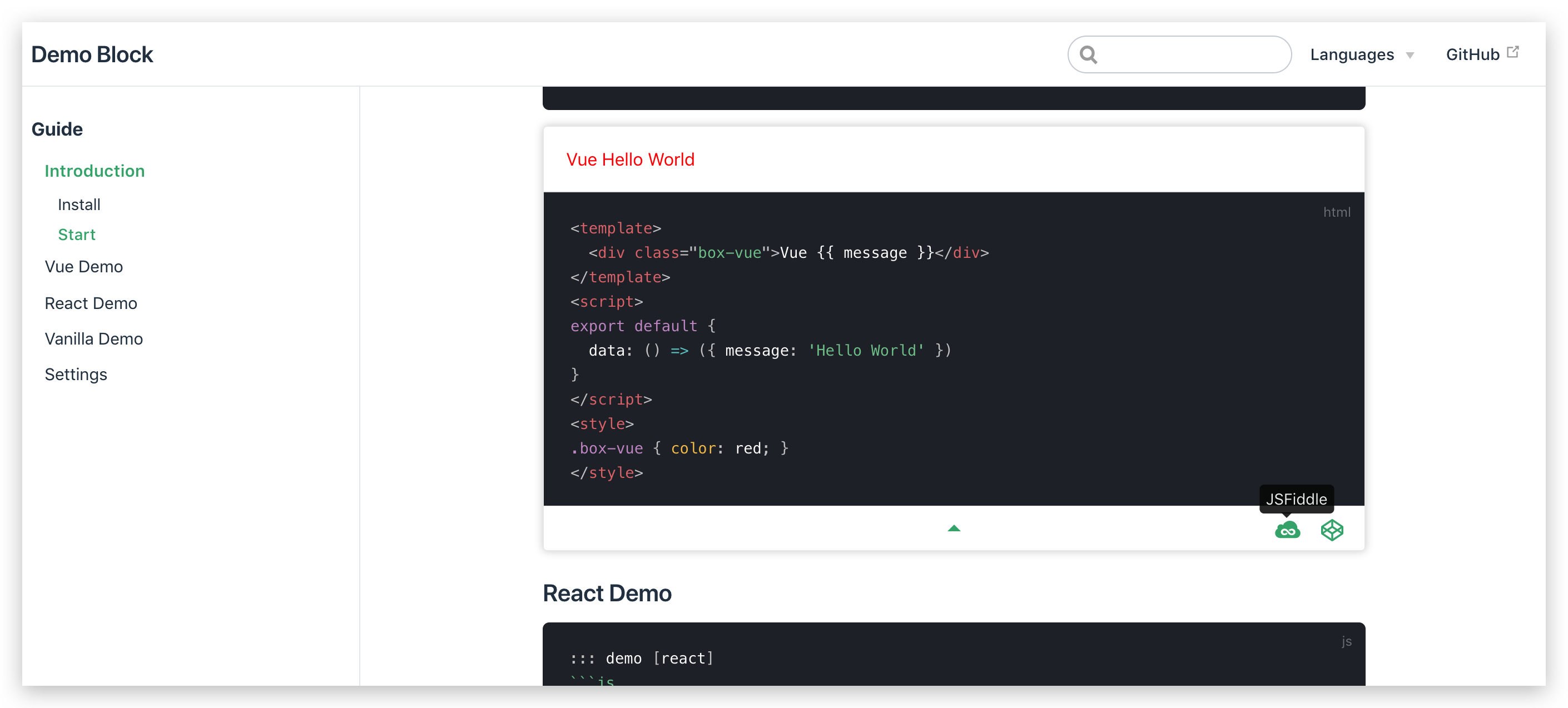
The Demo Block is used to help you add vue, react or native js examples when writing a document. When writing component documentation, you usually need to add some related examples to the document. These examples can usually be implemented using JSFiddle or Codepen's Iframe, but the maintenance cost will be relatively high. You can quickly add examples by using Demo Block, and it is very convenient to modify.
To show how to write the example, the three points used to mark the end of the code section are separated by spaces, and the spaces need to be removed when used.
Feature
- Elegant display code and examples
- Support vue, react and native js
- Support codepen and jsfiddle online demo
Install
install vuepress
Reference official document Vuepress
install plugin
npm i vuepress-plugin-demo-block --save-dev
set vuepress config
config.js
module.exports = {
  head: [
    ['script', { src: 'https://cdn.jsdelivr.net/npm/react/umd/react.production.min.js' }],
    ['script', { src: 'https://cdn.jsdelivr.net/npm/react-dom/umd/react-dom.production.min.js' }],
    ['script', { src: 'https://cdn.jsdelivr.net/npm/vue/dist/vue.min.js' }],
    ['script', { src: 'https://cdn.jsdelivr.net/npm/@babel/standalone/babel.min.js' }],
  ],
  plugins: [
    'demo-block'
  ]
}
Start
Write the following code in the Markdown file:
Vue Demo
::: demo
```html
<template>
  <div class="box-vue">Vue {{ message }}</div>
</template>
<script>
export default {
  data: () => ({ message: 'Hello World' })
}
</script>
<style>
.box-vue { color: red; }
</style>
` ` `  <= delete spaces here
:::
React Demo
::: demo [react]
```js
export default class App extends React.Component {
  constructor (props) {
    super(props)
    this.state = { message: 'Hello World' }
  }
  render () {
    return (
      <div className="box-react">
        React {this.state.message}
      </div>
    )
  }
}
App.__style__ = `
  .box-react { color: red; }
`
` ` `  <= delete spaces here
:::
VanillaJs Demo
::: demo [vanilla]
```html
<html>
  <div id="vanilla-box"></div>
</html>
<script>
  var box = document.getElementById('vanilla-box')
  box.innerHTML = 'Hello World!'
</script>
<style>
#vanilla-box {
  color: red;
}
</style>
` ` `
:::
Related Packages
A plugin for adding full-screen and copy button to your code blocks in VuePress...
Version History
| Version | Released | License |
|---|---|---|
| 0.7.2 | MIT | |
| 0.7.1 | MIT | |
| 0.7.0 | MIT | |
| 0.6.1 | MIT | |
| 0.6.0 | MIT | |
| 0.5.1 | MIT | |
| 0.5.0 | MIT | |
| 0.4.0 | MIT | |
| 0.3.5 | MIT | |
| 0.3.4 | MIT | |
| 0.3.3 | MIT | |
| 0.3.2 | MIT | |
| 0.3.1 | MIT | |
| 0.3.0 | MIT | |
| 0.2.0 | MIT | |
| 0.1.2 | MIT | |
| 0.1.1 | MIT | |
| 0.1.0 | MIT |