vue3-swipe-button
Swipe Button for Vue3
2,041
3
| Install | |
|---|---|
npm install vue3-swipe-button |
|
| Latest Version: | 0.5.0 |
| Vue: | 3 |
| License: | MIT |
| Last Updated: | Sep 24, 2021 |
| Links: | GitHub · npm |
Maintainer: pedroshift
vue3-swipe-button
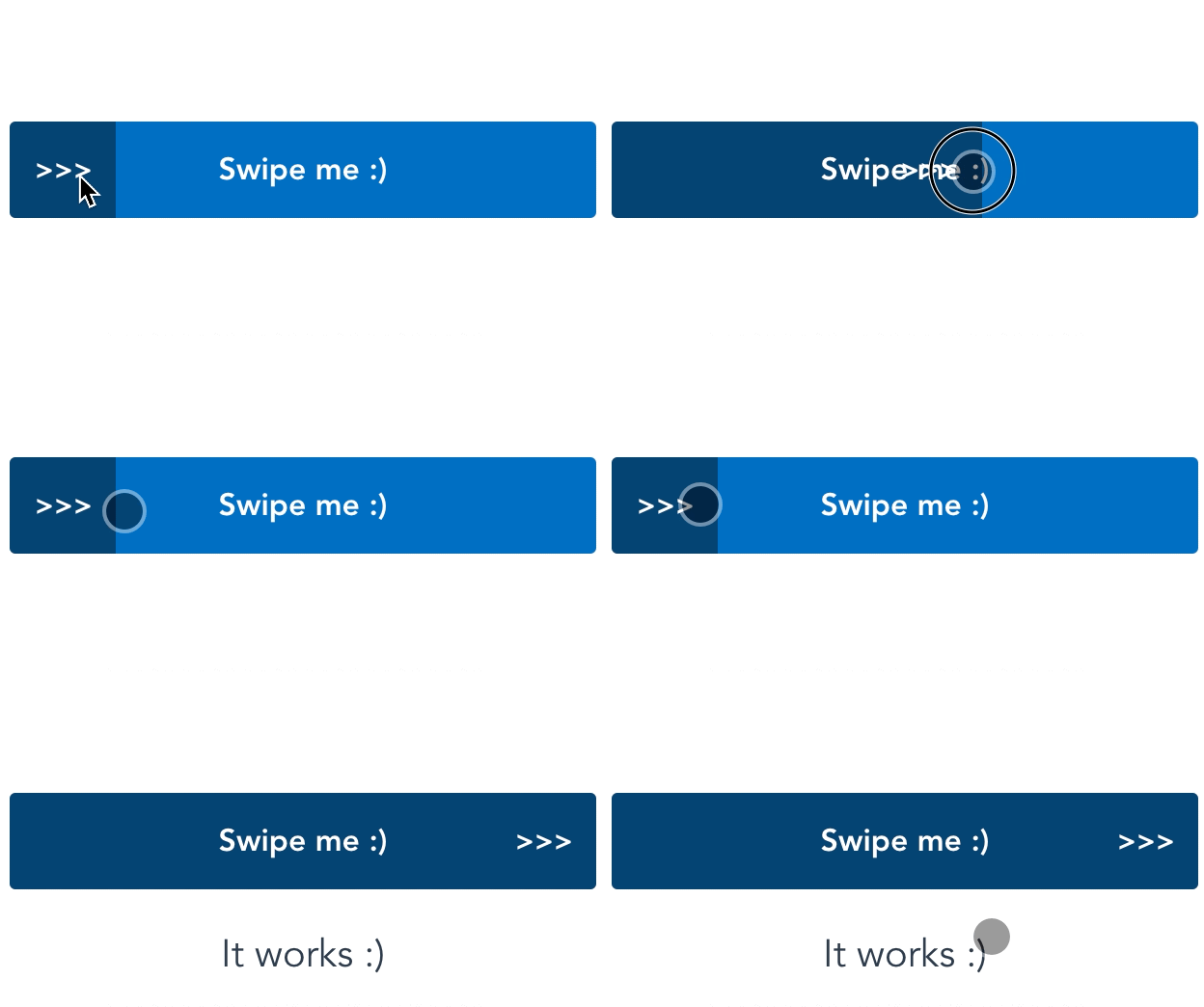
This component simulates the iOS animation of swipe a button from left to right to confirm an action. Currently, supports only mobile devices (touch screens).
Install
npm install vue3-swipe-button

yarn add vue3-swipe-button
Import JS and Styles
import swipeButton from 'vue3-swipe-button'
import 'vue3-swipe-button/dist/swipeButton.css'
Basic usage
<swipeButton text="Submit Form"
             @submit="actionMethod" />
Props
| Name | Type | Required | Default |
|---|---|---|---|
| title | string | no | Swipe me :) |
| color | string | no | #0271C2 |
| shake-animation | boolean | no | false |
Events
| Name | Trigger |
|---|---|
| submit | Full swipe to right |
Example
<template>
    <swipeButton text="Confirm Payment"
                 shake-animation="true"
                 :color="getButtonColor"
                 @submit="actionMethod" />
</template>

<script>
import { ref, computed } from 'vue';
import swipeButton from 'vue3-swipe-button';
import 'vue3-swipe-button/dist/swipeButton.css';

export default {
  components: { swipeButton },

  setup() {
    const show = ref(false);

    const getButtonColor = computed(() => show.value ? 'purple' : 'green');

    const actionMethod = () => show.value = !show.value;

    return { actionMethod, getButtonColor };
  },
}
</script>
Customizations
#swipe-button for button style
#swiper for swipe bar style
#swiper-selector for swipe trigger style
Version History
| Version | Released | Vue | License |
|---|---|---|---|
| 0.5.0 | ^3.0.0 | MIT | |
| 0.4.1 | ^3.0.0 | MIT | |
| 0.4.0 | ^3.0.0 | MIT | |
| 0.3.0 | ^3.0.0 | MIT | |
| 0.2.2 | ^3.0.0 | MIT | |
| 0.2.1 | ^3.0.0 | MIT | |
| 0.2.0 | ^3.0.0 | MIT | |
| 0.1.1 | ^3.0.0 | MIT | |
| 0.1.0 | ^3.0.0 | MIT |