vue3-slider
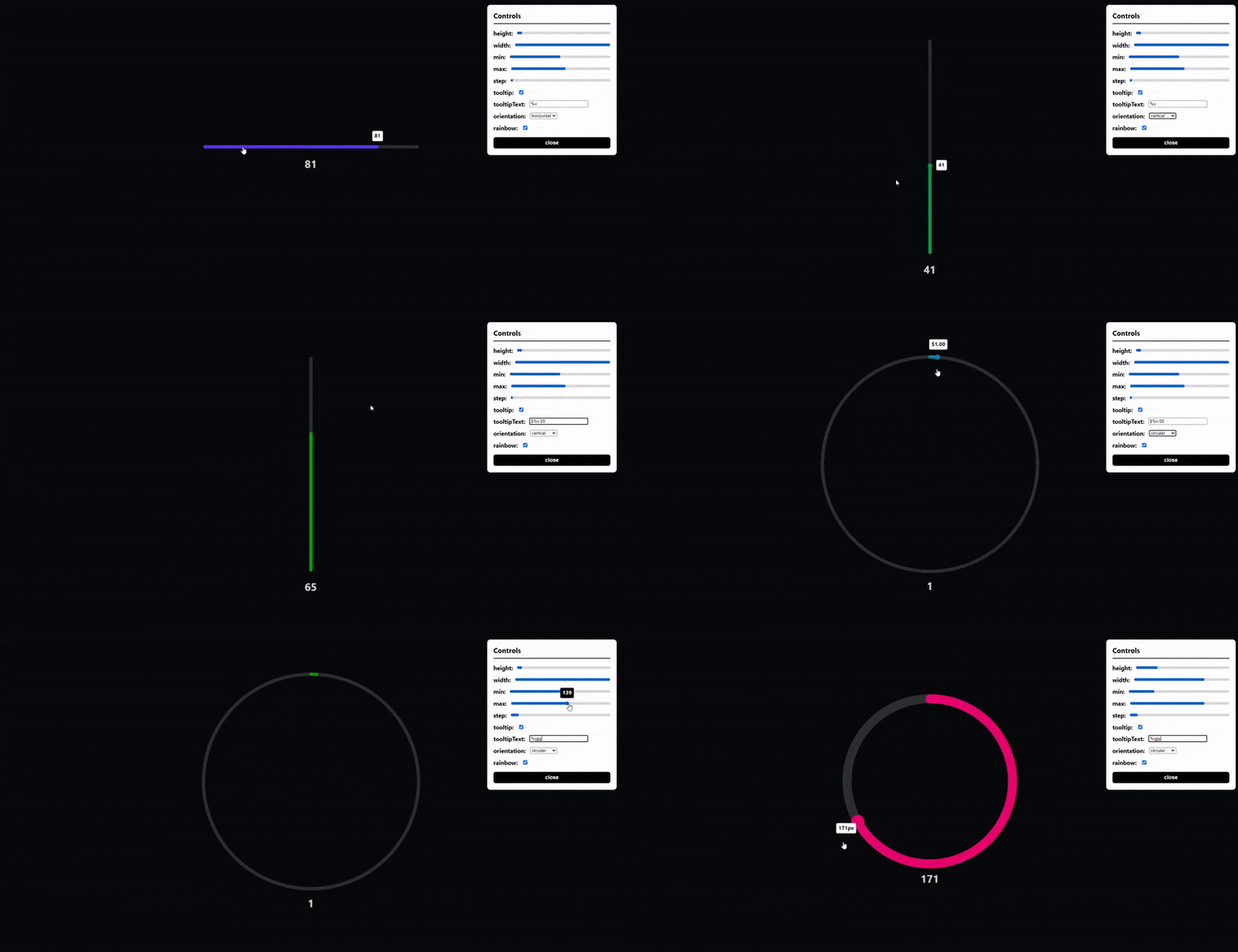
A modern, customizable slider built entirely in Vue.js 3 with TypeScript in under 5KB (gzipped) and dependency free. (horizontal, vertical and circular slider)
147,704
48
| Install | |
|---|---|
npm install vue3-slider |
|
| Latest Version: | 1.10.1 |
| Vue: | 3 |
| License: | MIT |
| Last Updated: | Oct 4, 2024 |
| Links: | GitHub · npm |
Maintainer: freddie-nelson
Horizontal, vertical and circular sliders! Fully responsive, touch screen and keyboard control support!
Table of Contents 📰
Demo (Live Demo)
Installation
# with npm
npm install vue3-slider
# with yarn
yarn add vue3-slider
Getting Started 👍
Import component
import slider from "vue3-slider"

export default {
  ...
  components: {
    "vue3-slider": slider
  }
  ...
}
How to use
<vue3-slider v-model="myNumber" color="#FB278D" track-color="#FEFEFE" />
Props
| Name | Type | Required | Default | Rules |
|---|---|---|---|---|
| v-model | Number | ✔️ | ||
| width | String | 100% | must be valid css length | |
| height | Number | 6 | ||
| handleScale | Number | 1.35 | ||
| handleColor | String | When empty this will take the value of color | ||
| alwaysShowHandle | Boolean | false | ||
| color | String | #FB2727 | must be a valid hex, rgb, rgba or html color value | |
| trackColor | String | #F1F6F8 | ^^^ | |
| max | Number | 100 | cannot be less than min | |
| min | Number | 0 | cannot be greater than max | |
| limit | Number | |||
| step | Number | 1 | ||
| customSliderSteps | Number[] | undefined | ||
| tooltip | Boolean | false | ||
| tooltipText | String | "%v" | must contain %v (%v is replaced with slider's value) | |
| tooltipColor | String | #FFFFFF | must be a valid hex, rgb, rgba or html color value | |
| tooltipTextColor | String | #000000 | ^^^ | |
| formatTooltip | Function | null | function must take one parameter (number) and return a string | |
| flipTooltip | Boolean | false | ||
| tooltipStyles | Object | Should be a valid vue style object | ||
| orientation | String | horizontal | restricted choice (horizontal, vertical, circular) | |
| repeat | Boolean | false | ||
| sticky | Boolean | false | ||
| flip | Boolean | false | ||
| circleOffset | Number | 0 | must be between 0 and 360 (inclusive) | |
| circleGap | Number | 0 | must be between 0 and 360 |
NOTE: When using the circular slider width is the diameter of the circle and height is the stroke width
NOTE: When using the circular slider it is advised to use absolute units for width to avoid issues
NOTE: circleOffset is calculated in degrees clockwise from the top of the circle (anti-clockwise with flip set to true)
Events
change
- Arguments:
(value: number) - Usage: The event is fired when the slider value changes
drag-start
- Arguments:
(value: number, event: MouseEvent | TouchEvent) - Usage: The event is fired when the user presses the slider
drag-end
- Arguments:
(value: number, event: MouseEvent | TouchEvent) - Usage: The event is fired when the user releases the slider
dragging
- Arguments:
(value: number, event: MouseEvent | TouchEvent) - Usage: The event is fired when the user drags the slider
Contributing
Prerequisites
- node (latest version)
- yarn (1.^22.10)
Setup
# clone repo
git clone https://github.com/freddie-nelson/vue3-slider
cd vue3-slider

# install deps
npm i
# with yarn
yarn

# start dev server
npm run serve
# with yarn
yarn serve
License
Copyright © 2020 - Present, Freddie Nelson
Contact
Related Packages
Version History
| Version | Released | License |
|---|---|---|
| 1.10.1 | MIT | |
| 1.10.0 | MIT | |
| 1.9.0 | MIT | |
| 1.8.0 | MIT | |
| 1.7.1 | MIT | |
| 1.7.0 | MIT | |
| 1.6.9 | MIT | |
| 1.6.8 | MIT | |
| 1.6.7 | MIT | |
| 1.6.6 | MIT | |
| 1.6.5 | MIT | |
| 1.6.4 | MIT | |
| 1.6.3 | MIT | |
| 1.6.2 | MIT | |
| 1.6.1 | MIT | |
| 1.6.0 | MIT | |
| 1.5.8 | MIT | |
| 1.5.7 | MIT | |
| 1.5.6 | MIT | |
| 1.5.5 | MIT | |
| 1.5.4 | MIT | |
| 1.5.3 | MIT | |
| 1.5.2 | MIT | |
| 1.4.4 | MIT | |
| 1.4.3 | MIT | |
| 1.4.2 | MIT | |
| 1.4.1 | MIT | |
| 1.4.0 | MIT | |
| 1.3.0 | MIT | |
| 1.2.7 | MIT |
Showing the latest 30 of 50. See every release on npm