vue3-gmap-custom-marker
vue3-gmap-custom-marker



This component allows you to display custom HTML content on the map using Overlay. This component is an update (a fork) from existing component for vue 2 to be usable with vue 3 with the vue3-google-map project
Demo
You might look at this demo code repository for features usage and complete exemple around this plugin.
Features
-
Display reactive custom html into markers on google map using slot system
-
Live property change allows simple interaction with coordonates and zindex of html marker element
-
Google map clustering IS NOT supported yet by the vue3 gmap project yet but should be possible in the future or with some extra work on this project.
-
Simple positionning system for marker around the origin point
-
Specific markers offset X and Y for more control about html element display
-
Almost all API of the component is optional, just start with lon, lat property
-
Work (around) with nuxt with (I don't know if this is still an issue with current version of nuxt and vue 3, this is information from vue2 plugin before fork) this trick
Example
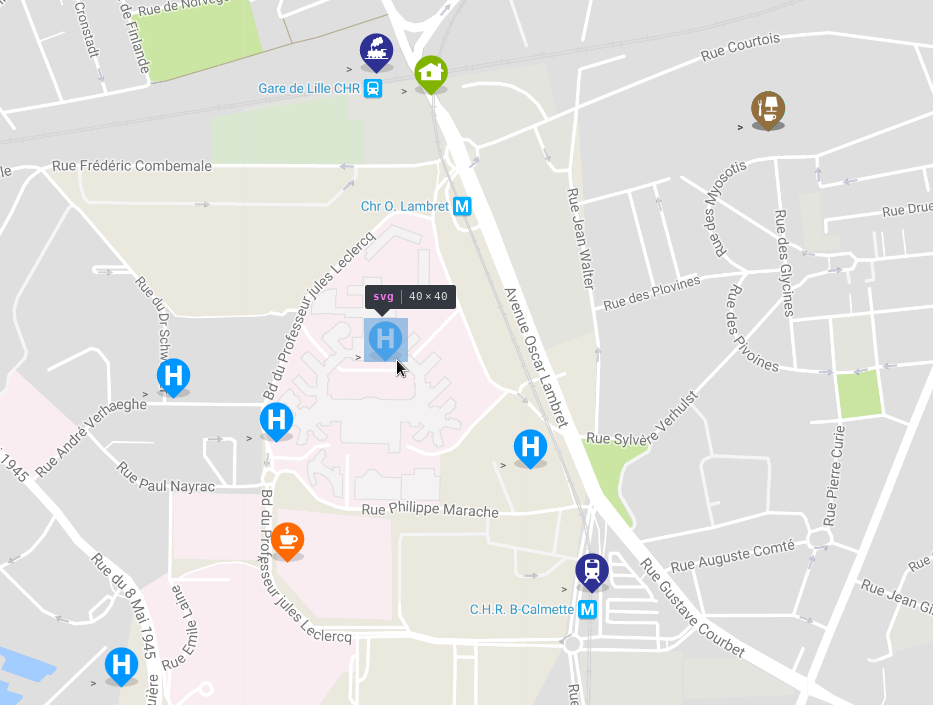
Installation
Install the package from npm:
npm i vue3-gmap-custom-marker
Basic Usage
Import the component and use it in the components object.
import GmapCustomMarker from 'vue3-gmap-custom-marker';

export default = {
  [...],
  components: {
      'gmap-custom-marker': GmapCustomMarker
  },
  [...]
}
Use the custom marker inside the map component. Add HTML or other Vue components inside the custom marker to be rendered on the map.
<GmapMap>
  <gmap-custom-marker :marker="marker">
    <img src="http://lorempixel.com/800/600/nature/" />
    <my-component></my-component>
  </gmap-custom-marker>
</GmapMap>

<script>
export default = {
  [...],
  data() {
    return {
      marker: {
        lat: 50.60229509638775,
        lng: 3.0247059387528408
      }
    }
  [...]
}
</script>
// Click is not tested yet (and native too)
<GmapMap>
  <gmap-custom-marker
    :marker="{ lat: 50.60229509638775, lng: 3.0247059387528408 }"
    @click="someFunction"
  >
    <img src="http://lorempixel.com/800/600/nature/" />
    <my-component></my-component>
  </gmap-custom-marker>
</GmapMap>
Specify the alignment of the marker with the alignment prop. Accepts 13 values: top, bottom, left, right, center, topleft | lefttop, topright | righttop, bottomleft | leftbottom, bottomright | rightbottom. Defines the alignment of the marker relative to the lat/lng specified, e.g. bottomright - the marker will be below and on the right of the location.
<gmap-custom-marker :marker="marker" alignment="bottomright">
</gmap-custom-marker>
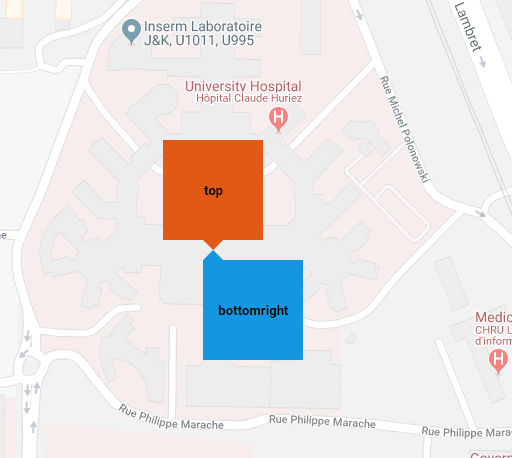
Manually specify an offset value for the marker in pixels with prop offsetX | offsetY. A positive offsetX moves the marker further right, and a positive offsetY moves the marker further down the page. Can be used with the alignment prop.
<gmap-custom-marker :marker="marker" :offsetX="-10" :offsetY="17.5">
</gmap-custom-marker>
Reference
| Prop | Type | Default | Description | Supported Values |
|---|---|---|---|---|
marker |
Object | null |
Provide the latitude and longitude values that the marker should be displayed at. Required | Provide an Object with lat and lng properties. { lat: Number, lng: Number } |
offsetX |
Number | 0 |
The number of pixels to move the marker by in the x-direction. Postive values move the marker to the right | Positive or negative number. |
offsetY |
Number | 0 |
The number of pixels to move the marker by in the y-direction. Postive values move the marker to down the page. | Positive or negative number. |
alignment |
String | top |
The alignment of the marker element relative to the location it is displayed. e.g. bottomright - the marker will be below and on the right of the location. |
top, bottom, left, right, center, topleft lefttop, topright, righttop, bottomleft, leftbottom, bottomright, rightbottom |
zIndex |
Number | 50 |
z-index of the marker. | Positive number. |
Licence
Support
If you want to support this plugin it is possible :smile:

Related Packages
vue 2 google map custom marker component allowing display custom html content on...
Version History
| Version | Released | Vue | License |
|---|---|---|---|
| 1.0.0 | ^3.x | MIT | |
| 0.0.5 | ^3.x | MIT | |
| 0.0.4 | ^3.x | MIT | |
| 0.0.3 | ^3.x | MIT | |
| 0.0.2 | ^3.x | MIT | |
| 0.0.1 | ^3.x | MIT |