vue2-typeahead
vue2-typeahead
typeahead for vue2
Based onhttps://github.com/pespantelis/vue-typeahead

Quick preview
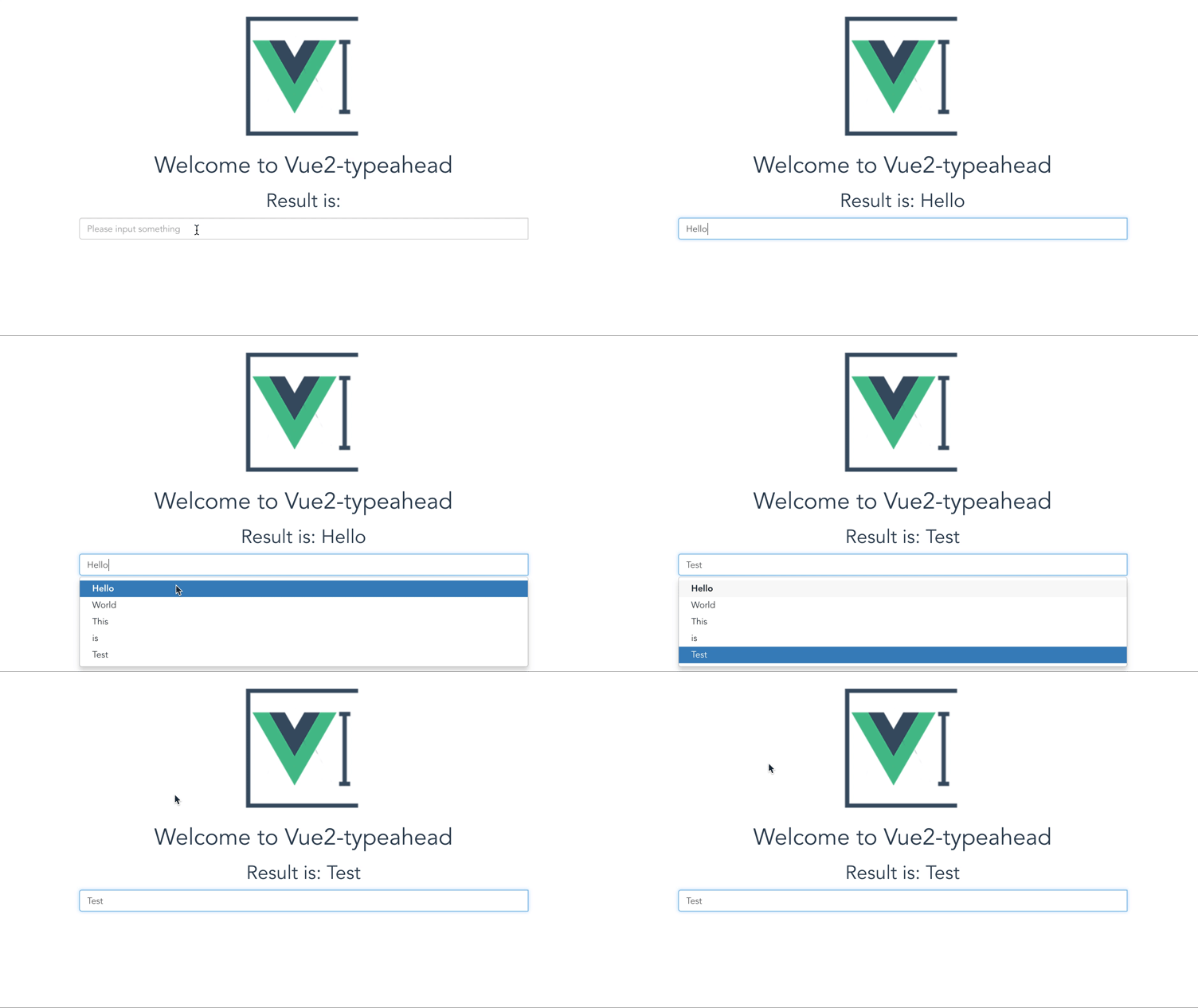
Run demo
# install dependencies
npm install

# serve with hot reload at localhost:8080
npm run dev
Warning
Prepared rewrite by vue2.5 and bootstrap 4
How to use
Please install axios- It base on bootstrap css
npm install vue2-typeahead --save- import and use it
import TypeAhead from 'vue2-typeahead'orimport TypeAhead from 'vue2-typeahead/src/components/TypeAhead.vue' - config (you can get a config sample from Demo.vue)
Sample
 <TypeAhead
      src="/static/data.json?keyword=:keyword"
      :getResponse="getResponse"
    ></TypeAhead>
methods: {
      getResponse: function (response) {
        return response.data.items
      }
    }
Config props
v-model
You can get the result by set v-model="" attribute
Necessary
- src: The api url for get the data
- getResponse: The function to get a array form response
Optional
- selectFirst default:false auto select first item
- queryParamName default::keyword this will be replace to what you input in ajax request
- limit default:9999 how many items will show in the list
- minChars default:2 only words length large than this number can emit the request
- delayTime default:500 delay time for emit the request for avoiding request when inputing
- placeholder default:null placeholder
- classes default:null the class you want add to input component
- onHit default:Function how to use the things you hit
- highlighting default:Function highlighting every item
- render default:Function to render the lists which will be show
- fetch default:Function how to send the url
other
other attribute will bind on <input /> like disabled on v1.3.0
What you can get in instance
Some function will return vue object, it is the instance of component and i use it to change the query, you can also get some useful data by it
- items: option list after render function
- current: current id is select or cursor is hover
- data: the response data of fetch
A Complete Config Sample
<TypeAhead
      v-model="data"
      :classes="classes"
      :placeholder="placeholder"
      src="/static/data.json?keyword=:keyword"
      :getResponse="getResponse"
      :selectFirst="selectFirst"
      :limit="parseInt(limit)"
      :queryParamName="queryParamName"
      :minChars="parseInt(minChars)"
      :delayTime="parseInt(delayTime)"
      :onHit="onHit"
      :highlighting="highlighting"
      :render="render"
      :fetch="fetch"
    ></TypeAhead>
    data () {
      return {
        data: '',
        selectFirst: false,
        limit: 9999,
        queryParamName: ':keyword',
        minChars: 2,
        delayTime: 500,
        placeholder: 'Please input something',
        classes: 'typeahead'
      }
    },
    methods: {
      getResponse: function (response) {
        return response.data.data.items
      },
      onHit: function (item, vue, index) {
        vue.query = item
      },
      highlighting: function (item, vue) {
        return item.toString().replace(vue.query, `<b>${vue.query}</b>`)
      },
      render: function (items, vue) {
        // 将搜索内容作为list的第一个
        let newItem = [vue.query, ...items]
        return newItem
      },
      fetch: function (url) {
        return axios.get(url)
      }
    },
    components: {
      TypeAhead
    }
License
vue2-typeahead is released under the MIT License. See the bundled LICENSE file for details.
Related Packages
vue3-bootstrap-typeahead
A simple and lightweight Vue3 typeahead component for Bootstrap 4.x / 5.x that s...
28,501
11
@vue-bootstrap-components/vue-bootstrap-autocomplete
A typeahead/autocomplete component for Vue 2 using Bootstrap 4
55,056
5
@dullar/mercury
Advanced and highly reusable Mobile UI Components built on Vue2 & You can define...
8,553
6
Version History
| Version | Released | License |
|---|---|---|
| 1.3.1 | MIT | |
| 1.3.0 | MIT | |
| 1.2.0 | MIT | |
| 1.1.0 | MIT | |
| 1.0.32 | MIT | |
| 1.0.30 | MIT | |
| 1.0.20 | MIT | |
| 1.0.17 | MIT | |
| 1.0.16 | MIT | |
| 1.0.15 | MIT | |
| 1.0.14 | MIT | |
| 1.0.13 | MIT | |
| 1.0.12 | MIT | |
| 1.0.10 | MIT | |
| 1.0.9 | MIT | |
| 1.0.8 | MIT | |
| 1.0.7 | MIT | |
| 1.0.6 | MIT | |
| 1.0.5 | MIT | |
| 1.0.4 | MIT | |
| 1.0.0 | MIT |