vue-tiptap
vue-tiptap




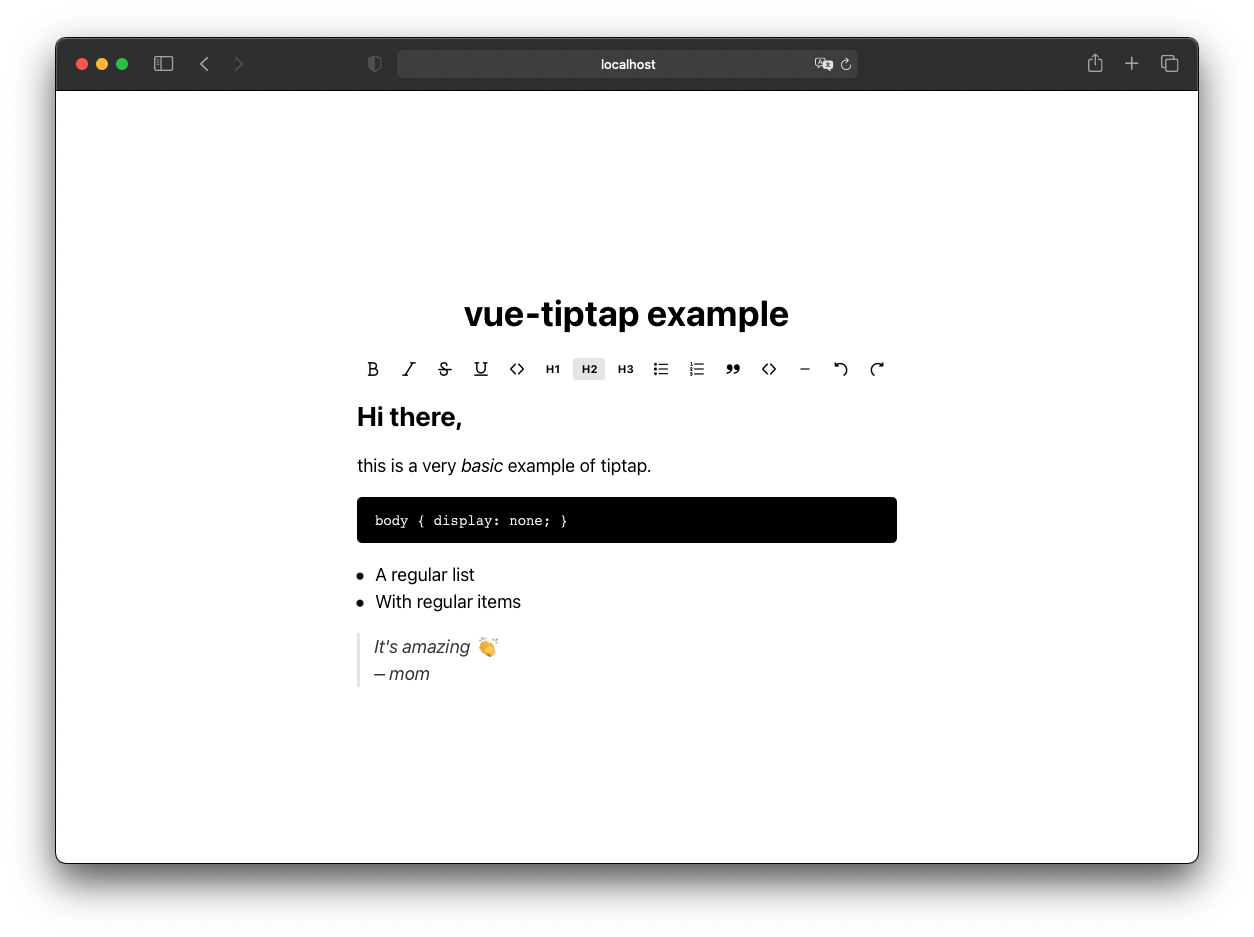
Example of using tiptap as a Vue 3 component without being completely renderless, so you can see how to use it inside your own components or even use it right away. It can be imported as a Vue 3 component, and you can see in the example directory how it would be used inside your application.
Note: now tiptap has their own examples and components for different frameworks (including vue 2 and vue 3), so maybe you should take a look to the official package @tiptap/vue-3. This package will probably not be updated anymore.
Install
npm install vue-tiptap
Vue 3.5+ is a peer dependency, and TipTap comes along as a regular
dependency — npm installs both for you. Nothing is bundled into
dist/, so your app ends up with a single copy of Vue and of
ProseMirror even if it uses TipTap directly elsewhere.
The styles are not bundled into the component, so you also need
sass in your project to compile
them:
npm install --save-dev sass
Usage
<template>
  <editor
    :initial-content="content"
    :active-buttons="['bold', 'italic', 'h1', 'bulletList', 'undo', 'redo']"
    @update="onUpdate"
  />
</template>

<script>
import Editor from 'vue-tiptap';
import 'vue-tiptap/style';

export default {
  components: { Editor },
  data() {
    return { content: '<p>Hello <em>world</em></p>' };
  },
  methods: {
    onUpdate(html) {
      this.content = html;
    },
  },
};
</script>
Props
| Prop | Type | Default | Description |
|---|---|---|---|
initialContent |
String |
'<em>editable text</em>' |
HTML the editor starts with. |
activeButtons |
Array |
['bold', 'italic'] |
Which toolbar buttons to render, in order. |
Accepted activeButtons values:
bold, italic, strike, underline, code, h1, h2, h3,
bulletList, orderedList, blockquote, codeBlock,
horizontalRule, undo, redo
Events
| Event | Payload | Description |
|---|---|---|
update |
String |
The full HTML of the document, on every change. |
Styles
vue-tiptap/style is the whole stylesheet: a small reset, the editor
content styles and the toolbar. Import it from JavaScript as above.
The colours live in src/sass/variables.scss, but they are not
configurable from outside the package — override the generated CSS in
your own stylesheet if you need to restyle.
Development
# install dependencies
npm install

# build library (production mode)
# Output: dist/ (library files for distribution)
npm run build

# build example and serve preview (development mode)
# Output: dist-example/ (example build)
# Server: http://localhost:5173/
npm run dev

# alias for npm run dev
npm run serve

# lint
npm run lint
dist/ is not versioned. The prepare script rebuilds it on install,
on npm pack and on npm publish, so it can never drift from src/.
Build Scripts
npm run build: Builds the library in production mode. Outputs the distributable files todist/directory (these are the files that will be included in other projects).npm run dev: Builds the example application in development mode todist-example/and starts a preview server on port 5173. Useful for testing the example locally.npm run serve: Alias fornpm run dev.
License
The MIT License (MIT). Please see License File for more information.
SVG Icons from the original TipTap package.
Related Packages
Version History
| Version | Released | Vue | License |
|---|---|---|---|
| 3.3.2 | ^3.5.41 | MIT | |
| 3.3.1 | ^3.5.41 | MIT | |
| 3.2.3 | ^3.5.30 | MIT | |
| 3.2.2 | ^3.5.30 | MIT | |
| 3.2.1 | ^3.5.30 | MIT | |
| 3.2.0 | ^3.5.26 | MIT | |
| 3.1.2 | ^3.5.10 | MIT | |
| 3.0.1 | ^3.4.15 | MIT | |
| 3.0.0 | ^3.4.15 | MIT | |
| 2.3.0 | ^3.4.15 | MIT | |
| 2.2.19 | ^3.4.9 | MIT | |
| 2.2.18 | ^3.3.8 | MIT | |
| 2.2.17 | ^3.3.4 | MIT | |
| 2.2.16 | ^3.3.4 | MIT | |
| 2.2.15 | ^3.3.4 | MIT | |
| 2.2.14 | ^3.3.4 | MIT | |
| 2.2.13 | ^3.3.4 | MIT | |
| 2.2.12 | ^3.3.4 | MIT | |
| 2.2.11 | ^3.2.47 | MIT | |
| 2.2.10 | ^3.2.47 | MIT | |
| 2.2.9 | ^3.2.45 | MIT | |
| 2.2.8 | ^3.2.45 | MIT | |
| 2.2.7 | ^3.2.45 | MIT | |
| 2.2.6 | ^3.2.44 | MIT | |
| 2.2.5 | ^3.2.39 | MIT | |
| 2.2.4 | ^3.2.37 | MIT | |
| 2.2.3 | ^3.2.37 | MIT | |
| 2.2.2 | ^3.2.37 | MIT | |
| 2.2.1 | ^3.2.33 | MIT | |
| 2.2.0 | ^3.2.31 | MIT |
Showing the latest 30 of 45. See every release on npm