vue-tag-selector
2,755
| Install | |
|---|---|
npm install vue-tag-selector |
|
| Latest Version: | 0.2.6 |
| Vue: | 2 |
| License: | MIT |
| Last Updated: | Mar 3, 2021 |
| Links: | npm |
Maintainer: tomquinonero




Vue-tag-selector is a component for vuejs for tag type fields.
Light (6.3kb gzipped) and customizable.
Offering regex validation.
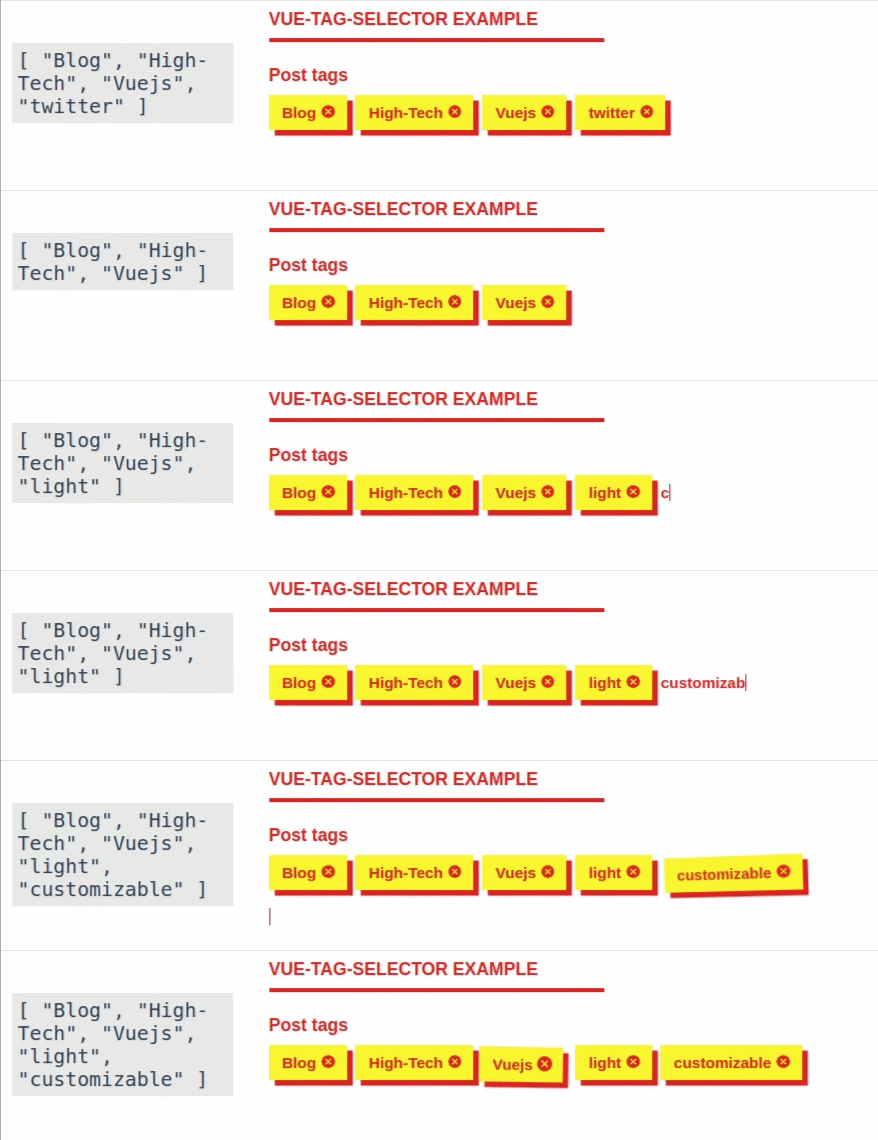
Check out the demo
Installation
# with npm
npm install --save vue-tag-selector
# with yarn
yarn add vue-tag-selector
Usage
For using the component you just need to import the component and register it:
import TagSelector from 'vue-tag-selector'
export default {
  components: { TagSelector },
  data(){
    return {
      tags: []
    }
  }
}
And then use it in your template:
<template>
  <div class="container">
    <tag-selector name="tags" v-model="tags"/>
  </div>
</template>
API Documentation
Here's a list of the props available:
label: Displays a label, has to be String can be ignoredname: Required. usually the field name.classes: Allows you to add classes to the field. String or Array.regex: A RegExp. Validates every tag and disallow adding if not matching. By default it's alphanumerical only (/^[a-zA-Z0-9]*$/)regexError: The error displayed when the Regex doesn't match
Style
The component philosophy is pretty straightforward here: only the mandatory style is bundled. I personally never liked js library that needs too much CSS. Only 26 lines of CSS here 😉. But you can easily stylize the component.
Have an example template:
<div class="field tag-selector">
  <label for="tags">Post tags</label>
  <div class="tag-selector--input">
      <div class="tag-selector--item">
        Dogs <i class="icon tag-selector--remove">delete_icon</i>
      </div>
      <div class="tag-selector--item">
        Cats <i class="icon tag-selector--remove">delete_icon</i>
      </div>
      <div class="tag-selector--item">
        Horses <i class="icon tag-selector--remove">delete_icon</i>
      </div>
    <input type="text" id="tags" name="tags" class="tag-selector-input">
  </div>
  <p class="validation-message">The tag you entered is at the wrong format. Please only use alphanumerical characters.</p>
</div>
One rule tho, .tag-selector--input has to be display: flex;.
You can see different themes applied in the demo
Related
Created by Tom Quinonero
Version History
| Version | Released | Vue | License |
|---|---|---|---|
| 0.2.6 | ^2.6.12 | MIT | |
| 0.2.5 | ^2.6.12 | MIT | |
| 0.2.4 | ^2.5.17 | ||
| 0.2.3 | ^2.5.17 | ||
| 0.2.2 | ^2.5.17 | ||
| 0.2.1 | ^2.5.17 | ||
| 0.2.0 | ^2.5.17 | ||
| 0.0.5 | latest | MIT | |
| 0.0.4 | latest | MIT | |
| 0.0.3 | latest | MIT | |
| 0.0.2 | latest | MIT | |
| 0.0.1 | latest | MIT |