vue-simple-drawer
A tiny Drawer component for vue
26,650
58
| Install | |
|---|---|
npm install vue-simple-drawer |
|
| Latest Version: | 1.0.6 |
| Vue: | 2 |
| License: | MIT |
| Last Updated: | Oct 18, 2024 |
| Links: | GitHub · npm |
Maintainer: dreambo8563








vue-simple-drawer
TODO
- remove shadow for default style
- add cover layer option
- rename the scss vars
- nest drawer?
Install
npm install vue-simple-drawer --save
Quick Start
<template>
  <div id="app">
    <button @click="toggle">toggle</button>
    <Drawer @close="toggle" align="left" :closeable="true">
      <div v-if="open">content here</div>
    </Drawer>
  </div>
</template>

<script>
import Drawer from "vue-simple-drawer"
export default {
  name: "app",
  data() {
    return {
      open: true
    }
  },
  components: {
    Drawer
  },
  methods: {
    toggle() {
      this.open = !this.open
    }
  }
}
</script>
Prop Types
| Property | Type | Required? | Description |
|---|---|---|---|
| align | String | One of "left", "up", "right", "down", default is 'right'. the location of the drawer. | |
| closeable | Boolean | show the x - close button, default true | |
| mask | Boolean | show the mask layer - close button, default true | |
| maskClosable | Boolean | emit 'close' event when click on mask layer, default: false | |
| zIndex | Number | z-index value for the drawer, the nest drawer's z-index will be increased automatically, default is 1000 |
Events
| Event | Params | Required? | Description |
|---|---|---|---|
| close | None | will be triggered when user click the x close button |
Slot
| Slot Name | Description |
|---|---|
| default | the content display in the drawer which can show/hide the draw by v-if |
Advance Guide
Nest Drawer
   <button @click="toggle">Open/Close</button>
    <Drawer @close="toggle" :align="align" :closeable="true">
      <div v-if="open">
        <span @click="innerOpen=true">
          content here
          content here
          content here
          content here
          content here
          content here
          content here
        </span>
        <Drawer @close="innerOpen=false" :align="align" :closeable="true">
          <div v-if="innerOpen">
            content here
            content here
            content here
          </div>
        </Drawer>
      </div>
    </Drawer>

    ...

      data() {
        return {
          open: false,
          innerOpen: false,
          align: "left"
        };
      },
Customized Theme
- In your customized scss file (demo.scss)
$--simple-drawer-close-width: 50px;
@import "~vue-simple-drawer/src/index";
- import the scss to override the default theme in main.js (entry file) after you import the Draw component
import "./demo.scss";
variables
close button style
- $--simple-drawer-softorange
- $--simple-drawer-tomatored
- $--simple-drawer-mediumblu
close button size
- $--simple-drawer-close-width
drawer background
- $--simple-drawer-bg-color
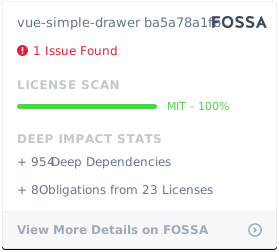
License
Contributors
Thanks goes to these wonderful people (emoji key):
This project follows the all-contributors specification. Contributions of any kind welcome!
Related Packages
Version History
| Version | Released | License |
|---|---|---|
| 1.0.6 | MIT | |
| 1.0.5 | MIT | |
| 1.0.2 | MIT | |
| 1.0.0 | MIT | |
| 0.1.8 | MIT | |
| 0.1.7 | MIT | |
| 0.1.6 | MIT | |
| 0.1.5 | MIT | |
| 0.1.4 | MIT | |
| 0.1.3 | MIT | |
| 0.1.2 | MIT | |
| 0.1.1 | MIT | |
| 0.1.0 | MIT |