vue-qr
vue-qr


The Vue 3 Component for SumiMakito's Awesome-qr.js.
The only one qr code component for Vue.js you need!
Notice
- v5.x 仅支持 Vue 3
- Vue 2 用户请使用 v4.x:
npm install vue-qr@4 - 不支持 IE 浏览器
Examples
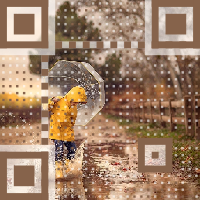
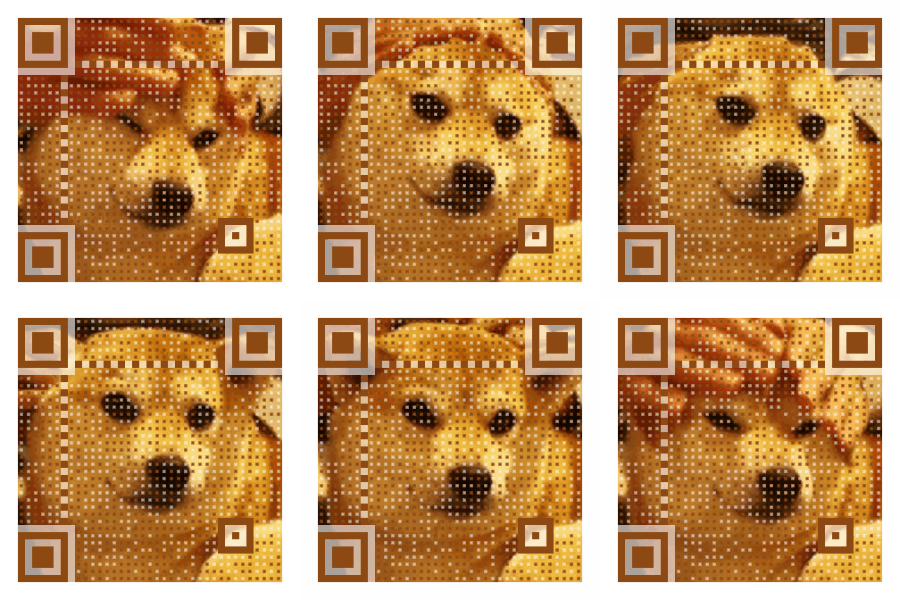
Try to scan these QR codes below with your smart phone.
| Example 1 | Example 2 | Example 3 | Example 4 |
|---|---|---|---|
 |
 |
 |
 |
Demo
npm run dev
Installation
npm install vue-qr --save
Usage
Global Registration
import { createApp } from 'vue'
import { VueQr, install } from 'vue-qr'

const app = createApp(App)
app.use({ install }) // or app.component('VueQr', VueQr)
app.mount('#app')
Local Registration
<script setup>
import VueQr from 'vue-qr'
</script>

<template>
  <vue-qr text="Hello world!" />
  <vue-qr :bgSrc="src" :logoSrc="src2" text="Hello world!" :size="200" />
  <vue-qr text="Hello world!" @generated="onGenerated" qid="testid" />
</template>
Event Handling
<script setup>
function onGenerated(dataUrl, id) {
  console.log(dataUrl, id)
}
</script>

<template>
  <vue-qr text="Hello world!" @generated="onGenerated" qid="testid" />
</template>
Props
| Parameter | Type | Default | Explanation |
|---|---|---|---|
| text | String | (required) | Contents to encode |
| correctLevel | Number | 1 | Correct Level 0-3 |
| size | Number | 200 | Width and height of the output QR code, includes margin |
| margin | Number | 20 | Margin around the QR code |
| colorDark | String | '#000000' | Color of data blocks |
| colorLight | String | '#FFFFFF' | Color of empty space |
| components | Object | - | Controls appearances of parts. See ComponentOptions |
| bgSrc | String | - | Background image URL |
| gifBgSrc | String | - | GIF background URL (overrides bgSrc) |
| backgroundColor | String | '#FFFFFF' | Background color |
| backgroundDimming | String | 'rgba(0,0,0,0)' | Color mask above background image |
| logoSrc | String | - | Logo URL at center |
| logoScale | Number | 0.2 | Logo size = logoScale * (size - 2 * margin) |
| logoMargin | Number | 0 | White margin around logo |
| logoBackgroundColor | String | 'rgba(255,255,255,1)' | Logo background color |
| logoCornerRadius | Number | 8 | Logo corner radius |
| whiteMargin | Boolean | true | White border around background image |
| dotScale | Number | 1 | Data dots scale (0 < scale ≤ 1) |
| autoColor | Boolean | true | Use dominant color of background as colorDark |
| binarize | Boolean | false | Binarize the image |
| binarizeThreshold | Number | 128 | Binarize threshold (0-255) |
| bindElement | Boolean | true | Auto-binds generated QR to HTML element |
| qid | String | - | ID for async identification |
Events
| Event | Parameters | Description |
|---|---|---|
| generated | (dataUrl, qid) | Emitted when QR code is generated |
ComponentOptions
type ComponentOptions = {
  data?: { scale?: number }
  timing?: { scale?: number; protectors?: boolean }
  alignment?: { scale?: number; protectors?: boolean }
  cornerAlignment?: { scale?: number; protectors?: boolean }
}
Default:
{
  data: { scale: 1 },
  timing: { scale: 1, protectors: false },
  alignment: { scale: 1, protectors: false },
  cornerAlignment: { scale: 1, protectors: true }
}
For more details check out Awesome-qr.js
Related Packages
Version History
| Version | Released | License |
|---|---|---|
| 5.0.3 | MIT | |
| 5.0.2 | MIT | |
| 5.0.1 | MIT | |
| 5.0.0 | MIT | |
| 4.0.9 | MIT | |
| 4.0.8 | MIT | |
| 4.0.7 | MIT | |
| 4.0.6 | MIT | |
| 4.0.5 | MIT | |
| 4.0.4 | MIT | |
| 4.0.3 | MIT | |
| 4.0.2 | MIT | |
| 4.0.1 | MIT | |
| 4.0.0 | MIT | |
| 3.2.4 | MIT | |
| 3.2.3 | MIT | |
| 3.2.2 | MIT | |
| 3.2.1 | MIT | |
| 3.2.0 | MIT | |
| 3.1.0 | MIT | |
| 2.5.0 | MIT | |
| 2.4.0 | MIT | |
| 2.3.1 | MIT | |
| 2.3.0 | MIT | |
| 2.2.1 | MIT | |
| 2.2.0 | MIT | |
| 2.1.0 | MIT | |
| 2.0.7 | MIT | |
| 2.0.6 | MIT | |
| 2.0.5 | MIT |
Showing the latest 30 of 67. See every release on npm
Pre-releases (10)
| Version | Released | License |
|---|---|---|
| 4.0.8-beta.0 | MIT | |
| 4.0.7-beta.2 | MIT | |
| 4.0.7-beta.1 | MIT | |
| 4.0.7-beta.0 | MIT | |
| 4.0.4-beta.3 | MIT | |
| 4.0.4-beta.2 | MIT | |
| 4.0.4-beta.1 | MIT | |
| 4.0.4-beta.0 | MIT | |
| 2.4.0-rc.1 | MIT | |
| 2.4.0-rc.0 | MIT |