vue-google-identity-login-btn
vue-google-identity-login-btn
Simple Google Login Button for vue ( Google Identity Services ).
install:
yarn:
$ yarn add vue-google-identity-login-btn
npm:
npm install --save vue-google-identity-login-btn
Use:
- Import the library in your component and adds the directive, data, and methods required:
import GoogleSignInButton from 'vue-google-identity-login-btn';
export default {

  directives: {
    GoogleSignInButton
  },

  data() {
    return {
      clientId: 'YOUR-GOOGLE-CLIENT-ID'
    }
  },

  methods: {
    onGoogleAuthSuccess (jwtCredentials) {
      console.log(jwtCredentials);
      const profileData = JSON.parse( atob(jwtCredentials.split('.')[1]) );
      console.table(profileData);
    }
  },
}
</script>
- Create an element with the
v-google-identity-login-btndirective in your template:
<div style="display: flex; justify-content: center"
  id="google-login-btn"
  v-google-identity-login-btn="{ clientId }">
    Continuar con google
</div>
Warning: If you are seeing this message and you have issues (the Google button is not showing and you have an error in the console), probably you need to specify the
widthproperty with an Number value (v-google-identity-login-btn="{ clientId, width: 300 }">). you can see more details here
important: The container id (in this case google-login-btn) is required.
Tip: dont forget validate the jwtCredentials in yout backend
Customize your login button:
Put attention in the object from the directive:
v-google-identity-login-btn="
{ clientId }"
This object can contains the attributes for the GsiButtonConfiguration that change your login button theme, lang, size, etc.
Default and required options:
| attribute | status | type | default |
|---|---|---|---|
| clientId | required | string | - |
| type | optional | string | "standard" |
| shape | optional | string | "rectangular" |
| theme | optional | string | "outline" |
| text | optional | string | "continue_with" |
| size | optional | string | "large" |
| locale | optional | string | "es-419" |
| logo_alignment | optional | string | "center" |
| width | optional | string | "300px" |
full example:
<template>

    <div class="btn-cont">
      <div><h2>vue-google-identity-login-btn</h2></div>
      <div id="google-login-btn" v-google-identity-login-btn="{ clientId, locale:'en' }">
          Continuar con google
      </div>
    </div>

</template>

<script>
import GoogleSignInButton from 'vue-google-identity-login-btn';

export default {

  directives: {
    GoogleSignInButton
  },

  data() {
    return {
      clientId: 'YOUR-CLIENT-ID'
    }
  },

  methods: {
    onGoogleAuthSuccess (jwtCredentials) {
      // console.log(jwtCredentials);
      const profileData = JSON.parse( atob(jwtCredentials.split('.')[1]) );
      const { name, picture, email } = profileData;
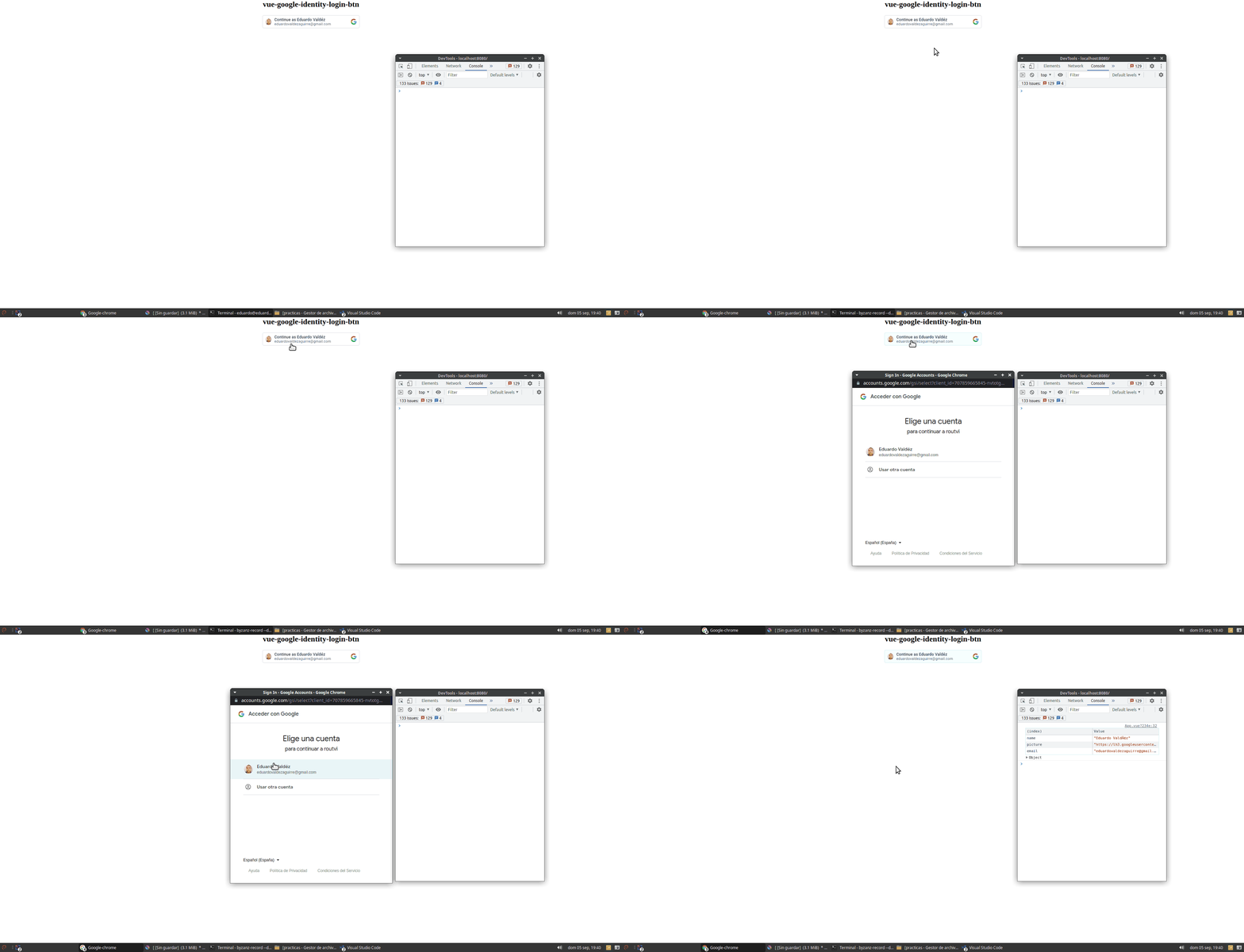
      console.table({ name, picture, email });
    }
  },
}
</script>

<style scoped>
.btn-cont {
  display: flex;
  flex-direction: column;
  align-items: center;
  height: 500px;
}
.btn-cont > div {
  width: 300px;
  text-align: center;
}
</style>
result:
Related Packages
A simple plugin to include a Google sign-in button into your web app
A simple plugin to include a custom Facebook sign-in button into your web app
A vue plugin to include a Apple sign-in button into your web app with popup and...
Version History
| Version | Released | License |
|---|---|---|
| 1.0.3 | MIT | |
| 1.0.2 | MIT | |
| 1.0.1 | MIT |