vue-file-selector
Vue File selector for Vuejs 3

File selector with validation that supports drag-n-drop for Vuejs.

Other open source projects
ImageGlass- A lightweight, versatile image viewer: https://imageglass.orgFluent Reveal Effect Js(Fluent Design System): https://github.com/d2phap/fluent-reveal-effectFileWatcherEx- A wrapper of C# FileSystemWatcher for Windows: https://github.com/d2phap/FileWatcherEx
Install
Run the command
npm i vue-file-selector@latest
NPM package: https://www.npmjs.com/package/vue-file-selector
Github source: https://github.com/d2phap/vue-file-selector
Usage
Please see Demo project for full example.
Declare the plugin
// in main.ts

import { createApp } from 'vue';

// import FileSelector main css
import 'vue-file-selector/dist/main.css';

// import the FileSelector plugin
import FileSelector from 'vue-file-selector';


import App from './App.vue';

createApp(App)

  // then use it!
  .use(FileSelector)
  .mount('#app');
Use in Vue file
<template>
  <div>
    <FileSelector
      accept-extensions=".jpg,.svg"
      :multiple="true"
      :max-file-size="5 * 1024 * 1024"
      @validated="handleFilesValidated"
      @changed="handleFilesChanged">
      Select image files
    </FileSelector>
  </div>
</template>

<script lang="ts">
import { Options, Vue } from 'vue-class-component';
import { FsValidationResult } from 'vue-file-selector/dist';

@Options({})
export default class App extends Vue {
  handleFilesValidated(result: FsValidationResult, files: File[]) {
    console.log('Validation result: ' + result);
  },

  handleFilesChanged(files: File[]) {
    console.log('Selected files: ');
    console.table(files);
  },
}
</script>
Slots
| Name | Default | Description |
|---|---|---|
default |
Select |
Content of the Select button. |
loader |
Loading... |
Content of loading state. |
top |
(empty) |
Top section content, above the Select button. |
bottom |
(empty) |
Bottom section content, below the Select button. |
Props
| Name | Type | Default | Description |
|---|---|---|---|
multiple |
boolean |
false |
Allow multiple files selected. |
isLoading |
boolean |
false |
Show or hide the loading section (slot: loader). |
acceptExtensions |
string |
(empty) |
List of file extensions accepted. Each extension separated by a comma (,). E.g. accept-extensions=".zip,.rar". |
maxFileSize |
number |
NaN |
Maximum size in byte of every single file allowed. E.g. :max-file-size="2*1024*1024" (only the files that ≤2 MB are allowed). |
height |
number |
NaN |
The height of droppable section. |
validateFn |
FsValidateFn |
() => true |
A custom validation function that returns boolean value. |
Events
1. @validated
Occurs after the selected files validated.
Function(result: FsValidationResult, files: File[]): void
result: validation result,- returns
trueif the file validation is valid, else - returns
falseor Error codes (string).
- returns
files: list of files validated.
2. @changed
Occurs if the selected files pass validation.
Function(files: File[]): void
files: list of files validated.
Error codes
List of error codes returned after validation, see FsValidationResult.
| Code | Error description |
|---|---|
EXTENSION_ERROR |
The selected files contain invalid extensions. |
FILE_SIZE_ERROR |
The selected files size exceeded limit. |
MULTIFILES_ERROR |
Multiple files selection is not allowed. |
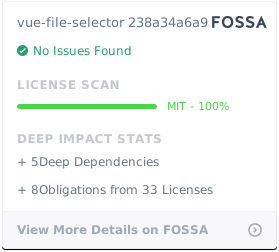
License
Related Packages
@xunlei/vue-lazy-component
Vue.js 2.0 组件级懒加载方案 Vue.js 2.x component level lazy loading solution
14,137
1,003
Version History
| Version | Released | License |
|---|---|---|
| 2.0.2 | MIT | |
| 2.0.1 | MIT | |
| 2.0.0 | MIT | |
| 0.6.0 | MIT | |
| 0.5.0 | MIT | |
| 0.1.0 | MIT | |
| 0.0.3 | MIT | |
| 0.0.2 | MIT | |
| 0.0.1 | MIT |