vue-easy-data-table





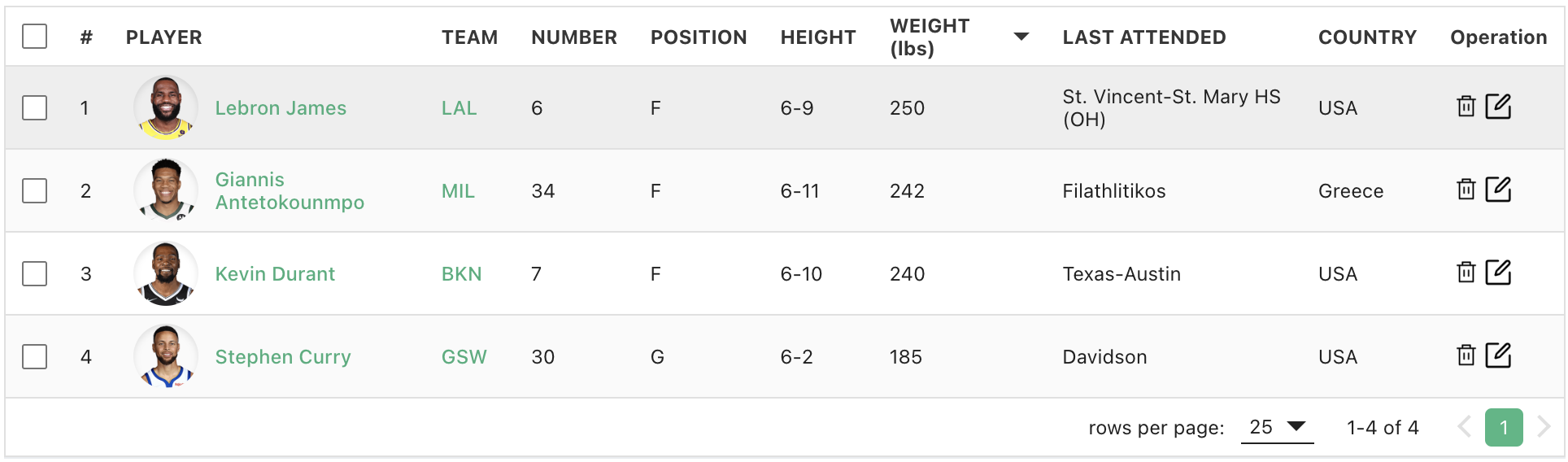
A Vue 3 data table with sorting, search, pagination, selection, fixed columns, and slots — plus opt-in virtual rows, grouped headers, and better server-side DX.
This is an actively maintained fork of vue3-easy-data-table. 1.7.1 is drop-in compatible with upstream 1.5.x; new APIs are additive.
npm install vue-easy-data-table
Why this fork
Upstream last published in 2023. This package keeps the same component API and CSS class hooks, and ships fixes plus features that were stuck as README todos:
| 1.7.1 | What you get |
|---|---|
| Summary row | Built-in <tfoot> totals (Header.summary including length, summary-row, named computeSummaryValue export, #summary* slots); virtual stays on |
item-key |
Stable row identity for selection, expand, and virtual tables (skip slow JSON.stringify) |
| Virtual rows | Opt-in windowing of the current page (virtual + virtual-row-height) |
| Server DX | Footer page tracks serverOptions.page; custom serverOptions fields are preserved; server-select-all |
| Headers | Per-column align / className / hidden, grouped children, custom sort compare |
| Sticky columns | Painted-width left and opaque stacking so scrolling cells cannot paint through frozen ones |
| Accessibility | aria-sort, keyboard sort, labeled checkboxes / pagination / expand |
Vue is a peer (^3.4.0 || ^3.5.0), not bundled.
Install
npm install vue-easy-data-table
# or: pnpm add vue-easy-data-table / yarn add vue-easy-data-table
Register globally (or import per component):
import Vue3EasyDataTable from 'vue-easy-data-table';
import 'vue-easy-data-table/dist/style.css'; // required — this exact path

app.component('EasyDataTable', Vue3EasyDataTable);
// or: import { Vue3EasyDataTable as EasyDataTable } from 'vue-easy-data-table';
Types (Header, Item, ServerOptions, …) and aggregator helpers (computeSummaryValue, …) come from the package root.
Quick start
<template>
  <EasyDataTable
    :headers="headers"
    :items="items"
    item-key="name"
  />
</template>

<script setup lang="ts">
import type { Header, Item } from 'vue-easy-data-table';

const headers: Header[] = [
  { text: 'Name', value: 'name' },
  { text: 'Height (cm)', value: 'height', sortable: true },
  { text: 'Weight (kg)', value: 'weight', sortable: true },
  { text: 'Age', value: 'age', sortable: true },
];

const items: Item[] = [
  { name: 'Curry', height: 178, weight: 77, age: 20 },
  { name: 'James', height: 180, weight: 75, age: 21 },
  { name: 'Jordan', height: 181, weight: 73, age: 22 },
];
</script>
Copy-paste patterns (search, selection, server mode, virtual, grouped headers): docs/RECIPES.md.
Full props / slots / emits / CSS variables: docs/API.md.
Features
Client mode (default): pass items; the table searches, filters, sorts, and paginates locally.
Server mode: set v-model:server-options (non-null) plus server-items-length. The parent owns fetch / sort / page; client search and filter are skipped.
| Sorting | Single or multi-column; numeric-aware; optional Header.sort compare (client) |
| Search & filter | Client-only; search-value / search-field / filter-options |
| Pagination | Footer, rows-per-page, optional numbered buttons; v-model:current-page in client mode |
| Selection | v-model:items-selected (must be non-null to show checkboxes) |
| Slots | Item, header, expand, loading, empty, pagination, body, #customize-headers |
| Fixed columns | Header.fixed + width; sticky left follows painted width |
| Layout | table-height, alternating rows, border cells, theme color, class-name hooks |
| Virtual rows | :virtual="true" + :virtual-row-height + preferably table-height and item-key |
| Grouped headers | Header.children (prefer this over #customize-headers for groups) |
| Summary row | Header.summary aggregations (sum/avg/min/max/count/length), summary-row, #summary* slots; sticky with fixed columns |
Use item-key ("id", "meta.uuid", …) on large, selectable, or virtual tables.
Migrating from vue3-easy-data-table
npm uninstall vue3-easy-data-table
npm install vue-easy-data-table
// before
import Vue3EasyDataTable from 'vue3-easy-data-table';
import 'vue3-easy-data-table/dist/style.css';

// after
import Vue3EasyDataTable from 'vue-easy-data-table';
import 'vue-easy-data-table/dist/style.css';
Component name, props, slots, emits, and CSS classes stay the same. Details: MIGRATION.md.
Docs
| Doc | Use when |
|---|---|
| docs/API.md | Props, slots, emits, expose, CSS variables |
| docs/RECIPES.md | Vue 3 SFC examples |
| MIGRATION.md | Rename + 1.6.x–1.7.0 additive behavior |
| CHANGELOG.md | Release notes |
| AGENTS.md | Install rules and pitfalls (also for AI agents) |
| Upstream feature gallery | Visual examples; APIs still apply |
CDN
<link href="https://unpkg.com/vue-easy-data-table/dist/style.css" rel="stylesheet" />
<script src="https://cdn.jsdelivr.net/npm/vue@3.5.13/dist/vue.global.js"></script>
<script src="https://unpkg.com/vue-easy-data-table"></script>

<div id="app">
  <easy-data-table :headers="headers" :items="items" />
</div>

<script>
  const App = {
    components: {
      EasyDataTable: window['vue3-easy-data-table'].default, // or .Vue3EasyDataTable
    },
    data() {
      return {
        headers: [
          { text: 'Name', value: 'name' },
          { text: 'Age', value: 'age', sortable: true },
        ],
        items: [
          { name: 'Curry', age: 20 },
          { name: 'James', age: 21 },
        ],
      };
    },
  };
  Vue.createApp(App).mount('#app');
</script>
The UMD global is still vue3-easy-data-table (dist filename unchanged for compatibility).
License
MIT. Thanks to everyone who filed issues and feature requests on the original project and this fork.
Related Packages
A customizable and easy-to-use data table component made with Vue.js 3.x.
A customizable and easy-to-use data table component made with Vue.js 3.x.
A customizable and easy-to-use data table component made with Vue.js 3.x.
A lightweight calendar heatmap Vue 3 component built on SVG, inspired by julienr...
Version History
| Version | Released | Vue | License |
|---|---|---|---|
| 1.7.1 | ^3.4.0 || | MIT | |
| 1.6.1 | ^3.4.0 || | MIT | |
| 1.6.0 | ^3.4.0 || | MIT |