vue-d3-barchart


vue-d3-barchart
Small component to draw charts using d3 v4
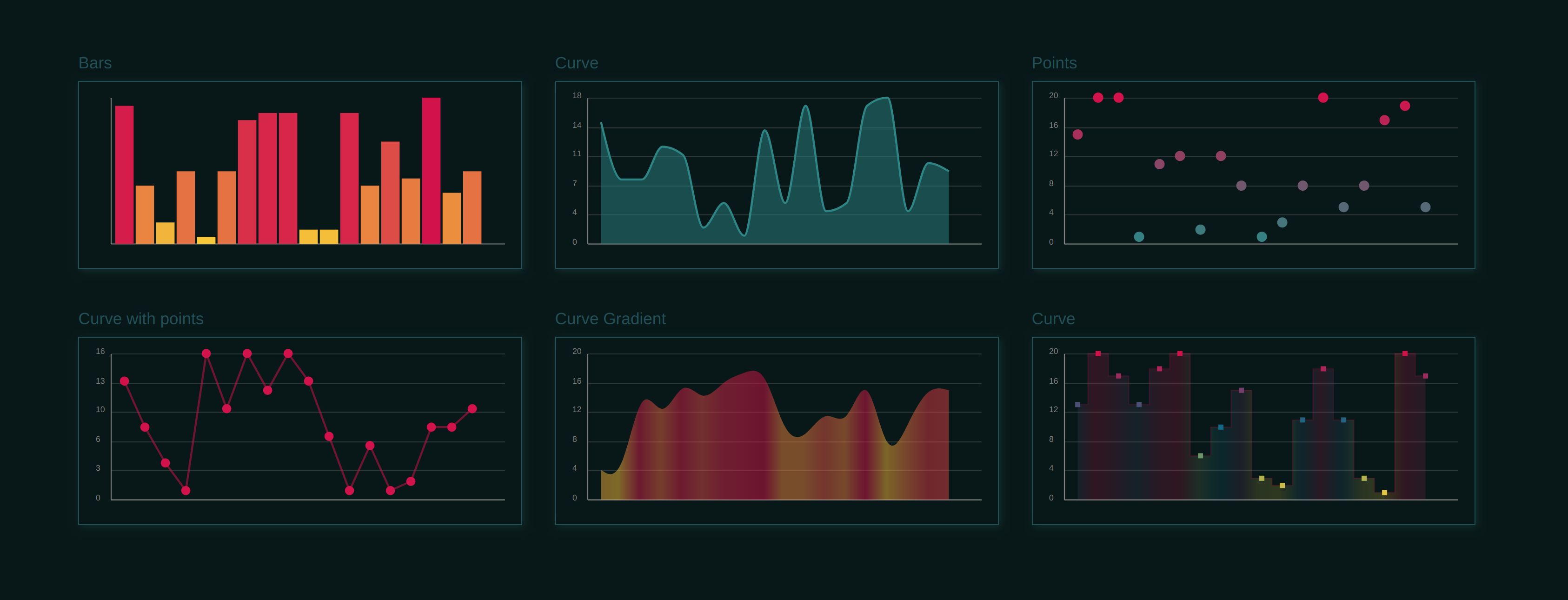
Demo
Installation
npm install vue-d3-barchart --save
Usage
  ...
  <d3-barchart :data='data' :options='options'/>
  ...
import D3BarChart from 'vue-d3-barchart'
...
  components: {
    D3BarChart
  },
....
<style src="vue-d3-barchart/dist/vue-d3-barchart.css"></style>
Or: import source component from: 'vue-d3-barchart/src/vue-d3-barchart.vue' And install devDependencies. (d3-scale, stylus and pug) See: package.json)
Props
-
data: Array of values or objects (see options: getX,getY)
-
options:
-
size:{w,h}
-
getX: function(d)
-
getY: function(d)
-
labels: Boolean show axis labels
-
axis: { valuesY:Boolean, valuesX:boolean, linesX:boolean, linesY:boolean } render axis
-
axisTicks
-
padding: 0.1 bar padding
-
colors: Array | Object
- Array: (range) [ maxValueColor, minValueColor ]
- Object { key(value): color} , max values first
-
colorInterpol: Function | name of D3 function
-
colorScale: Function | name of D3 function (colorInterpol Overrides this option)
-
colorCb: Color Function: (x,d) => {return color}, Overrides colorScale and colorInterpol
-
line: Boolean render line
-
formatX: Function(x) --> x
-
formatY: Function(y) --> y
-
formatLabel(d, formatX, formatY) ->
-
default:
      formatLabel (bar, formatX, formatY) {
        return [
          'x: ' + formatX(bar.xv),
          'y: ' + formatY(bar.yv)
        ]
      },
-
bars: Boolean : show bars | Object:
- gradient: Boolean | Object : { sroke:Boolean, fill:Boolean }
-
curve: Boolean | Object:
-
type: String | Function
-
String, name of d3 curve Types ex: 'linearClosed' or 'curveLinearClosed' (default: MonotoneX) see d3-shape#curves
-
Fuction: custom curve function
-
-
style: Object: {css-prop: value}
-
gradient: Boolean | Object : { sroke:Boolean, fill:Boolean }
-
close: Boolean, close curve to chart limits
-
-
curveBack: render another curve, with same settings as default.
-
marks: Boolean | Object: {type: point | square style:{ fill , stroke }, size }
-
domain Object: {max:[number],min:[number] The domain values are auto calculated from data, but for example,if you want a chart that start from zero you can pass the domain option as: {min:0}
d object
- xv: original x value
- yv: original y value
- x: computed chart x value
- y: computed chart y value
- color: computed chart color
- percentX: percent of x
- percentY: percent of y
- w: computed bar width,
- d: original data
Events
- barClick: fired on click/touch bar, emits bar,event
Dependencies
- d3-scale
- d3-array
- d3-shape
Related Packages
Library for creating powerful and interactive graph visualizations with ease.
Version History
| Version | Released | Vue | License |
|---|---|---|---|
| 0.0.28 | ^2.5.16 | MIT | |
| 0.0.27 | ^2.5.16 | MIT | |
| 0.0.26 | ^2.5.16 | MIT | |
| 0.0.25 | ^2.5.16 | MIT | |
| 0.0.24 | ^2.5.16 | MIT | |
| 0.0.23 | ^2.5.16 | MIT | |
| 0.0.22 | ^2.5.16 | MIT | |
| 0.0.21 | ^2.5.16 | MIT | |
| 0.0.20 | ^2.5.16 | MIT | |
| 0.0.18 | MIT | ||
| 0.0.17 | MIT | ||
| 0.0.16 | MIT | ||
| 0.0.15 | MIT | ||
| 0.0.14 | MIT | ||
| 0.0.13 | MIT | ||
| 0.0.12 | MIT | ||
| 0.0.11 | MIT | ||
| 0.0.10 | MIT | ||
| 0.0.9 | MIT | ||
| 0.0.8 | MIT | ||
| 0.0.7 | MIT | ||
| 0.0.6 | MIT | ||
| 0.0.5 | MIT | ||
| 0.0.4 | MIT |