vue-cli-plugin-gh-pages-auto-deploy
| Install | |
|---|---|
npm install vue-cli-plugin-gh-pages-auto-deploy |
|
| Latest Version: | 0.5.0 |
| License: | ISC |
| Last Updated: | Mar 4, 2023 |
| Links: | GitHub · npm |
:electric_plug: vue-cli-plugin-gh-pages-auto-deploy
Install the plugin into your project:
vue add gh-pages-auto-deploy
What this plugin does ?
This plugin automates Github Pages deployment by using Github Actions.
How ?
On every push or merge to the master branch, your code will be built and pushed
to a branch named gh-pages.
So, practically your code will automatically be deployed every time you push on master.
If you want to use another branch (not master), go to .github/workflows/gh-pages-deploy.yml
and change the "master" to your branch name
on:
  push:
    branches:
      - master <== Change this
How to make it work ?
-
After you have added the plugin, just commit and push to
master. -
Navigate to your github project and click 'Settings'

-
Scroll to find the section 'Github Pages' , select the
gh-pagesbranch and click 'Save'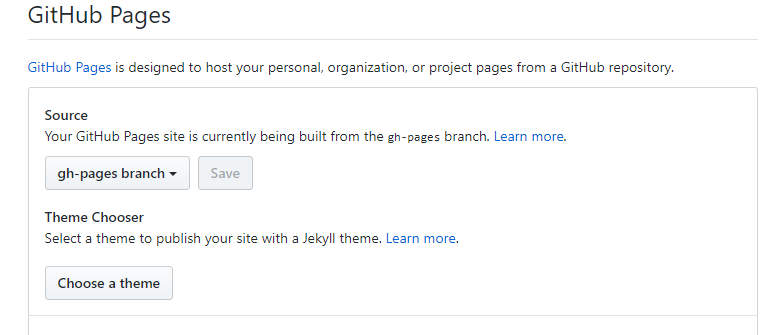
-
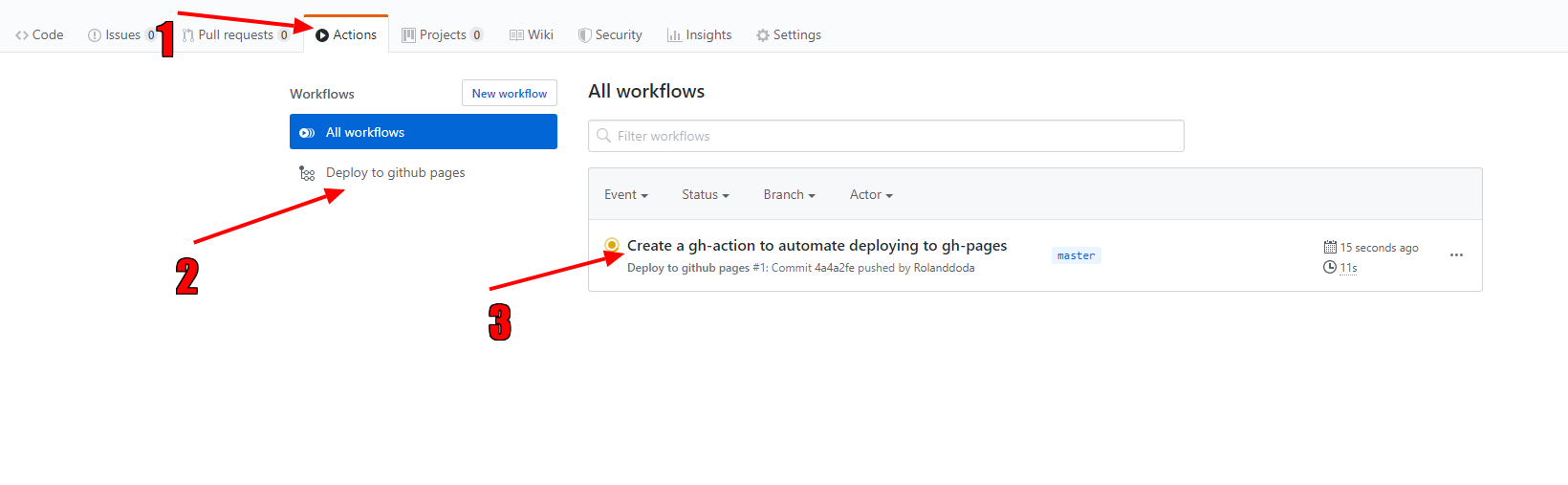
Click Actions (1) then Deploy to github pages (2) and last click on the action (3).
-
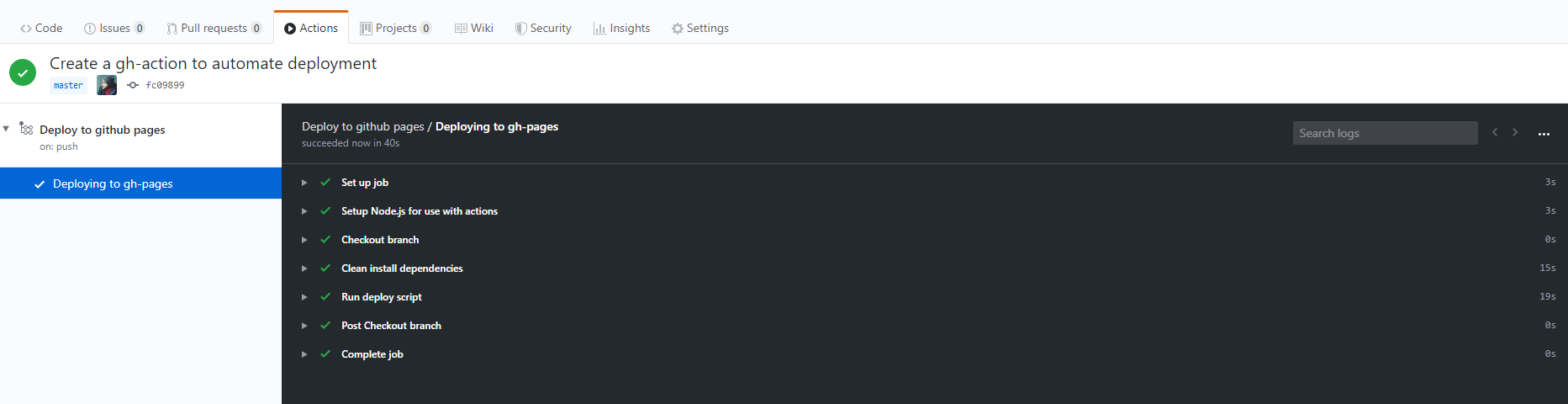
If everything goes well, you will see something like this:
🚀🚀 Congrats 🚀🚀
Your site is ready to be published. You might have to wait a bit. Generally it takes 2–10 minutes until this process is done.
Related Packages
Version History
| Version | Released | License |
|---|---|---|
| 0.5.0 | ISC | |
| 0.4.0 | ISC | |
| 0.3.1 | ISC | |
| 0.3.0 | ISC | |
| 0.2.0 | ISC | |
| 0.1.6 | ISC | |
| 0.1.5 | ISC | |
| 0.1.4 | ISC | |
| 0.1.3 | ISC | |
| 0.1.2 | ISC | |
| 0.1.1 | ISC | |
| 0.1.0 | ISC |