vue-animation-timeline
Vue Animation Timeline
1,394
45
| Install | |
|---|---|
npm install vue-animation-timeline@next |
|
| Latest Version: | 3.0.2 |
| Vue: | 2 · 3 |
| License: | MIT |
| Last Updated: | Aug 10, 2021 |
| Links: | GitHub · npm |
Maintainer: wx-xingdong
Vue Animation Timeline
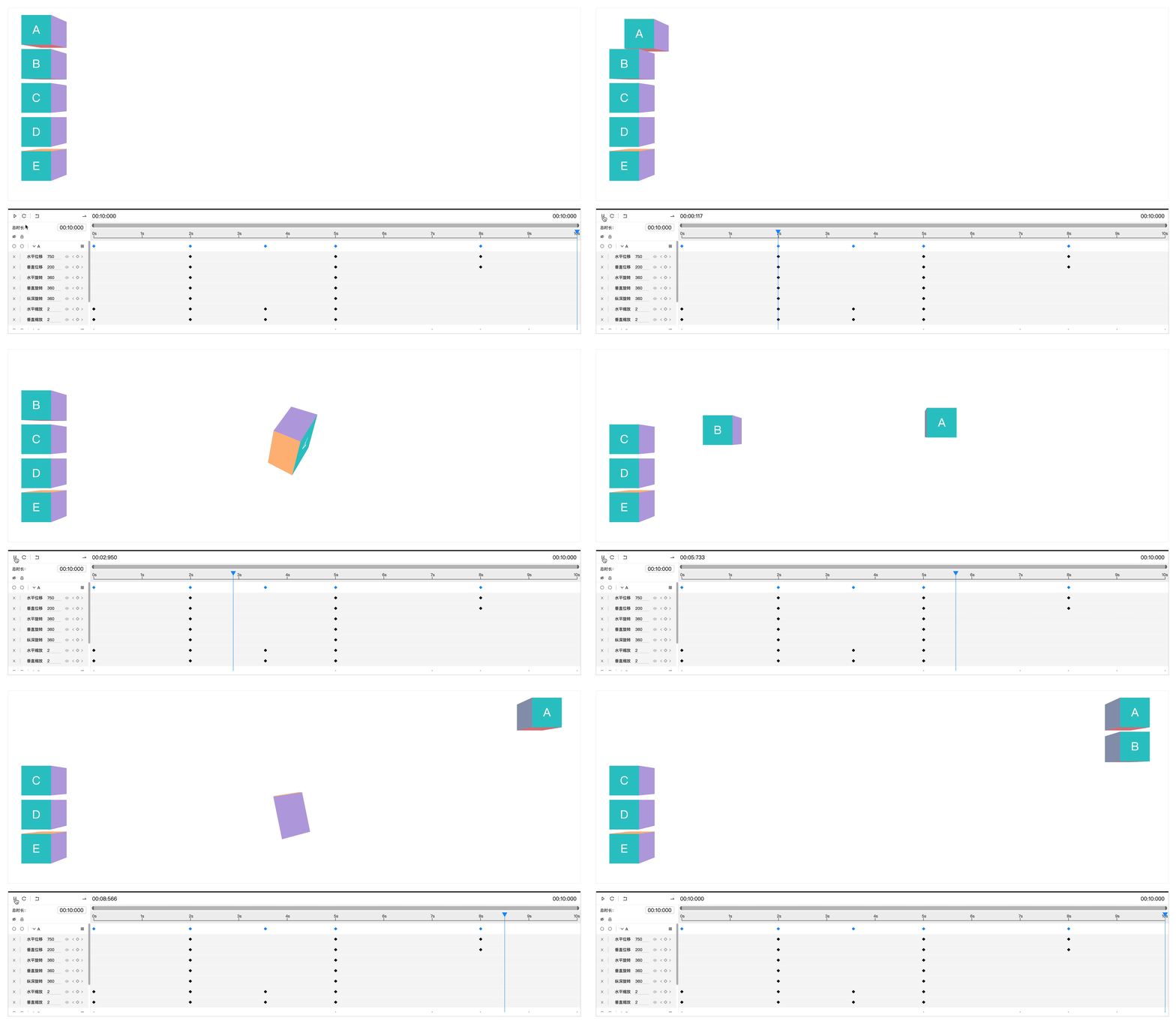
A visual element animation configuration editor based on timeline。




English | 简体中文
✨ Features
- 🚀 Visual element animation configuration based on timeline
- 💫 Support CSS Transform animation Properties
- ✅ Compatible with vue2.x and vue3
📦 Install
vue2.x
yarn add vue-animation-timeline
vue3
yarn add vue-animation-timeline@next
🧐 Usage
vue2.x
import Vue from 'vue';
import VueAnimationTimeline from 'vue-animation-timeline';

Vue.use(VueAnimationTimeline)
vue3
import { createApp } from 'vue';
import VueAnimationTimeline from 'vue-animation-timeline';

const app = createApp({});

app.use(VueAnimationTimeline);

app.mount('#app');
💡 Example
<template>
  <main>
    <section class="widgets">
      <div
          class="widget"
          v-for="widget in widgets"
          :key="widget.id"
          v-animation="widget"
      >
        {{ widget.name }}
      </div>
    </section>

    <animation-timeline :widgets="widgets" :fields="fields" @onUpdate="handleUpdate" />
  </main>
</template>
<script>
import { defineComponent, ref, reactive } from 'vue'

export default defineComponent({
  // vue2.x
  data () {
    return {
      widgets: [
        { id: 1, name: 'A', y: 32, x: 72, width: 84, height: 84 },
      ],
      fields: {
        name: 'name',
        width: 'width',
        height: 'height',
        top: 'y',
        left: 'x',
      }
    }
  },
  methods: {
    handleUpdate(widgets) {
      this.widgets = widgets;
    },
  },
  // vue3
  setup() {
    const widgets = ref([
      { id: 1, name: 'A', y: 32, x: 72, width: 84, height: 84 },
    ]);

    const fields = reactive({
      name: 'name',
      width: 'width',
      height: 'height',
      top: 'y',
      left: 'x',
    });

    const handleUpdate = (widgets) => {
      widgets.value = widgets;
    };

    return {
      widgets,
      fields,
      handleUpdate,
    }
  },
})
</script>
<style scoped>
.widgets {
  position: relative;
}

.widget {
  position: absolute;
}
</style>
🔧 Config
Properties
widgets: Element arrays
fields: Field mapping
| Properties | Description |
|---|---|
| key | Unique identifier |
| name | Name field mapping,default 'name' |
| width | Width field mapping,default 'width' |
| height | Width field mapping,default 'width' |
| top | Absolute positioning top field mapping,default 'top' |
| left | Absolute positioning left field mapping,default 'left' |
Instance Properties
animate: animate instance
| Function | Description |
|---|---|
| play | Execute animation |
| pause | Pause animation |
| restart | Restart animation |
| seek | Execute animation to a given time,example animate.seek(1000): execute animation to 1s |
Event
onUpdate: Update widgets configs,The parameter is the widgets array to which the animation configuration has been added
License
Copyright (c) 2021 Dong Xing
Related Packages
vue-timeline-editor
A Vue 3 timeline editor component with drag, resize, snap, and playback controls...
2,538
8
@dumbshow/vue
The Vue editor for dumbshow: ComposerApp and its panes over @dumbshow/core — mou...
883
0
Version History
| Version | Released | Vue | License |
|---|---|---|---|
| 3.0.2 | ^2.6.11 || | MIT | |
| 3.0.1 | ^2.6.11 || | MIT | |
| 3.0.0 | ^2.6.11 || | MIT | |
| 0.3.0 | ^2.6.11 || | MIT | |
| 0.2.5 | ^2.6.11 || | MIT | |
| 0.2.4 | ^2.6.11 || | MIT | |
| 0.2.3 | ^2.6.11 || | MIT | |
| 0.2.2 | ^2.6.11 || | MIT | |
| 0.2.1 | ^2.6.11 || | MIT | |
| 0.2.0 | ^2.6.11 || | MIT | |
| 0.1.10 | ^2.6.11 || | MIT | |
| 0.1.9 | ^2.6.11 || | MIT | |
| 0.1.8 | ^2.6.11 || | MIT | |
| 0.1.7 | ^2.6.11 || | MIT | |
| 0.1.6 | MIT | ||
| 0.1.5 | MIT | ||
| 0.1.4 | MIT | ||
| 0.1.3 | MIT | ||
| 0.1.2 | MIT | ||
| 0.1.1 | MIT |