vue-3d-loader
vue-3d-loader
vueJS + threeJS 3d viewer component.
support .dae/.fbx/.gltf/.glb/.obj/.ply/.stl/.json models, and support the same scene to import multiple different 3D models, support mtl materials and texture



Document:https://king2088.github.io/vue-3d-loader-docs/zh/
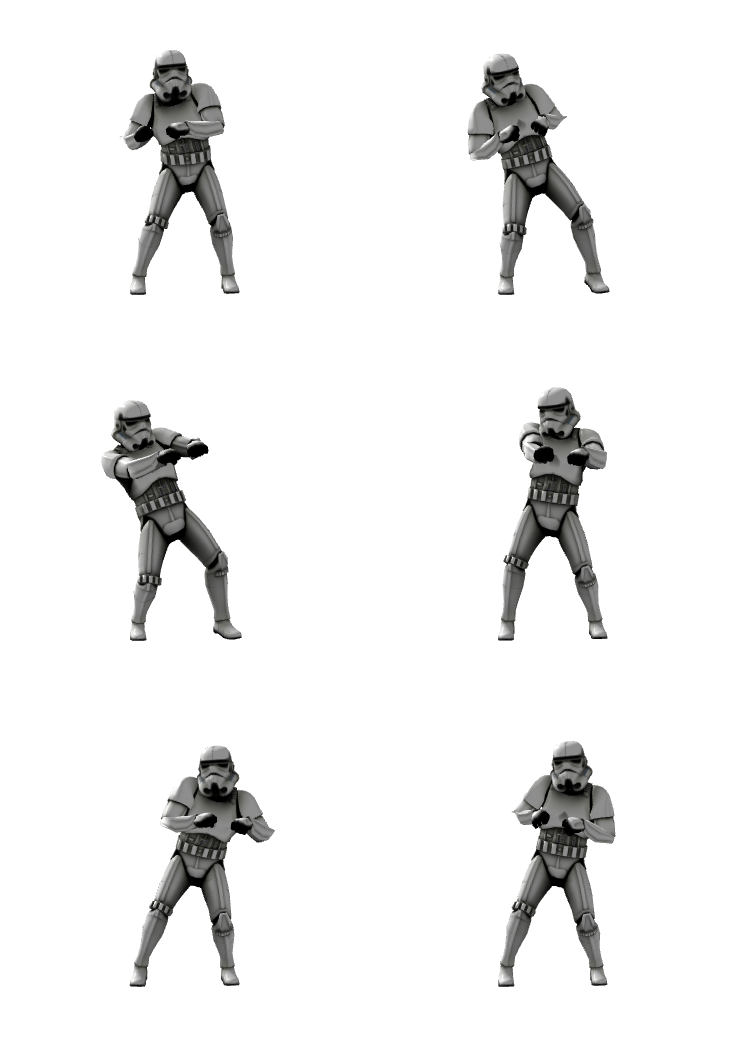
demo gif
Vue3 please install 2.0.0 or later, vue2 please install 1.x.x version
Feature support list
- Load a single 3D model
- Load multiple 3D models simultaneously
- Load multiple 3D models of different types simultaneously
- Load Draco gltf models(See API)
- Supports custom file type(for url without file extensions)
- Set scene width and height
- Set up materials and textures
- Interactive control
- Mouse event
- Light
- Camera position and rotation
- Add label points
Install vue-3d-loader
npm i vue-3d-loader -S # npm install vue-3d-loader -save
or
yarn add vue-3d-loader
How to use vue-3d-loader
If use in global, insert code in entry file:
/* vue2 */
import vue3dLoader from "vue-3d-loader";
Vue.use(vue3dLoader);

/* vue3 */
import vue3dLoader from "vue-3d-loader";
createApp(App).use(vue3dLoader).mount("#app");
If non-global use, insert code in your vue files:
import { vue3dLoader } from "vue-3d-loader"; // The vue3dLoader in {...}
Use tags in your components<vue3dLoader></vue3dLoader>
<vue3dLoader
  :height="200"
  :showFps="true"
  :filePath="['/fbx/1.fbx', '/obj/2.obj', '/gltf/3.gltf']"
  :mtlPath="[null, '/obj/2.mtl', null]"
  :backgroundColor="0xff00ff"
></vue3dLoader>
API
Attributes
const filePath = './models/tree.obj'
/* or */
const filePath = [
  './models/tree.obj',
  './models/building.obj'
]
File path, supports multiple files to be loaded together, note: If each file corresponds to a material, you need to set the material mtlPath as an array. The same is true for image textures, which need to be set to textureImage as an array
const fileType = 'obj'
/* or */
const fileType = ['obj', 'gltf']
File type is the 3d model(s) file extension, is used for filePath(http url) without file extensions. Is used together with filePath. If filePath is an array, this parameter must be an array.
const mltPath = './models/tree.mlt'
/* or */
const mltPath = [
  './models/tree.mlt',
  './models/building.mlt'
]
Material path, supports multiple materials to be loaded together, set this parameter to an array, you must set filePath to an array
const textureImage = './texture/tree.jpg'
/* or */
const textureImage = [
  './texture/tree.jpg',
  null,
  './building.png'
]
jpg/png texture, if is array, filePath must be set to an array
const position = {x:0, y:0, z:0}
// or
const position = [
  {x:10, y:10, z:10},
  {x:50, y:50, z:50}
]
const rotation = {x:0, y:0, z:0}
// or
const rotation = [
  {x: 10, y:20, z:30},
  {x: 0, y: 16, z: 20}
]
const cameraPosition = {x:0, y:0, z:0}
const cameraRotation = {x:0, y:0, z:0}
const cameraUp = {x:0, y:1, z:0}
const cameraLookAt = {x:0, y:0, z:0}
const scale = {x:1, y:2, z:1}
// or
const scale = [
  {x:1, y:2, z:1},
  {x:0.5, y:0.5, z:0.5}
]
const lights = [
  {
    type: "AmbientLight",
    color: "red",
  },
  {
    type: "DirectionalLight",
    position: { x: 100, y: 10, z: 100 },
    color: "green",
    intensity: 0.8,
  },
  {
    type: "PointLight",
    color: "#000000",
    position: { x: 200, y: -200, z: 100 },
    intensity: 1
  },
  {
    type: "HemisphereLight",
    skyColor: "#00FF00",
    groundColor: "#000000",
    position: { x: 200, y: -200, z: 100 }
  }
]
const bgColor = 0xff00ff
/* or */
const bgColor = 'red'
/* or */
const bgColor = '#000000'
/* or */
const bgColor = 'rgba(0, 0, 0, 0.5)'
const bgAlpha = 0.5
Control parameter OrbitControls Properties
const headers = {
  'Authorization': 'Bearer token'
}
sRGB is SRGBColorSpace (default; restores material colors best). linear is LinearSRGBColorSpace.
Backed by WebGLRenderer.outputColorSpace (three r152+); the prop is kept for compatibility.
WebGLRenderer options WebGLRenderer Parameters
Show stats infomation
Enable/disable parallel load models (useful only for multi-model loading). Use this attribute, the process event will be unpredictable
const labels = [
  {
    image: "",
    text: "",
    textStyle: {
      fontFamily: "Arial",
      fontSize: 18,
      fontWeight: "normal",
      lineHeight: 1,
      color: "#ffffff",
      borderWidth: 8,
      borderRadius: 4,
      borderColor: "rgba(0,0,0,1)",
      backgroundColor: "rgba(0, 0, 0, 1)"
    },
    position: {x:0, y:0, z:0},
    scale:{x:1, y:1, z:0},
    sid: null
  }
]
Add an image/text label and set image to display the image label. Set text to display text labels. Text styles can be set using textStyle. For examples, see the examples/add-label.vue file
Load the Gltf Draco model, you need to enable Draco decryption. The Draco wasm decoder defaults to the self-hosted path assets/draco/gltf/ — unzip draco.7z from the three.js repo there so decoding works fully offline (Google's gstatic.com CDN is unreachable in mainland China). To use a CDN instead, pass dracoDir. About draco and threeJS
If true, it also checks all descendants. Otherwise it only checks intersection with the object.
Set enableDamping to true to enable damping (inertia), which can be used to give a sense of weight to the controls.
The damping inertia used if enableDamping is set to true. dampingFactor
true,only enable vertical rotation of the camera
true,only enable horizontal rotation of the camera
Value only support MeshStandardMaterial and MeshBasicMaterial. For ply model. MeshStandardMaterial doc.MeshBasicMaterial doc.
Enable or show axes
Axes size
Enable or show grid
How far you can dolly in.
How far you can dolly out.
Point light follow camera.
Enable WebGLRenderer shadow map (disabled by default since it is expensive). When enabled, set castShadow/receiveShadow on your materials/meshes.
Events
| event | description |
|---|---|
| mousedown(event, intersects) | mouse down, intersect: currently intersecting objects |
| mousemove(event, intersects) | mouse move, intersect: currently intersecting objects |
| mouseup(event, intersects) | mouse up, intersect: currently intersecting objects |
| click(event, intersects) | click, intersect: currently intersecting objects |
| load | load model event |
| process(event, fileIndex) | loading progress, fileIndex: the index of the currently loaded model |
| error(event) | error event |
Example
1. Load a 3D model
supports dae/fbx/gltf(glb)/obj/ply/stl models
<!-- fbx model -->
<vue3dLoader
  filePath="models/collada/stormtrooper/stormtrooper.dae"
></vue3dLoader>
<!-- obj model -->
<vue3dLoader filePath="/obj/1.obj"></vue3dLoader>
2. Loading multiple models in the same scene
<!--
    Load multiple models of different type,
    support for setting position, scale,
    and rotation for each model
-->
<template>
  <div class="check-box">
    <input type="checkbox" @change="change($event, 'position')" checked /> Set
    position
    <input type="checkbox" @change="change($event, 'rotation')" checked /> Set
    rotation
    <input type="checkbox" @change="change($event, 'scale')" checked /> Set
    scale
  </div>
  <vue3dLoader
    :filePath="filePath"
    :position="position"
    :rotation="rotation"
    :scale="scale"
    :cameraPosition="{ x: -0, y: 0, z: -500 }"
  />
</template>
<script setup lang="ts">
import { ref } from "vue";
const filePath = ref();
filePath.value = [
  "/models/fbx/Samba Dancing.fbx",
  "/models/collada/pump/pump.dae",
];
const position = ref();
position.value = [
  { x: 0, y: 0, z: 0 },
  { x: 100, y: 100, z: 100 },
];
const rotation = ref();
rotation.value = [
  { x: 0, y: 0, z: 0 },
  { x: 10, y: 1, z: 1 },
];
const scale = ref();
scale.value = [
  { x: 0.4, y: 0.4, z: 0.4 },
  { x: 0.8, y: 0.8, z: 0.8 },
];

function change(event: any, type: string) {
  const value = event.target.checked;
  switch (type) {
    case "position":
      value
        ? (position.value = [
            { x: 0, y: 0, z: 0 },
            { x: 100, y: 100, z: 100 },
          ])
        : (position.value = []);
      break;
    case "rotation":
      value
        ? (rotation.value = [
            { x: 0, y: 0, z: 0 },
            { x: 10, y: 1, z: 1 },
          ])
        : (rotation.value = []);
      break;
    case "scale":
      value
        ? (scale.value = [
            { x: 0.4, y: 0.4, z: 0.4 },
            { x: 0.8, y: 0.8, z: 0.8 },
          ])
        : (scale.value = []);
      break;
  }
}
</script>
3. Material and texture
<!-- obj and mtl material -->
<vue3dLoader filePath="/obj/1.obj" mtlPath="/obj/1.mtl"></vue3dLoader>
<!-- fbx and png texture -->
<vue3dLoader filePath="/fbx/1.fbx" textureImage="/fbx/1.png"></vue3dLoader>
4. Background color and transparency
<vue3dLoader
  filePath="/fbx/1.fbx"
  :backgroundAlpha="0.5"
  backgroundColor="red"
></vue3dLoader>
5. Controls
<template>
  <div class="controls">
    <div class="buttons">
      <!-- Disable right-click drag -->
      <button @click="enablePan = !enablePan">
        {{ enablePan ? "disable" : "enable" }} translation
      </button>
      <!-- Disable zoom -->
      <button @click="enableZoom = !enableZoom">
        {{ enableZoom ? "disable" : "enable" }} zoom
      </button>
      <!-- Disable rotation -->
      <button @click="enableRotate = !enableRotate">
        {{ enableRotate ? "disable" : "enable" }} rotation
      </button>
    </div>
    <vue3dLoader
      :filePath="'/models/collada/elf/elf.dae'"
      :controlsOptions="{
        enablePan,
        enableZoom,
        enableRotate,
      }"
      :cameraPosition="{ x: 0, y: -10, z: 13 }"
    />
  </div>
</template>
<script setup lang="ts">
  import { ref } from "vue";
  const enablePan = ref(true);
  const enableZoom = ref(true);
  const enableRotate = ref(true);
</script>
6. Rotate model
<template>
  <vue3dLoader
    :rotation="rotation"
    @load="onLoad()"
    filePath="/models/collada/elf/elf.dae"
  />
</template>
<script setup lang="ts">
  import { ref } from "vue";
  const rotation = ref();
  rotation.value = {
    x: -Math.PI / 2,
    y: 0,
    z: 0,
  };
  function onLoad() {
    rotate();
  }
  function rotate() {
    requestAnimationFrame(rotate);
    rotation.value.z -= 0.01;
  }
</script>
7. Events
<template>
  <vue3dLoader filePath="/models/ply/Lucy100k.ply" @mousemove="onMouseMove" />
</template>
<script setup lang="ts">
  import { ref } from "vue";
  const object = ref(null);
  function onMouseMove(event: MouseEvent, intersected: any) {
    if (object.value) {
      (object.value as any).material.color.setStyle("#fff");
    }
    if (intersected) {
      object.value = intersected.object;
      (object.value as any).material.color.setStyle("#13ce66");
    }
  }
</script>
8. Loader draco model
The Draco wasm decoder defaults to the self-hosted path assets/draco/gltf/ (unzip draco.7z from the three.js repo there) so no external CDN is required — Google's CDN is unreachable in mainland China. Use dracoDir to point to a CDN mirror if you prefer.
<template>
  <vue3dLoader
    filePath="/models/gltf/LittlestTokyo.glb"
    :cameraPosition="{ x: 10, y: 700, z: 1000 }"
    :enableDraco="true"
    dracoDir="/draco/"
    outputEncoding="sRGB"
  />
</template>
9. More demos code
Click here to see more demo code
Docker deploy examples
  docker build -t vue/vue-3d-loader .
  # docker run
  docker run -p 8010:80 vue/vue-3d-loader
Features
- Supports Vue3
- On-demand rendering (pauses when the page/container is not visible)
- Lazy-loaded model loaders (three addons are code-split)
- Depends on
three >= 0.160as a peer dependency
Bugs
Donate


Thanks
This plugin is inseparable from vue-3d-model
Related Packages
Collection of useful helpers and fully functional, ready-made abstractions for T...
Version History
| Version | Released | License |
|---|---|---|
| 3.0.1 | MIT | |
| 3.0.0 | MIT | |
| 2.2.4 | MIT | |
| 2.2.3 | MIT | |
| 2.2.2 | MIT | |
| 2.2.1 | MIT | |
| 2.2.0 | MIT | |
| 2.1.9 | MIT | |
| 2.1.8 | MIT | |
| 2.1.7 | MIT | |
| 2.1.6 | MIT | |
| 2.1.5 | MIT | |
| 2.1.4 | MIT | |
| 2.1.3 | MIT | |
| 2.1.2 | MIT | |
| 2.1.1 | MIT | |
| 2.1.0 | MIT | |
| 2.0.9 | MIT | |
| 2.0.8 | MIT | |
| 2.0.7 | MIT | |
| 2.0.6 | MIT | |
| 2.0.5 | MIT | |
| 2.0.4 | MIT | |
| 2.0.3 | MIT | |
| 2.0.2 | MIT | |
| 2.0.0 | MIT | |
| 1.3.7 | MIT | |
| 1.3.6 | MIT | |
| 1.3.5 | MIT | |
| 1.3.4 | MIT |
Showing the latest 30 of 59. See every release on npm