v-odometer
| Install | |
|---|---|
npm install v-odometer |
|
| Latest Version: | 2.0.1 |
| Vue: | 2 |
| License: | MIT |
| Last Updated: | Jun 11, 2024 |
| Links: | GitHub · npm |
About Vue-Odometer
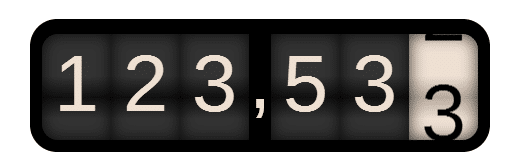
Smoothly transitions numbers with ease. Use this library to give you application a smooth animation, only applicable on numbers, for more details about the OdometerJS pelase refer to: https://github.com/HubSpot/odometer
Installation
npm install v-odometer
NOTE
If you are getting the error of "Unknown Odometer keyword", this means that you are missing odometer library in your application, simply because the Odometer library is not yet exported as an AMD module and still only a commenJS file (refer to: AMD exporting issues).
However if you are not building your applciation in a webpack envirment or similar, and you include VueJS file from a public cdn, then you are fine to include the ./v-odometer/dist/main.prod.js, the Vue will be public in your window there for this component will be automatically integrated as a global component and you can simply use it directly insidde your html file:
	...
	<vue-odometer :value="myValue"></vue-odometer>
	...
Usage
ECMAScript 6 (ES6)/ ECMAScript 2015 (ES2015)
To cherry pick the component, start by importing it in the file where it is being used:
import VueOdometer from 'v-odometer/src'
Then add it to your component definition:
Vue.component('my-component', {
    components: {
        'vue-odometer': VueOdometer
    }
    // ...
})
Or register it globally:
Vue.component('vue-odometer', VueOdometer);
ECMAScript 5 (ES5)
...
<head>
	<!-- Metas -->
	<meta name="title" content="v-odometer">
	<meta http-equiv="X-UA-Compatible" content="IE=edge">
	<meta http-equiv="Content-Type" content="text/html; charset=utf-8">
	<meta name="viewport" content="width=device-width, initial-scale=1, shrink-to-fit=no">
	<meta name="description" content="">
	<meta name="keywords" content="">
	<title>Odometer - VueJS component</title>
	<!-- include this style file, it contains all the themes provided from odometer -->
	<link rel="stylesheet" href="./your/path/to/main.css">
	<!-- don't forget to include the odometer library -->
	<script src="https://cdnjs.cloudflare.com/ajax/libs/odometer.js/0.4.8/odometer.js"></script>
	<!-- then load this component -->
	<script type="text/javascript" src="./your/path/to/main.prod.js"></script>
</head>
<body>
	<div id="app">
		...
		<vue-odometer :value="mynumber" class="myClassName"></vue-odometer>
		...
	</div>
</body>
...
var app = new Vue({
	data: {
		mynumber: ""
	}
})
Properties:
value: { type: Number, default: () => 0 },
theme: { type: String, default: () => 'minimal' },
format: { type: String, default: () => '(.ddd),dd' },
duration: { type: Number, default: () => 3000 },
className: { type: String, default: () => 'odometer' },
animation: { type: String, default: () => 'count' },
formatFunction: { type: Function },
Related Packages
Version History
| Version | Released | Vue | License |
|---|---|---|---|
| 2.0.1 | ^2.6.10 | MIT | |
| 2.0.0 | ^2.4.3 | MIT | |
| 1.0.2 | ^2.4.3 | MIT | |
| 1.0.1 | ^2.4.3 | MIT | |
| 1.0.0 | ^2.4.3 | MIT |