text-truncate-scroll
Text Truncate Scroll ✨



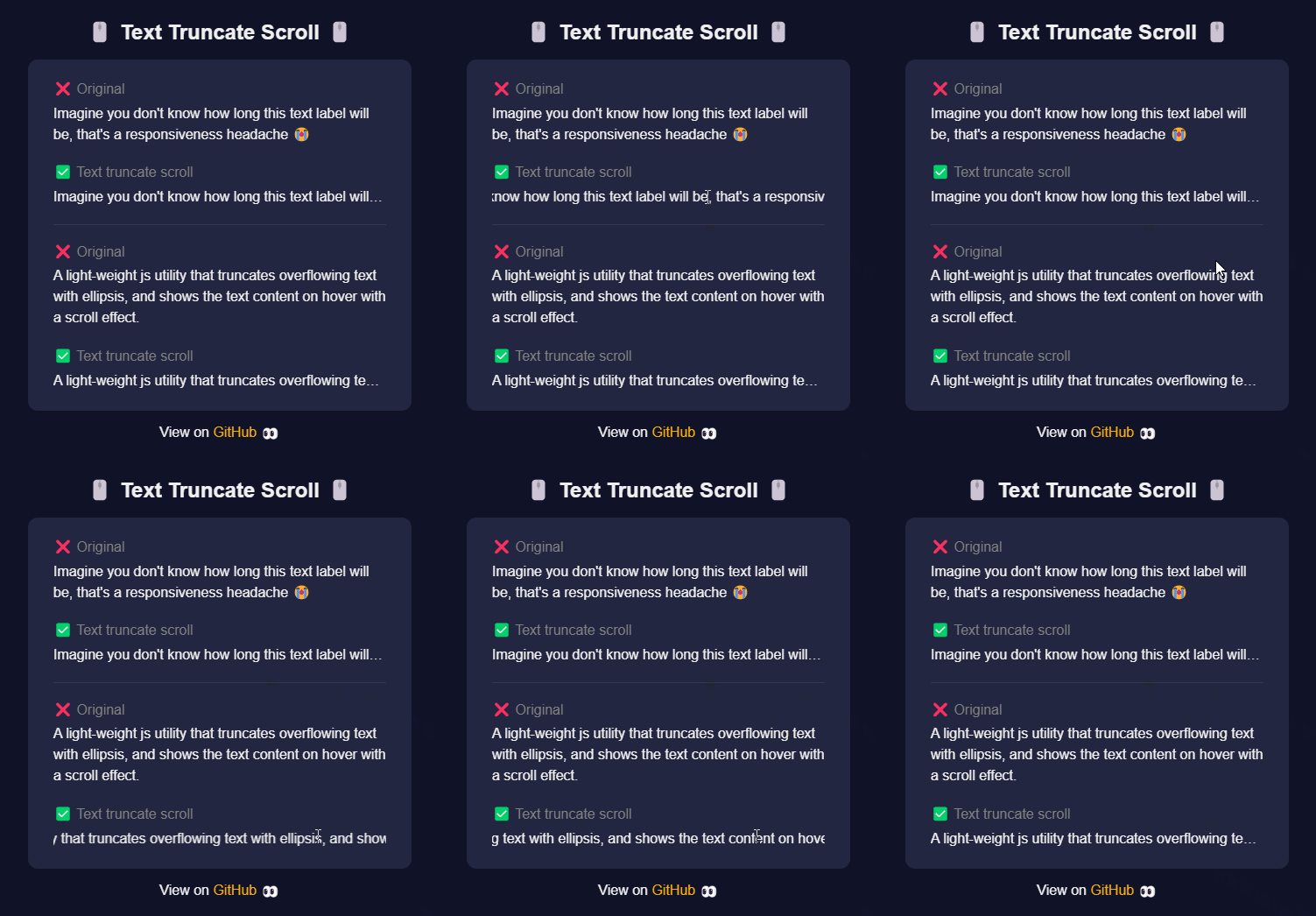
A light-weight js utility that truncates overflowing text in a container with ellipsis, and shows the text content on hover with a scroll effect.
- Works with any front-end framework (React, VueJS, Angular, Svelte etc.)
- Works in typescript
- Works on mobile / touch
- Simple and light-weight (~5 kb)
- Install with NPM or CDN
P.S. It's fine to call activateTextTruncateScroll() multiple times because it will not re-apply text truncate to elements that has already been applied.
🔗 DEMO: https://jayli3n.github.io/text-truncate-scroll/
Installation
NPM
npm i text-truncate-scroll
CDN
<script src="https://unpkg.com/text-truncate-scroll/lib/index.js"></script>
Usage
- Render a DOM element with text content
<p class="text-truncate-scroll">
	Imagine you don't know how long this text label will be, that's a responsiveness headache 😭
</p>
- Once the DOM element is rendered, you simply call the setup function
import { activateTextTruncateScroll } from "text-truncate-scroll"

// In the onmount life-cycle hook of your UI framework...
activateTextTruncateScroll()
API
activateTextTruncateScroll(options: {...})
Parameters
options optional
| Property | Type | Default | Description |
|---|---|---|---|
| className | string | text-truncate-scroll | The class name to search for and to apply the text truncate logic. |
| scrollSpeed | number | 60 | This is the speed of the text scroll. Play around with different values for what you're after. |
| timeoutBeforeInit | number | 90 | The amount of time to wait before running the setup logic. This is recommended because sometimes DOM elements may take time to completely mount, so it's good idea to give a small wait. |
Some examples with UI frameworks
React
import { activateTextTruncateScroll } from "text-truncate-scroll"

const App = () => {
	useEffect(() => {
		activateTextTruncateScroll()
	}, [])

	return {
		<div>
			<p class="text-truncate-scroll">Some really long text</p>
		</div>
	}
}
VueJS
<script setup lang="ts">
import { onMounted } from "vue"
import { activateTextTruncateScroll } from "text-truncate-scroll"

onMounted(() => {
	activateTextTruncateScroll()
})
</script>

<template>
	<div>
		<p class="text-truncate-scroll">Some really long text</p>
	</div>
</template>
Angular
import { Component } from '@angular/core';
import { activateTextTruncateScroll } from "text-truncate-scroll"

@Component({
  selector: 'app',
  template: `
	<div>
		<p class="text-truncate-scroll">Some really long text</p>
	</div>
   `
})

export class App {
   constructor() {
      activateTextTruncateScroll()
   }
}
Svelte
<script>
import { onMount } from 'svelte';
import { activateTextTruncateScroll } from "text-truncate-scroll"

onMount(() => {
	activateTextTruncateScroll()
})
</script>

<div>
   <p class="text-truncate-scroll">Some really long text</p>
</div>
Contribution
Pull requests are welcomed! 😄
If you have any problems or questions, open an issue.
Related Packages
@arclux/prism
Auto-generate framework wrappers (React, Vue, Svelte, Angular, Solid, Preact) an...
6,845
1
codefend
Code obfuscator CLI that protects your code regardless of the programming langua...
10,128
17
responsive-panel
A development tool that helps frontend developers visualize and test responsive...
405
2
Version History
| Version | Released | License |
|---|---|---|
| 1.3.5 | MIT | |
| 1.3.4 | MIT | |
| 1.3.3 | MIT | |
| 1.3.2 | MIT | |
| 1.3.1 | MIT | |
| 1.3.0 | MIT | |
| 1.2.4 | MIT | |
| 1.2.3 | MIT | |
| 1.2.2 | MIT | |
| 1.2.1 | MIT | |
| 1.2.0 | MIT | |
| 1.1.6 | MIT | |
| 1.1.5 | MIT | |
| 1.1.4 | MIT | |
| 1.1.3 | MIT | |
| 1.1.2 | MIT | |
| 1.1.1 | MIT | |
| 1.1.0 | MIT | |
| 1.0.0 | MIT |