rowkit
| Install | |
|---|---|
npm install rowkit |
|
| Latest Version: | 0.4.0 |
| Vue: | 3 |
| License: | MIT |
| Last Updated: | Oct 9, 2026 |
| Links: | GitHub · npm |
rowkit



A professional Vue 3 toolkit — the components a product interface is built from.
Documentation · Storybook · Roadmap
Why another component library
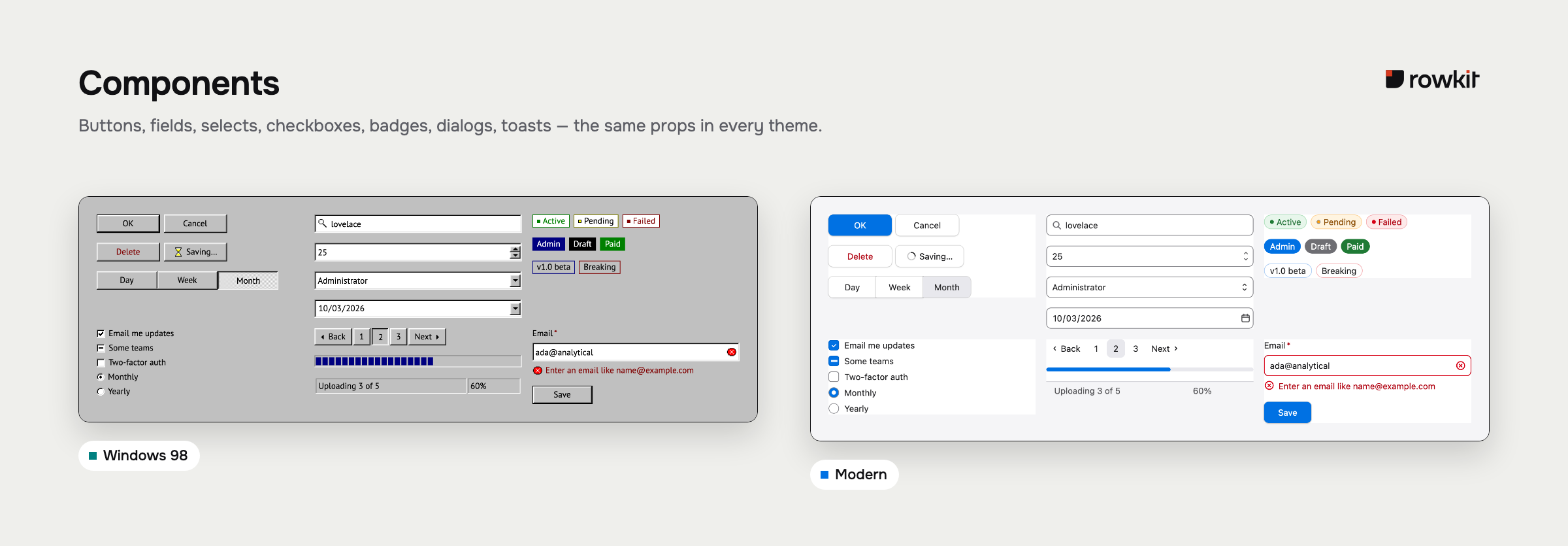
A product interface is a set of components that have to agree: controls, overlays, tables, filters, empty and loading states. rowkit is that set, built as one toolkit — typed, with its own behaviour layer, from one token package. What is published today is the part already finished. The rest of the set is the plan in the roadmap, not a second library to go and find.
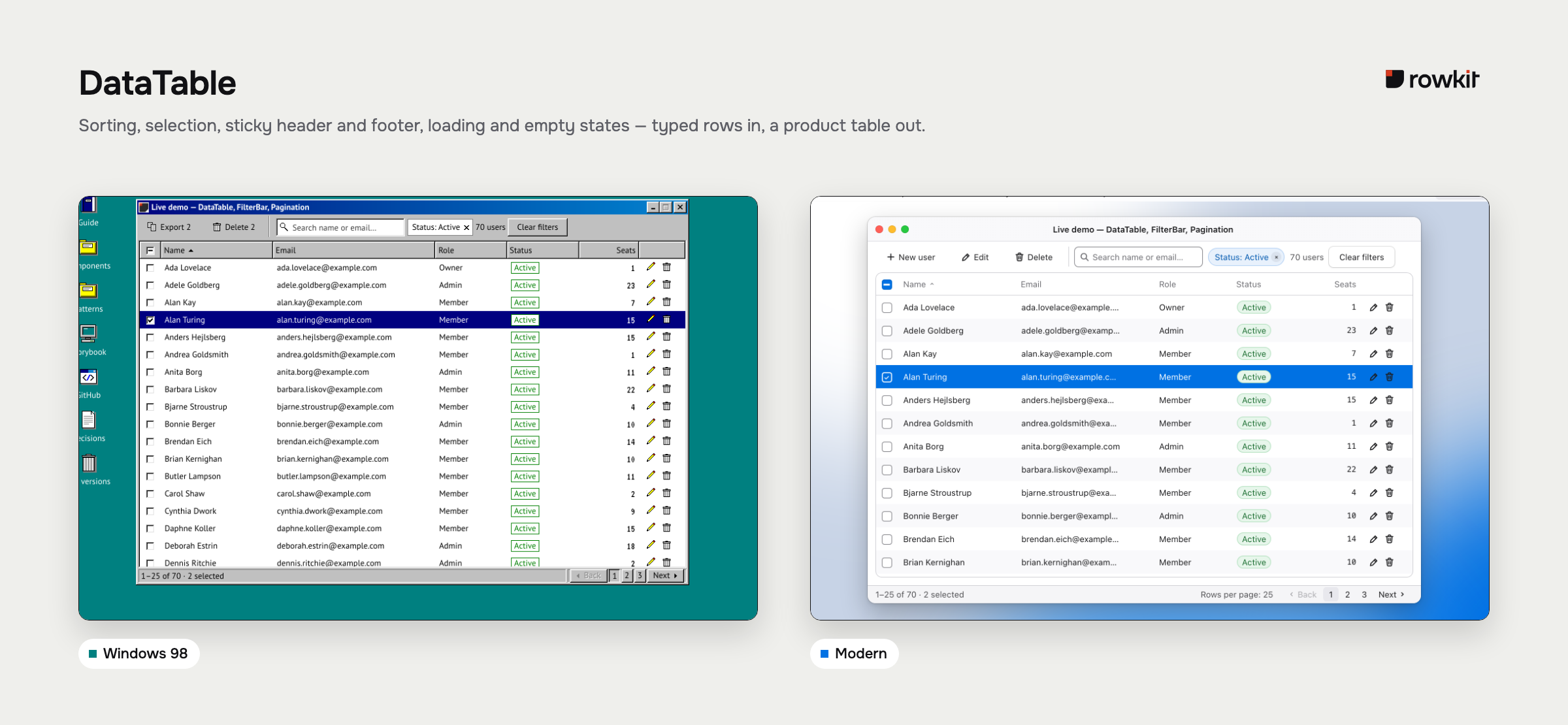
What it looks like
rowkit ships two themes from one set of components: Windows 98, the default, and modern, in light and dark. A theme is token values and nothing else — the same table, the same markup, one attribute apart.
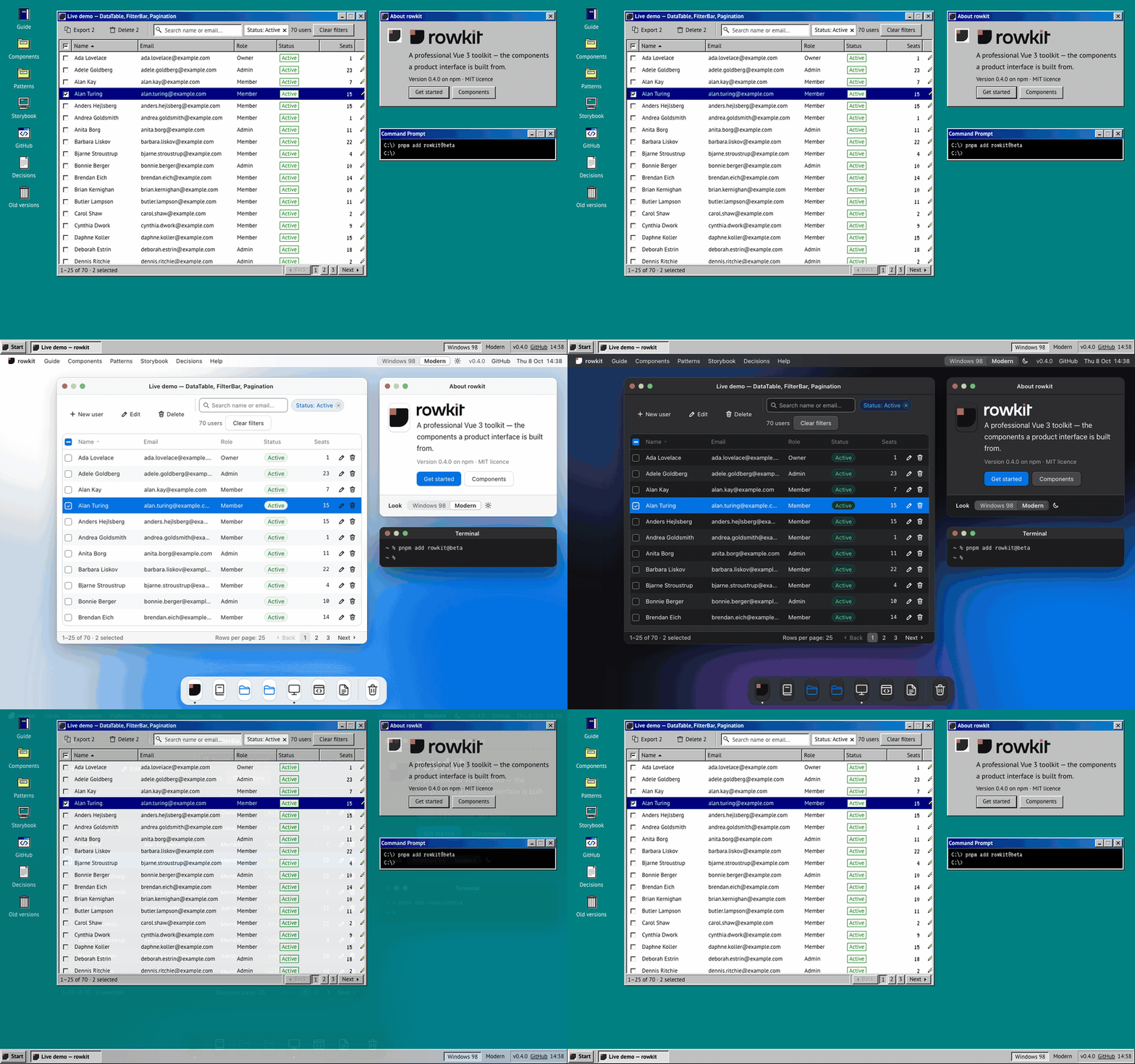
<html data-theme="modern" data-color-scheme="dark">
Every colour, size, corner, shadow and state is a token — the bevels and the dotted focus ring of Windows 98 included — so the look is yours to change. Adjust a few variables for your brand, or define a complete theme of your own, light and dark, in one call:
import { defineTheme } from 'rowkit/theme'

export const acme = defineTheme({
  name: 'acme', // <html data-theme="acme">
  extends: 'modern',
  light: { '--color-control-primary': '#5b3df5', '--radius-md': '10px' },
})
How it works, every value you can change, and a live builder: Themes.
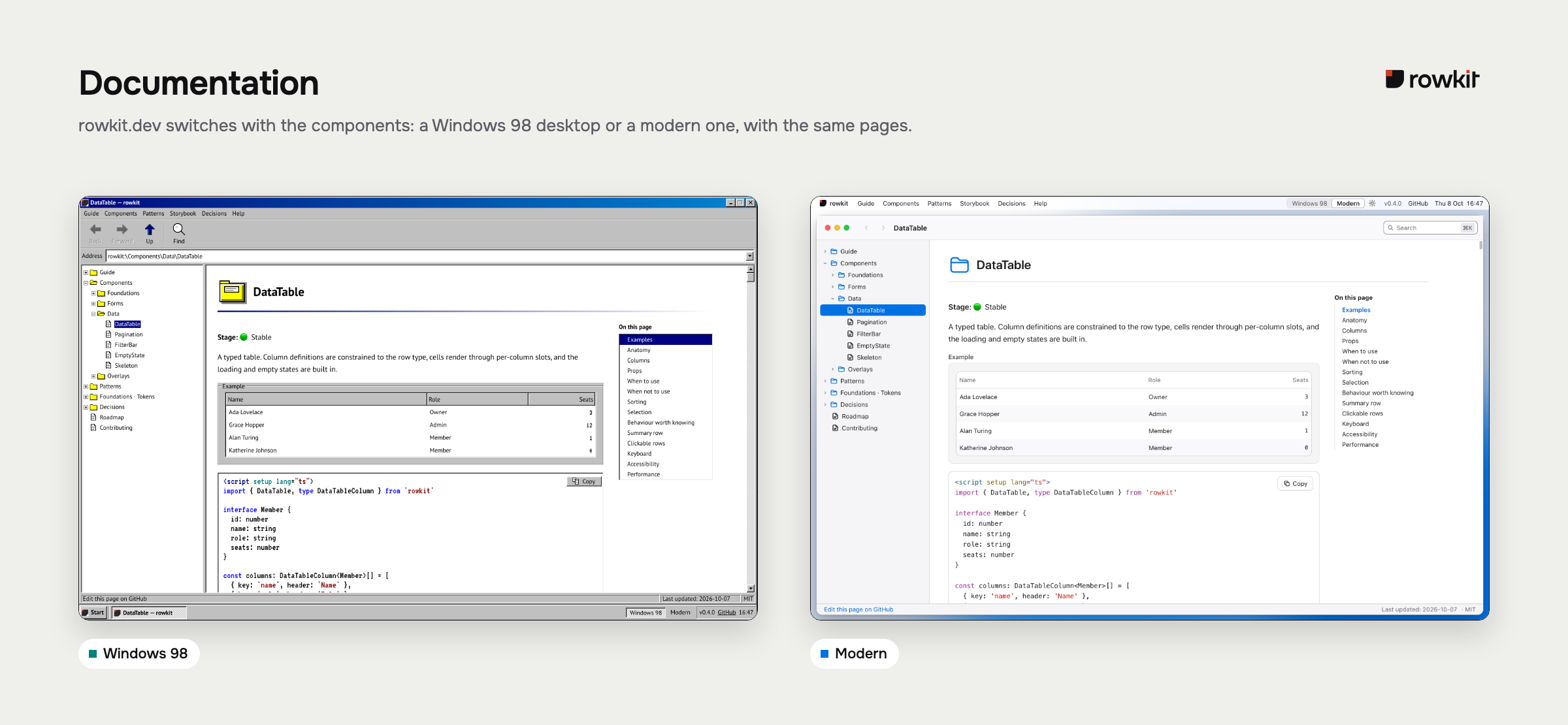
The docs at rowkit.dev switch with it: in Windows 98 every page opens in an Explorer window, folder tree on the left; in the modern theme the site is a modern desktop, with a menu bar, a Dock and Finder-style windows. It opens in the modern theme; ?theme=win98 opens it in Windows 98.
Install
npm i rowkit@beta
Then, in your stylesheet — both lines, in this order:
@import 'tailwindcss';
@import 'rowkit/styles';
The second line is the step people miss. Tailwind does not scan node_modules, so without it every component renders unstyled, with nothing in the console. vue and tailwindcss are peer dependencies.
Usage
<script setup lang="ts">
import { DataTable, Badge, useClientSort, type DataTableColumn } from 'rowkit'
import { ref } from 'vue'

interface User {
  id: number
  name: string
  role: string
  status: 'active' | 'invited' | 'suspended'
}

// `key` is constrained to keyof User — a renamed field is a compile error,
// not a column of blanks.
const columns: DataTableColumn<User>[] = [
  { key: 'name', header: 'Name', sortable: true, sticky: true },
  { key: 'role', header: 'Role', sortable: true },
  { key: 'status', header: 'Status' },
]

const users = ref<User[]>([
  { id: 1, name: 'Ada Lovelace', role: 'Owner', status: 'active' },
  { id: 2, name: 'Grace Hopper', role: 'Admin', status: 'invited' },
])

const sort = ref()
const rows = useClientSort(users, sort, columns)
</script>

<template>
  <DataTable :rows="rows" :columns="columns" caption="Team members" v-model:sort="sort">
    <template #[`cell:status`]="{ value }">
      <Badge :variant="value === 'active' ? 'success' : 'warning'" dot>{{ value }}</Badge>
    </template>
  </DataTable>
</template>
The table reports the sort and renders what it is handed — it never reorders its own rows, which is what keeps a server-paged table honest. useClientSort does the local case.
What you get
- Columns typed against your row.
DataTable<TRow>constrains every column'skeytokeyof TRow. Sorting names a field too, so a sort referring to a column that does not exist also fails to compile. - Accessibility as a build gate. Focus traps, scroll lock, live regions and keyboard models are rowkit's own — platform features where they are good enough, otherwise its own primitives, each covered by interaction tests. Every Storybook story is scanned by axe as part of the test run — a violation fails CI rather than filling a panel nobody opens.
- Three states that agree.
Skeleton,EmptyStateand the no-results case are designed together, because the bug is never one of them alone. - Tokens all the way down. Every colour, space, radius and layer lives in
@rowkit/tokens, installable on its own. Contrast pairings are asserted in tests, not eyeballed. - State you own. Sort, selection, page and filters are all
v-model. Components report what happened; your application decides what follows.
Where this is going
The published components are the start of a professional toolkit, not a specialist for tables. The full set — menus, dates, overlays, and the rest a product interface needs — is planned in the roadmap. It is not being built ahead of that plan.
For coding agents
AGENTS.md ships inside the package. After installing, node_modules/rowkit/AGENTS.md describes every component's props, v-models, events and slots — generated from the source, so it describes the version you installed.
Status
1.0 beta, published under the npm beta tag (npm i rowkit@beta). The API is stabilising toward 1.0.0 and breaking changes are still possible between betas. Releases are cut from CI with provenance attestation, and the changelog is changesets-driven: rowkit · @rowkit/tokens.
Contributing
See docs/contributing for setup, the definition of done, and the changeset requirement.
pnpm install
pnpm build        # run first — workspace packages resolve through dist
pnpm dev          # playground app
pnpm storybook    # component workshop
pnpm test         # unit, component and browser tests
pnpm docs:dev     # documentation site
License
MIT © Nikolai Kushner
The look is rowkit's own drawing of the Windows 98 interface, from its Figma file. rowkit is not affiliated with Microsoft and ships no Microsoft artwork — no Windows flag, no logos.
Related Packages
Librería de componentes UI en Vue 3 + TypeScript para estandarizar estilos entre...
Version History
| Version | Released | Vue | License |
|---|---|---|---|
| 0.4.0 | ^3.5.0 | MIT | |
| 0.3.0 | ^3.5.0 | MIT | |
| 0.2.0 | ^3.5.0 | MIT | |
| 0.1.1 | ^3.5.0 | MIT | |
| 0.1.0 | ^3.5.0 | MIT | |
| 0.0.0 | MIT |
Pre-releases (3)
| Version | Released | Vue | License |
|---|---|---|---|
| 1.0.0-beta.2 | ^3.5.0 | MIT | |
| 1.0.0-beta.1 | ^3.5.0 | MIT | |
| 1.0.0-beta.0 | ^3.5.0 | MIT |