photon-grid-vue
Photon Grid for Vue — Vue 3 Data Grid & Data Table Component

A fast, enterprise-grade Vue 3 data grid built on the zero-dependency Photon Grid engine.
Virtual scrolling over millions of rows, Excel-style editing, grouping, pinning and themes — as one Vue component.




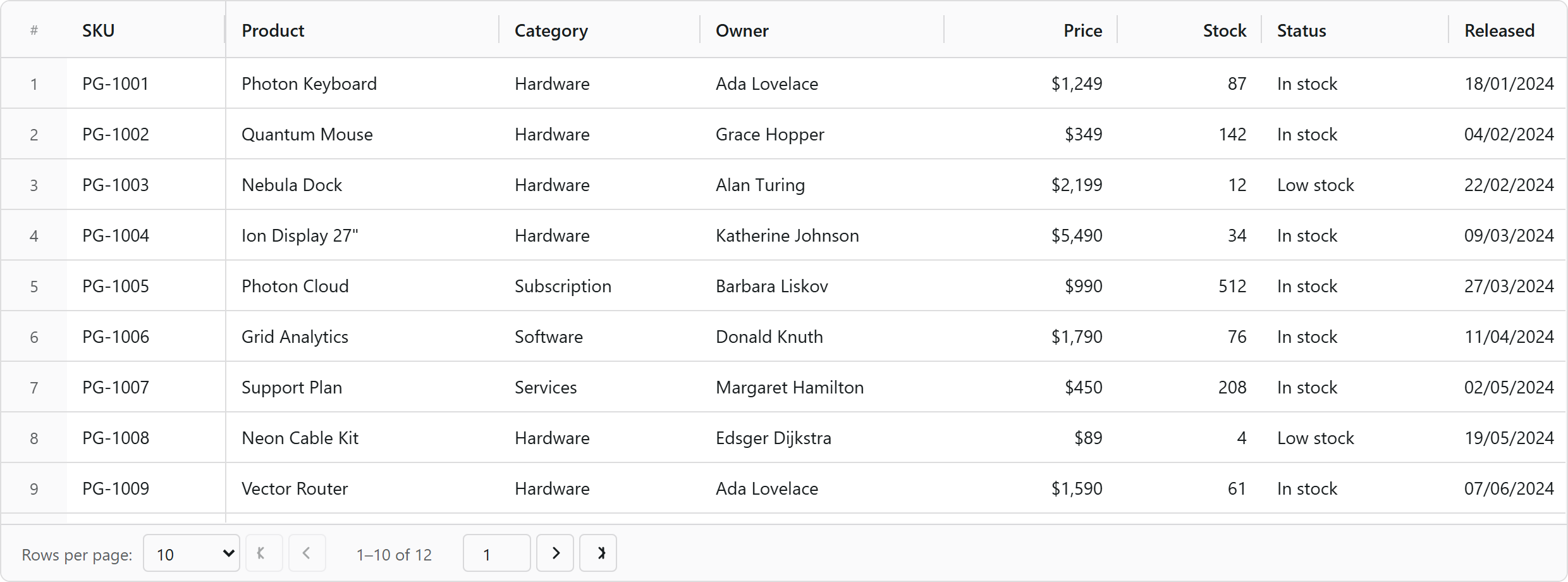
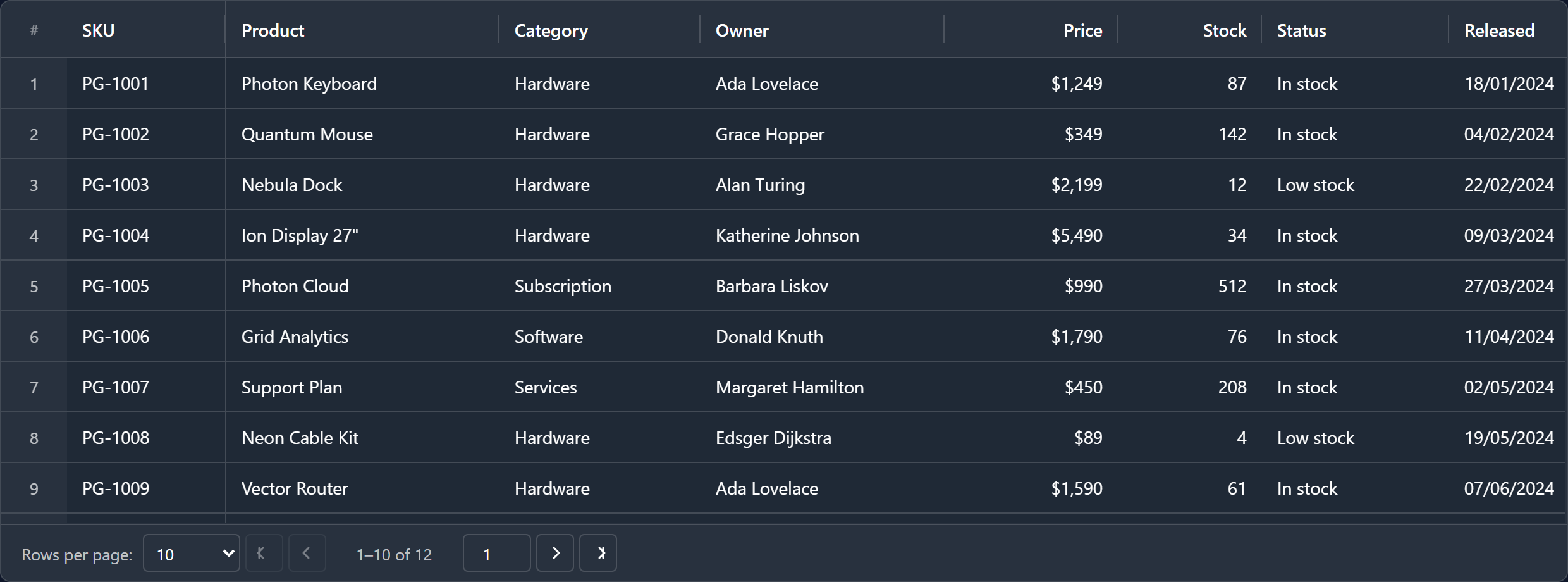
Dark theme
Overview
Photon Grid for Vue (photon-grid-vue) is the official Vue 3 wrapper for Photon Grid Core — a framework-agnostic data grid / data table engine written in TypeScript with zero runtime dependencies.
One <PhotonGrid /> component binds Vue props and emits to the core engine: virtual scrolling, sorting, filtering, grouping, editing, and cell renderers written as ordinary Vue components.
A modern, lightweight alternative to AG Grid, Vuetify Data Table, PrimeVue DataTable and vue-good-table.
Installation
npm install photon-grid-vue photon-grid-core
yarn add photon-grid-vue photon-grid-core
pnpm add photon-grid-vue photon-grid-core
vue (≥3.4) and photon-grid-core are peer dependencies — install photon-grid-core alongside the wrapper.
No CSS import is required: the core injects its own stylesheet on first render.
Quick start
<script setup lang="ts">
import { PhotonGrid } from 'photon-grid-vue';
import type { ColumnDefInput, GridApi, GridOptions } from 'photon-grid-vue';

// Only `field` is required — colId, header and type are defaulted for you.
const columns: ColumnDefInput[] = [
  { field: 'sku',      header: 'SKU',      width: 110, pinned: 'left' },
  { field: 'product',  header: 'Product',  width: 190 },
  { field: 'category', header: 'Category', width: 140 },
  { field: 'price',    header: 'Price',    width: 120, type: 'number', editable: true },
  { field: 'released', header: 'Released', width: 130, type: 'date' },
];

const rows = [
  { sku: 'PG-1001', product: 'Photon Keyboard', category: 'Hardware', price: 1249, released: '2024-01-18' },
  { sku: 'PG-1002', product: 'Quantum Mouse',   category: 'Hardware', price:  349, released: '2024-02-04' },
  { sku: 'PG-1003', product: 'Nebula Dock',     category: 'Hardware', price: 2199, released: '2024-02-22' },
];

const options: Partial<GridOptions> = {
  mode: 'light',
  rowHeight: 40,
  showSerialNumber: true,
  pagination: { enabled: true, pageSize: 10 },
  editing: { mode: 'cell' },
};

function onGridReady(api: GridApi) {
  api.sizeColumnsToFit();
}
</script>

<template>
  <!-- The grid fills its host, so give the host a height. -->
  <div style="height: 460px">
    <PhotonGrid
      :columns="columns"
      :data-set="rows"
      :options="options"
      @grid-ready="onGridReady"
      @cell-value-changed="(e) => console.log('cell changed', e)"
    />
  </div>
</template>
Props
| Prop | Type | Description |
|---|---|---|
columns |
ColumnDefInput[] |
Column definitions. Renderer slots accept Vue components as well as plain functions. |
dataSet |
Record<string, unknown>[] |
Row data. |
options |
Partial<GridOptions> |
Everything else — theme, selection, editing, pagination, row model, master/detail, AI panel. |
loading |
boolean |
Toggles the loading overlay through GridApi.setLoading, so scroll position, selection and column layout survive. Configure its look with options.loadingOverlay. |
Emits
gridReady emits the GridApi, which is full programmatic control over the grid.
| Group | Events |
|---|---|
| Lifecycle | gridReady, dataChanged, loadingChanged |
| Rows | rowClicked, rowDoubleClicked, rowSelected |
| Cells | cellClicked, cellDoubleClicked, cellValueChanged, cellSelectionChanged |
| Columns | columnResized, columnMoved, columnsStateChanged |
| Data ops | sortChanged, filterChanged, pageChanged |
| Misc | themeChanged, exportComplete |
In templates, use the kebab-case form (@grid-ready, @cell-value-changed).
Features
- Virtual row and column rendering — millions of rows, thousands of columns
- Vue components as cell, header, editor and master–detail renderers
- Column pinning, resizing, reordering, auto-size, size-to-fit, column groups
- Sorting, multi-column sorting, filtering, quick filter, filter panels
- Row grouping with aggregations, tree data, master–detail rows
- Client, server-side and infinite row models
- 15+ cell editors, declarative and async validation, fill handle, clipboard, undo/redo
- Excel-style formula engine (
=A1+B1) with 55+ functions - Light/dark modes and five variants, all CSS-custom-property driven
- CSV / Excel export and import, summary rows, status bar, context menus, charts
- Full keyboard navigation, ARIA roles, screen-reader support, RTL
- Natural-language AI panel (optional, with a Gemini back-end)
Links
- GitHub — https://github.com/abdulwahid-csit/photon-grid
- Issues — https://github.com/abdulwahid-csit/photon-grid/issues
- Core engine — https://www.npmjs.com/package/photon-grid-core
- Angular wrapper — https://www.npmjs.com/package/photon-grid-angular
- React wrapper — https://www.npmjs.com/package/photon-grid-react
Keywords
vue, vue3, vue grid, vue data grid, vue table, vue data table, vue datatable, vue table component, vuetify data table alternative, primevue datatable alternative, vue-good-table alternative, ag-grid vue alternative, grid, data grid, datagrid, table, data table, datatable, table data, spreadsheet, excel grid, editable table, virtual scroll, virtualized table, infinite scroll, large dataset, million rows, tree grid, row grouping, sorting, filtering, pagination, column pinning, column resize, column reorder, row selection, cell selection, csv export, excel export, enterprise data grid, typescript, composition api
License
MIT © Abdul Wahid
⭐ If Photon Grid is useful to you, consider starring the repository.
Related Packages
Vue data grid and Vue table for modern apps with Excel-like editing, filtering,...
A high-performance Vue 3 data grid component with virtual scrolling, cell select...
Vue 3 component for FreeGrid, the fast data grid. Free core; paid features free...
Version History
| Version | Released | Vue | License |
|---|---|---|---|
| 3.0.12 | ^3.4.0 | MIT | |
| 3.0.11 | ^3.4.0 | MIT | |
| 3.0.10 | ^3.4.0 | MIT | |
| 3.0.7 | ^3.4.0 | MIT | |
| 3.0.6 | ^3.4.0 | MIT | |
| 3.0.5 | ^3.4.0 | MIT | |
| 3.0.4 | ^3.4.0 | MIT | |
| 3.0.3 | ^3.4.0 | MIT | |
| 3.0.2 | ^3.4.0 | MIT | |
| 3.0.1 | ^3.4.0 | MIT | |
| 3.0.0 | ^3.4.0 | MIT | |
| 2.0.17 | ^3.4.0 | MIT | |
| 2.0.16 | ^3.4.0 | MIT | |
| 2.0.15 | ^3.4.0 | MIT | |
| 2.0.14 | ^3.4.0 | MIT | |
| 2.0.13 | ^3.4.0 | MIT | |
| 2.0.12 | ^3.4.0 | MIT | |
| 2.0.11 | ^3.4.0 | MIT | |
| 2.0.10 | ^3.4.0 | MIT | |
| 2.0.9 | ^3.4.0 | MIT | |
| 2.0.8 | ^3.4.0 | MIT | |
| 2.0.7 | ^3.4.0 | MIT | |
| 2.0.6 | ^3.4.0 | MIT | |
| 2.0.5 | ^3.4.0 | MIT | |
| 2.0.4 | ^3.4.0 | MIT | |
| 2.0.1 | ^3.4.0 | MIT | |
| 2.0.0 | ^3.4.0 | MIT | |
| 1.0.2 | ^3.4.0 | MIT | |
| 1.0.1 | ^3.4.0 | MIT | |
| 1.0.0 | ^3.4.0 | MIT |