nuxt-skill-hub
 nuxt-skill-hub
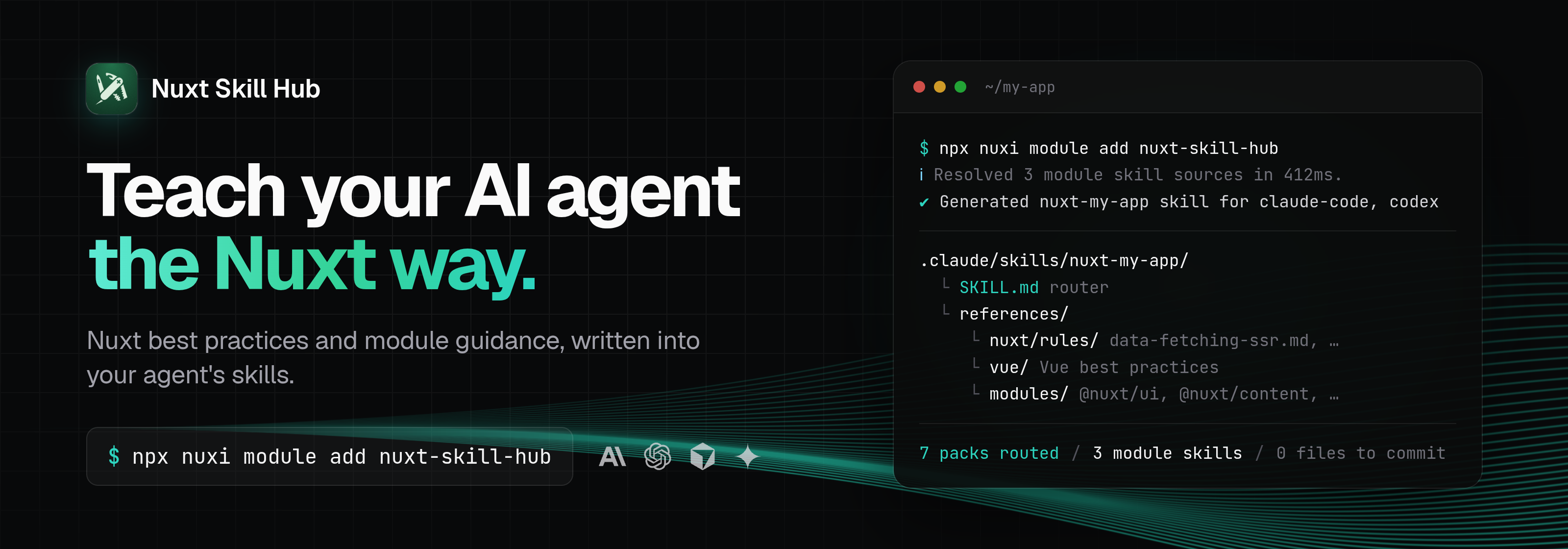
Teach your AI agent the Nuxt way with best practices and module guidance.

[!NOTE] This module is ready for production use, but the API may still evolve over time.
Documentation
Install
For agents:
npx skills add https://nuxt-skill.onmax.me/
For Nuxt projects:
npx nuxi module add nuxt-skill-hub
Use Doctor to check AI-written Nuxt changes for Nuxt, Vue, Nitro, and Vite issues before review.
How it works
On nuxt prepare, the module writes the full skill into each agent's project-local skills directory. Agents load it like any other skill, and the router's relative links resolve from there.
my-app/
└── .claude/skills/nuxt-my-app/
    ├── .gitignore                # "*": the folder keeps itself out of git
    ├── SKILL.md                  # router: picks the smallest relevant guide
    └── references/
        ├── nuxt/
        │   └── rules/            # packs the router links: data-fetching-ssr.md, plugins.md, ...
        ├── vue/                  # Vue best practices (vuejs-ai/skills)
        └── modules/              # only when there are module skills or skipped packages
            ├── index.md
            └── <package>/<skill>/SKILL.md
The skill is written during nuxt prepare, which also runs on postinstall in most Nuxt projects. nuxt dev, nuxt build and deleting .nuxt don't touch it. Generation is skipped in CI (unless tests are running), during nuxi typecheck, and when no agent target is detected. Each run builds the tree in a staging folder and swaps it in when complete, so a failed run keeps the previous skill. Results are cached in node_modules/.cache/nuxt-skill-hub. A later nuxt prepare reuses the cached tree if the inputs (options, module versions, local skill files) are unchanged and the cache is younger than remote.cacheTtlMs.
The router links only the Nuxt packs that apply: the Nuxt UI and Nuxt Content packs need their module installed, and the module authoring pack needs moduleAuthoring. Only linked packs are copied.
Agents. With no targets set, the module writes a skill for every agent whose config directory exists in your home directory, such as ~/.claude or ~/.codex. The agent running the command, detected from its environment, is included too, so nuxt prepare run by an agent writes that agent's skill. The agent list comes from unagent, and the skill path mirrors that config directory inside the project: .claude/skills/<name>/ for Claude Code, .codex/skills/<name>/ for Codex. Agents that load every file in a rules directory as a rule, such as Cursor (.cursor/rules/<name>/), get one SKILL.md that points to the generated tree in node_modules/.cache/nuxt-skill-hub/generated/<name>/, plus where to run npx nuxt prepare when it's missing. If no agent is detected, nothing is written and the module logs a warning.
The module only replaces a skill folder it wrote. If <name> already holds a skill it didn't write, it logs a warning and leaves it alone.
Upgrading from 0.2. The skill no longer lives in .nuxt/skill-hub, and the committed wrapper is gone. If you committed the wrapper, untrack it with git rm --cached -r .claude/skills/<name> (and the same for other agents). Project .gitignore entries for these folders are no longer needed. The old .nuxt/skill-hub folder is deleted on the next nuxt prepare.
Skill name. The default is nuxt-<package name> from your package.json (scope removed), or nuxt if there is no name.
Monorepos. Skills go to the workspace root (the nearest folder with pnpm-workspace.yaml or a workspaces field in package.json), so agents find them when opened at the repo root. The generated router then gets a "Monorepo scope" section that limits it to the app's path, for example apps/web. Each app gets its own skill name from its own package.json.
Configuration
Options go under skillHub in nuxt.config.ts. All are optional.
export default defineNuxtConfig({
  modules: ['nuxt-skill-hub'],
  skillHub: {
    targets: ['claude-code', 'codex'],
    moduleAuthoring: true,
    remote: {
      githubHeuristics: true,
      timeoutMs: 3000,
    },
  },
})
| Option | Type | Default | Description |
|---|---|---|---|
skillName |
string |
nuxt-<package name> |
Name of the generated skill. Lowercase, hyphen-case, up to 64 characters. Invalid values fall back to the default. |
targets |
string[] |
[] (auto-detect) |
Agent ids from unagent, such as claude-code, codex, cursor. Setting this turns off detection. Unknown ids are skipped with a warning. |
generationMode |
'prepare' | 'manual' |
'prepare' |
prepare writes the skill during nuxt prepare. manual writes nothing. |
moduleAuthoring |
boolean |
false |
Adds the module authoring guide to the router. Enable it when the project is a Nuxt module. |
remote |
boolean | object |
true |
Remote lookup of module skills. false limits sources to installed packages, the skill-hub:contribute hook, and generated metadata routers. |
remote accepts an object with these fields:
| Option | Type | Default | Description |
|---|---|---|---|
remote.enabled |
boolean |
true |
Fetch module skills from GitHub and docs sites. |
remote.githubHeuristics |
boolean |
false |
Also search GitHub repos for skill folders by path when a package declares none. |
remote.timeoutMs |
number |
1500 |
Timeout for each GitHub API and docs request. Skill folder downloads from GitHub are not bound by it. |
remote.concurrency |
number |
8 |
Number of packages resolved in parallel. |
remote.cacheTtlMs |
number |
86400000 (24 h) |
How long a cached generated tree is reused. 0 regenerates on every nuxt prepare. |
remote.refresh |
boolean |
false |
Ignore the cache and regenerate on every nuxt prepare while set. |
remote.timings |
boolean |
false |
Log how each package was resolved and how long it took. Also enabled when Nuxt debug is set. |
remote.maxFiles |
number |
40 |
Max files per skill from a .well-known index. |
remote.maxBytes |
number |
524288 (512 KB) |
Max total bytes per skill from a .well-known index. |
remote.maxFileBytes |
number |
131072 (128 KB) |
Max bytes per file from a .well-known index. |
For module authors
Skill Hub looks at every package in modules (local paths are ignored) and every layer in extends. For each package it takes the first source that produces a skill:
- Installed package. An
agents.skillsfield in the installedpackage.json. This is the recommended path. It needs no network, and the skill always matches the installed version. The app's ownpackage.jsonis read the same way. - GitHub
agentsfield. The same field, read from the repo'spackage.json. Refs are tried in order: the built-in override ref (if any), tagv<version>,<version>, then the default branch,main, andmaster. The repo comes from the override,repository, orhomepage. - Docs
.well-known./.well-known/agent-skills/index.json(Agent Skills discovery 0.2.0 (spec),skill-mdentries with a sha256 digest) or/.well-known/skills/index.json(entries withname,description, and afileslist of.md/.jsonfiles). The base URL comes from a built-in override docs URL, or fromdocs,documentation, orhomepageinpackage.json. Files must be on the same origin. - GitHub heuristics. Only with
remote.githubHeuristics: true. Looks for folders underskills/, thenskills/<slug>,.claude/skills/<slug>, and.github/skills/<slug>. - Metadata router. If nothing else matched and the package has a repository or docs URL, Skill Hub writes a short skill that links to them. Otherwise the package is skipped.
Steps 2 to 4 run only when remote is enabled. A few popular packages (@nuxt/ui, @vueuse/core, @nuxt/content, and others) have built-in overrides in src/package-overrides.ts that can set the repo, ref, path, skill name, or docs URL.
Ship a skill in your package
Put the skill in a folder that is published to npm and declare it in package.json:
my-nuxt-module/
├── package.json
└── skills/
    └── my-nuxt-module/
        ├── SKILL.md
        └── references/
            └── options.md
{
  "name": "my-nuxt-module",
  "files": ["dist", "skills"],
  "agents": {
    "skills": [
      { "name": "my-nuxt-module", "path": "./skills/my-nuxt-module" }
    ]
  }
}
---
name: my-nuxt-module
description: Use when configuring my-nuxt-module or calling its composables.
---

# my-nuxt-module
...
Skill Hub validates each skill and skips it with a warning if a rule fails:
nameis lowercase hyphen-case, up to 64 characters, with no--and no leading or trailing-.- The folder name equals
name. pathstays inside the package root.SKILL.mdexists and has YAML frontmatter withname(equal to the declared name) and a non-emptydescription.
Skill Hub copies the folder to references/modules/<package>/<skill>/. It skips symlinks, and for installed packages it also skips scripts/.
Trust levels
Each module entry in the generated index is labeled official or community. Skills from the package itself, its repo, its docs site, or a metadata router are official. Skills that Skill Hub maps from a third-party repo, such as the curated @nuxt/content and nuxt-studio skills from onmax/nuxt-skills, are community.
Add a skill from a hook
Use the skill-hub:contribute hook to add a skill that is not discovered automatically, for example from a local module or from your app's own config:
import { fileURLToPath } from 'node:url'

export default defineNuxtConfig({
  modules: ['nuxt-skill-hub'],
  hooks: {
    'skill-hub:contribute': (ctx) => {
      ctx.add({
        packageName: 'my-local-module',
        sourceDir: fileURLToPath(new URL('./skills/my-local-module', import.meta.url)),
      })
    },
  },
})
A module can call the same hook with nuxt.hook('skill-hub:contribute', ...) in its setup. packageName and sourceDir are required. sourceDir can be absolute or relative to the Nuxt root. Common optional fields: skillName (defaults to the folder name), version, description, docsUrl, repoUrl, official (defaults to true), and forceIncludeScripts (defaults to false). Provenance fields (sourceKind, sourceRepo, sourceRef, sourcePath, resolver) are also accepted; see SkillHubContribution in src/types.ts. Contributed skills go through the same validation as package skills.
Three more hooks report resolution progress for packages that don't ship their own skill:
skill-hub:resolve:start:skillName,packageCount,concurrency,remoteEnabled,githubHeuristics.skill-hub:resolve:package: once per package, withskillName,packageName,packageIndex(zero-based),packageCount,durationMs,contributionCount,skippedCount, andresolver/sourceKindwhen a skill was found.skill-hub:resolve:done: the start fields plusdurationMs,contributionCount,skippedCount,issueCount, andresolverCounts.
Releasing
uppt opens a draft release/vX.Y.Z PR from conventional commits on main. Merging it runs the CI checks, tags the version, creates the GitHub release, and publishes to npm through OIDC trusted publishing. The npm trusted publisher uses workflow release.yml and environment npm. If publishing fails after the tag exists, run gh workflow run release.yml --repo onmax/nuxt-skill-hub --ref vX.Y.Z.
License
MIT
Version History
| Version | Released | License |
|---|---|---|
| 0.2.0 | MIT | |
| 0.1.1 | MIT | |
| 0.1.0 | MIT | |
| 0.0.8 | MIT | |
| 0.0.7 | MIT | |
| 0.0.6 | MIT | |
| 0.0.5 | MIT | |
| 0.0.4 | MIT | |
| 0.0.3 | MIT | |
| 0.0.2 | MIT | |
| 0.0.1 | MIT |
Pre-releases (2)
| Version | Released | License |
|---|---|---|
| 0.0.1-beta.3 | MIT | |
| 0.0.1-beta.1 | MIT |