nuxt-postgrest


Documentation · Authentication · Playbooks · Report a bug
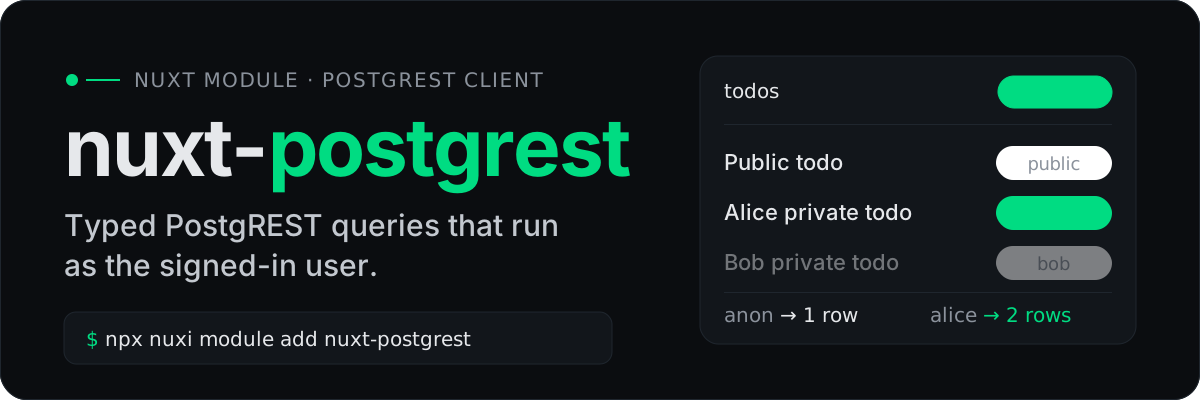
nuxt-postgrest gives a Nuxt app typed PostgREST clients for components, pages and server routes, and runs every query as the signed-in user, so Postgres row-level security does the authorization. It's built on @supabase/postgrest-js and needs no Supabase account or hosting.
What you get
- Queries that run as the user.
usePostgrest()andusePostgrestUser(event)send the signed-in user's JWT, so your RLS policies decide what comes back. - Types from your database. Point it at your generated
Databasetype and every table, column and schema is checked as you type. - Any auth library. Sign users in with whatever you use, mint a PostgREST token with
mintJwt()and store it withsetPostgrestToken(). There are guides for nuxt-auth-utils, Better Auth, Sidebase Nuxt Auth and Clerk. - One client everywhere. The same API in components, pages and Nitro routes, SSR included, plus
usePostgrestAdmin()for privileged server work. - Thin by design. It is the
postgrest-jsquery builder you already know, with.schema()andcreatePostgrestClient()for other schemas and per-tenant clients.
How a request travels
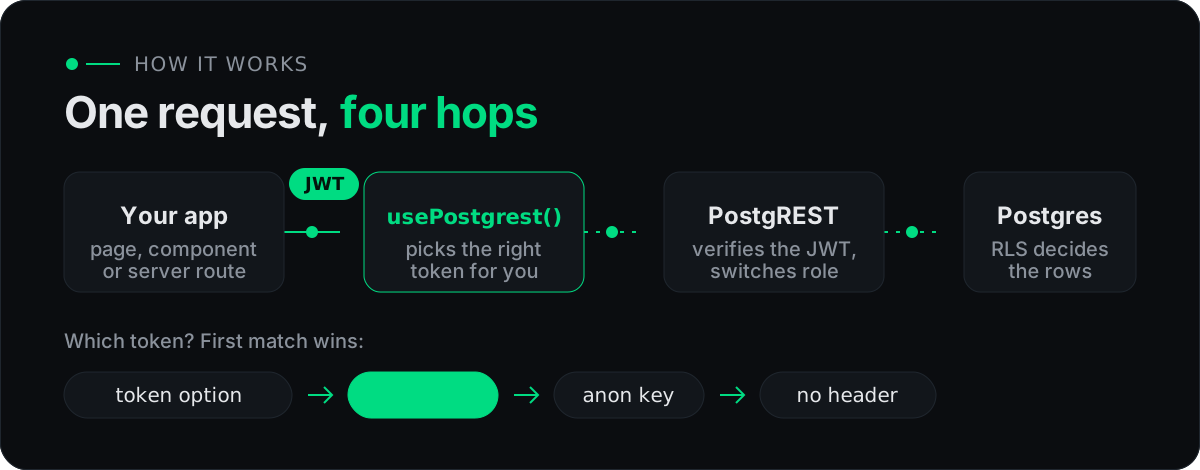
Your auth library signs the user in. You mint a PostgREST JWT for them and store it in a cookie, and from then on every query, including ones made after client-side navigation, carries it. PostgREST turns the JWT's role claim into a Postgres role, and your policies see its other claims.
Quick start
1. Install
npx nuxi module add nuxt-postgrest
2. Point it at PostgREST
# .env
NUXT_PUBLIC_POSTGREST_URL=http://localhost:3001
# Must equal PostgREST's jwt-secret. Needed to mint user tokens.
NUXT_POSTGREST_JWT_SECRET=replace-with-a-secret-of-at-least-32-characters
3. Query
<script setup lang="ts">
const client = usePostgrest()

const { data } = await useAsyncData('todos', async () => {
  const { data, error } = await client.from('todos').select('*')
  if (error) throw error
  return data
})
</script>
4. Run queries as the signed-in user
After your auth library signs the user in, mint a token for them and store it:
// server/api/login.post.ts
export default defineEventHandler(async (event) => {
  // ...your auth library signs the user in
  const token = await mintJwt({ role: 'authenticated', sub: user.id })
  setPostgrestToken(event, token)

  return { ok: true }
})
Now usePostgrest() and usePostgrestUser(event) send that token. Step-by-step setups for nuxt-auth-utils, Better Auth, Sidebase Nuxt Auth and Clerk are in the docs.
Typed from your database
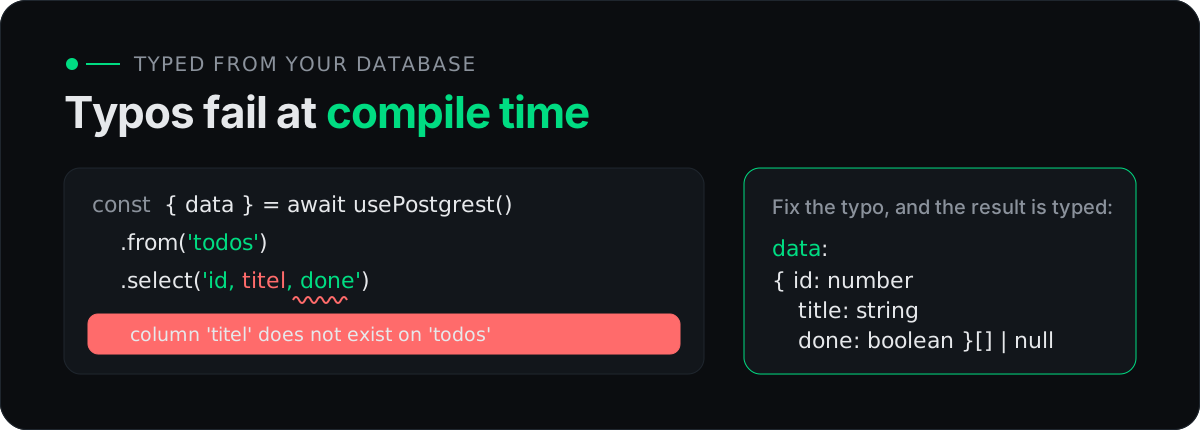
The module reads a Database type from shared/types/database.types.ts. Generate it with the bundled CLI, which wraps the Supabase CLI and needs only a connection string:
# .env
DATABASE_URL=postgres://postgres:postgres@localhost:5432/postgres?sslmode=disable
{
  "scripts": {
    "db:types": "nuxt-postgrest types"
  }
}
pnpm run db:types
Multiple schemas, a custom path and linting are covered in the types guide.
Documentation
- Start: Introduction · Installation
- Guide: Configuration · Composables · Authentication · Types
- Playbooks: Local Postgres and PostgREST · Coming from Supabase
Development
git clone https://github.com/kiansa/nuxt-postgrest
cd nuxt-postgrest
pnpm install
pnpm db:up      # Postgres + PostgREST on :5432 / :3001
pnpm dev        # playground at http://localhost:3000
pnpm test       # unit + e2e against the local PostgREST
See CONTRIBUTING.md for the full workflow.
License
Related Packages
Nuxt module for apps hosted on wervt: database, live data, MCP and runtime setup...
Version History
| Version | Released | Vue | License |
|---|---|---|---|
| 0.1.0 | ^3.0 | MIT | |
| 0.0.4 | ^3.0 | MIT | |
| 0.0.3 | ^3.0 | MIT | |
| 0.0.2 | ^3.0 | MIT | |
| 0.0.1 | ^3.0 | MIT | |
| 0.0.0 | ^3.0 | MIT |