lite-json-editor
lite-json-editor (Vue 3)
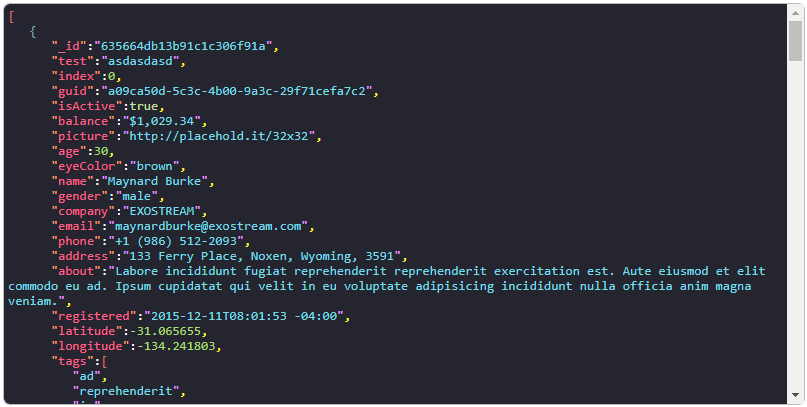
A lightweight json formatter/editor for Vue 3
Install
Vue 3
npm i lite-json-editor
Usage
<script setup>
    import { ref } from 'vue'
    import LiteJsonEditor from 'lite-json-editor'

    const value = ref()
</script>

<template>
    <LiteJsonEditor v-model="value" />
</template>
Props
| Name | Description | Type | Default |
|---|---|---|---|
| v-model | binding value | Object, String, null |
|
| indent | json indent | Number |
3 |
| dark | dark mode | Boolean |
false |
| withoutEdit | disable editing | Boolean |
false |
| withoutError | disable error trigger | Boolean |
false |
| formatting | color formatting | Object |
Slots
This component provides a slot if you need to modify the error display behavior
<template>
    <LiteJsonEditor v-model="value">
        <img src="https://raw.githubusercontent.com/Megarsh/lite-json-editor/HEAD/example-error-icon.svg" />
    </LiteJsonEditor>
</template>
Formatting
Default colors are

#a9dc76- number
#84aecc- braces
#d26a6a- brackets
#4f4f4f- colon
#f8c33b- comma
#5f9fca- string
#e393ff- string_quotes
#ff6188- key
#fc9867- key_quotes
#cccccc- null
#8ccf79- true
#e69fc2- false
If you want to modify any of those values pass a formatting object containing key: color pairs of your desired changes
<template>
    <LiteJsonEditor v-model="value" :formatting="{ 'number': '#e3e3e3' }" />
</template>
Related Packages
Version History
| Version | Released | License |
|---|---|---|
| 0.1.3 | ISC | |
| 0.1.2 | ISC | |
| 0.1.0 | ISC | |
| 0.0.1 | ISC | |
| 0.0.0 |