kspreadsheet
| Install | |
|---|---|
npm install kspreadsheet |
|
| Latest Version: | 2.9.0 |
| License: | MIT |
| Last Updated: | Oct 23, 2026 |
| Links: | GitHub · npm |
Jspreadsheet CE v5: The JavaScript spreadsheet
Jexcel CE has been renamed to Jspreadsheet CE
Jspreadsheet CE Use Cases
Jspreadsheet CE is an extensible framework for building sophisticated data-oriented interfaces with Excel-like controls. By bringing familiar spreadsheet features to your application, you can drastically reduce development time while delivering an interface that users already know how to use, leading to faster adoption and increased productivity. You can use Jspreadsheet in many different applications, such as:
- An editable data grid-based interface to simplify inventory management and production planning in a manufacturing company's ERP system.
- At an educational institution, Jspreadsheet powers grade management systems where teachers can efficiently import and modify student data.
- A logistics company uses Jspreadsheet to create dynamic delivery route planning tables with real-time updates.
- In a research laboratory, scientists use Jspreadsheet to collect and analyze experimental data with custom validation rules.
- At a retail chain, managers use Spreadsheet-based tools to coordinate staff schedules across multiple locations.
Jspreadsheet Pro - Enterprise Solution
Overview
Why Choose Jspreadsheet CE?
- Create rich, interactive data grid interfaces
- Handle complex data inputs with Excel-like functionality
- Direct Excel compatibility: Copy and paste using standard shortcuts
- Proven success across thousands of implementations
- Lightweight, fast, and intuitive
- Easy integration with third-party plugins
- Built for collaboration and sharing
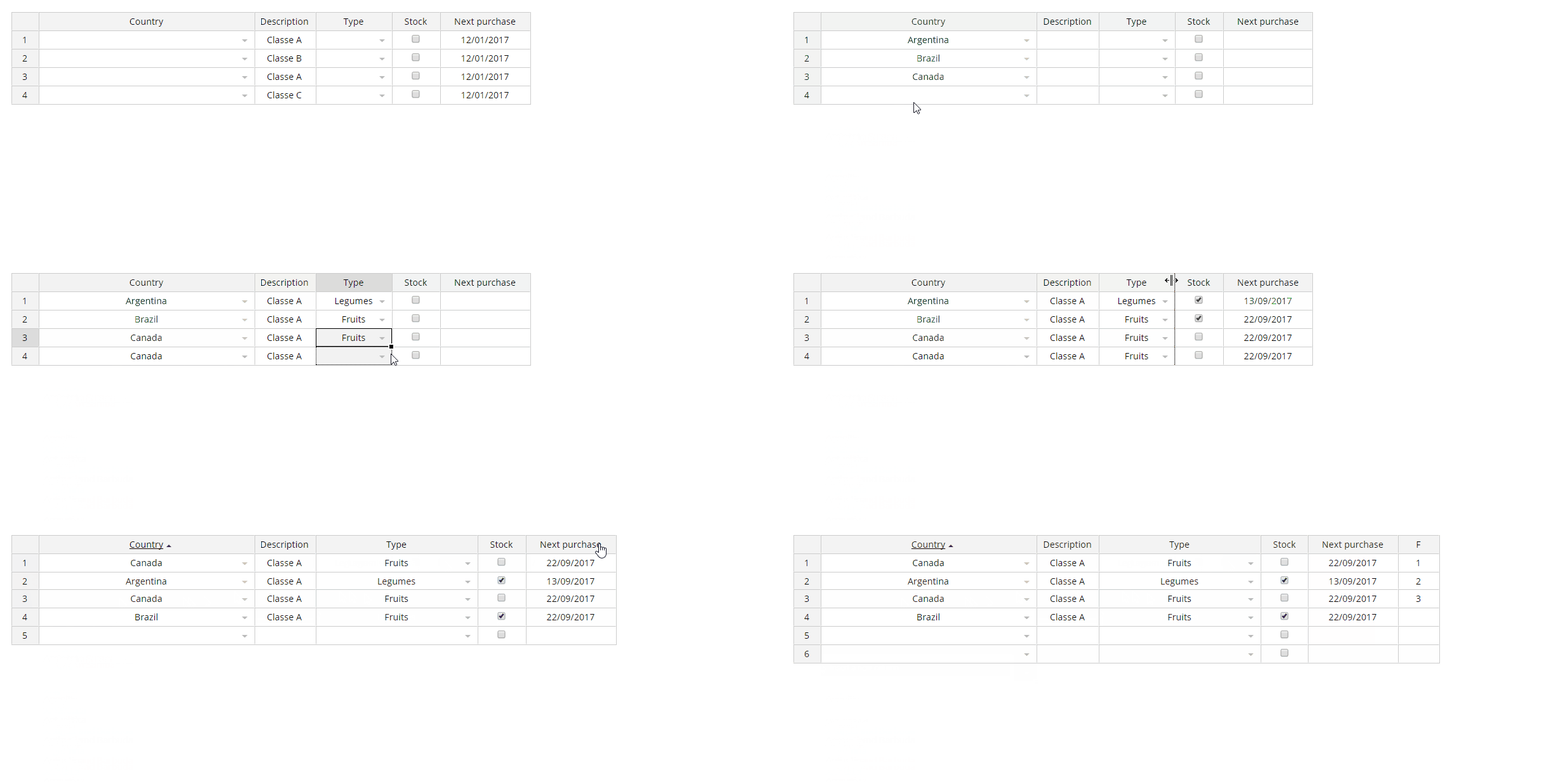
Screenshot
Installation
NPM
npm install jspreadsheet-ce
CDN
<script src="https://cdn.jsdelivr.net/npm/jspreadsheet-ce/dist/index.min.js"></script>
<link rel="stylesheet" href="https://cdn.jsdelivr.net/npm/jspreadsheet-ce/dist/jspreadsheet.min.css" type="text/css" />
<script src="https://cdn.jsdelivr.net/npm/jsuites/dist/jsuites.min.js"></script>
<link rel="stylesheet" href="https://cdn.jsdelivr.net/npm/jsuites/dist/jsuites.min.css" type="text/css" />
Basic Demo
A basic example to integrate the Jspreadsheet in your website to create your first data grid with spreadsheet controls. https://codepen.io/hchiam/pen/qBRzXKK
Usage
Add jexcel/jspreadsheet and Jsuites to your html file
<script src="https://bossanova.uk/jspreadsheet/v5/jspreadsheet.js"></script>
<script src="https://jsuites.net/v5/jsuites.js"></script>
<link rel="stylesheet" href="https://bossanova.uk/jspreadsheet/v5/jspreadsheet.css" type="text/css" />
<link rel="stylesheet" href="https://jsuites.net/v5/jsuites.css" type="text/css" />
You should initialize your data grid on a div container, such as:
<div id="spreadsheet"></div>
To initialize a Jspreadsheet CE table you should run JavaScript, such as:
jspreadsheet(document.getElementById('spreadsheet'), {
    worksheets: [
        {
            data: [
                ['Jazz', 'Honda', '2019-02-12', '', true, '$ 2.000,00', '#777700'],
                ['Civic', 'Honda', '2018-07-11', '', true, '$ 4.000,01', '#007777'],
            ],
            columns: [
                { type: 'text', title: 'Car', width: 120 },
                {
                    type: 'dropdown',
                    title: 'Make',
                    width: 200,
                    source: ['Alfa Romeo', 'Audi', 'Bmw', 'Honda'],
                },
                { type: 'calendar', title: 'Available', width: 200 },
                { type: 'image', title: 'Photo', width: 120 },
                { type: 'checkbox', title: 'Stock', width: 80 },
                {
                    type: 'numeric',
                    title: 'Price',
                    width: 100,
                    mask: '$ #.##,00',
                    decimal: ',',
                },
                { type: 'color', width: 100, render: 'square' },
            ],
        },
    ],
});
Serve your html file and then you will get the rendered table in your browser

Multiple selections
Enable disconnected cell and range selections per worksheet:
const [worksheet] = jspreadsheet(element, {
    worksheets: [
        {
            data: [
                [1, 2, 3],
                [4, 5, 6],
                [7, 8, 9],
            ],
            multipleSelection: true,
            copyPreserveGaps: true,
        },
    ],
});

worksheet.setSelections([
    [0, 0, 0, 0],
    [2, 2, 2, 2],
]); // A1 and C3
Hold Ctrl (Windows/Linux) or Cmd (macOS) to add or remove a cell or range. A modified drag starting on an unselected cell adds a rectangle; starting on a selected cell subtracts it. Dragging back restores cells outside the current rectangle. After release, Ctrl/Cmd+Shift-click or drag extends or shrinks that last add/remove operation from its original anchor. Shift alone extends the active selected range; plain click or arrow navigation starts a single selection, and Escape keeps only the active cell. Row, column, and nested-header selections support the same modifiers.
multipleSelection defaults to false for compatibility. copyPreserveGaps defaults to true: copying A1 and C3 produces a 3×3 clipboard grid with blank gaps. Set it to false to pack selected cells left within each selected row and omit unselected rows. Copying within this library retains a mask so pasted gaps leave destination values untouched; other applications receive ordinary blank fields.
Formatting, Delete, checkbox toggles, and compatible pastes act on the selected cells. A scalar can fill disconnected ranges; a block must fit each destination range exactly or by whole repetitions. Disconnected ranges cannot be merged or autofilled. See selection behavior and clipboard behavior.
Undo with Ctrl/Cmd+Z. Redo with Ctrl/Cmd+Shift+Z or Ctrl/Cmd+Y.
Development
Build your package
% npm run build
Run validation
npm run dist
npx mocha --recursive --require=mocha.config.js
npm run lint
npx playwright install chromium
npm run test:browser
Browser tests use the built dist assets. To use an installed Chrome instead, run PLAYWRIGHT_CHANNEL=chrome npm run test:browser.
Start a web service
% npm run start
Open the complete manual test runner for all existing checks plus the selection checks, including adding/removing ranges, clipboard gaps, frozen/nested cells, undo, paging, lazy loading, and the centered-table offset. Use the dropdown to jump to any test, Yes/No to record results, Restart this test to restore its data, and download the report at the end. Previous results from both runs are imported automatically. Older links with ?suite=multi-selection also show the complete list.
Data Grid Examples
- https://bossanova.uk/jspreadsheet/docs/examples/create-from-table
- https://bossanova.uk/jspreadsheet/docs/examples/translations
- https://bossanova.uk/jspreadsheet/docs/examples/table-overflow
- https://bossanova.uk/jspreadsheet/docs/examples/richtext-html-editor
- https://bossanova.uk/jspreadsheet/docs/examples/column-dragging
- https://bossanova.uk/jspreadsheet/docs/examples/web-component
- https://bossanova.uk/jspreadsheet/docs/examples/jquery
Jspreadsheet Changelog
Custom 2.7.0
- Support open-ended range references in formulas — whole-column (
B:B), open-start (B2:B), and open-end (A1:C) — expanding to every row currently in the sheet; - Add
stickyFooterworksheet option to pin the footer at the bottom of a scrollable (tableOverflow) viewport instead of scrolling away with the body; - Add
overflowBounceworksheet option (defaulttrue) to control rubber-band/elastic overscroll and scroll chaining on a scrollable (tableOverflow) viewport, viaoverscroll-behavior;
Custom 2.6.0
- Resize width and height of multiple rows / columns in same time
Custom 2.5.0
- Implement method
getSearchto get search value stored - Improve checkbox spread
Custom 2.4.0
- Add
freezeRowsoption to pin the first N rows in place (mirrorsfreezeColumns), including support forfreezeRowsandfreezeColumnscombined at the same time; - Rework
freezeColumnsto use CSSposition: stickyinstead of scroll-driven JS repositioning, fixing shaking/lag when scrolling horizontally with many columns; - Keep the row-number column pinned during horizontal scroll regardless of
freezeColumns, with a right border to separate it from the data; - Fix frozen rows/columns being evicted from the DOM by
lazyLoading's row window when scrolling far down, and fix a stuck/stale row window after a fast scroll; - Fix horizontal-only scrolling incorrectly triggering a vertical row reload when no
tableHeightis configured; - Add
cornerShape('square'|'circle') andcornerRadiusoptions to customize the fill-handle's shape; - Show the same animated dashed selection border on the fill-handle drag preview as on a copy selection;
- Add Ctrl/Cmd + Arrow key navigation to jump to the edge of a data block, matching Excel/Google Sheets; Cmd now also works on Mac for Ctrl-modified arrow/Home/End navigation (previously Ctrl-only);
- Preserve configured column widths when exporting to XLSX;
- Fix the toolbar color picker's reset button not clearing a cell's color;
- Fix a crash in row/column range selection with invalid or out-of-range coordinates;
- Fix a crash when the mouse leaves the browser window during a column/row resize drag;
- Fix a brief flash of the wrong scroll position right after loading data with zoom configured;
Custom
- Add onupdateresult event after search/filter;
Jspreadsheet 5.0.0
- Separation of spreadsheet and worksheets;
- New worksheet methods and events;
- Dedicated wrappers for React and Vue for better framework integration;
- Modern development environment powered by Webpack;
- Updated architecture aligned with other distributions;
Jspreadsheet 4.6.0
- Jexcel renamed to Jspreadsheet.
- Integration with Jsuites v4.
Jspreadsheet 4.2.3
- The spreadsheet plugin is now compatible with Jsuites v3.
- New flags and security implementations.
- New DOM element references in the toolbar.
- Worksheet events are now tabbed.
Jspreadsheet 4.0.0
Special thanks to FDL - Fonds de Dotation du Libre for their support and sponsorship, which made the new version possible with many exciting features.
- Workbook/tab support for spreadsheets.
- Create dynamic spreadsheets from static HTML elements.
- Highlight selected cells in the spreadsheet after CTRL+C.
- Footer with formula support.
- Multiple column resizing.
- JSON update support (helpers to update a remote server).
- Centralized event dispatch method for all spreadsheet events.
- Custom helpers:
=PROGRESS(progress bar),=RATING(5-star rating). - Custom formula helpers:
=COLUMN,=ROW,=CELL,=TABLE,=VALUE. - Dynamic nested header updates.
- New HTML editing column type.
- New flags:
includeHeadersOnCopy,persistence,filters,autoCasting,freezeColumns. - New events:
onevent,onchangepage,onbeforesave,onsave. - More examples and documentation.
Jspreadsheet 3.9.0
- New methods.
- General fixes.
Jspreadsheet 3.6.0
- Improved spreadsheet formula parsing.
- New spreadsheet events.
- New initialization options.
- General fixes.
Jspreadsheet 3.2.3
getMeta,setMetamethods.- NPM package with jSuites.
- General fixes.
Jspreadsheet 3.0.1
Jspreadsheet v3 is a complete rebuild of the JavaScript spreadsheet (previously a jQuery plugin). Due to the changes, full compatibility could not be ensured. If upgrading, your code may require some updates. For more information, refer to the article on upgrading from Jspreadsheet v2 or Handsontable.
New features in Jspreadsheet v3:
- Drag and drop columns.
- Resizable rows.
- Merge columns.
- Search functionality.
- Pagination.
- Lazy loading.
- Full-screen mode.
- Image upload.
- Native color picker.
- Better mobile compatibility.
- Enhanced nested headers support.
- Advanced keyboard navigation.
- Better hidden column management.
- Data picker enhancements: dropdown, autocomplete, multiple selection, group options, and icons.
- Import from XLSX (experimental).
Major improvements:
- A new formula engine with faster results and no external dependencies.
- No use of selectors, leading to faster performance.
- New native column types.
- No jQuery required.
- Examples for React, Vue, and Angular.
- XLSX support via a custom SheetJS integration (experimental).
Jspreadsheet 2.1.0
- Mobile touch improvements.
- Paste fixes and a new CSV parser.
Jspreadsheet 2.0.0
- New radio column type.
- New dropdown with autocomplete and multiple selection options.
- Header/body separation for better scroll and column resize behavior.
- Text-wrap improvements, including Excel-compatible
alt+enter. - New
set/getmeta information. - New
set/getconfiguration parameters. - Programmatic
set/getcell styles. set/getcell comments.- Custom toolbar for tables.
- Responsive calendar picker.
Jspreadsheet 1.5.7
- Improvements to checkbox column type.
- Updates to table destruction in jQuery.
Jspreadsheet 1.5.1
- Spreadsheet data overflow and fixed headers. See an example.
- Navigation improvements.
Jspreadsheet 1.5.0
- Relative
insertRow,deleteRow,insertColumn,deleteColumn. See an example. - Redo and undo support for
insertRow,deleteRow,insertColumn,deleteColumn,moveRow. - New formula column recursive chain.
- New alternative design option (Bootstrap-like). See an example.
updateSettingsimprovements.
Official websites
- Jspreadsheet CE v4 - Javascript Spreadsheet
- Jspreadsheet CE v3 - Vanilla JavaScript
- Jspreadsheet CE v2 - jQuery Plugin
- Jspreadsheet Pro v11 - Javascript Spreadsheet
- Jspreadsheet Pro v10 - Javascript Spreadsheet
- Jspreadsheet Pro v9 - Javascript Spreadsheet
- Jspreadsheet Pro v8 - Javascript Spreadsheet
- Jspreadsheet Pro v7 - Javascript Spreadsheet
Community
Contributing
See contributing
Copyright and license
Jspreadsheet CE is released under the [MIT license]. Contact contact@jspreadsheet.com
Other tools
Related Packages
Jspreadsheet is a lightweight, vanilla javascript plugin to create amazing web-b...
Jspreadsheet is a lightweight, vanilla javascript data grid plugin to create ama...
Fork of jspreadsheet-ce 4.15.0 that renders column and row headers as th with sc...
Advanced Data Grid / Data Table supporting Javascript / Typescript / React / Ang...
Advanced Data Grid / Data Table supporting Javascript / Typescript / React / Ang...
Version History
| Version | Released | License |
|---|---|---|
| 2.9.0 | MIT | |
| 2.8.0 | MIT | |
| 2.7.0 | MIT | |
| 2.6.1 | MIT | |
| 2.6.0 | MIT | |
| 2.5.0 | MIT | |
| 2.4.2 | MIT | |
| 2.4.1 | MIT |