keystone-dashboard-layout-vue




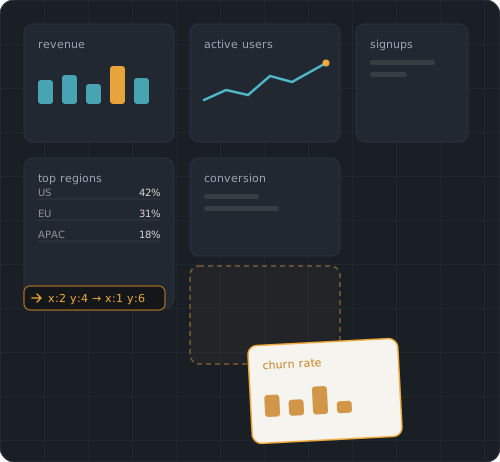
keystone-dashboard-layout-vue
What this actually is
A Vue 3, TypeScript-native library for building draggable, resizable, responsive dashboard layouts — the kind of thing you'd use to let a user rearrange widgets, charts, or panels on a screen, with drag, resize, responsive breakpoints, multi-select, undo/redo, and collision handling built in.
It is not a data table/grid. If you're looking for sorting,
filtering, paging, or spreadsheet-style rows and columns, this isn't
that. This is closer in spirit to react-grid-layout or
gridstack.js — but for Vue 3, written in TypeScript from the ground
up rather than ported from an older codebase.
Why this exists
The most popular Vue option in this space,
vue-grid-layout
(~7.4k stars), still has no official Vue 3 release — its own GitHub
issues show people asking for a Vue 3 alternative as far back as 2022.
What filled that gap instead is a handful of independently-maintained
community forks (vue-grid-layout-v3, vue3-grid-layout-next, at
least one explicitly marked "no longer supported"), with no obvious
default among them.
keystone-dashboard-layout-vue is a ground-up TypeScript rewrite
built specifically to be the option in that gap with the most complete
feature set and the most rigorously tested codebase — not a patch on
top of the original Vue 2 source, and now the reference implementation
for a shared engine that also powers sibling React and Angular
packages in the same family.
Quick start
npm install keystone-dashboard-layout-vue
<script setup lang="ts">
import { ref } from 'vue';
import { GridLayout, GridItem, type TLayout } from 'keystone-dashboard-layout-vue';
import 'keystone-dashboard-layout-vue/style.css';

const layout = ref<TLayout>([
  { h: 2, i: '0', w: 2, x: 0, y: 0 },
  { h: 2, i: '1', w: 2, x: 2, y: 0 },
  { h: 4, i: '2', w: 2, x: 4, y: 0 },
]);
</script>

<template>
  <GridLayout v-model:layout="layout" :col-num="12" :row-height="30">
    <GridItem v-for="item in layout" :key="item.i" :h="item.h" :i="item.i" :w="item.w" :x="item.x" :y="item.y">
      {{ item.i }}
    </GridItem>
  </GridLayout>
</template>
That's a fully draggable, resizable, auto-compacting grid — no other
setup required. vue (^3.0.0) is a peer dependency. The same
Options-API usage works too — GridLayout/GridItem are plain
components, not Composition-API-only.
Using just the grid math, without Vue?
keystone-dashboard-layout-core exports the same collision detection,
compaction, movement, and alignment functions the components above are
built on — zero Vue dependency, no live DOM required, plain data in
and out:
import { collides, compactLayout, moveElement } from 'keystone-dashboard-layout-core';
Useful for validating a layout server-side, or building an entirely different UI on the same algorithms.
Features
- Core layout — grid-unit positioning with automatic pixel
conversion,
v-model:layout, auto-sizing container (grid-level and per-itemautoHeight), visible grid lines, visual alignment guides and magneticsnapToGrid(a real distinction — one shows where edges line up, the other actually moves the item), CSS transform positioning, a genericILayoutItem<TMeta>for attaching typed consumer data to each item. - Drag and resize — drag from anywhere on an item by default;
resize from all eight edges/corners with cursor affordance and
optional visible handles (
showResizeHandles/resizeHandleColor); drag-handle/ignore selectors; bounded dragging; aspect-ratio locking; per-item size constraints; keyboard move/resize (arrow keys / shift+ arrow); a blocked-move feedback event (MOVE_BLOCKED_BY_COLLISION) for shake/flash/toast UI without reimplementing collision detection yourself. - Collision and compaction — vertical compaction,
preventCollision, horizontal shift, static items excluded from cascades, on-demandcompactNow()/rearrange(), collision-safeduplicateItem(id), a pluggablecompactorprop for replacing the compaction algorithm entirely. - Responsive layouts — predefined layouts per breakpoint, with auto-generation for breakpoints without one.
- Multi-select and group operations — click/Shift-click/Ctrl-click
selection, group move/resize, align/distribute commands
(
alignSelected/distributeSelected). - Multi-grid and drag-and-drop — drag items between independent
GridLayoutinstances (allowCrossGridDrag), and from outside the grid system entirely via native HTML5 drag-and-drop (allowOutsideDrop,outsideDropAcceptto reject incompatible drags, a typed-payload helper for the drop event). - Editing and lifecycle — a close button, edit-mode toggle,
add/remove items without rebuilding the grid, opt-in undo/redo
(
enableUndoRedo) at committed-change granularity. - Styling and customization — border radius, configurable transition duration/easing, a slot for custom drag-placeholder content, automatic RTL support (including resize from every edge, verified in both directions).
- Persistence —
useLayoutStorage/serializeLayout/deserializeLayoutfor a single saved layout, plususeLayoutPresetsfor saving and switching between several named arrangements of the same items. - Export —
exportLayoutAsSvg(), a dependency-free grid-to-image export for a report, thumbnail, or "share my dashboard" feature. - Accessibility — keyboard move/resize,
aria-roledescription/role="group"on interactive items, and localizable UI/ARIA strings (ariaLabels) — not a full WAI-ARIA grid/application pattern by design.
Built to a higher testing bar than most projects in this space
- 99%+ statement/branch coverage, enforced, not aspirational
- Mutation testing (Stryker) on the core composables, not just line coverage
- Unit/component tests via Vitest + @vue/test-utils, with a Vitest UI test console
- e2e tests via Playwright — see
docs/TESTING.md
Shared engine, three frameworks
This package, keystone-dashboard-layout-react,
and keystone-dashboard-layout-angular
all build on keystone-dashboard-layout-core
for collision detection, compaction, responsive breakpoint math, and
the native Pointer-Events-based drag/resize engine — one implementation
of the hard parts, not three independently-maintained copies that
could drift out of sync.
Documentation
CHANGELOG.md— release history, generated from conventional commits on every releasedocs/TESTING.md— unit + e2e testing guidedocs/STRYKER.md— mutation testing: what it's for, how to run it, and what's in scopedocs/OPEN_ISSUES_IMPLEMENTATION_PLAN.md— every currently-open feature/tooling item, with an actual recommended order and effort/risk grading per itemdocs/FEATURE_RECOMMENDATIONS.md— source-grounded ideas for what might come next
A focused demo app lives in demo/ (npm run demo). The
sandbox/ app is a separate, larger test bench used for manually
exercising every prop during development.
Donate
If you enjoyed this project — or just feeling generous, consider buying me a 🍺. Cheers!

License
MIT
Related Packages
Vue 3 Responsive & Dynamic Grid / Dashboard layout with drag, drop and resizable...
Version History
| Version | Released | Vue | License |
|---|---|---|---|
| 1.0.1 | ^3.0.0 | MIT | |
| 1.0.0 | ^3.0.0 | MIT |