kanto-ds
| Install | |
|---|---|
npm install kanto-ds |
|
| Latest Version: | 1.11.0 |
| Vue: | 3 |
| License: | MIT |
| Last Updated: | Oct 14, 2026 |
| Links: | npm |
Kanto
Eighty web components for dashboards, admin tools and forms — in your colours, in any framework.




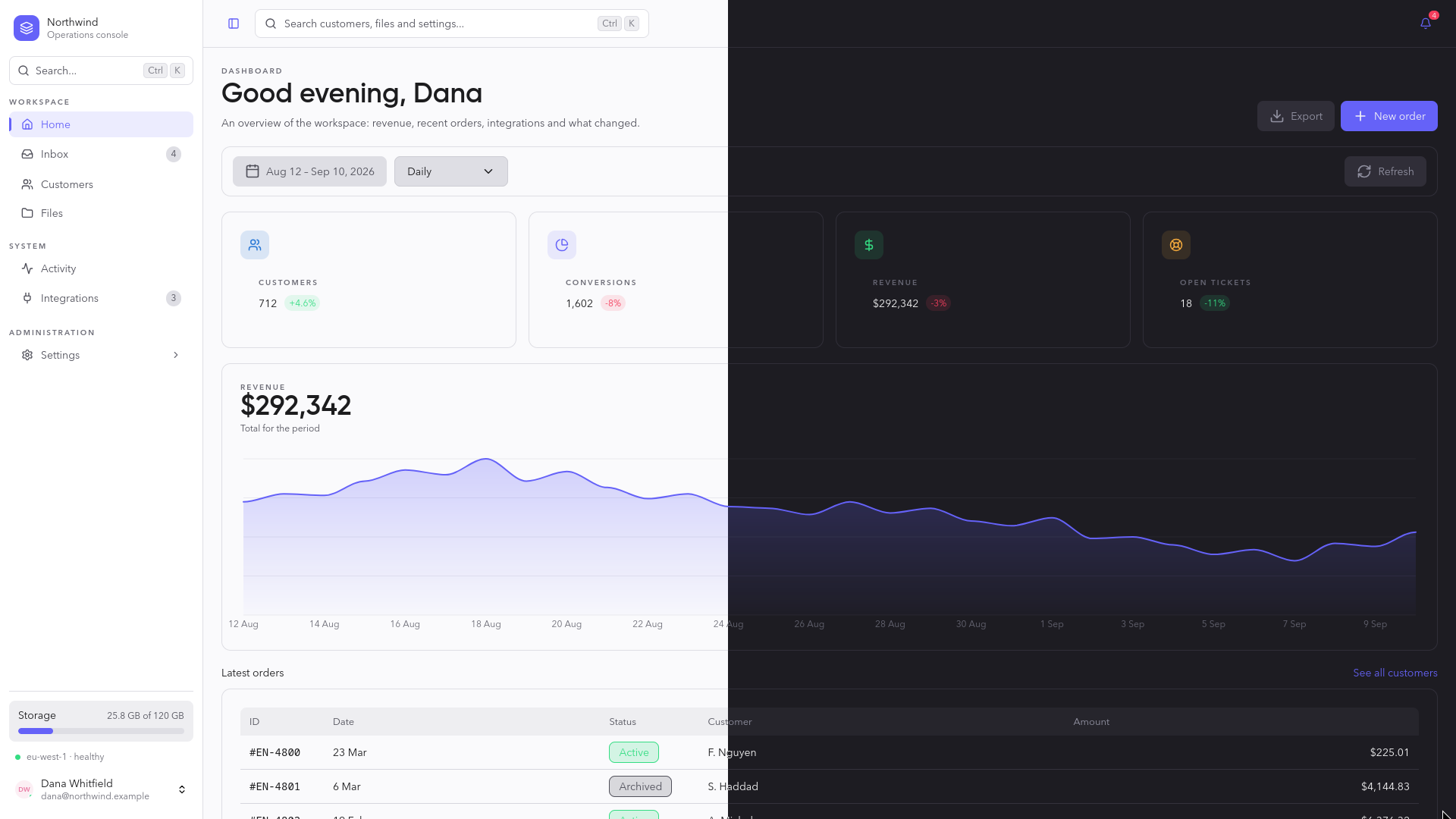
Open the live docs and playground. Pick a colour, a font and a density, watch a real screen change, and copy the one line that does it in your project — or open it on StackBlitz.
Or build a page from whole sections: the site's blocks — a hero, pricing, a blog post, a sign-in form, a settings section and more — are live, each with its own documentation.
They are standard custom elements, so the same <kt-button> runs in React,
Vue, Angular, Svelte and plain HTML. Two complete themes, every element audited by axe in both and driven
by the keyboard in its tests, and no framework to adopt.
Start
npm install kanto-ds
import 'kanto-ds';
import 'kanto-ds/styles.css';
<kt-card>
  <h6 slot="header">Recent transactions</h6>
  <kt-table></kt-table>
  <kt-button slot="footer" variant="text">View full history</kt-button>
</kt-card>
No bundler? One stylesheet and one script tag:
<link rel="stylesheet" href="https://cdn.jsdelivr.net/npm/kanto-ds@1/dist/styles.css" />
<script type="module" src="https://cdn.jsdelivr.net/npm/kanto-ds@1"></script>
Per-framework setup — React 18 and 19, Vue, Angular, Svelte — is in docs/frameworks.md.
Make it yours
Colour, font, corners, density and text size are each one attribute, on the page or on any container:
<html data-accent="teal" data-radius="round" data-density="compact"></html>
Or any colour at all — Kanto solves the shades for it and keeps every text at 4.5:1 in both themes:
import { setAppearance } from 'kanto-ds';

setAppearance({ accent: '#e11d48', radius: 'round', textSize: 'large' });
Fonts other than Kanto's own (data-font="inter", "plex", "geist") need
the face loaded by your page, from Google Fonts or your own files.
Showcase
 |
 |
|---|
Kanto SaaS Pro
The whole SaaS, server side included, for when a template is not enough: accounts, teams and roles, plans and billing with Stripe or Lemon Squeezy, an admin panel and your database — SQLite, Postgres or MongoDB — in Nuxt, built with Kanto and set up in one command. You, or your AI agent, write only the product. A separate, paid product: Kanto SaaS Pro.
Why custom elements
One implementation, every framework. The alternative — a React port, a Vue port, an Angular library — is three codebases drifting apart.
The trade is real and worth naming: custom elements need JavaScript to upgrade, so during SSR they hold their place, hidden, until the bundle lands. In return, a component is written once and a fix reaches every consumer at the same time.
See docs/frameworks.md for the per-framework setup. Two rules hold everywhere:
- Data goes in as properties, not attributes.
options,data,columns,items— anything that is not a string or a boolean. An attribute can only hold a string. - Events are
kt--prefixed CustomEvents, payload indetail. They bubble and cross shadow boundaries, so you can listen on a container.
The system
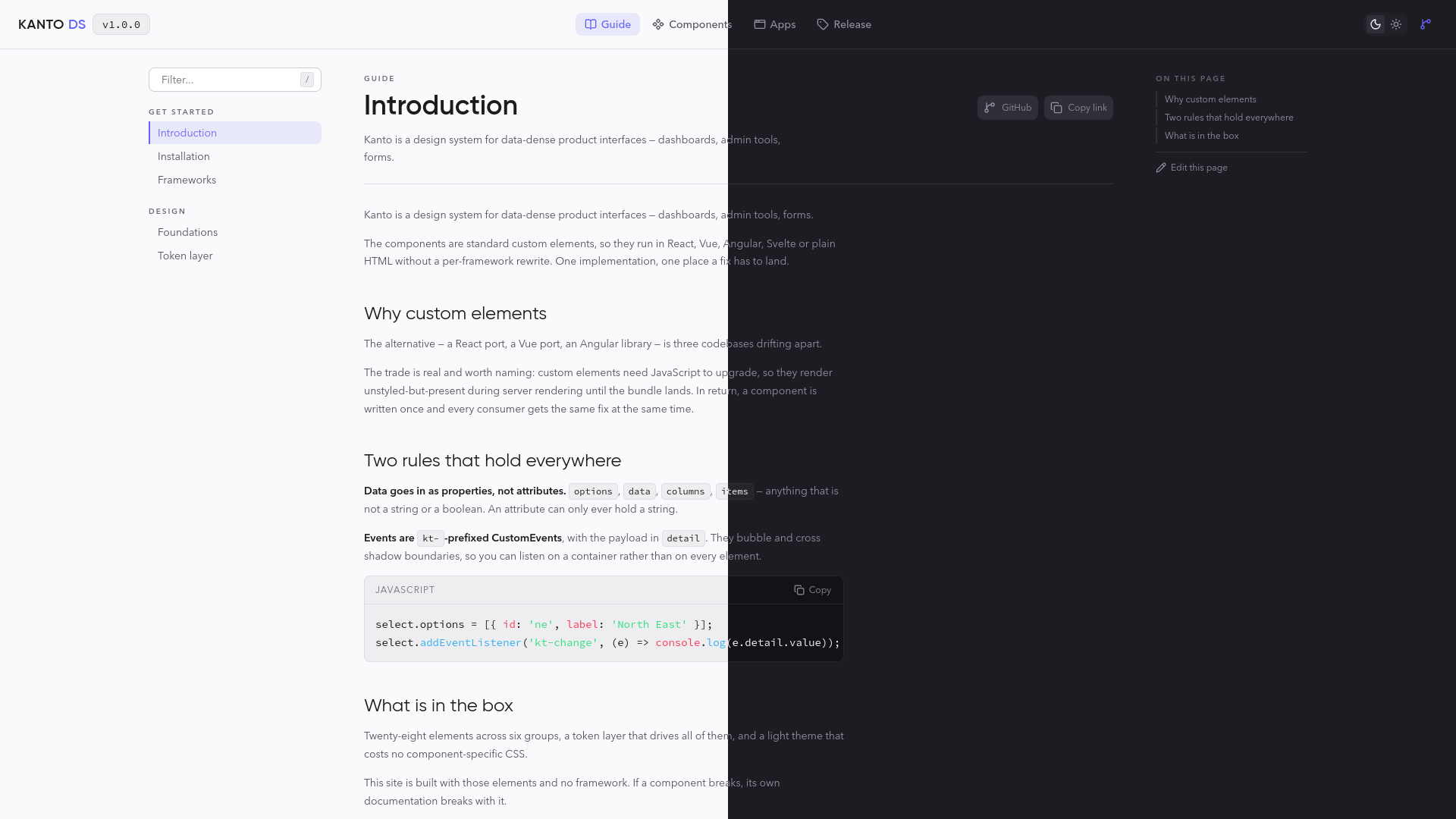
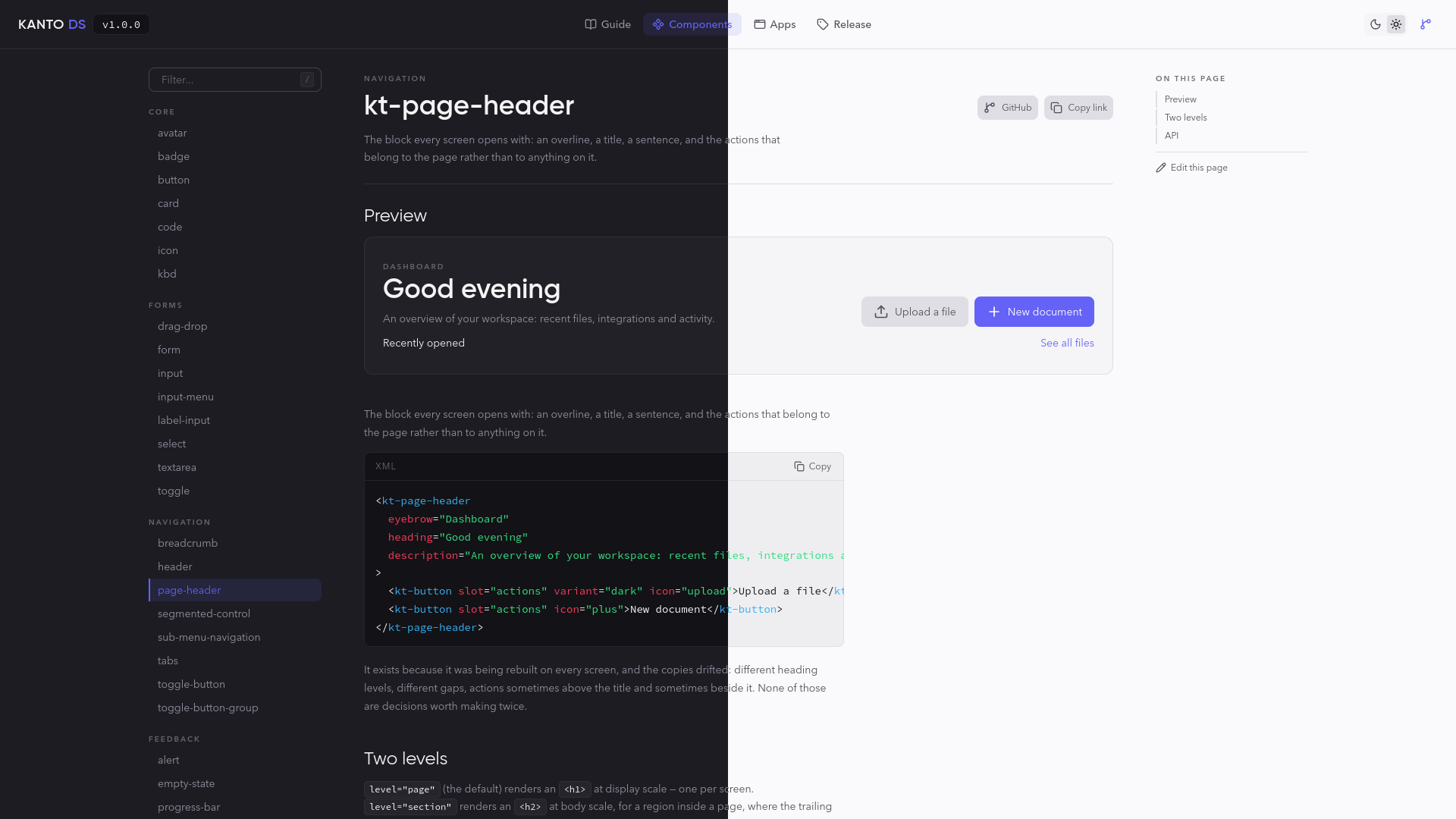
Two complete themes. :root carries dark, which is what you get by
default; data-theme="light" switches, and data-theme="auto" follows the OS.
Both are built from the same token names, so no component has theme-specific
CSS and neither theme is an afterthought.
Elevation is a lighter surface, not a shadow. Surfaces are an eleven-step
ramp, --color-dark-8 through --color-dark-24. The only real shadow in the
system is on toasts, which genuinely float.
Fields take an outline, never a border. A border would reflow the field on focus; the outline sits outside the box — grey on hover, primary on focus, danger on error.
Motion is fast and utilitarian. 100–200ms, no bounces, no springs. The one decorative animation is the striped progress bar, and it earns its place: it is how an operation says it is still working when the number is not moving.
Copy is English, and terse. "Search everything...", "No data to display", "2 min ago". Sentence case for labels and buttons; uppercase only for overline section titles. No emoji in product UI — the one exception is the flag in the phone-input country picker, which is functional.
Every string an element writes itself — empty states, button labels, validation messages, and the accessible names only a screen reader hears — comes from one registry. An application in another language replaces them once:
import { setStrings } from 'kanto-ds/strings';

setStrings({
  clear: 'Effacer',
  noData: 'Aucune donnée',
  pageOf: (page, total) => `Page ${page} sur ${total}`,
});
Anything left out stays in English, and switching at runtime re-renders every
element. Strings that carry a value are functions, so a translation owns the
word order. Where an element also takes a string as a property (emptyText,
placeholder, confirmLabel…), setting it still wins for that one element.
The full list is KtStrings in
src/internal/strings.ts.
Full details in src/tokens/README.md.
Components
Eighty elements. Each has a page beside its source.
Import the whole system, or one element:
import 'kanto-ds'; // everything
import 'kanto-ds/components/core/kt-button'; // just this one
Icons
<kt-icon> resolves Lucide icons by name at render time,
which means the set cannot be tree-shaken. So Kanto ships the 24 its own
elements draw and nine a first screen reaches for (plus, pencil,
settings, download, upload, external-link, filter, ellipsis,
refresh-cw). Register what else your application uses:
import { Rocket, Wallet } from 'lucide';
import { registerIcons } from 'kanto-ds/icons';

registerIcons({ Rocket, Wallet }); // <kt-icon name="rocket">
Forms
Every field is a form-associated custom element. It serialises into FormData
under its name, resets with the form, and reports validity like a native
input — no hidden mirror inputs, no manual wiring.
<form>
  <kt-label-input label="Email address" required>
    <kt-input name="email" type="email" required></kt-input>
  </kt-label-input>
  <kt-button type="submit">Send</kt-button>
</form>
Editor support
The package ships a Custom Elements Manifest — every element's attributes, properties, events, slots and CSS parts — and editor data generated from it, so plain HTML gets completion and hover docs:
-
WebStorm / JetBrains read
web-types.jsonfrom the package on their own. -
VS Code needs pointing at it once, in
.vscode/settings.json:{ "html.customData": ["./node_modules/kanto-ds/dist/vscode.html-custom-data.json"], "css.customData": ["./node_modules/kanto-ds/dist/vscode.css-custom-data.json"] } -
Storybook and API-docs generators take
kanto-ds/custom-elements.json.
AI agents get instructions of their own: the package ships
dist/AGENTS.md — the rules that make code right the first time, the mistakes
agents make and the fix, every component in a line. One line points Claude
Code, Cursor, Copilot or Codex at it; the
AI agents guide has each.
Each component's page ships at node_modules/kanto-ds/dist/docs/<tag>.md, and
a chat that cannot read your project takes
llms.txt or
llms-full.txt, every page in
one file.
Accessibility
Not a phase at the end; it is why several of these components exist in this shape. Some of what that meant:
- The segmented control is a radio group: one tab stop, arrows to move.
- Sortable table headers are buttons — a header you can only sort with a mouse is a table half the users cannot sort.
- The side panel and confirm dialog are native
<dialog>s: top layer, trapped focus, inert background, Escape handled by the platform. - The confirm dialog focuses Cancel, not Confirm.
- Tooltips are dismissible with Escape, and are never a control's only name.
- Every motion respects
prefers-reduced-motion, through the token layer.
Development
npm install
npm run dev          # the documentation site, on src/
npm test             # 459 tests
npm run build        # JS, types, and the static CSS + fonts
npm run verify       # everything CI runs, and everything a release requires
The docs site is built from the design system itself, so a broken component breaks its own documentation.
Licence
MIT. The bundled webfonts — Manrope, Mulish and Source Code Pro — are under the SIL Open Font License 1.1; see src/assets/fonts/README.md.
Related Packages
Componentes UI atómicos como Web Components. Sin dependencias; funcionan en Reac...
Framework-agnostic custom elements for Pitchfork UI — the design system as stand...
A lightweight, framework-agnostic Web Components library built with Stencil
Minerva Design: React, Vue, Angular, Web Components and native platform componen...
Pelagic UI illustrations — 24 original, themeable SVG empty-state scenes (no dat...
Version History
| Version | Released | License |
|---|---|---|
| 1.11.0 | MIT | |
| 1.10.1 | MIT | |
| 1.10.0 | MIT | |
| 1.9.0 | MIT | |
| 1.8.0 | MIT | |
| 1.7.0 | MIT | |
| 1.6.1 | MIT | |
| 1.6.0 | MIT | |
| 1.5.2 | MIT | |
| 1.5.1 | MIT | |
| 1.4.0 | MIT | |
| 1.3.0 | MIT | |
| 1.2.0 | MIT | |
| 1.1.0 | MIT | |
| 1.0.1 | MIT | |
| 1.0.0 | MIT |