designsource
| Install | |
|---|---|
npm install designsource |
|
| Latest Version: | 0.4.0 |
| License: | MIT |
| Last Updated: | Oct 12, 2026 |
| Links: | npm |
designsource
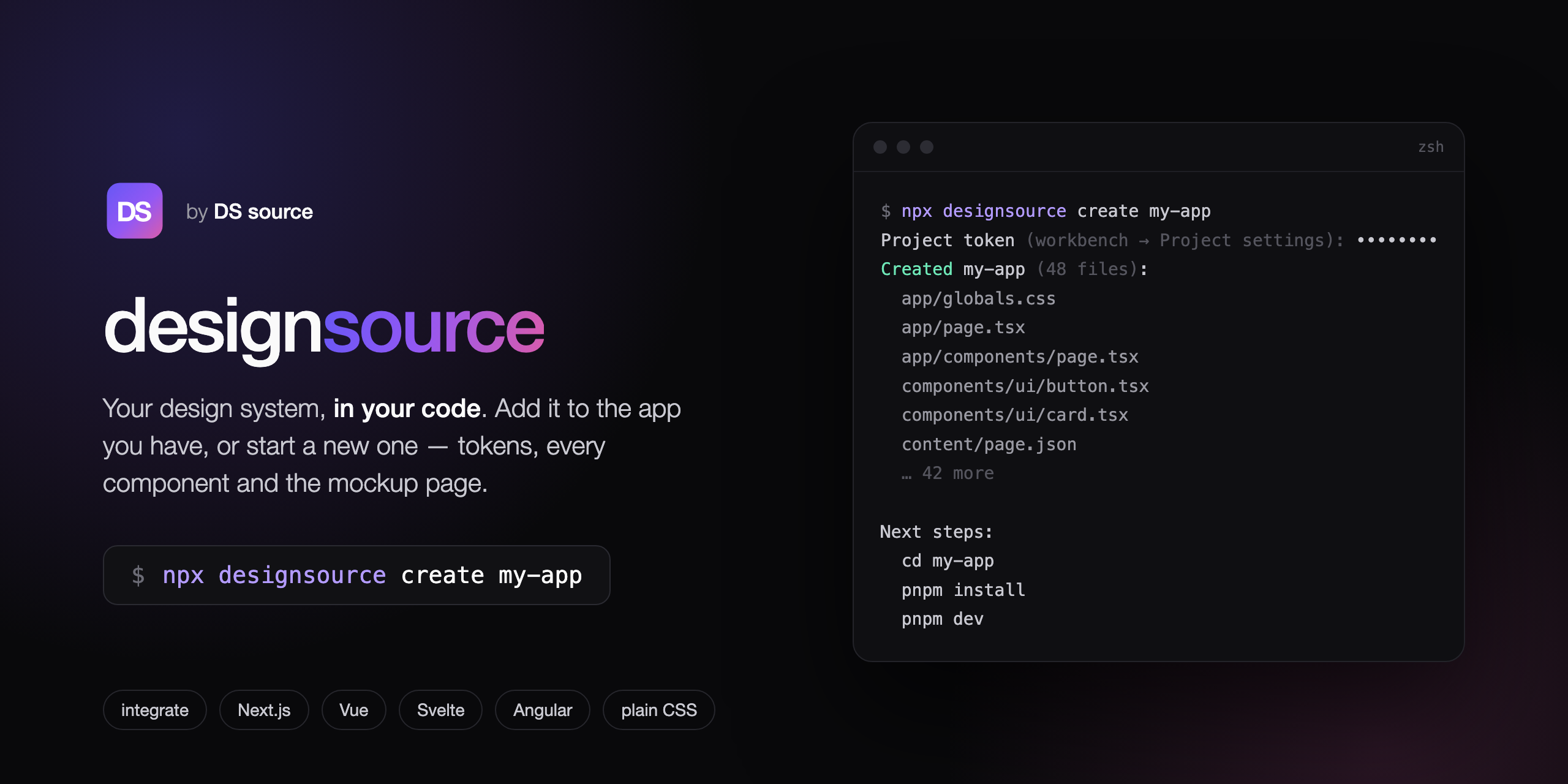
The command line for a DS source design system. Three things it does:
integrate— add the design system to the app you already have: adesign-system/folder with your tokens as CSS variables, a prompt that tells your coding agent how to wire them in, and the component kit as reference. Vue, Svelte, Angular or plain CSS.create— start a new Next.js project from it: tokens, all 61 components, the block pages (/blocks) and your mockup page, running afterpnpm install && pnpm dev.mcp— serve the design system to your coding agent over MCP: tokens, every component's source, your mockup page and a step-by-step integration guide, read on demand instead of pasted. Claude Code, Cursor, Codex — any client that speaks MCP over stdio.
npx designsource integrate
npx designsource create my-app
Works the same with pnpm dlx designsource …, yarn dlx designsource … and bunx designsource …. Installed globally (npm i -g designsource) it is also available as dss.
How it works
- Design your system at designsource.app — colours, radii, shadows, typography, three tiers of tokens, a component kit and an AI-generated mockup page.
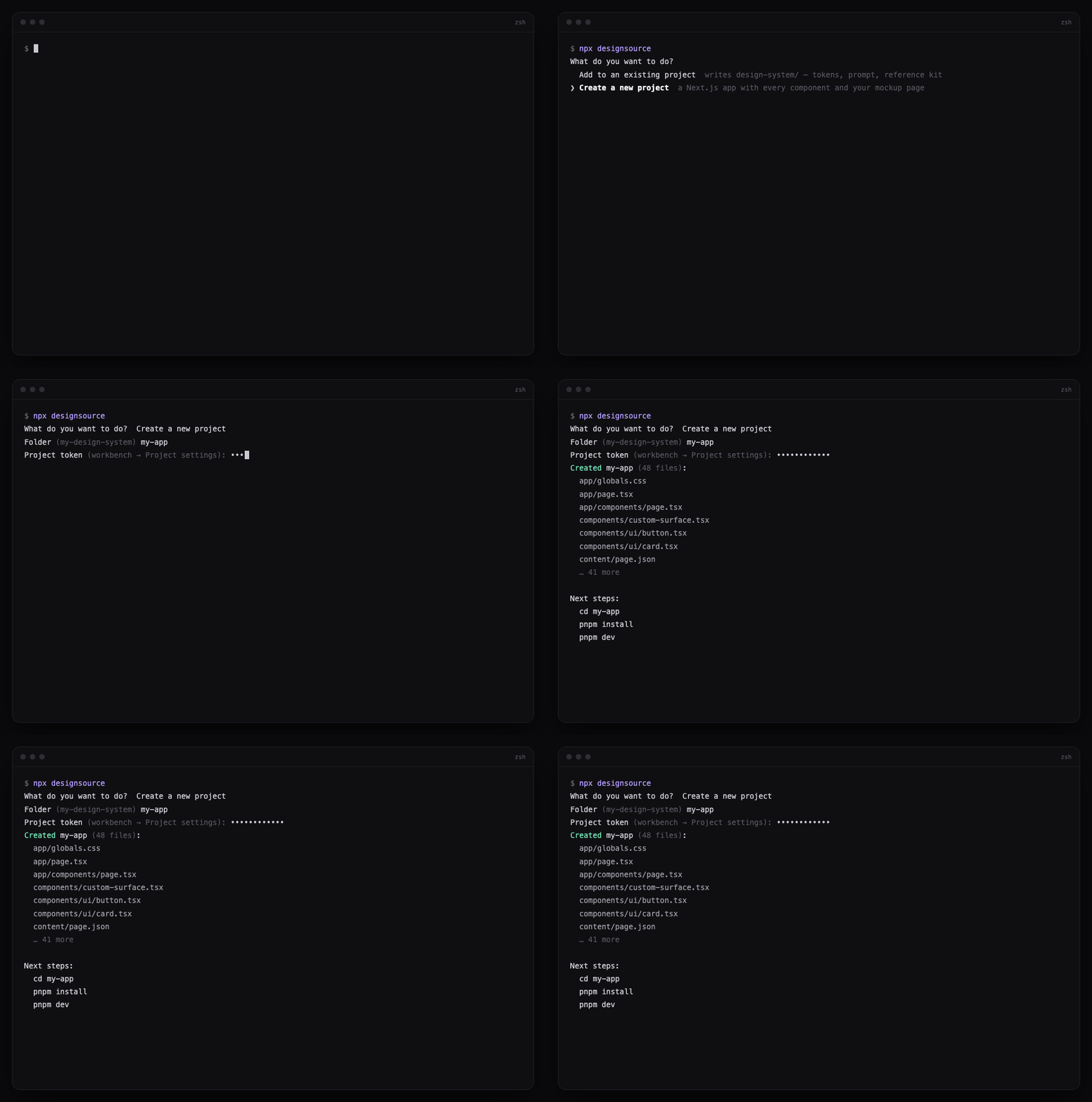
- Run the command. It asks with the arrow keys where there is a list to pick from, asks for a folder, and asks for your project token (workbench → Project settings). The token is typed hidden, sent once as a bearer header, and never written to disk or printed.
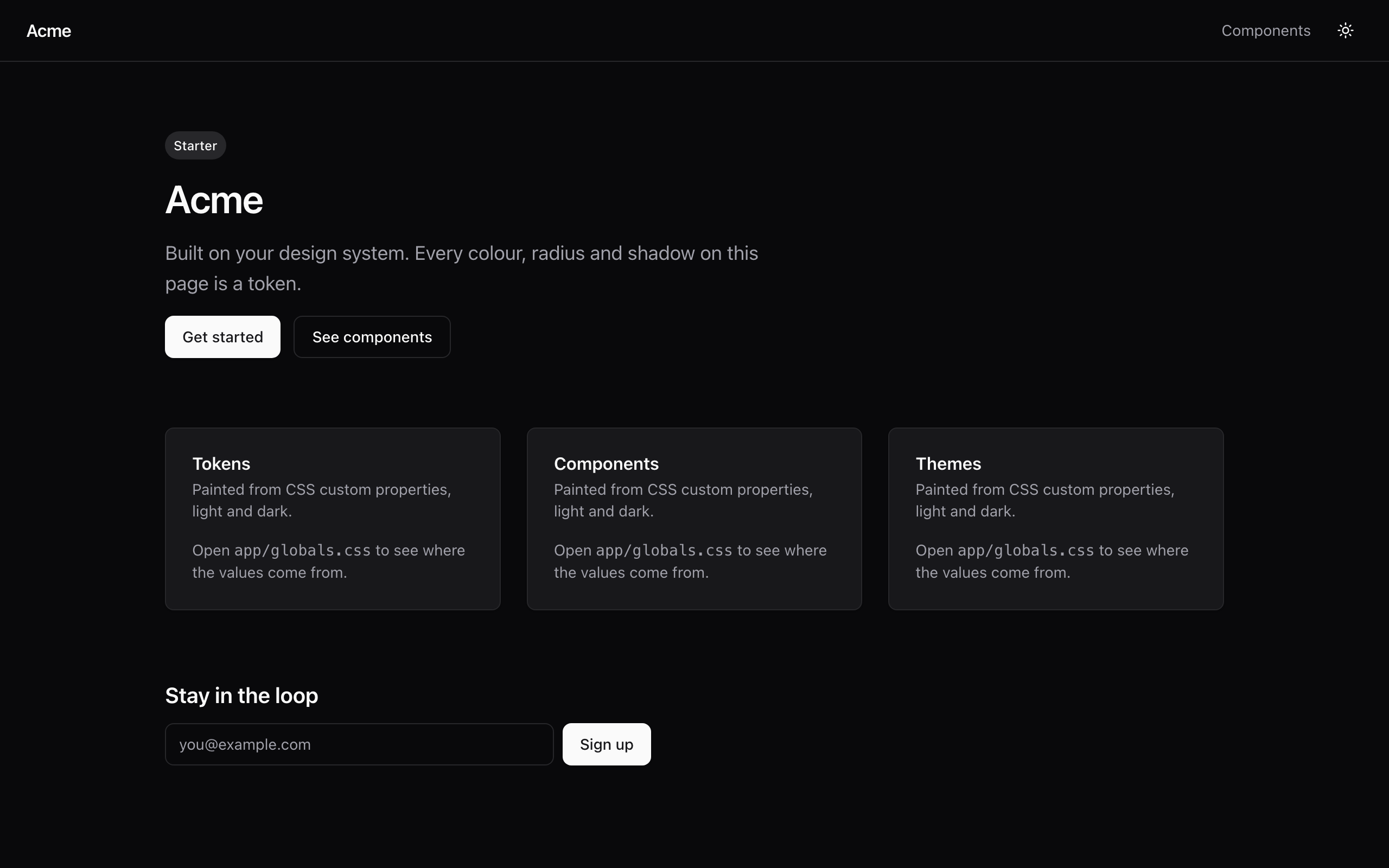
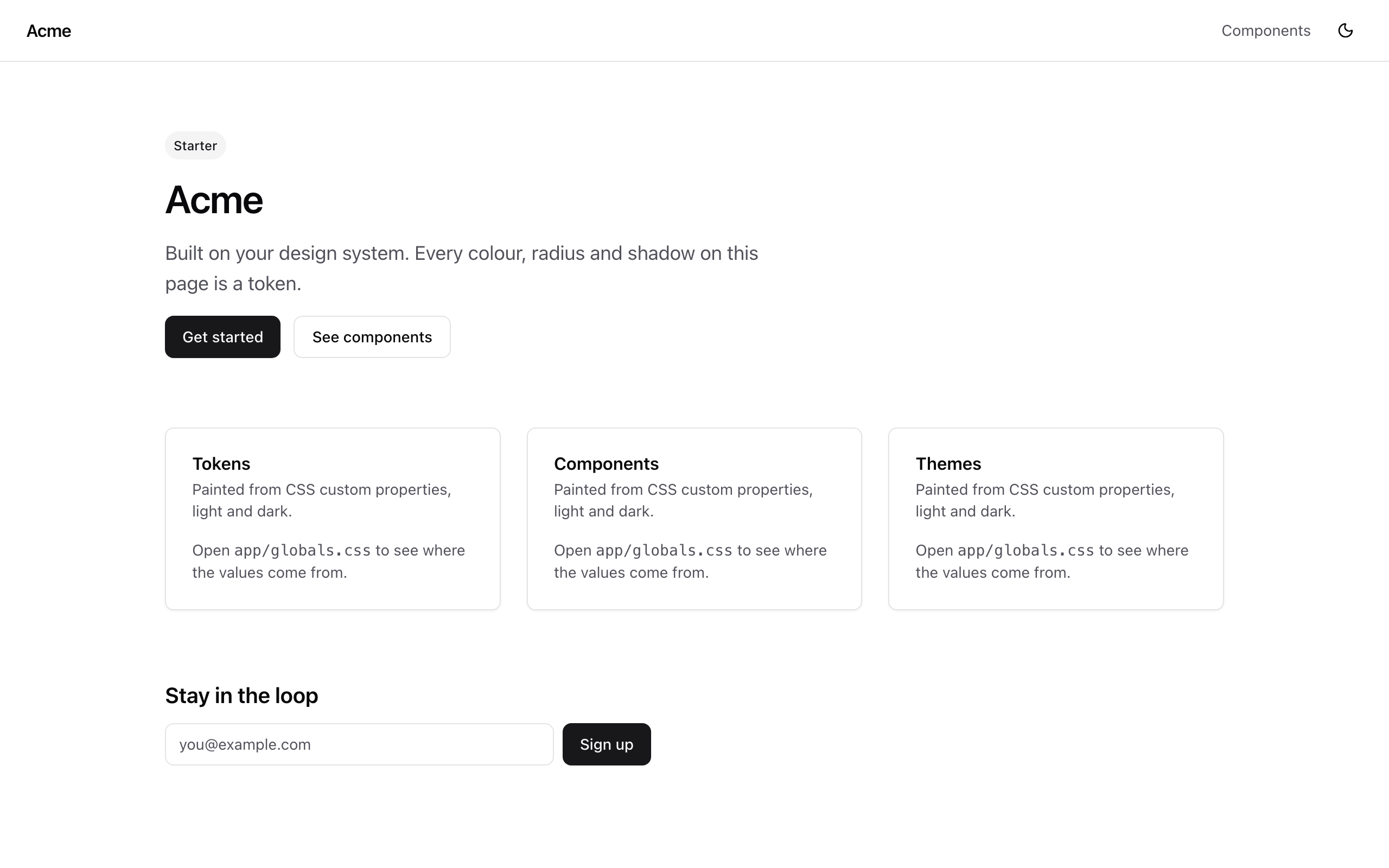
- Your app has the system in it: every colour, radius and shadow on screen is a token from your design system.
integrate — add to an existing app
npx designsource integrate [folder] [--framework vue|svelte|angular|css] [--token <project token>] [--api <origin>] [--force]
Writes design-system/ into the folder (default: the current one). Refuses when that folder already has one, unless --force.
| File | What it is |
|---|---|
tokens.css |
Every token as plain CSS custom properties, light and dark ([data-theme="dark"] plus a guarded prefers-color-scheme block). |
tokens.json |
The canonical export, with references. |
page.json |
Your mockup page as a layout spec, when the project has one. |
PROMPT.md |
Paste into your coding agent: where to import tokens.css for your framework, how to wire an existing theme toggle, how to port the components idiomatically, and how to migrate the styles you already have. |
reference/ |
The component kit, renderer and page schema as annotated React source ("port, do not run") plus components.md, an index of every variable each component reads. |
create — a new Next.js project
npx designsource create [folder] [--token <project token>] [--api <origin>] [--force]
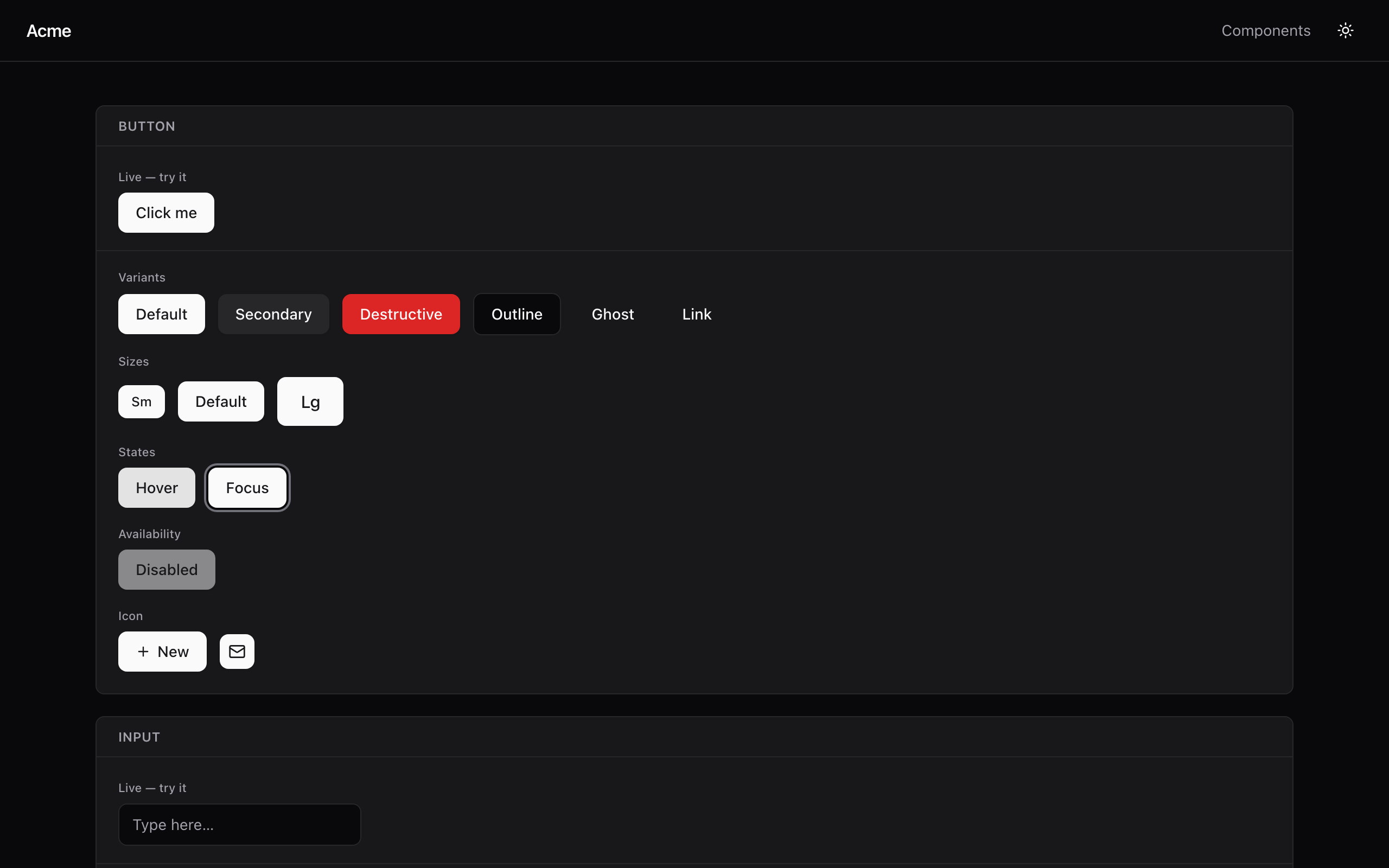
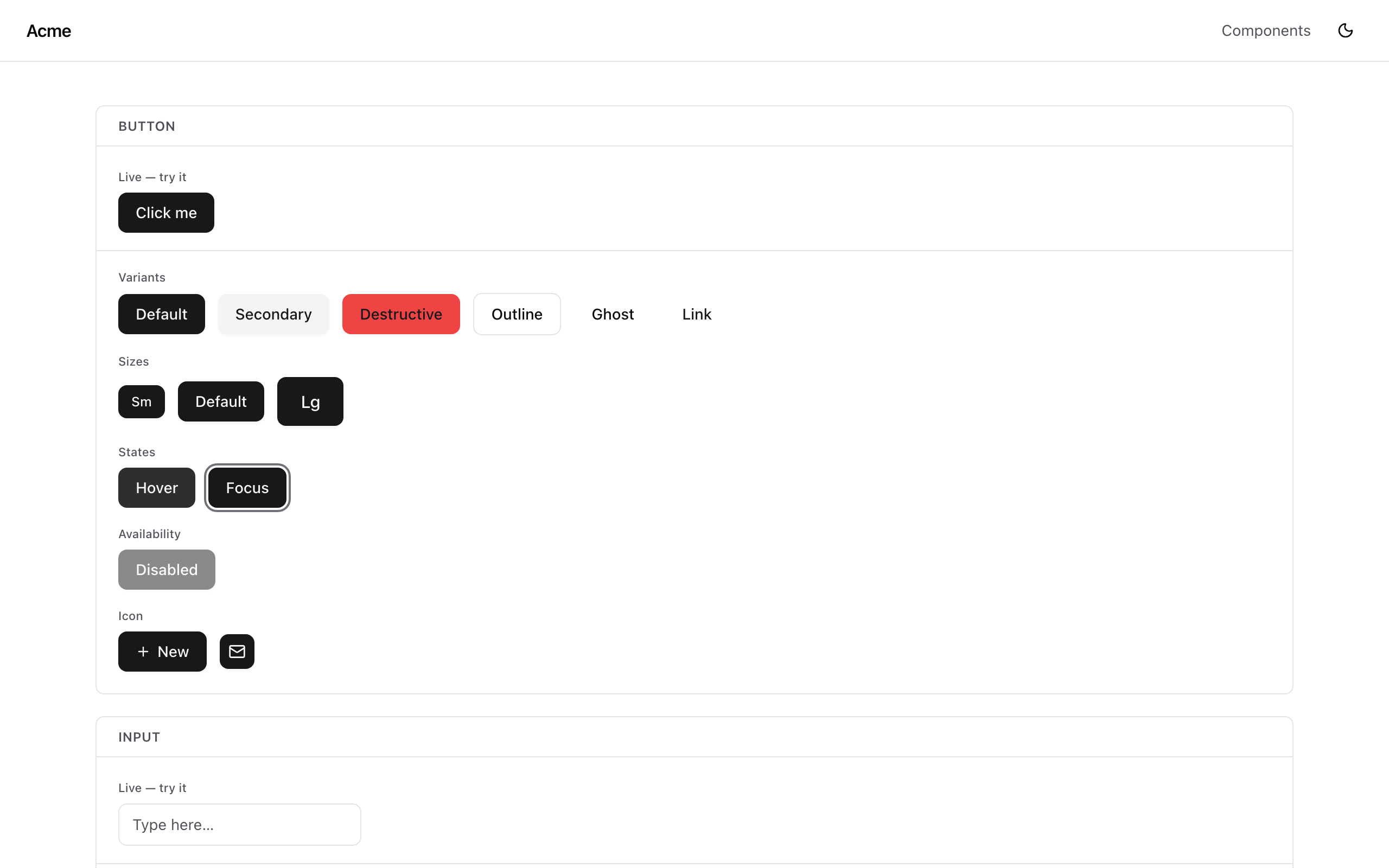
Writes a runnable Next.js app into a new or empty folder (default my-design-system): Tailwind v4 with the shadcn theme CSS built from your tokens, 61 UI components under components/ui, your mockup page on /, a component gallery on /components, light and dark via next-themes. Next steps print in the dialect of the runner you used (pnpm, npm, yarn or bun); a pnpm run pins packageManager.
mcp — serve it to a coding agent
npx designsource mcp [--token <project token>] [--api <origin>]
Not a command you run in a terminal: put it in your MCP client's config and the agent runs it. The server is plain stdio MCP, so every client takes the same command and env — only the config file's shape differs.
| Client | Config | Shape |
|---|---|---|
| Claude Code | .mcp.json in the repo, or claude mcp add designsource -e DS_SYNC_TOKEN=<project token> -- npx -y designsource mcp |
mcpServers JSON |
| Cursor | .cursor/mcp.json |
mcpServers JSON |
| Windsurf, Cline, Gemini CLI | their mcp_config.json / settings.json |
mcpServers JSON |
| Codex | ~/.codex/config.toml |
mcp_servers TOML |
| VS Code (Copilot) | .vscode/mcp.json |
servers JSON with type: "stdio" |
| Anything else | its MCP config | command npx -y designsource mcp, env DS_SYNC_TOKEN |
mcpServers JSON:
{
  "mcpServers": {
    "designsource": {
      "command": "npx",
      "args": ["-y", "designsource", "mcp"],
      "env": { "DS_SYNC_TOKEN": "<project token>" }
    }
  }
}
Codex TOML:
[mcp_servers.designsource]
command = "npx"
args = ["-y", "designsource", "mcp"]
env = { DS_SYNC_TOKEN = "<project token>" }
VS Code:
{
  "servers": {
    "designsource": {
      "type": "stdio",
      "command": "npx",
      "args": ["-y", "designsource", "mcp"],
      "env": { "DS_SYNC_TOKEN": "<project token>" }
    }
  }
}
The workbench's Copy dialog hands out all three. Then ask the agent to integrate the design system: in Claude Code, /mcp__designsource__integrate-design-system does it; elsewhere, "integrate the design system using the designsource MCP" — the integrate-design-system prompt is there for clients that expose MCP prompts, and get_integration_guide carries the same steps as a tool for those that don't. Running the agent headless (claude -p) needs its MCP tools allowed, e.g. --allowedTools "mcp__designsource__*"; interactive sessions prompt instead.
| Tool | Returns |
|---|---|
get_project |
Name, token count, corner-radius strategy, font families, whether there is a mockup page. |
get_tokens |
Tokens as {path, $type, $value: {light, dark}, ref}; filter by tier, category, component. |
get_css_variables |
Every token as plain CSS custom properties, light and dark — for any stack. |
get_shadcn_theme |
The shadcn/ui theme stylesheet for Tailwind v4. |
list_components |
The 61 components and the CSS variables each reads. |
get_component_source |
One component's React source (utils for the cn helper): verbatim in React + Tailwind, the spec to port from elsewhere. |
get_mockup_page |
Your mockup page as a layout spec plus the renderer that paints it. |
get_integration_guide |
The steps: wire the tokens, bring in the components, migrate existing styles, document. |
list_blocks |
The 34 ready-made page layouts (login, signup, sidebars, a dashboard, chart sets) with the components and files of each. |
get_block_source |
Every file of one block, headed by the path it takes under components/blocks/. |
New in 0.4.0: list_blocks and get_block_source, the page layouts built from the components. create now also writes them as /blocks pages, and integrate drops them under design-system/reference/blocks/. Against an older server the two tools answer that the server sent no blocks.
Read-only: nothing an agent does here changes the design system. The project is fetched on the first tool call and refreshed every 60 seconds, so a Save in the workbench shows on the next call. Like every export, it needs the project's account on Pro; on the free plan every tool answers with one line saying so.
Options
| Flag | What it does |
|---|---|
folder |
Target folder. integrate defaults to ., create to my-design-system; mcp takes none. |
--framework |
integrate only. Skip the picker: vue, svelte, angular or css. |
--token |
The project token, or set DS_SYNC_TOKEN for scripts. Asked hidden when neither is given. |
--api |
API origin. Default https://designsource.app; point it at a self-hosted instance. |
--force |
integrate and create only. Overwrite files that already exist. Without it the command refuses rather than touching them. |
Outside a terminal (CI, pipes) the pickers become numbered prompts, and designsource with no command prints usage instead of the menu. Ctrl+C or Esc in a picker exits 130 with nothing written.
Safety
- Every write is contained to the target folder. On any failure the command removes what it created, restores what it overwrote, and says so in one line.
- The project token authorises read-only access to one project. Regenerate it in Project settings to revoke it; the command never stores it;
mcpreads it from the environment your MCP client passes and prints it nowhere. - Zero runtime dependencies. Node 20 or newer.
Local development
From the design-system repo, against a dev server:
pnpm --filter designsource build
pnpm --filter designsource start -- integrate --framework vue --api http://localhost:3001
pnpm --filter designsource start -- create my-app --api http://localhost:3001
DS_SYNC_TOKEN=<project token> pnpm --filter designsource start -- mcp --api http://localhost:3001
For the MCP server, add it to Claude Code with claude mcp add designsource -e DS_SYNC_TOKEN=… -- node apps/designsource/dist/index.js mcp --api http://localhost:3001 and run /mcp__designsource__integrate-design-system in a scratch app.
pnpm --filter designsource test builds and runs the unit tests plus an end-to-end run of the binary against a throwaway local HTTP server, asserting the token never reaches stdout or stderr.
Publishing
By the maintainer, through GitHub Actions with npm trusted publishing: no npm token exists anywhere; npm accepts the release because GitHub vouches for the repository and workflow that built it. Nothing publishes on an ordinary push or merge. (npm attaches a provenance attestation only when the source repository is public, so while this one is private the releases carry none.)
-
Bump the version in
package.json(pnpm version patch|minorhere) and merge tomain. Every publish needs a bump. -
Rehearse, optionally: Actions → "Release designsource" → Run workflow with dry run on. It installs, builds, tests and packs without publishing.
-
Tag the merge commit
designsource@<version>and push the tag:git tag designsource@0.4.0 && git push origin designsource@0.4.0The workflow (
.github/workflows/release-designsource.yml) refuses a tag that does not matchpackage.json, runs the tests (which builddist/first), publishes, then installs the published version from npm and runs--helpagainst it. -
Check the npm page shows the new version.
One-time setup, done on npmjs.com: package settings → Trusted publishing → GitHub Actions, repository KaroMourad/design-system, workflow release-designsource.yml, no environment. Publishing from a laptop still works (npm login, pnpm publish --access public from this folder; prepublishOnly rebuilds dist/), but it needs your npm login and 2FA.
The README's images live in the web app at apps/web/public/designsource/ and are served from designsource.app; ship image changes there before the npm publish that references them. Their sources are in assets/ here (cover.html, make-gif.mjs).
create-ds-app was this package's first name (0.1.x, September 2026). It was deleted from npm the day after designsource shipped; nothing points at it any more.
License
MIT
Related Packages
Install a tesserai design system into your project as components you own, keep i...
The uikit CLI — scaffold, validate, and add UI kits from the uikit.studio galler...
Add Ravox Kit components, blocks and themes to your project (React, Vue, Svelte...
Bootstrap a current-spec dspack design-system snapshot from a component codebase...
Version History
| Version | Released | License |
|---|---|---|
| 0.4.0 | MIT | |
| 0.3.0 | MIT | |
| 0.2.1 | MIT | |
| 0.2.0 | MIT |