civic-ui
Civic UI


Accessible Vue 3 components and page sections for public-sector and institutional websites. A calm, high-trust design language (deep navy ink, a strong yellow accent, soft corners, generous whitespace) built entirely on CSS custom properties, so it re-skins without touching a single component.
- Sections for a public-facing site: hero, service teasers, FAQ, appointment booking, footer and more.
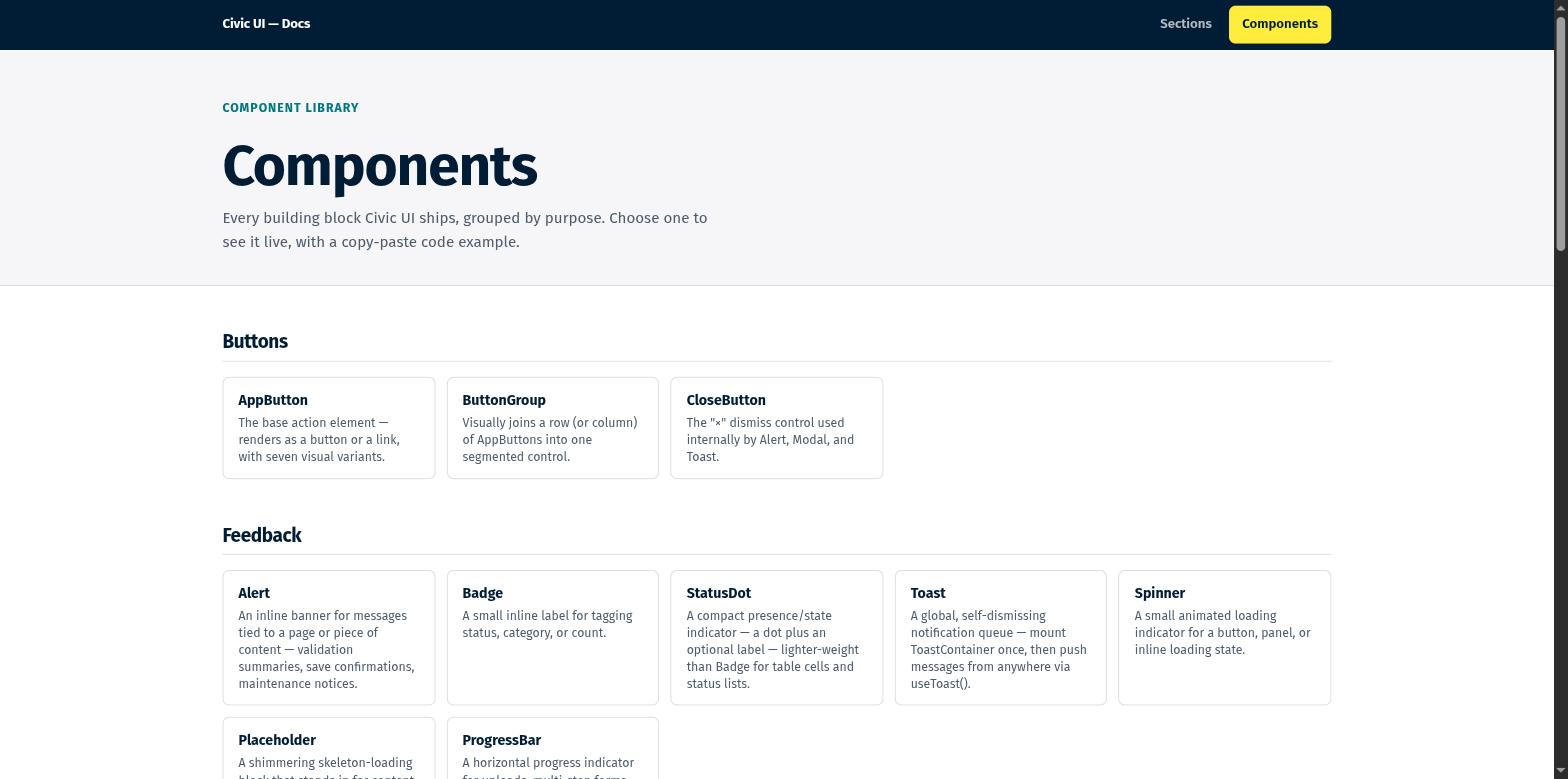
- Components for everything in between: buttons, forms, tables, navigation, overlays, feedback.
- A webapp kit (
AppShell,Sidebar,DataTable,StatCard) so internal tools share the design system of the public site.
Built for public-sector requirements
Every component and section is tested against the standards below. The exact requirement lists, in their current versions, are in standards/.
| Area | Standard |
|---|---|
| Accessibility | WCAG 2.2 Level AA, EN 301 549 (V3.2.1 and V4.1.1), BITV 2.0 |
| Privacy | GDPR: zero third-party requests by default, self-hosted fonts, consent before any embed |
| Security | OWASP ASVS 5.0 (frontend requirements), BSI IT-Grundschutz APP.3.1 |
- Accessible by default. Real keyboard operability, managed focus for every overlay, correct WAI-ARIA wiring, and form fields that connect label, hint and error text to the control. Every built-in UI text comes from one catalog, with German included:
configureI18n(de). See Accessibility and privacy. - No third-party requests. Fonts ship inside the package. Videos and maps load only after consent via
ConsentEmbed. - Safe sinks. Raw SVG props and URL bindings route through one overridable module, so you can wire in your own sanitizer with one call. See Security.
- Accessible theming.
generatePalette()takes one brand color (or any set of roles), derives the rest and checks every text and background pairing against WCAG AA. See Theming. - Audit your own project.
npx civic-ui audit --initonce, thennpm run test civicchecks your templates and scripts for WCAG 2.2 AA and security problems. See Project audit.
These are conformance targets the library is tested against, not third-party certifications. How to verify this yourself lists the free tools to check a deployed site.
Install
npm install civic-ui vue
// main.js
import { createApp } from 'vue'
import CivicUI from 'civic-ui'
import App from './App.vue'

createApp(App).use(CivicUI).mount('#app')
<template>
  <cui-hero-section title="Welcome" text="Built with Civic UI." />
</template>
Or import only what you need:
<script setup>
import { AppButton, Card } from 'civic-ui'
</script>
See Getting started for the full setup.
Documentation
- Documentation index: one page per component and section, with prop tables and examples.
- Component index: props, slots and dependencies of every component, generated from the source.
- Playground: every component and section live, with copy-pasteable code.
Development
git clone https://github.com/0brick/civic-ui.git
cd civic-ui
npm install
npm run dev          # playground at http://localhost:5173
| Command | What it does |
|---|---|
npm test |
Unit, accessibility (axe) and style tests |
npm run test:a11y-e2e |
The built playground in headless Chromium: axe in light and dark mode, 320px reflow, third-party requests, interaction checks |
npm run lint |
ESLint |
npm run build:lib |
Library and type declarations into dist/ |
npm run build |
Library and playground |
npm run docs:index |
Regenerates docs/component-index.md |
Read CONTRIBUTING.md before opening a pull request.
License
Related Packages
UI components with shared design tokens and accessible interactions for Vue, Rea...
Strand UI - Vue 3 component library built on the Strand Design Language
An Application Interface System for Vue — accessible components, design tokens a...
The design system behind Hikarinagi: Vue 3 components built on Tailwind CSS v4.
Version History
| Version | Released | License |
|---|---|---|
| 1.0.0 | MIT | |
| 0.4.0 | MIT | |
| 0.3.0 | MIT | |
| 0.2.3 | MIT | |
| 0.2.2 | MIT | |
| 0.2.1 | MIT | |
| 0.2.0 | MIT | |
| 0.1.1 | MIT | |
| 0.1.0 | MIT |