@zaichaopan/emoji-picker
An elegant emoji picker built with Vue.
6,947
| Install | |
|---|---|
npm install @zaichaopan/emoji-picker |
|
| Latest Version: | 0.1.7 |
| Vue: | 2 |
| License: | MIT |
| Last Updated: | Jun 16, 2018 |
| Links: | npm |
Maintainer: zaichaopan
Emoji-Picker
An elegant emoji picker built with Vue.
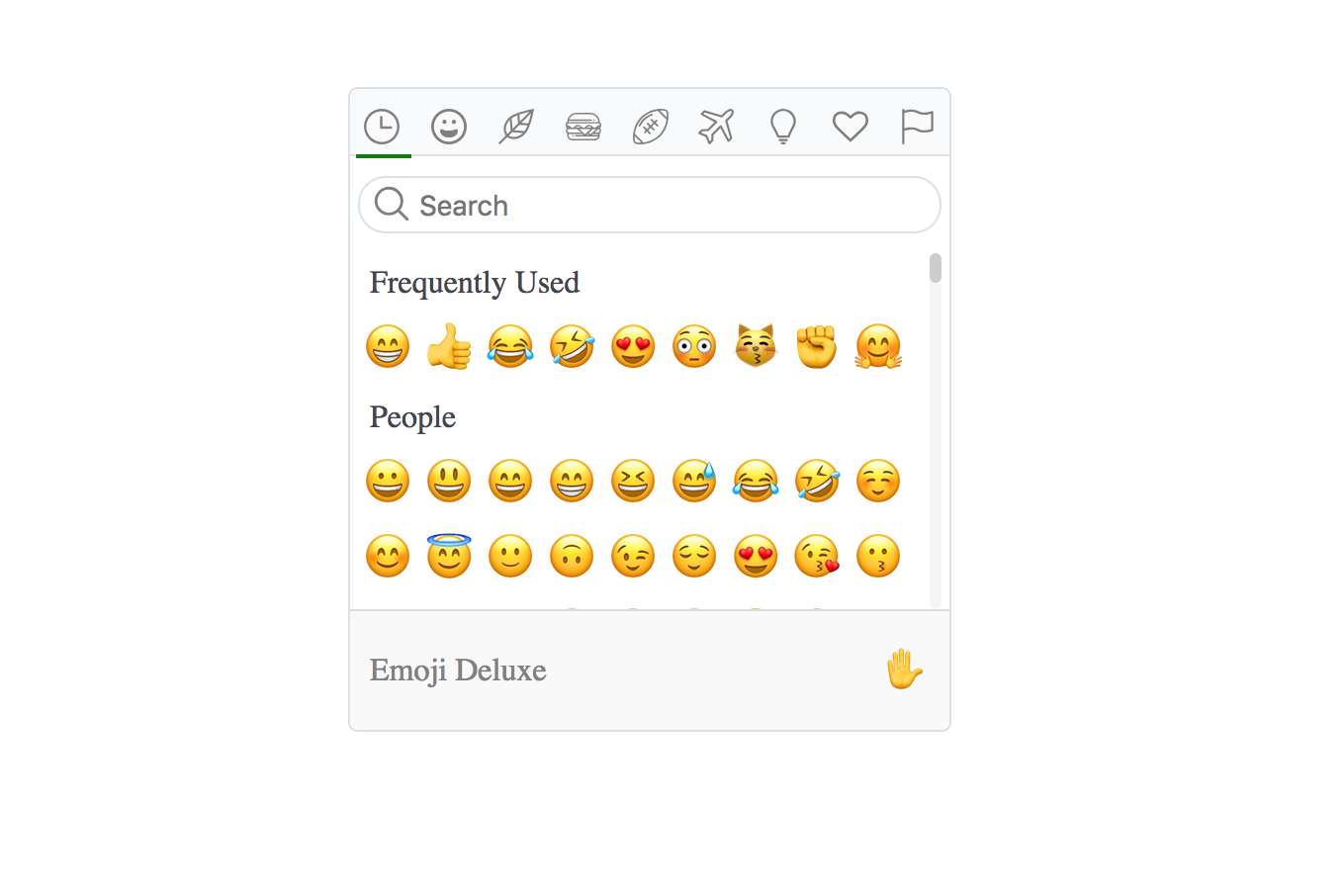
Play it on code sandbox
Installation
npm install --save @zaichaopan/emoji-picker
Usage
- Register the plugin
import Vue from 'vue';
import EmojiPicker from '@zaichaopan/emoji-picker';

Vue.use(EmojiPicker);
Now you have the component emoji-picker in your application.
- Import emoji json file
To reduce bundle size, this plugin does not include emojis by default. So when using this plugin, you need to import a Json file which contains all the emojis and pass it as a property named data to the emoji-picker component.
<!-- MyComponent.vue -->
<template>
    <div>
        <emoji-picker :data="data" />
    </div>
</template>

<script>
import data from '@zaichaopan/emoji-picker/data/emojis.json';

export default {
   data () {
    return {
      data: data
    };
  },
  // ...
}
</script>
- Listen for emoji picked event
When a emoji gets picked, the component will emit event emoji:picked. You can listen to it and get the picked emoji to update your form
<template>
    <div>
        <emoji-picker @emoji:picked="handleEmojiPicked"
                      :data="data" />
   </div>
</template>

<script>
import data from '@zaichaopan/emoji-picker/data/emojis.json';

export default {
  data () {
    return {
      data: data,
    };
  },
  methods: {
    handleEmojiPicked (emoji) {
        // ...
    }
  }
};
</script>
That is all you need to do to add emoji picker to your application. A complete example can be found in code sandbox.
Related Packages
Version History
| Version | Released | Vue | License |
|---|---|---|---|
| 0.1.7 | ^2.5.16 | MIT | |
| 0.1.6 | ^2.5.16 | MIT | |
| 0.1.5 | ^2.5.16 | MIT | |
| 0.1.4 | ^2.5.16 | MIT | |
| 0.1.3 | ^2.5.16 | MIT | |
| 0.1.2 | ^2.5.16 | MIT | |
| 0.1.1 | ^2.5.16 | MIT | |
| 0.1.0 | ^2.5.16 | MIT |