@xleddyl/nuxt-cms
| Install | |
|---|---|
npm install @xleddyl/nuxt-cms |
|
| Latest Version: | 0.7.1 |
| Vue: | 3 |
| License: | MIT |
| Last Updated: | Oct 15, 2026 |
| Links: | GitHub · npm |
nuxt-cms


nuxt-cms is a Nuxt module that adds a CMS to your Nuxt app. The CMS runs in the Nitro server of the app. You deploy one app, with no external CMS service.
Features
- Content types in code. You declare collections, singles, pages and content types (news, blog) in
cms.config.ts. The module generates the database schema, the migrations and the TypeScript types. - Admin panel at
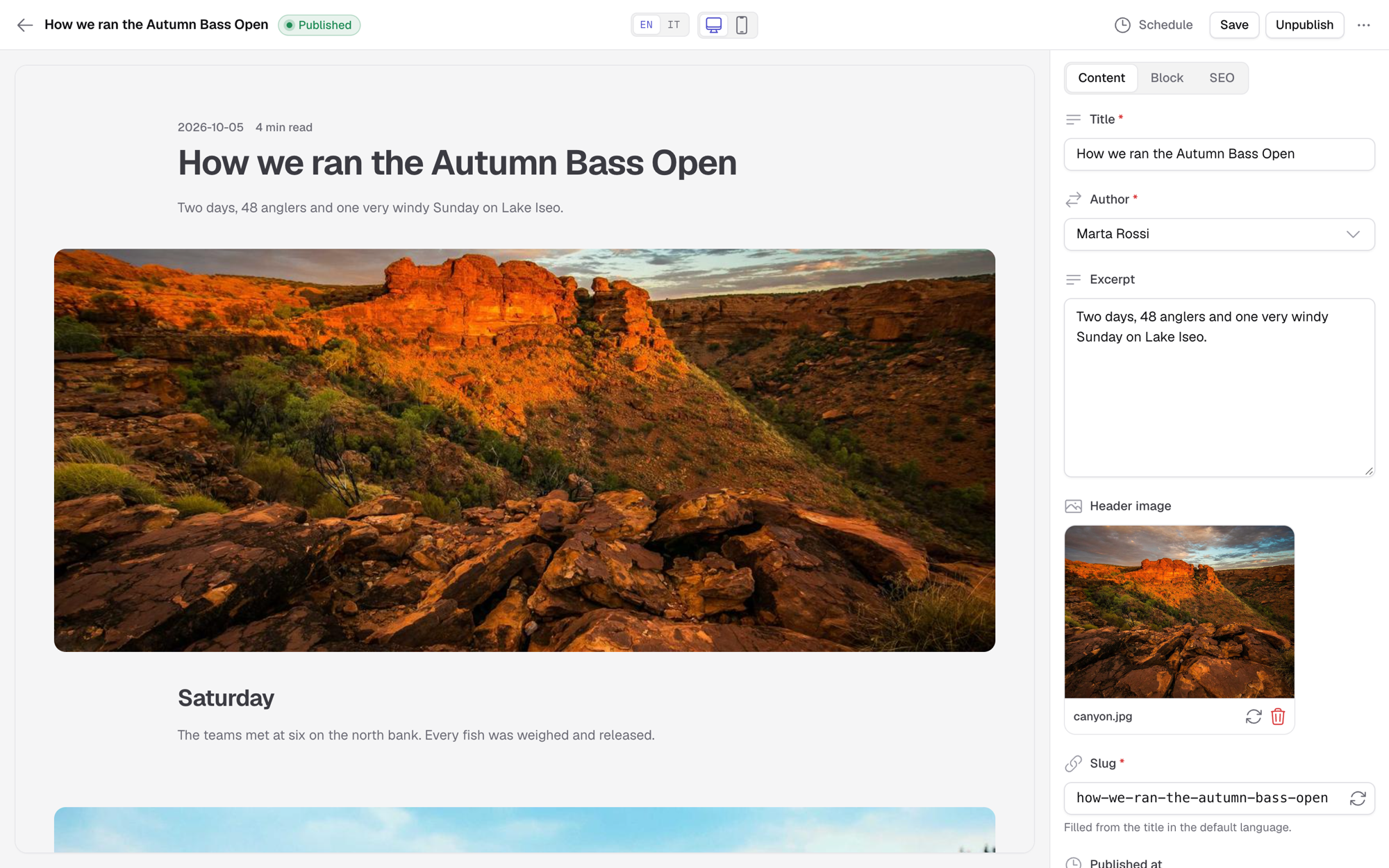
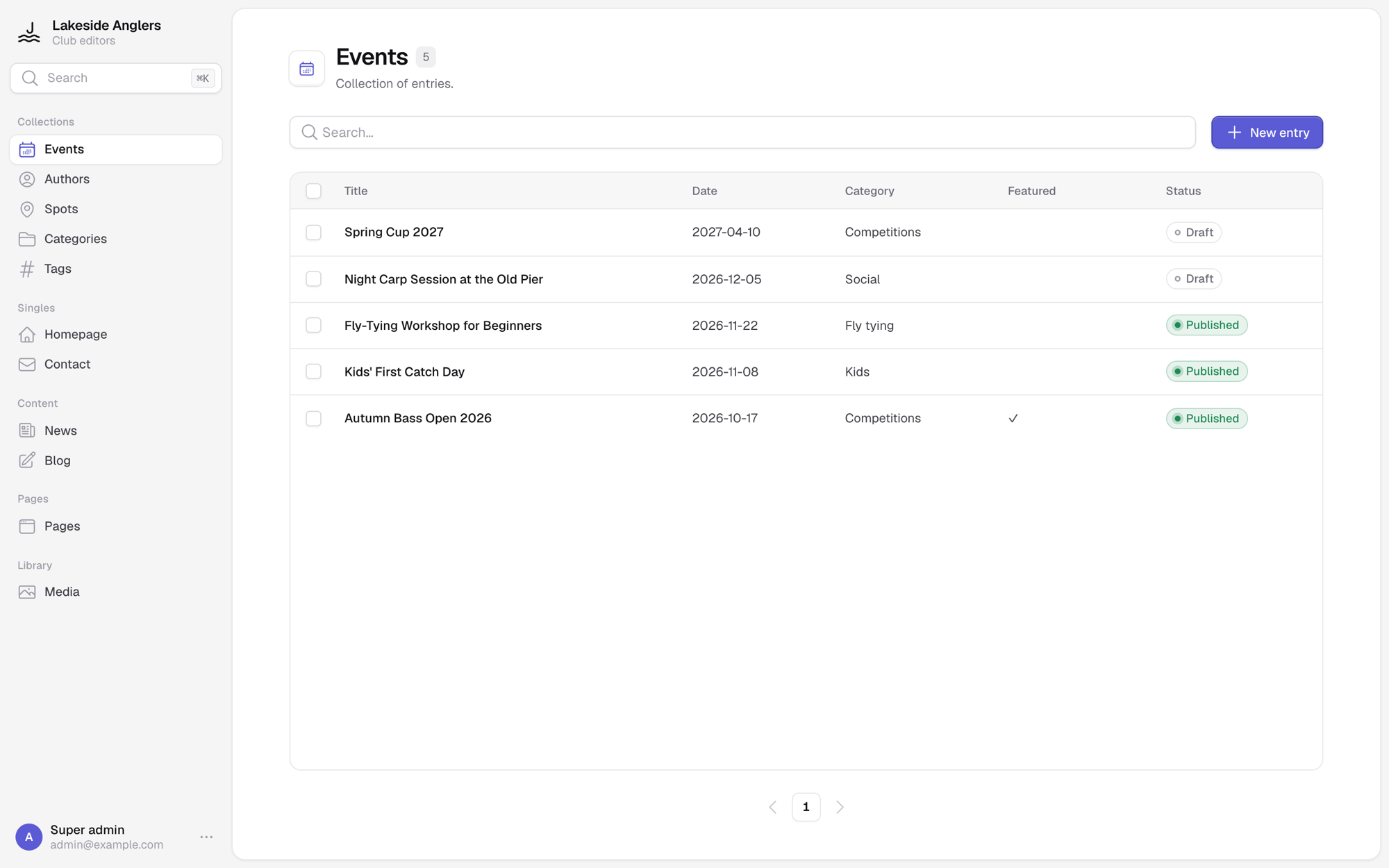
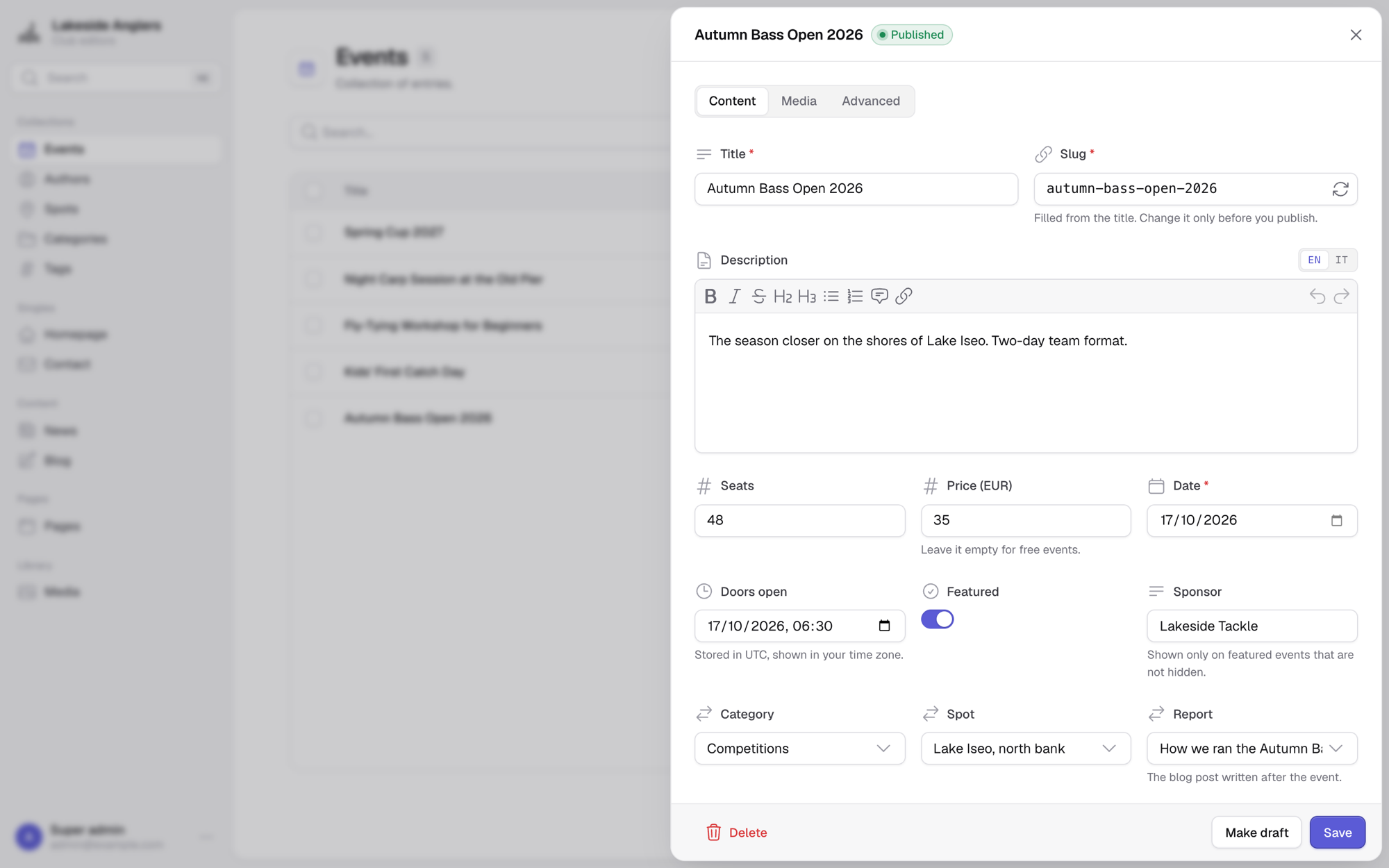
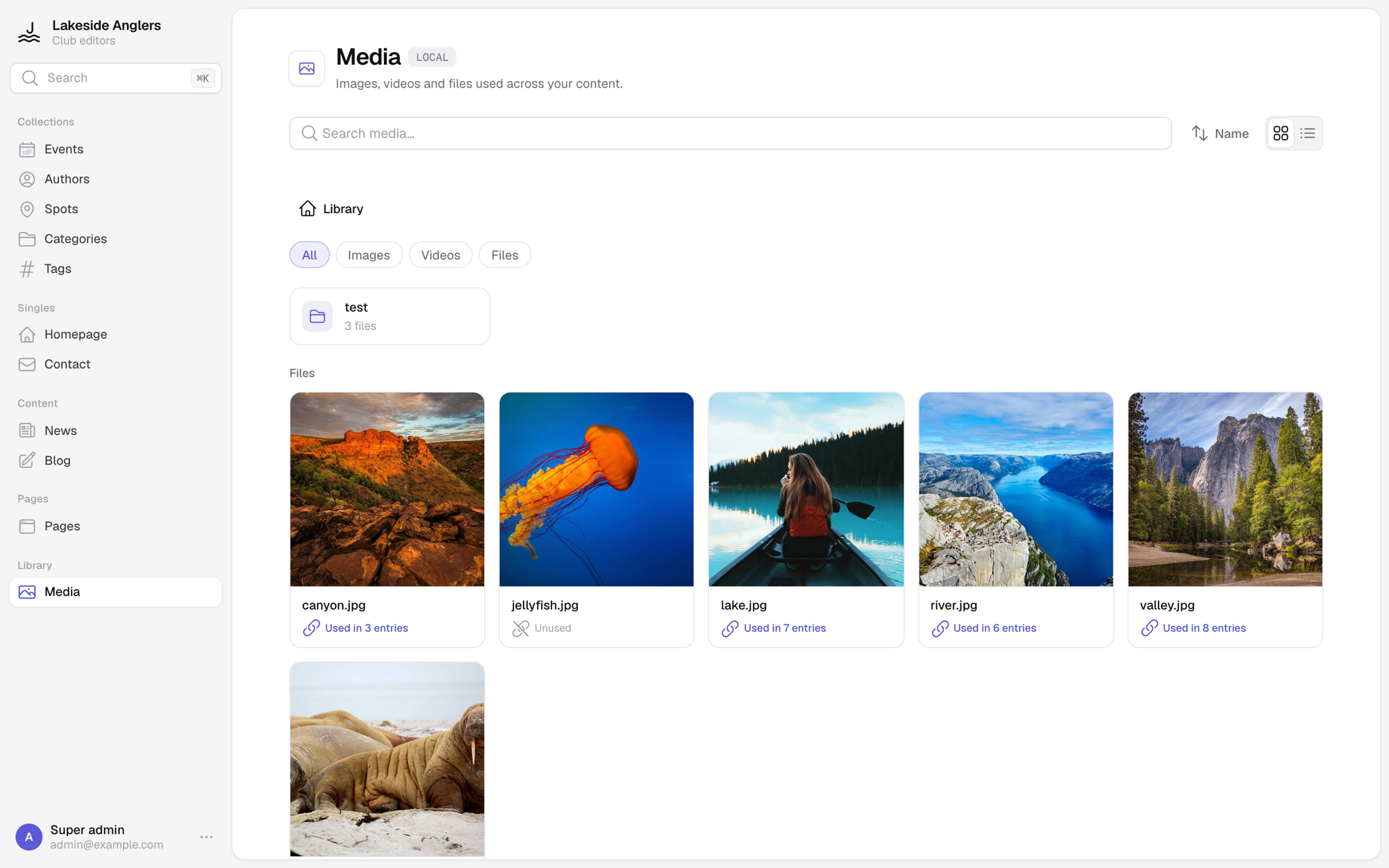
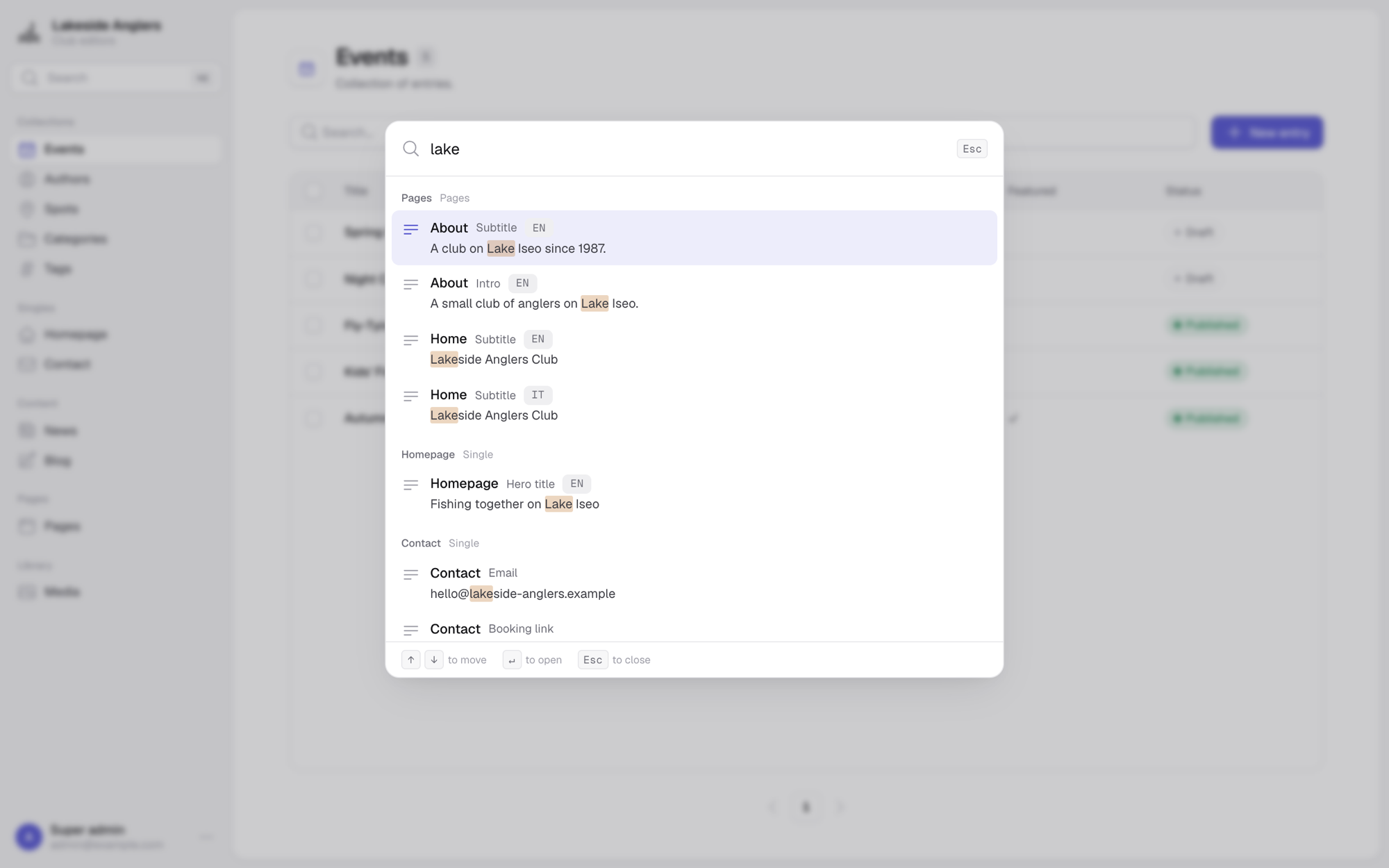
/cms. Editors manage entries, drafts and media, filter and duplicate entries, and import or export a collection as JSON or CSV. The panel has a light and a dark theme, a global search (⌘K) and admin accounts. It is built on @xleddyl/443-components-vue, installed for you; the module adds no Tailwind or other build plugins to your app. - Visual editor. Editors build content from your own site components, on a live preview of the site.
- GraphQL API. A read-only, typed API with filters, sorting and pagination. Composables such as
useCmsCollectionanduseCmsContentquery it for you. - Your database. SQLite (default), Postgres, libSQL/Turso or Cloudflare D1.
- Your storage. S3-compatible storage, a folder on the server disk, or your
public/folder. - Serverless ready. The build puts the migrations in the server bundle. Uploads go directly to the bucket. Sessions are sealed cookies.
Screenshots
| Collection | Entry editor |
|---|---|
 |
 |
| Media library | Search |
 |
 |
Quick start
-
Install the module:
npm install @xleddyl/nuxt-cms -
Add the module to
nuxt.config.ts:export default defineNuxtConfig({ modules: ['@xleddyl/nuxt-cms'], }) -
Declare your content types in
cms.config.ts, at the project root:import { defineCmsConfig } from '#nuxt-cms' export default defineCmsConfig({ events: { id: 'events', label: 'Events', kind: 'collection', titleField: 'title', fields: { title: { label: 'Title', type: 'text', required: true }, date: { label: 'Date', type: 'date' }, poster: { label: 'Poster', type: 'media', mediaType: 'image' }, }, }, }) -
Set the admin credentials in
.env:NUXT_CMS_ADMIN_EMAIL=admin@example.com NUXT_CMS_ADMIN_PASSWORD=change-me NUXT_SESSION_PASSWORD=a-random-secret-of-at-least-32-characters -
Start the app with
npm run dev. Openhttp://localhost:3000/cmsand sign in. -
Read the content in a page:
<script setup lang="ts">
const { data: events } = await useCmsCollection('events', { sort: [{ field: 'date' }] })
</script>
The database is a local SQLite file (data/cms.db) by default. To use a different database or media storage, see Configuration.
Documentation
| Page | Content |
|---|---|
| Getting started | Install, configure, first content type, run |
| Configuration | Every cms.* option and every env var |
| Database | Drivers, migrations, Drizzle Studio |
| Schema | Entry kinds, field types, relations, blocks, i18n, form layout |
| Querying content | GraphQL API, composables, <CmsBlocks> |
| Admin panel & security | Admin pages, search, visual editor, accounts, sessions |
| Media | Storage modes, uploads, allowed file types |
| Deployment | Hosts, migrations on serverless, scaling |
llm.txt is a compact reference for LLMs: schema, composables and GraphQL API.
Development
pnpm install
pnpm dev:prepare   # first time, and after a change to src/module.ts
pnpm dev           # playground on http://localhost:3000
pnpm test
The playground (playground/) uses every option of the module. Copy playground/.env.example to playground/.env before the first start.
License
Related Packages
Read published Mapled content in a Nuxt site — a server-side client with a tag c...
Nuxt module for apps hosted on wervt: database, live data, MCP and runtime setup...
Version History
| Version | Released | License |
|---|---|---|
| 0.7.1 | MIT | |
| 0.7.0 | MIT | |
| 0.6.0 | MIT | |
| 0.5.1 | MIT | |
| 0.5.0 | MIT | |
| 0.4.4 | MIT | |
| 0.4.3 | MIT | |
| 0.4.2 | MIT | |
| 0.4.1 | MIT | |
| 0.4.0 | MIT | |
| 0.3.0 | MIT | |
| 0.2.3 | MIT | |
| 0.2.2 | MIT | |
| 0.2.1 | MIT | |
| 0.2.0 | MIT | |
| 0.1.61 | MIT | |
| 0.1.60 | MIT | |
| 0.1.59 | MIT | |
| 0.1.58 | MIT | |
| 0.1.57 | MIT | |
| 0.1.56 | MIT | |
| 0.1.55 | MIT | |
| 0.1.54 | MIT | |
| 0.1.53 | MIT | |
| 0.1.52 | MIT | |
| 0.1.51 | MIT | |
| 0.1.50 | MIT | |
| 0.1.49 | MIT | |
| 0.1.48 | MIT | |
| 0.1.47 | MIT |
Showing the latest 30 of 64. See every release on npm