@websideproject/nuxt-cookie-consent
| Install | |
|---|---|
npm install @websideproject/nuxt-cookie-consent |
|
| Latest Version: | 0.1.2 |
| Vue: | 3 |
| License: | MIT |
| Last Updated: | Oct 16, 2026 |
| Links: | GitHub · npm |
@websideproject/nuxt-cookie-consent


Cookie and cookieless-tracking consent for Nuxt 4. Declare your categories in nuxt.config.ts and get a banner that
only appears when something actually needs consent, a preferences modal, a floating settings button, and composables
to gate scripts and cookies behind each category.
- Banner only when needed — it appears on the first visit only if a configured category requires it
- Cookies and cookieless tracking —
kind: 'cookie'categories list provider and duration;kind: 'tracking'ones (e.g. cookieless analytics) are a plain toggle, opt-out by default - Just-in-time consent —
useRequestConsentasks for one category at the moment a feature needs it - Consent-gated cookies and scripts —
useConsentCookiewrites only after consent;$consent.triggers.<category>loads a script through Nuxt Scripts once granted - No UI framework required — the default components are plain CSS themed from your
colors; override any of them with a same-named component in your own UI kit - Headless — use
$consentand the composables as the consent store and render your own UI, or none - Translatable — every text, including categories, with runtime locale switching; English, German, Spanish and French built in
Disclaimer: This module provides tools to help you comply with privacy regulations like GDPR, but using it does not automatically guarantee compliance. You are solely responsible for ensuring your website's configuration, cookie descriptions, and overall privacy practices are compliant with all applicable laws in your users' jurisdictions. The author assumes no liability for any legal issues arising from its use. Always consult a legal professional for matters of legal compliance.
Install
npm install @websideproject/nuxt-cookie-consent @nuxt/scripts
// nuxt.config.ts
export default defineNuxtConfig({
  modules: ['@websideproject/nuxt-cookie-consent'],
})
The module registers @nuxt/scripts (a peer dependency, ^1.0.0) for you, so
useScript and the consent triggers work without adding it to modules.
Configuration
Granular banner control (requiresBanner)
The module shows the initial consent banner only if necessary, controlled by the requiresBanner property on individual cookie definitions.
- A non-essential cookie that requires a banner (analytics, marketing): omit the property or set
requiresBanner: true(the default). - A non-essential cookie that should not trigger a banner (e.g. a theme preference set on-demand): set
requiresBanner: false. UseuseConsentCookieto manage such cookies so they are written only after consent.
If all non-essential cookies set requiresBanner: false, no banner shows on first visit — only the floating settings button appears.
This is how a theme or language preference works without a banner: nothing is stored on the first visit; when the
visitor first switches the theme or the language, useRequestConsent('preferences') opens the modal, and the cookie
is written only on a yes (the language can still change for the visit on a no — only remembering it needs the
cookie). See Preferences without a banner.
Cookie vs cookieless tracking categories (kind)
A category declares what it represents:
kind: 'cookie'(default) — backed by real device storage. The modal renders the provider/duration table from itscookies[]. The per-cookierequiresBannerheuristic decides the banner.kind: 'tracking'— a non-cookie item (e.g. cookieless analytics like Umami). Nocookies[]is needed; the modal renders a labeled toggle +descriptionwith no table. A tracking category shows the banner only when you set its category-levelrequiresBanner: true— so cookieless analytics defaults to an opt-out (no banner), not a forced opt-in.
categories: {
  analytics: {
    kind: 'tracking',
    requiresBanner: false, // opt-out: no banner, just the FAB/settings toggle
    description: 'Cookieless, anonymous usage analytics. No cookie, no persistent identifier.',
  },
}
Category-level fields: kind?, description? (a string, or one per locale), requiresBanner? (the last overrides the per-cookie heuristic for cookie categories too), defaultEnabled?.
Default state (defaultEnabled)
Before a visitor chooses, necessary is on, a kind: 'tracking' category without a banner is on (that is
the opt-out), and everything else is off. defaultEnabled overrides it per category — defaultEnabled: false on a
tracking category gives an opt-in without a banner (e.g. session replays: off until switched on from the FAB).
Dark mode (darkColors)
The default components switch to darkColors under a .dark ancestor — the class Nuxt's color mode (and Nuxt UI)
puts on <html>. The default is a dark neutral palette; set your own, or darkColors: false to keep colors in
both modes.
Translated providers and durations
A cookie's provider and duration (and a category's description) are a string, or one per locale:
duration: { en: '1 year', de: '1 Jahr' }. Custom components render them with useConsentLocalized(value).
Consent cookie name (cookieName)
The decision is stored in a cookie named cookie_consent by default; set cookieConsent.cookieName to rename it
(every visitor then decides once more).
Example
export default defineNuxtConfig({
  modules: ['@websideproject/nuxt-cookie-consent'],

  cookieConsent: {
    // Initial locale. Can be changed at runtime via $consent.setLocale().
    locale: 'en',
    fallbackLocale: 'en',

    // Map link placeholders ({privacy}, {imprint}) used in texts to routes.
    linkMap: {
      privacy: '/privacy-policy',
      imprint: '/imprint',
    },

    // Define the cookie categories your site uses.
    categories: {
      necessary: { readonly: true },
      preferences: {
        cookies: [
          {
            id: 'theme_preference',
            descriptionKey: 'cookies.preferences.theme.description',
            provider: 'Our Website',
            duration: '1 year',
            // This cookie does NOT require an upfront banner.
            requiresBanner: false,
          },
        ],
      },
      analytics: {
        cookies: [
          {
            id: '_ga',
            descriptionKey: 'cookies.analytics.ga.description',
            provider: 'Google LLC',
            duration: '2 years',
            // requiresBanner: true is the default.
          },
        ],
      },
    },

    // All text lives here (merged over the built-in EN/DE/ES/FR defaults).
    texts: {
      en: {
        cookies: {
          preferences: {
            theme: { description: 'Saves your selected theme (dark/light).' },
          },
          analytics: {
            ga: { description: 'Used by Google Analytics to distinguish users.' },
          },
        },
      },
    },
  },
})
Usage
1. Add the components
Add the module's components to your layout or app.vue:
<template>
  <div>
    <NuxtPage />
    <CookieConsentBanner />
    <CookieConsentModal />
    <CookieConsentFab />
  </div>
</template>
2. Dynamic language switching
<script setup lang="ts">
const { $consent } = useNuxtApp()
const route = useRoute()

watch(() => route.path, (path) => {
  $consent.setLocale(path.startsWith('/de') ? 'de' : 'en')
}, { immediate: true })
</script>
3. Conditional script loading
Each category exposes a consent trigger named after its key. Pass it to Nuxt Scripts' useScript, and the script is
requested only once that category is granted:
<script setup lang="ts">
const { $consent } = useNuxtApp()
useScript('https://example.com/analytics.js', { trigger: $consent.triggers.analytics })
</script>
4. Consent-aware cookies with useConsentCookie
<script setup lang="ts">
// Linked to the 'preferences' category — only written after consent.
const theme = useConsentCookie('theme_preference', 'preferences', {
  default: () => 'light',
})

async function toggleTheme() {
  const hasConsent = await useRequestConsent('preferences')
  if (hasConsent) {
    theme.value = theme.value === 'light' ? 'dark' : 'light'
  }
}
</script>
Composables
| Composable | Purpose |
|---|---|
useRequestConsent(category) |
Ask for consent just-in-time; resolves to a boolean. |
useConsentCookie(name, category, options) |
A useCookie-like ref that only persists once the category is consented. |
useConsentText(key, replacements?) |
Resolve a localized text into renderable string/link parts. |
useConsentLocalized(value) |
A provider / duration / description config value in the active locale. |
useConsentBanner() / useConsentModal() / useConsentFab() |
State/handlers backing the built-in components (useful when building custom UI). |
Overriding components
The default CookieConsentBanner/CookieConsentModal/CookieConsentFab are pure-CSS and dependency-free — they work in any app and theme from your colors config via CSS variables. To restyle with your own UI kit (e.g. @nuxt/ui), create a component with the same name in your project's components/ directory; the module registers its defaults with a negative priority, so your version reliably wins:
CookieConsentBanner.vueCookieConsentModal.vueCookieConsentFab.vue
Your overrides reuse the module's composables — useConsentBanner(), useConsentModal(), useConsentFab(), useConsentText() — for all state/handlers, so you only supply markup. useConsentModal().categories is [key, CategoryOptions][]; group it by kind to render cookies (table) and tracking (toggle) sections.
No-UI / state-engine usage
You don't have to render any of the built-in components. The module works as a consent state engine — use $consent and the composables and render your own UI (or no UI at all, gating scripts in a plugin):
const { $consent } = useNuxtApp()
// Reactive state:           $consent.state.value.analytics        // boolean per category
// Persisted choice made?    $consent.hasMadeChoice.value
// Open your own settings:   $consent.isModalOpen.value = true
// Update + persist:         $consent.updateState({ ...$consent.state.value, analytics: true })
// Per-category trigger:     $consent.triggers.analytics           // Promise resolved on grant
// Locale:                   $consent.setLocale('de')
Persistence is the cookie_consent cookie (a strictly-necessary cookie that remembers the choice). Gate a third-party tracker by watching the state, e.g.:
// app/plugins/analytics.client.ts
export default defineNuxtPlugin(() => {
  const { $consent } = useNuxtApp()
  // immediate: true re-applies the PERSISTED choice on every load, before the first call.
  watch(() => $consent.state.value.analytics === true, on => myTracker.setEnabled(on), { immediate: true })
})
triggerscaveat: a trigger resolves once on grant and is not reset on revoke — it's ideal forwatch(state)gating (above) and foruseScript({ trigger })load-on-consent, butuseScriptwon't unload a script when consent is later revoked. Use an in-memory kill-switch on the tracker (as above) when you need revoke-to-stop.
Screenshots
The repo's playground renders the built-in components; the pictures are its CI screenshots.
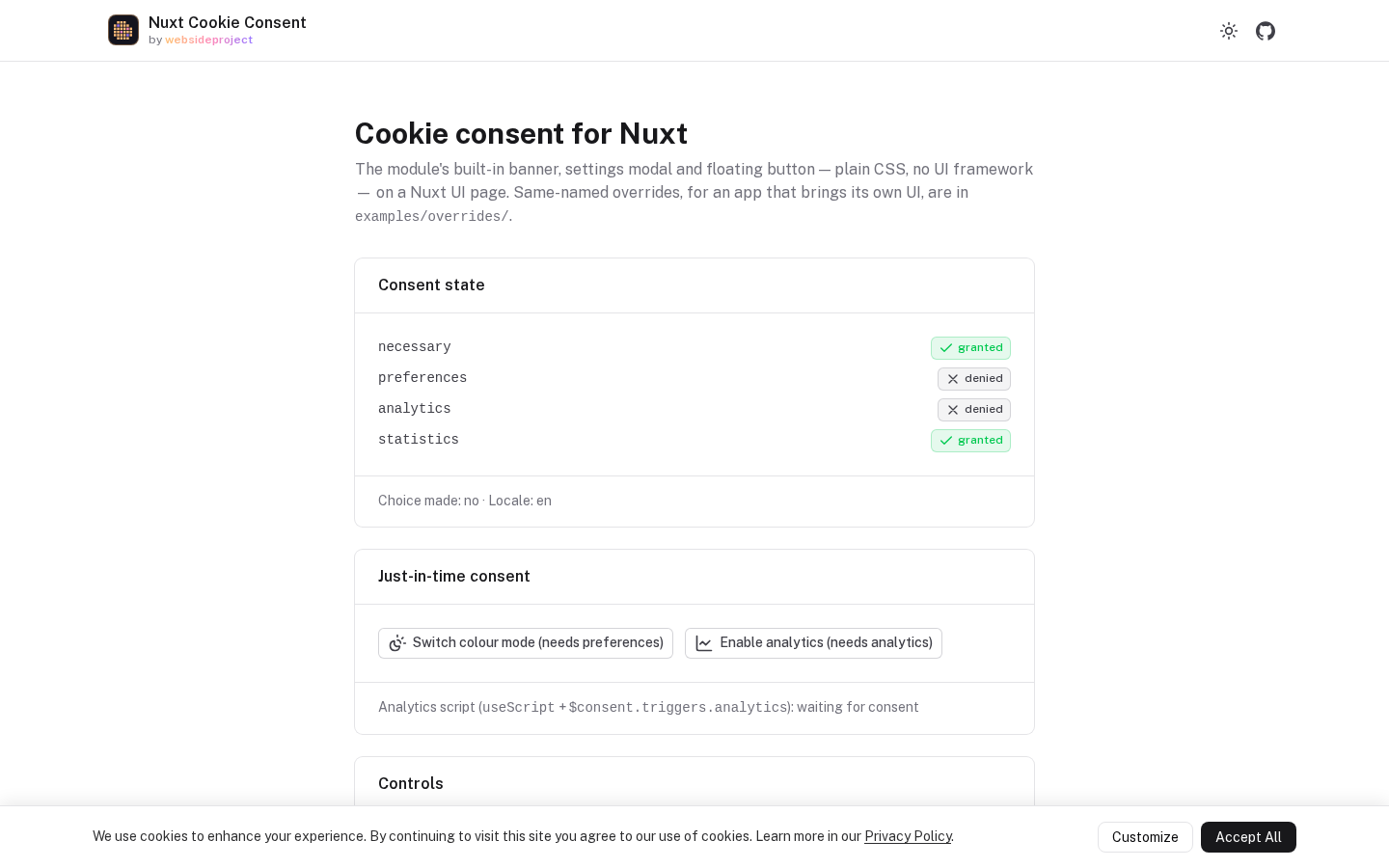
The banner — shown on a first visit only when a category needs consent:
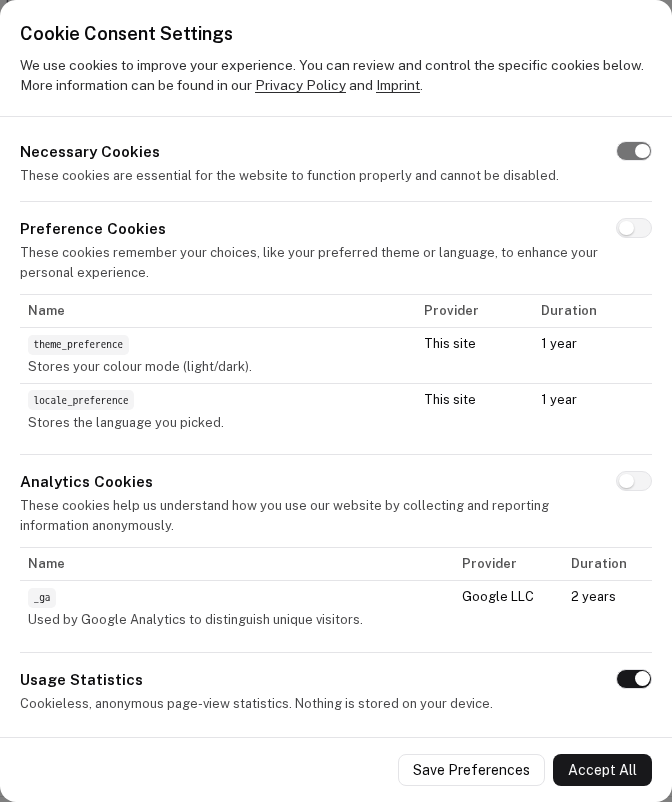
The settings modal — cookie categories with their provider/duration table, cookieless tracking as a toggle:
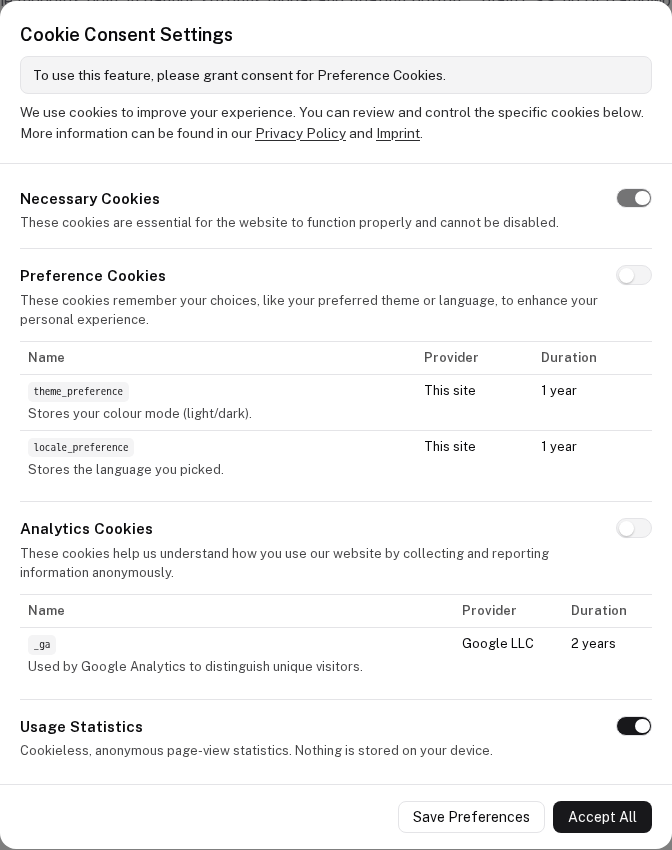
Just-in-time consent — useRequestConsent opens the modal with the reason on top:
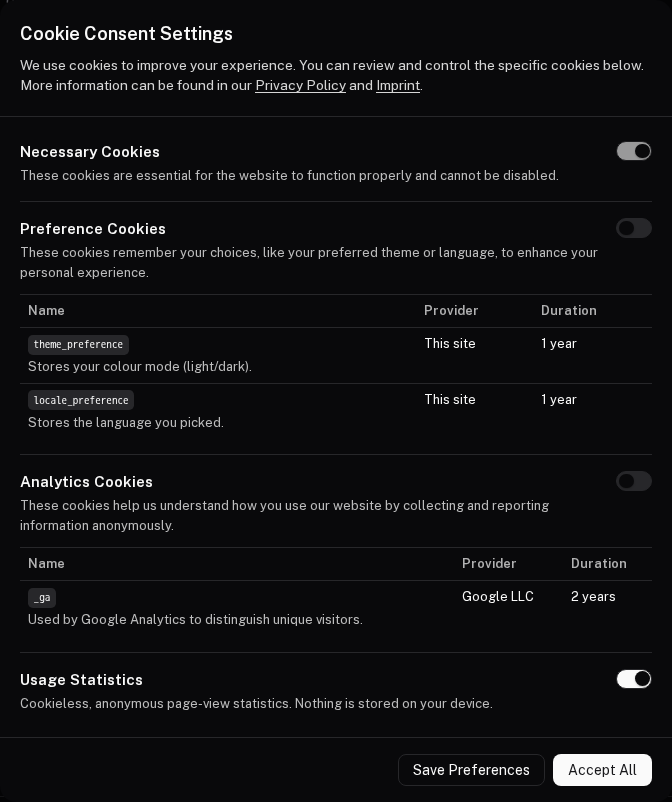
Dark mode — darkColors under a .dark ancestor, as Nuxt's color mode sets it:
Documentation
Full documentation: websideproject.com/docs/nuxt-cookie-consent
Links
License
Related Packages
Server-rendered cookie consent for Nuxt without a third-party script: an SSR con...
Add Pulse Analytics — privacy-first web analytics — to a Nuxt site with one modu...
Privacy-first, framework-agnostic consent engine. No network calls, no tracking.
MIRA FIVE for Nuxt: one module for privacy-first analytics, feature flags with a...
Version History
| Version | Released | Vue | License |
|---|---|---|---|
| 0.1.2 | ^3.0 | MIT | |
| 0.1.1 | ^3.0 | MIT | |
| 0.1.0 | ^3.0 | MIT |
Pre-releases (1)
| Version | Released | License |
|---|---|---|
| 0.0.0-stage |