@vue-symbols/icons
Introduction
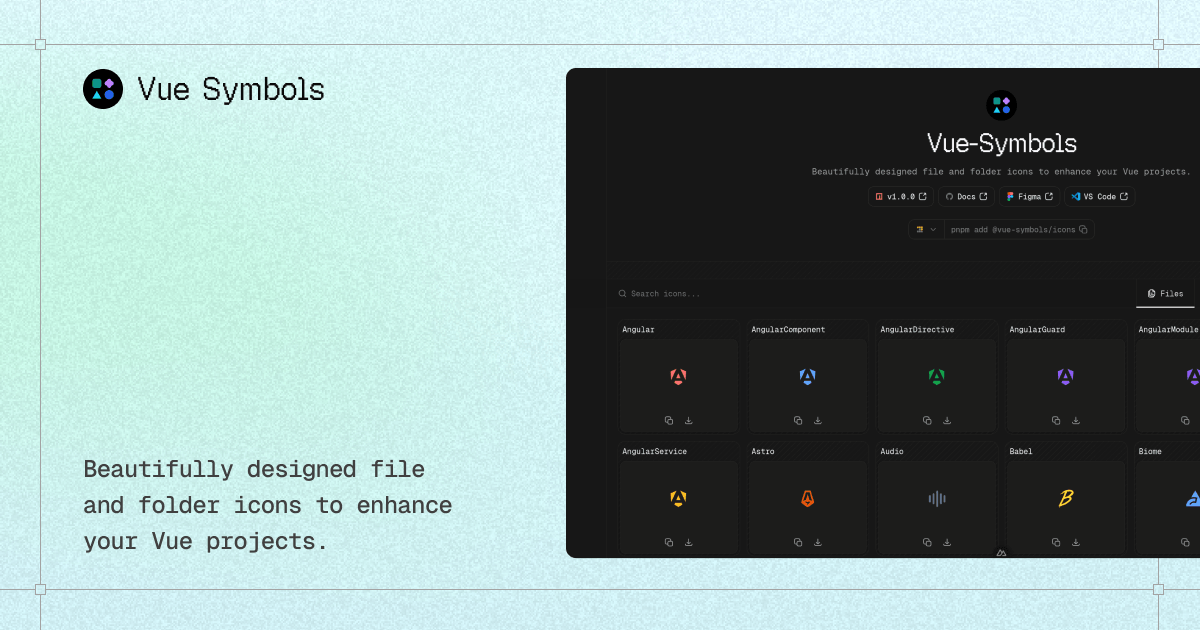
@vue-symbols/icons is a library for Vue 3 with the icons of the VSCode theme Symbols created by Miguel Solorio (@miguelsolorio):
- 📦 +300 files & folders icons.
- ☁️ Render-function components — SSR-safe out of the box.
- 🍃 Lightweight & tree-shakable ESM.
- 💙 Built with TypeScript — types bundled.
- 🚀 SVG optimized (no
width/heightbaked in, scales freely).
Getting Started
@vue-symbols/icons requires Vue >=3.3.0.
Install
# with vite+:
vp add @vue-symbols/icons

# with pnpm:
pnpm add @vue-symbols/icons

# with npm:
npm install @vue-symbols/icons

# with yarn:
yarn add @vue-symbols/icons

# with bun:
bun add @vue-symbols/icons
Usage
Using file and folder icons:
<script setup lang="ts">
import { Astro, FolderBlue } from '@vue-symbols/icons'
</script>

<template>
  <Astro :width="128" :height="128" />
  <FolderBlue :width="128" :height="128" />
</template>
Only file icons:
<script setup lang="ts">
import { Astro, Docker } from '@vue-symbols/icons/files'
</script>

<template>
  <Astro :width="128" :height="128" />
  <Docker :width="128" :height="128" />
</template>
Only folder icons:
<script setup lang="ts">
import { FolderApp, FolderConfig } from '@vue-symbols/icons/folders'
</script>

<template>
  <FolderConfig :width="128" :height="128" />
  <FolderApp :width="128" :height="128" />
</template>
✍️ Change the name of the icon:
<script setup lang="ts">
import { Bun as BunIcon } from '@vue-symbols/icons'
</script>

<template>
  <BunIcon :width="128" :height="128" />
</template>
🎨 Style with classes — every icon's root
<svg>forwardsattrs, soclass,style, and any standard SVG attribute work as expected:
<template>
  <Vue class="size-12 text-teal-500" />
  <FolderSrc style="color: var(--accent)" />
</template>
Utilities
FileIcon
Get the file icon component for a given file name or extension.
FileIcon component:
<script setup lang="ts">
import { FileIcon } from '@vue-symbols/icons'
</script>

<template>
  <FileIcon filename="example.ts" />
</template>
Resolution order:
- Exact filename match — e.g.
package.json,tsconfig.json,vite.config.ts. The full list lives insrc/utils/file-names.ts. - Longest compound extension first — e.g.
app.component.tsresolves to the Angular component icon (viacomponent.ts) before falling back tots. The full list lives insrc/utils/file-extensions.ts. - Fallback — if nothing matches, the generic
Documenticon is rendered.
Options:
filename(string, required): The name of the file (e.g.,"example.ts","index.html","package.json").
<FileIcon filename="package.json" />
- Forwarded SVG attributes —
class,style,width,height, etc. are passed straight through to the underlying icon's<svg>.
<FileIcon filename="myfile.ts" :width="48" :height="48" />
FolderIcon
Get the folder icon component for a given folder name.
FolderIcon component:
<script setup lang="ts">
import { FolderIcon } from '@vue-symbols/icons'
</script>

<template>
  <FolderIcon foldername="node_modules" />
</template>
Resolution order:
- Exact folder name match — e.g.
src,node_modules,dist. The full list lives insrc/utils/folder-names.ts. - Fallback — if nothing matches, the generic
Foldericon is rendered.
Options:
foldername(string, required): The name of the folder (e.g.,"src","config").
<FolderIcon foldername="src" />
- Forwarded SVG attributes —
class,style,width,height, etc.
<FolderIcon foldername="app" :width="48" :height="48" />
Types
Prop types are exported alongside the components:
import type { FileIconProps, FolderIconProps } from '@vue-symbols/icons'

const file: FileIconProps = { filename: 'vite.config.ts' }
const folder: FolderIconProps = { foldername: 'src' }
Subpath exports
| Import path | What you get |
|---|---|
@vue-symbols/icons |
FileIcon, FolderIcon, and their prop types |
@vue-symbols/icons/files |
All file icon components |
@vue-symbols/icons/folders |
All folder icon components |
Contribute
-
Fork the repository and clone it.
-
Install dependencies with Vite+:
# Install the dependencies:
vp install
- Regenerate components and run the build:
vp run build:components   # Regenerate components from the SVG sources
vp run build              # Full build (build:components + vp pack)
vp dev                    # Watch mode
vp check                  # Format, lint, and type-check
License
Related Packages
Devicons as tree-shakeable typed Vue 3 components (flat, high-contrast, modern).
Version History
| Version | Released | Vue | License |
|---|---|---|---|
| 1.2.0 | ^3.3.0 | MIT | |
| 1.1.0 | ^3.3.0 | MIT | |
| 1.0.0 | ^3.3.0 | MIT |