@serdoo/vuetify-tiptap
| Install | |
|---|---|
npm install @serdoo/vuetify-tiptap |
|
| Latest Version: | 1.3.6 |
| Vue: | 2 |
| License: | MIT |
| Last Updated: | Oct 19, 2023 |
| Links: | GitHub · npm |






vuetify-tiptap
🚀 Awesome and extendable rich text editor component for Vuetify projects using tiptap
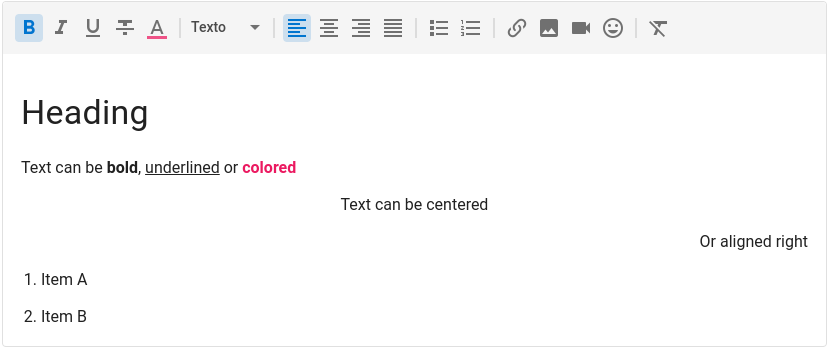
View Demo · Usage · Installation · API · License · Maintainers
Usage
<v-tiptap v-model="value" />
To ensure full consistency between whats is seen in the editor and what you see when you render the HTML value, the component also has a view mode.
<v-tiptap v-model="value" view />
The toolbar is fully customizable and you can add, remove or reorder buttons. You can also use slots to add custom buttons with your own functionality.
<v-tiptap
  v-model="value"
  :toolbar="['bold', 'italic', '|', 'h1', 'p', '>', '#mybutton']"
>
    <template #mybutton="{ editor }">
        <v-btn icon small title="Clear Content" @click="editor.commands.clearContent()">
            <v-icon>mdi-delete-circle-outline</v-icon>
        </v-btn>
    </template>
</v-tiptap>
⚠️ This project uses Vue 2 and Vuetify 2. We plan to upgrade to Vue 3 as soon as Vuetify supports it.
Instalation
First, install the package using npm or yarn.
npm i -S @peepi/vuetify-tiptap
Then add the package to the transpileDependencies config on vue.config.js
module.exports = {
  transpileDependencies: ["vuetify", "@peepi/vuetify-tiptap"],
};
Finally, register the plugin on your main.ts.
import VTiptap from "@peepi/vuetify-tiptap";

Vue.use(VTiptap);
Uploading Images
In order to use the upload image feature, pass down a prop uploadImage to the component with a function that receives a File and returns a Promise to an URL.
<template>
  <v-tiptap :uploadImage="uploadImage" />
</template>

<script>
async function uploadImage(file) {
  const url = (await myApi.upload(file)).url;
  return url;
}
</script>
You can also pass this function as a global option to the plugin.
Vue.use(VTiptap, { uploadImage: async file => (await myApi.upload(file)).url });
Mentions
You just need set :mention="true" and pass the mentionItems prop to the component. It accepts an array or a function that returns an array of items like:
mentionItems = [{text: 'User', value: 1, avatar: 'http://image.png'}]
<template>
  <v-tiptap :mention="true" :mentionItems="mentionItems" />
</template>

<script>
async function mentionItems(query: string) {
  const items = (await myApi.users(query)).data;
  return items;
}
</script>
You can also pass this function as a global option to the plugin and add .
Vue.use(VTiptap, { mentionItems: async query => (await myApi.users(query)).data });
Documentation
Check the live demo for documentation.
Changelog
Please see CHANGELOG for more information what has changed recently.
Contributing
Please see CONTRIBUTING for details.
Credits
This package was developed at Peepi, a SaaS platform to engage customers and employees.
License
The MIT License (MIT). Please see License File for more information.
Related Packages
Awesome and extendable rich text editor component for Vuetify projects using tip...
Version History
| Version | Released | Vue | License |
|---|---|---|---|
| 1.3.6 | ^2.6.14 | MIT | |
| 1.3.5 | ^2.6.14 | MIT | |
| 1.3.4 | ^2.6.14 | MIT | |
| 1.3.3 | ^2.6.14 | MIT |