@rodbe/nsl
List, fuzzy search and run scripts from any type of project
2,359
2
| Install | |
|---|---|
npm install @rodbe/nsl |
|
| Latest Version: | 1.37.0 |
| License: | MIT |
| Last Updated: | Oct 13, 2026 |
| Links: | GitHub · npm |
Maintainer: kevinrodbe
NSL ⚡️ - Node Script List
List, fuzzy search and run scripts from any type of project
Easy and fast way to run npm scripts 🚀
Prerequisites
- Node.js 18.18.2 or higher
📦 Install
npm i -g @rodbe/nsl
if you have a permission error, try to install with administrator privileges
🏎️ Usage
🌟 Just run the command and search for the script you want to run.
nsl
🧙♂️ Ways to search
Select or search a script to run: <script> [project-path]
<script>: Text to match the script name (required)[project-path]: Text to filter by the folder where the script lives (optional)
🎖️ Examples (Pro Tips)
- Search for a script named
buildthroughout the entire project:
Select or search a script to run: build
- Look for a script called
buildinside folders containingapi:
Select or search a script to run: build api
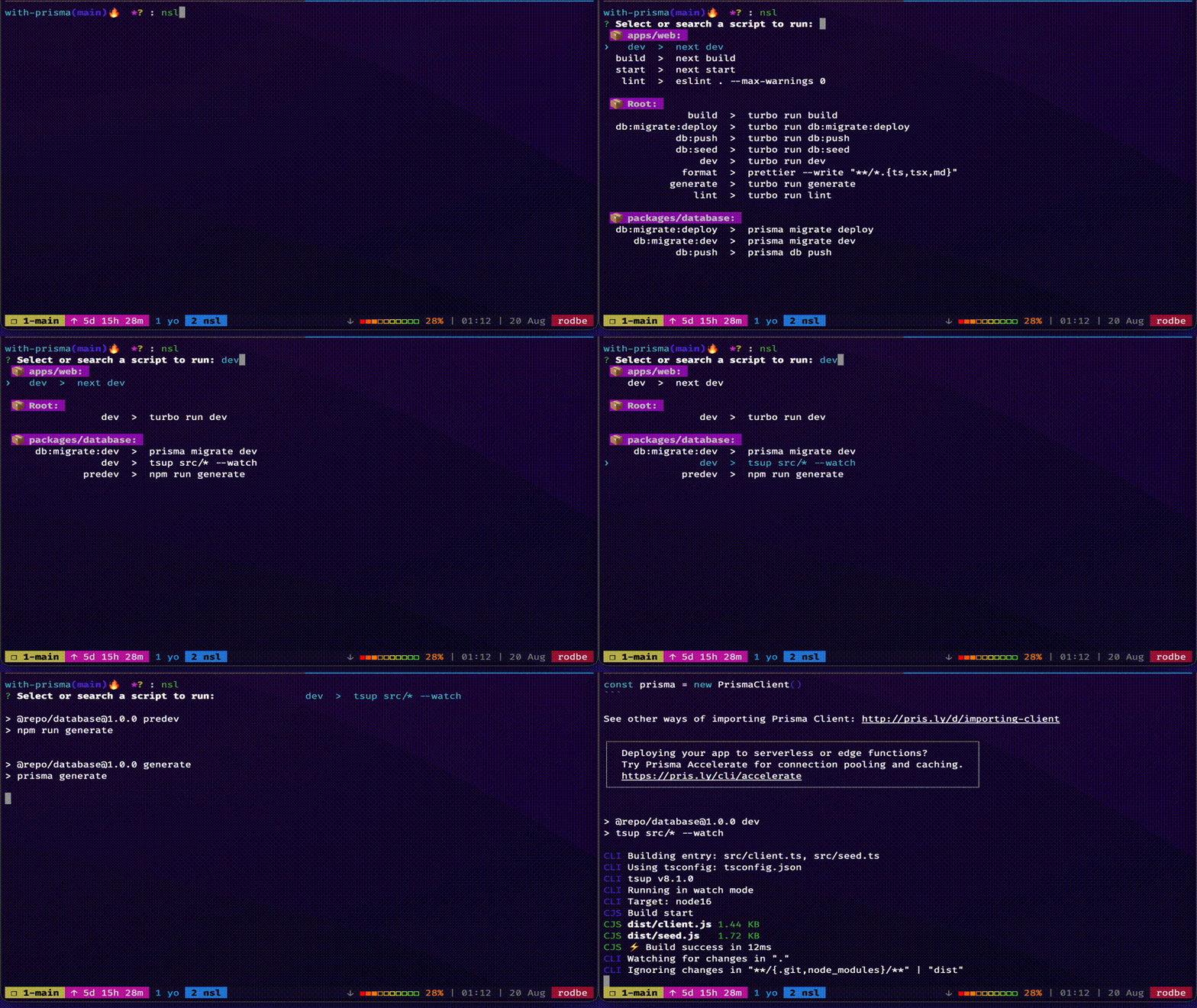
🌟 To run the latest executed script of the current project
nn
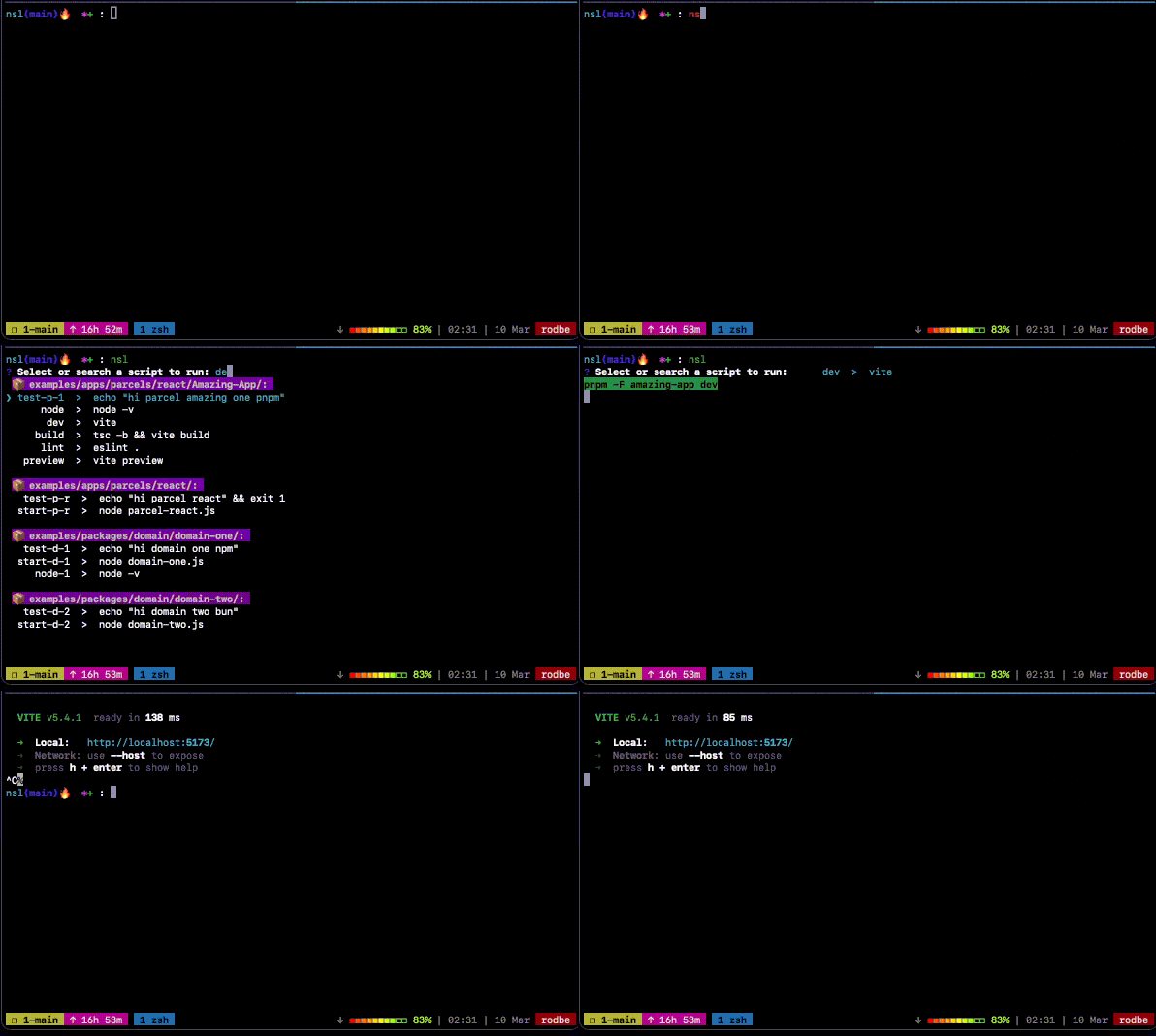
🧩 Arguments
| Argument | Alias | Description | Comment |
|---|---|---|---|
| --all | -a | list all scripts | by default lifecycle scripts are ignored |
| --info | -i | get all info tech for debugging | |
| --version | -v | get current version | |
| -p | print the selected script | no exec the script, just print it | |
| --update | -u | update to last version | if exists, update to last version |
⚙️ Configuration file
You can configure NSL via (in order of precedence):
- A
.nslrcfile written in JSON - A
.nslrc.jsonfile - A
.nslrc.jsfile written in ES module that exports an object usingexport default - A
.nslrc.cjsfile written in CommonJS module that exports an object usingmodule.exports
Options
The options you can use in the configuration file.
| Option | Type | Description |
|---|---|---|
| ignoreScripts | string[] | scripts to ignore |
✨ Basic configuration
JSON: .nslrc o .nslrc.json file
{
  "ignoreScripts": [
    "any-script-name-to-ignore",
    "other-script-name-to-ignore",
    "another-script-name-to-ignore"
  ]
}
JS (ES Modules): .nslrc.js file
export default {
  ignoreScripts: [
    'any-script-name-to-ignore',
    'other-script-name-to-ignore',
    'another-script-name-to-ignore',
  ],
};
CJS (CommonJS): .nslrc.cjs file
module.exports = {
  ignoreScripts: [
    'any-script-name-to-ignore',
    'other-script-name-to-ignore',
    'another-script-name-to-ignore',
  ],
};
👋 Contributors are welcome
License
MIT
Related Packages
prettier-plugin-auto-sort-imports
Zero-config Prettier plugin that sorts and groups imports with blank lines betwe...
0
10
dead-code-checker
Dead Code Checker is a tool for finding dead code in your JavaScript or TypeScri...
84,304
41
Version History
| Version | Released | License |
|---|---|---|
| 1.37.0 | MIT | |
| 1.36.0 | MIT | |
| 1.35.0 | MIT | |
| 1.34.0 | MIT | |
| 1.33.1 | MIT | |
| 1.33.0 | MIT | |
| 1.32.0 | MIT | |
| 1.31.0 | MIT | |
| 1.30.0 | MIT | |
| 1.29.0 | MIT | |
| 1.28.0 | MIT | |
| 1.27.0 | MIT | |
| 1.26.1 | MIT | |
| 1.26.0 | MIT | |
| 1.25.1 | MIT | |
| 1.25.0 | MIT | |
| 1.24.0 | MIT | |
| 1.23.1 | MIT | |
| 1.23.0 | MIT | |
| 1.22.0 | MIT | |
| 1.21.0 | MIT | |
| 1.20.0 | MIT | |
| 1.19.0 | MIT | |
| 1.18.0 | MIT | |
| 1.17.0 | MIT | |
| 1.16.0 | MIT | |
| 1.15.0 | MIT | |
| 1.14.0 | MIT | |
| 1.13.1 | MIT | |
| 1.13.0 | MIT |
Showing the latest 30 of 49. See every release on npm