@rafaelaugusto/jolt
| Install | |
|---|---|
npm install @rafaelaugusto/jolt |
|
| Latest Version: | 0.1.0-beta.17 |
| Vue: | 3 |
| License: | MIT |
| Last Updated: | Oct 24, 2026 |
| Links: | GitHub · npm |

Native animations for NativeScript: presets, springs, keyframes and stagger, one call each.



Documentation · Documentação em português
import { animate } from '@rafaelaugusto/jolt'

animate(card, 'fadeInUp')
animate(button, { scale: 1.1 }, 'bouncy')
animate(rows, 'fadeInUp', { stagger: 40 })
NativeScript's view.animate() covers the basics and stops there: one curve for every property, a spring curve with no settings, no keyframes, and a promise that rejects when the animation is cancelled. Anything richer ends up as platform code.
Jolt computes the motion once, in JavaScript, when the animation starts, and hands it to the platform as keyframes: Core Animation on iOS, ObjectAnimator on Android. Those default view tracks play without per-frame JavaScript. Real-size layout, opt-in subscribers, gesture input and timeline step activation retain their documented execution limits. Springs follow real physics, and an animation that interrupts another one starts from where the view is, at the speed it was going.
The beta.17 release adds a bottom sheet with native scroll handoff, native list reordering, and SceneKit environment/shader inputs. The redesigned preview includes 55 examples, English/Portuguese and light/dark themes. Install @rafaelaugusto/jolt@0.1.0-beta.17 and rebuild the native app. For external native properties, also install matching @rafaelaugusto/jolt-native@0.1.0-beta.17.
Features
- 25 presets to enter, exit and draw attention:
fadeInUp,popIn,shake,heartbeat... - Springs described by feel (
bouncy), bybounceandduration, or by stiffness, damping and mass. - Corners, borders and shadows with native playback and selective stopping.
- Motion paths with optional tangent orientation on iOS and Android.
- Colors for backgrounds, borders and text, interpolated in OKLab on iOS and Android.
- Motion values: one value driving several properties and views, mapped like
interpolate. - Live springs: retained native followers with position and velocity that continue through target changes.
- Native gestures: simultaneous pan/pinch/rotation, tap arbitration, axis competition and vertical Core ScrollView handoff.
- Bottom sheet: native drag/scroll handoff, content and percentage stops, keyboard following and dismissal.
- List reordering: stable keys, native drag snapshots, neighbour springs and edge scrolling through recycled cells.
- SceneKit environment and shaders: native environment intensity and typed scalar/vector shader inputs on iOS.
- Layered motion: several animations on one property, added or multiplied.
- Gradients: native linear, radial and conic gradients with animated colors, angle, center and radius.
- Motion scopes and states for component cleanup and coordinated visual states, with a transition per target.
- Animated touch targets with an opt-in native interaction surface.
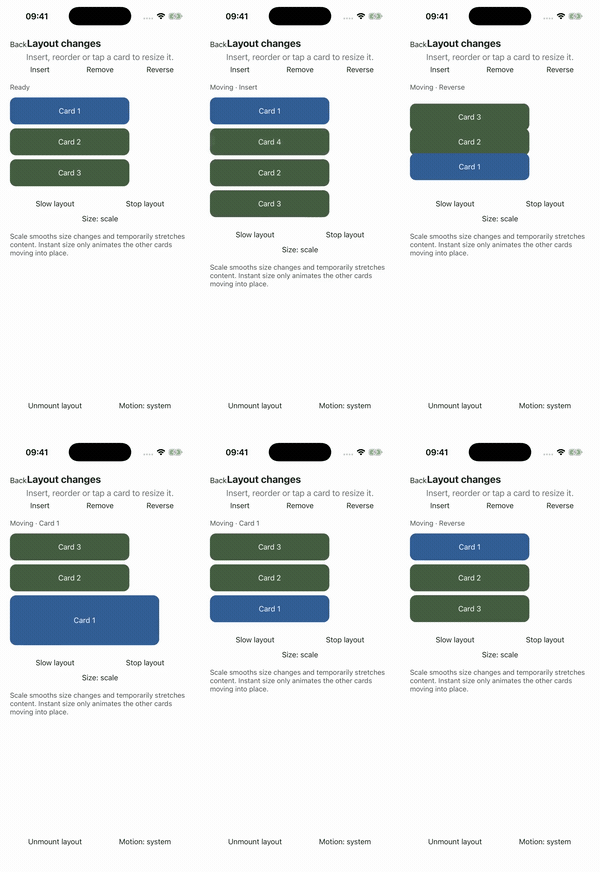
- Layout changes: insertion, removal, reorder and resize of container children.
- Real dimensions: animate width, height and auto with text reflow and moving siblings.
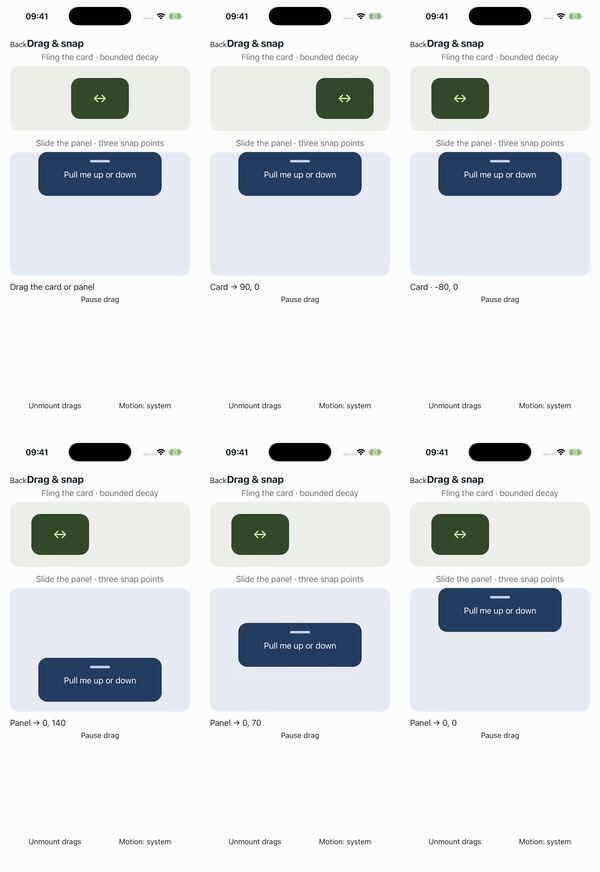
- Drag with bounds, snap points, rubberband and native release physics, moving the view or a motion value.
- Decay from a release velocity, with optional snap points.
- Keyframes and tweens with an easing per segment and exact keyframe times.
- Stagger across several views, from the first, the last or the center.
- List rows that play an entrance as they scroll into view, every time or once per item.
- Sequences with overlapping arrivals, shared starts and absolute timeline positions.
- Controlled timelines pause and resume views, motion values and image effects together.
- Observable playback progress feeds native bindings and opt-in subscribers from the original clock.
- Native property adapters for maps and SceneKit camera pose/field of view, lights and solid-color materials, through the optional
@rafaelaugusto/jolt-nativeplugin. - Press effects that follow the finger and let go when a scroll takes over.
- Vue directives and a transition component from the optional
@rafaelaugusto/jolt/vueentry. - Text entrances by letter or word on iOS and Android, preserving the Label’s layout and accessibility.
- Rolling numbers that slide only the changed digits in and out, on iOS and Android.
- SF Symbol effects and animated icon replacement on iOS 17+.
- Shimmer for loading placeholders on iOS.
- Liquid images with native texture deformation on iOS.
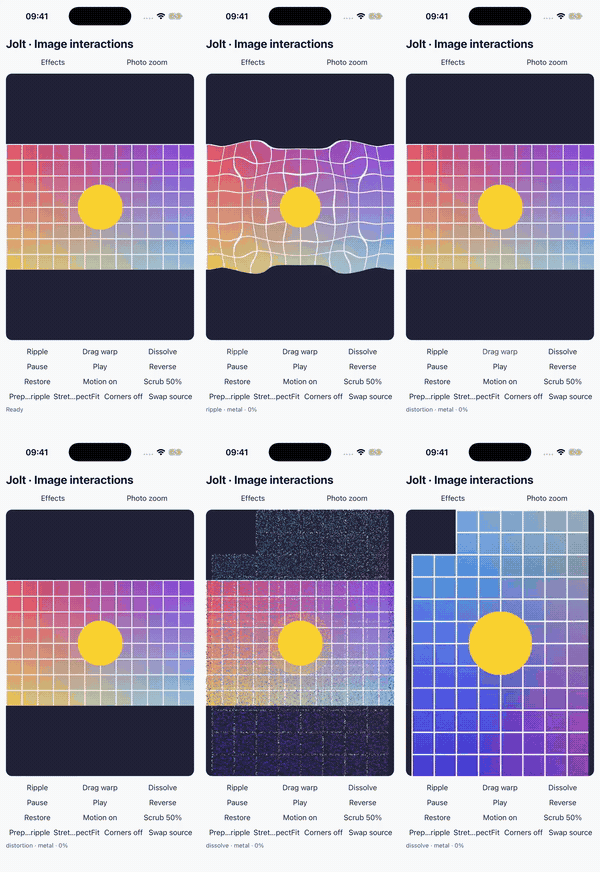
- Image effects: ripple, touch distortion and dissolve with native Metal/AGSL rendering and explicit fallback.
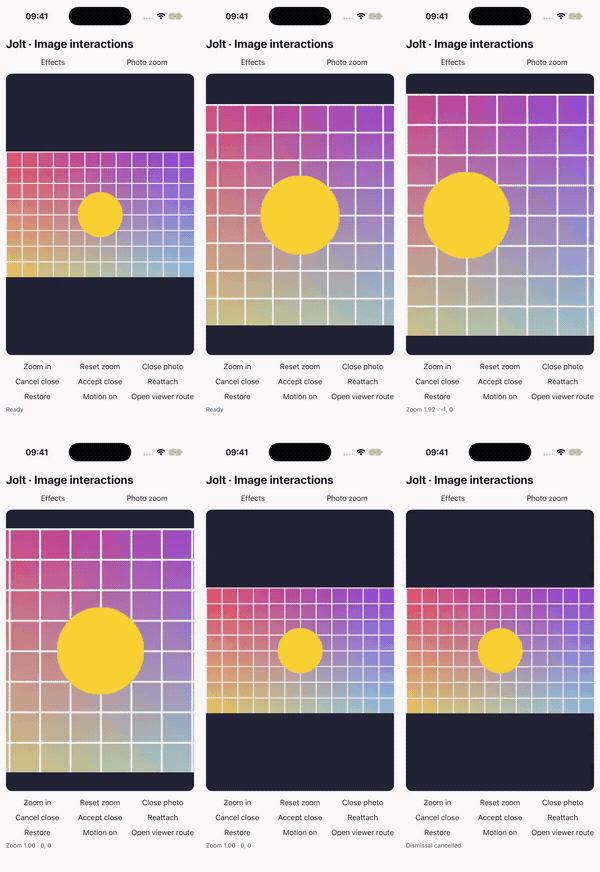
- Photo zoom and pan: native pinch, double tap, bounds and vertical dismissal intents.
- Loaders with dots, bars and ring styles on iOS.
- Circular reveal to show or hide content from a point on iOS.
- Haptics at arrival or at marked points in an animation on iOS and Android.
- Particles and confetti on iOS and Android.
- Scroll-linked animations for parallax and collapsing headers.
- Keyboard following for composers that rise with the keyboard, at its speed and curve.
- Playback controls to pause, continue and scrub a finite timeline.
- Time scale and reduced motion: slow everything down while tuning, and follow the platform's reduced-motion setting by default.
- Interruptions that pick up the value and velocity on screen, with no jump.
- Native playback: Core Animation on iOS,
ObjectAnimatoron Android, nothing in JavaScript while it plays.
Install
npm install @rafaelaugusto/jolt@next
It's in beta for now, published under the next tag. Requires @nativescript/core 8.9 or later. It doesn't depend on a framework: it takes a view, or an element that holds one.
On iOS 15+, Jolt requests up to 120 Hz on ProMotion displays. Set CADisableMinimumFrameDurationOnPhone to true in the app's App_Resources/iOS/Info.plist and rebuild to enable higher rates on iPhone. See the iOS setup; the system still chooses the actual refresh rate.
Animating
animate(target, keyframes, transition?) takes a view and where to take it:
animate(card, { opacity: 0.5, y: -20 })
| Property | Unit |
|---|---|
opacity |
|
x, y |
DIPs, same as translateX, translateY |
scale |
sets scaleX and scaleY together |
scaleX, scaleY |
|
rotate |
degrees |
rotateX, rotateY |
degrees, with perspective |
backgroundColor, borderColor, color |
NativeScript color string or Color |
3D rotations and flip presets use the view's perspective on both platforms (NativeScript defaults to 1000 DIPs). Set card.perspective = 600 for stronger depth. Android applies the display density when configuring its camera distance; it keeps the perspective when a rotation ends or stops at an angle.
A single value animates from wherever the view is. An array is a list of keyframes, and null stands for the current value:
animate(card, { x: [0, 100] }) // from 0, whatever x is now
animate(card, { x: [null, 20, -20, null] }) // out and back to where it was
With relative: true, translation and rotation keyframes are offsets from the current value. Scale and opacity keyframes multiply it instead. Each scale axis keeps its own base, and null still means the current value.
animate(card, { x: [0, -10, 10, 0] }, { relative: true }) // shake around its current x
animate(card, { scale: [1, 1.06, 1] }, { relative: true }) // grow by 6% and return
The base is captured once when the view is ready and its tracks are created, before any delay or stagger. Repeats reuse that base. A relative step in a sequence resolves when the step starts; an unloaded view waits until it loads.
The target can be a view, or anything that holds one: a NativeScript-Vue template ref, an Angular ElementRef.
<script setup lang="ts">
const card = ref()
const open = () => animate(card.value, 'popIn')
</script>

<template>
  <GridLayout ref="card" @tap="open" />
</template>
A view that isn't loaded yet takes its first absolute keyframe right away and plays once it's on screen. Calling animate(title, 'fadeInUp') in onMounted doesn't flash the title before it fades in. Relative animations leave the view's values alone until it loads.
Vue
<script setup lang="ts">
import { JoltTransition, vAnimate, vPress } from '@rafaelaugusto/jolt/vue'
</script>

<template>
  <Label v-animate="'fadeInUp'" text="Hello" />
  <GridLayout v-press="{ scale: 0.95 }" />
  <JoltTransition enter="popIn" leave="fadeOut">
    <Label v-if="saved" text="Saved" />
  </JoltTransition>
</template>
@rafaelaugusto/jolt/vue is a separate entry point for NativeScript-Vue 3, so the core stays framework free. v-animate plays when the element mounts and again when its value changes, v-press is press() for templates, and JoltTransition wraps Vue's BaseTransition so a view can animate out before v-if removes it. Register everything with app.use(Jolt) or import what a component needs. See the Vue guide.
Motion along a path
animate(
  plane,
  { path: 'M0 0 C80 -120 200 -120 280 0', orient: true },
  { duration: 1200, ease: 'linear' },
)
SVG coordinates are translations in DIPs. orient: true aligns artwork facing +X with the forward tangent. One shared progression drives native x, y and optional rotate tracks, with arc-length sampling, tweens, springs, delay, repeats, stagger, relative offsets and playback controls. Paths own those coordinates; use a path transition override to time them together. Parsing and sampling happen once; no JavaScript runs per frame. See the path guide for SVG commands, orientation and geometry limits.
Corners, borders and shadows
animate(card, { borderRadius: 40, borderWidth: 6 }, { duration: 800 })
Uniform circular borders work on iOS and Android. On iOS, configure one outer boxShadow and animate shadowOpacity, shadowRadius (half Core's CSS blur radius), shadowOffsetX and shadowOffsetY. On Android, animate elevation and translationZ for native shadows. Dimensions use DIPs; interruption, springs, repeats and selective stop work as usual. Border width animates the stroke while content uses the final layout. Clip paths, nonuniform geometry and Android radius changes with CSS shadows are rejected. Rebuild Android after upgrading. See the guide and platform limits.
Colors
animate(
  card,
  {
    backgroundColor: '#263b27',
    borderColor: ['#b6ee64', '#e5a1ff'],
    color: '#f4caff',
  },
  { duration: 800 },
)
Color strings and NativeScript Color objects work as targets or keyframes; null starts from the visible color. Colors interpolate in premultiplied OKLab and stay absolute with relative: true. Interruptions, repeats and stop(card, ['backgroundColor']) use the same API as transforms. Colors default to a 300 ms tween.
borderColor requires the same starting color on every edge; widths and corner radii may differ. Text color supports Label and Button on iOS, and TextBase on Android. Explicit formatted-span colors stay intact. On iOS, text uses a native alpha-mask layer preserving UILabel's layout; emoji, attachments, text shadows and masks above four million pixels keep the final model color and resolve false. Edits, restyling and unloading cancel text playback and restore the current text. Gradients and images themselves are not interpolated. iOS background-color playback on an image background is skipped to preserve Core’s rasterized image; the final model color is applied. See the color guide.
Android includes a Java animation target; rebuild the native app after installing or upgrading Jolt.
Motion values
import { animate, bind, motionValue } from '@rafaelaugusto/jolt'

const progress = motionValue(0)
bind(backdrop, { opacity: progress.to([0, 1], [0, 0.45]) })
bind(sheet, { y: progress.to([0, 1], [200, 0]) })
animate(progress, 1, 'snappy')
One value drives several properties and views on one native clock, mapped with to() like React Native's interpolate, to numbers or colors. Interruptions carry the value and its velocity to every bound view, set() and stop() take a value, and a value outlives its views. scrollValue(scrollView) turns a scroll offset into a value that bindings follow, and drag(view, { axis, value }) writes a gesture and its release into one. In Vue, useMotionValue(), useScrollValue() and useBinding() handle the lifecycle. See the guide.
Layered motion
animate(card, { x: 120 }, 'snappy') // the base
animate(card, 'shake', { layer: 'feedback' }) // on top of it
A layer plays next to a property's other animations instead of replacing them: translations and rotations add, scale and opacity multiply. A shake rides on a drag, a pulse keeps breathing while the card moves, and stop(card, ['x'], { layer: 'feedback' }) takes one layer away. While a property has layers, they play as one composite native track, sampled again only when something changes. See the guide.
Gradients
import { gradient } from '@rafaelaugusto/jolt'

const glow = gradient(card, {
  type: 'radial',
  colors: ['#A78BFA', '#0F172A'],
  radius: 0.45,
})
glow.animate({ center: { x: 0.7, y: 0.7 }, radius: 0.9 }, { duration: 1400 })
Native linear, radial and conic gradients behind a layout's children, which NativeScript's CSS doesn't have beyond a static linear-gradient. Colors, stops, angle, center and radius animate with springs, tweens and repeats: a CAGradientLayer with Core Animation keyframes on iOS, a native drawable and animator on Android. Pass motion/derived values directly, or use glow.bind(...), to share a source with view properties without a JS observer loop. motionScope().gradient() owns lifecycle and suspension, and v-gradient supports the same bindings in Vue. Native binding windows are sampled in JS at preparation/control boundaries; gesture updates still enter JS. Rebuild Android after upgrading. See the guide and native interaction videos.
Transitions
The third argument says how to get there. Without one, transforms move with a spring and opacity and colors ease over 300ms. Keyframes tween.
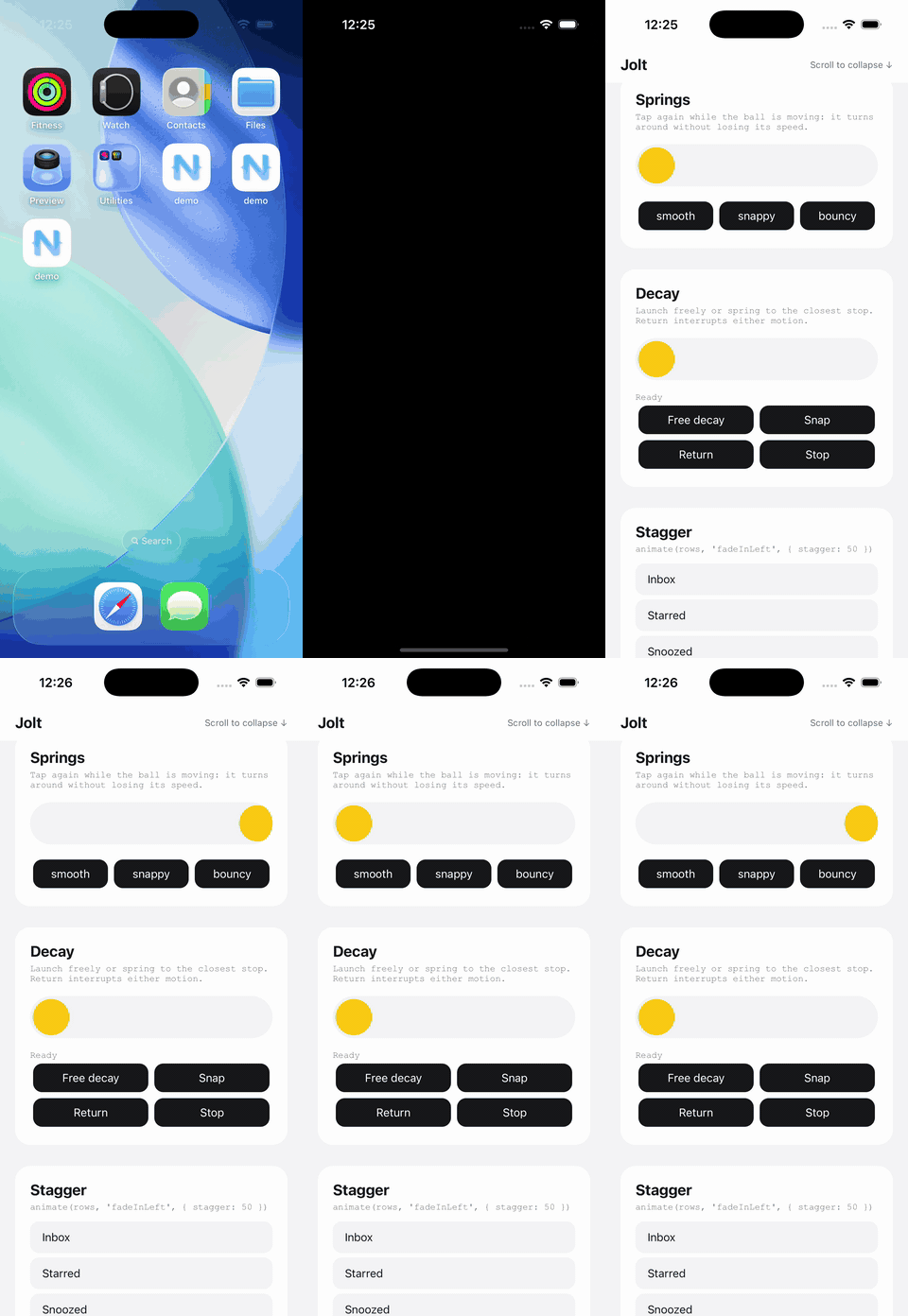
Springs
animate(card, { scale: 1.2 }, 'bouncy')
animate(card, { y: 0 }, { bounce: 0.3, duration: 600 })
animate(card, { y: 0 }, { stiffness: 300, damping: 20, mass: 1 })
| Spring | Feel |
|---|---|
smooth |
no overshoot |
snappy |
quick, barely overshoots. The default |
bouncy |
overshoots and settles with a bounce |
bounce goes from -1 to 1: 0 settles without overshooting, higher values bounce more, negative values settle more slowly. duration is how long the spring feels, the same model as SwiftUI. Or describe it with stiffness, damping and mass. A spring starts with the velocity of the animation it interrupts, unless you pass velocity (units per second).
Coming from React Native, origamiSpring({ friction: 7, tension: 40 }) gives the spring Animated.spring plays for friction and tension. See From React Native Animated for the rest of the mapping.
Tweens
animate(card, { opacity: 0 }, { duration: 200, ease: 'easeIn' })
animate(
  card,
  { x: [0, 100, 50] },
  { duration: 600, ease: ['easeOut', 'easeIn'], times: [0, 0.3, 1] },
)
A tween takes 300 ms with easeOut unless told otherwise. That's shorter than React Native's Animated.timing (500 ms, ease in and out) and starts faster than CSS's ease, so pass both when a port has to match.
ease takes linear, ease, easeIn, easeOut, easeInOut, circIn, circOut, circInOut, backIn, backOut, backInOut, anticipate, the quad, cubic, quart, quint, sine and expo curves with In, Out or InOut ('cubicOut'), a cubic bezier ([0.2, 0, 0, 1]) or any function from 0..1 to a value. With keyframes, pass one per segment. times places each keyframe between 0 and 1.
With easeTrack: true, one ease runs over the whole track instead, and the value moves in straight lines between keyframes, the way React Native's interpolate places its output range on an eased value:
animate(
  spark,
  { y: [0, -30, -12, 0] },
  { duration: 900, ease: 'easeOut', easeTrack: true, times: [0, 0.4, 0.7, 1] },
)
An easing that overshoots, like backOut, extends the first or last segment, as interpolate does with extrapolate: 'extend'. easeTrack takes a single ease and applies to tweens only.
Custom easing functions run once, when the animation starts, like springs do. They don't cost anything per frame.
Per property
animate(
  logo,
  { scale: [0.6, 1.08, 1], opacity: [0, 1, 1] },
  { duration: 900, ease: 'easeInOut', opacity: { times: [0, 0.3, 1] } },
)
animate(
  card,
  { y: 0, opacity: 1 },
  { type: 'spring', bounce: 0.3, opacity: { duration: 150 } },
)
Over a tween, a property's transition changes only what it sets: the logo's opacity keeps the 900 ms easeInOut and only places its keyframes. Over a spring, or when it is a spring itself, it replaces the curve, so the card's opacity gets a 150 ms tween. Either way, it keeps the timing (delay, repeat) of the main one unless it sets its own. times and per-segment easings taken from the main transition are left out when they don't fit the property's keyframes. Options passed to a preset merge the same way, so animate(card, 'heartbeat', { duration: 1600 }) keeps the beat's rhythm.
Timing
animate(
  badge,
  { scale: [1, 1.2] },
  { delay: 300, repeat: Infinity, repeatType: 'reverse' },
)
delay is in milliseconds, and the view takes the first keyframe during it. repeat is how many more times to play, Infinity until stopped. repeatType: 'reverse' plays every other repeat backwards. Repeats play natively too.
repeatDelay holds the end value for that many milliseconds before each repeat. The first play doesn't wait, and neither does the end of the last one. With 'reverse' it waits at both ends:
animate(
  z,
  { y: [0, -40], opacity: [0, 1] },
  { duration: 1200, repeat: Infinity, repeatDelay: 1800 },
)
The wait is part of the native keyframes, so it costs no JavaScript while it plays. Stopping during the wait leaves the view at the held value. A range, repeatDelay: [1000, 4000], draws a new wait before each repeat; an endless loop draws sixteen and loops them natively.
Decay
import { decay } from '@rafaelaugusto/jolt'

decay(card, { x: 600 }) // DIPs per second
decay(card, { x: 600 }, { friction: 0.998, snap: [0, 320] })
Starts from the current translation and slows down exponentially. friction multiplies velocity per millisecond; smaller values stop sooner. snap projects the landing and springs directly to the closest stop, preserving the supplied velocity. Use { snap: { x: [0, 320], y: [-200, 0] } } for independent axes.
Shares interruption, stop() and awaitable completion with animate(). Both platforms use native keyframes with no JavaScript per frame. See the decay guide.
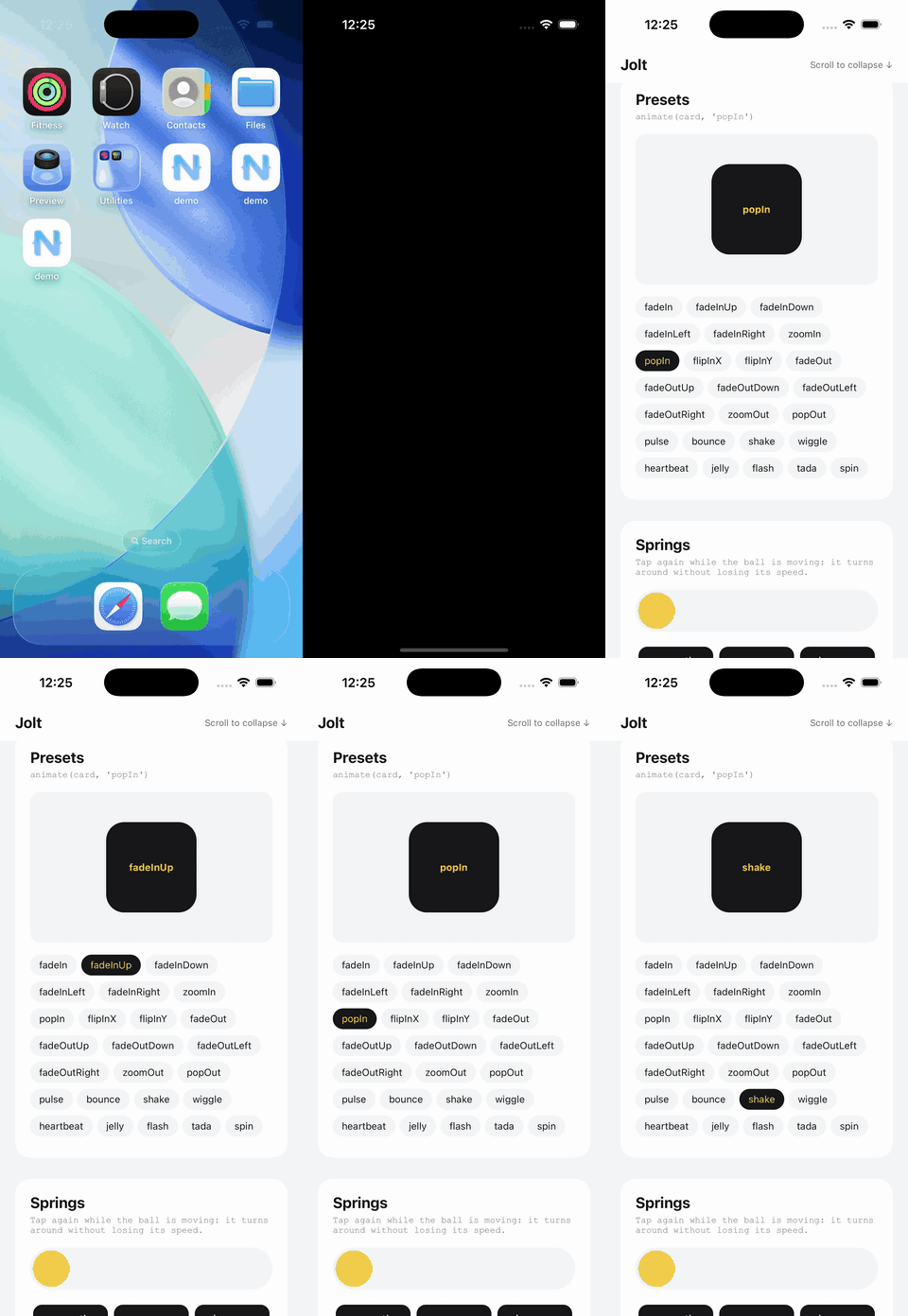
Presets
animate(card, 'popIn')
animate(card, 'shake', { delay: 200 })
animate(spinner, 'spin', { repeat: Infinity })
| Enter | fadeIn, fadeInUp, fadeInDown, fadeInLeft, fadeInRight, zoomIn, popIn, flipInX, flipInY |
| Exit | fadeOut, fadeOutUp, fadeOutDown, fadeOutLeft, fadeOutRight, zoomOut, popOut |
| Attention | pulse, bounce, shake, wiggle, heartbeat, jelly, flash, tada, spin |
Directions follow animate.css: fadeInUp comes up from below, fadeOutUp leaves upwards. Each built-in preset is plain keyframes and a transition, listed in src/presets.ts and exported as presets.
Attention presets use relative: true: shake around x: 40 returns to 40, pulse preserves the current scale, and flash returns to the current opacity. spin adds a full turn to the current rotation. Pass { relative: false } to use their absolute keyframes instead. Enter and exit presets remain absolute.
Options with timing only (delay, repeat, stagger) keep the preset's curves. Options with a curve (duration, ease, a spring) replace them:
animate(card, 'fadeInUp', { delay: 100 }) // the preset's spring, 100ms later
animate(card, 'fadeInUp', { duration: 600 }) // a 600ms tween instead
animate(card, 'fadeInUp', 'bouncy') // a bouncy spring instead
Register your own keyframes and transition with definePreset:
import { animate, definePreset } from '@rafaelaugusto/jolt'

declare module '@rafaelaugusto/jolt' {
  interface Presets {
    cardIn: true
  }
}

definePreset('cardIn', {
  keyframes: { opacity: [0, 1], y: [40, 0] },
  transition: { type: 'spring', bounce: 0.2, opacity: { duration: 150 } },
})

animate(card, 'cardIn')
Register presets during app startup, before using them in animate() or sequence(). The Presets declaration adds the name to TypeScript; it does not register anything at runtime. Custom presets follow the same timing and curve overrides as built-ins, including per-property options and stagger.
Registering a custom name again replaces its definition for future animations. Built-in names cannot be replaced through definePreset, and the exported presets object continues to contain only the built-ins.
Several views
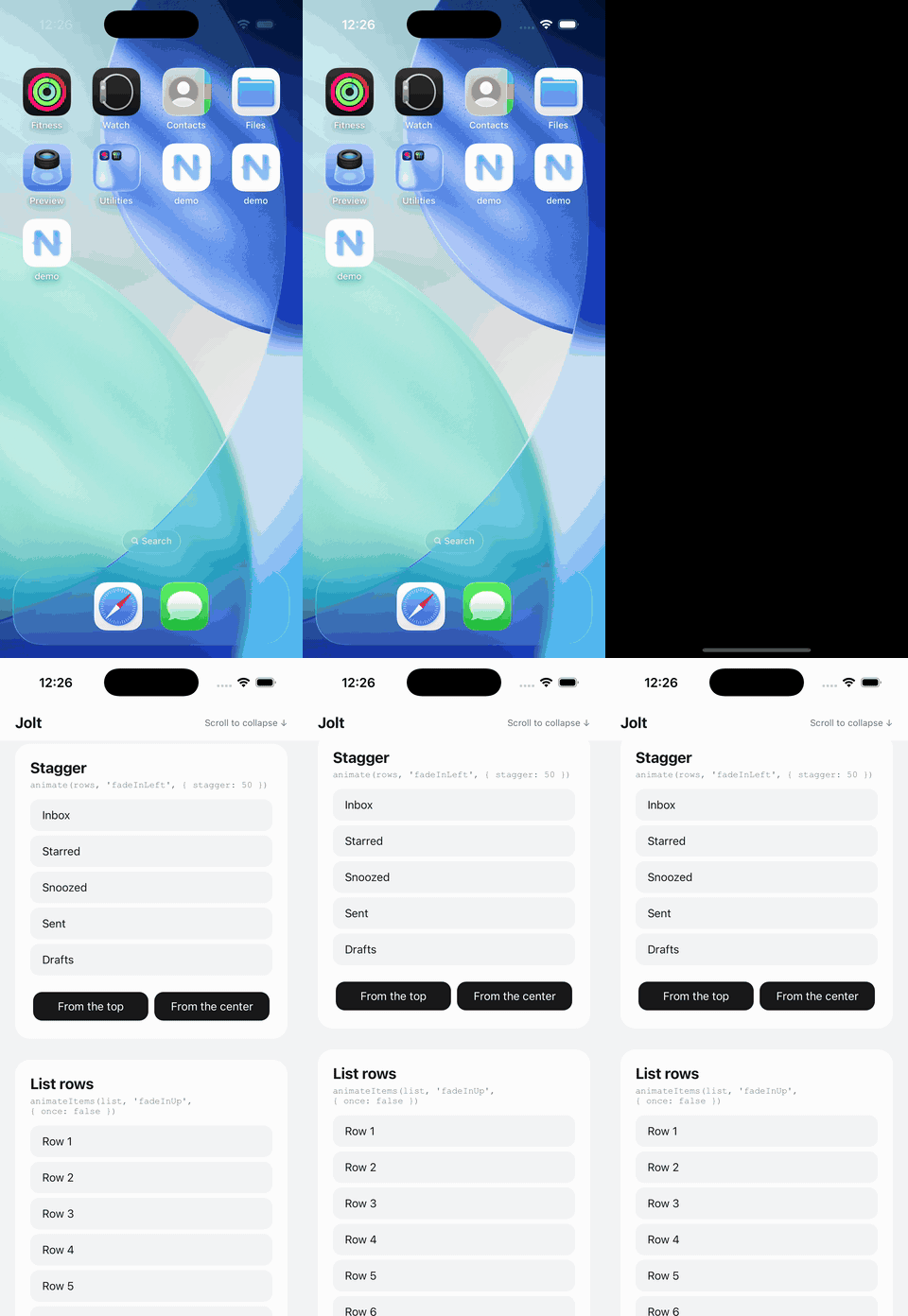
Pass an array to animate them together, and stagger to start them one after another:
animate(rows, 'fadeInUp', { stagger: 40 })
animate(tiles, 'popIn', { stagger: { each: 30, from: 'center' } })
from is 'first' (the default), 'last', 'center' or an index.
List rows
const unlink = animateItems(listView, 'fadeInUp')
animateItems(listView, 'fadeInUp', { once: true })
Each row of a ListView plays the entrance as the list hands it out. Rows are recycled while you scroll, so a row reused for another item starts the entrance again, or settles at the end values when that item was already shown and once is set. Items are tracked by object identity, or by index for primitives. The return value removes the effect and settles every row; unloading the list does the same. See the list guide for CollectionView and sectioned lists.
Sequences
await sequence([
  [logo, 'popIn'],
  [[title, subtitle], 'fadeInUp', { stagger: 80 }],
  () => animate(button, 'fadeIn'),
])
Each step takes the same arguments as animate, or is a function that starts an animation. A step starts once the previous one looks done: a spring that's close to its target and staying there counts, even if it's still settling, so steps don't wait on the last pixel. The whole sequence finishes once every step has.
Views in later steps take their first absolute keyframe when the sequence starts, so the title above stays hidden until its turn instead of showing up and disappearing. Relative steps and null keyframes wait until their step starts to read the current value.
Use at to change the timing:
sequence([
  [logo, 'popIn'],
  [title, 'fadeInUp', { at: '-150' }],
  [buttons, 'fadeIn', { at: '<' }],
  [footer, 'fadeIn', { at: 900 }],
])
A signed string offsets the previous arrival ('-150' before, '+100' after), '<' shares its activation, and a number selects absolute milliseconds. Each step's own delay still applies. Negative offsets use loaded tracks' spring/stagger arrival forecasts; absolute steps are independent. stop() cancels future launches and stops every started step. Position timers respect Android animator duration scale. JavaScript runs at step boundaries, so blocked JS can delay a launch. See timelines for callback forecasts, interruption and loading behavior.
Press
const remove = press(button) // scales to 0.96 while pressed
press(card, { scale: 0.97, opacity: 0.8 })
press(tile, { scale: 0.9, rotate: -4 }, 'bouncy')
Animates to the given values while a finger is down, and back to where the view was once it lifts, or once the touch is cancelled by a scroll taking over. Views with isEnabled set to false don't react. It returns a function that removes the effect.
SF Symbols
import { symbolEffect } from '@rafaelaugusto/jolt'

symbolEffect(bell, 'bounce')
symbolEffect(favorite, { replace: 'sys://heart.fill' })
Takes a NativeScript Image with a sys:// source, or a ref holding one. Supports bounce, pulse, scale and variableColor, with native playback, completion and cancellation. Replacement keeps the Image's source in sync. Scale holds until stopped; bounce, pulse and variable color can repeat with { repeat: true }.
Effects require iOS 17+. Earlier iOS versions and Reduce Motion skip decorative effects and replace icons immediately. Android calls resolve with false without changing the image. See SF Symbol effects for options and lifecycle behavior.
Shimmer
import { shimmer } from '@rafaelaugusto/jolt'

const stopShimmer = shimmer(placeholder, { duration: 1500 })
stopShimmer() // when the content is ready
A native gradient mask sweeps across the placeholder and its children. It follows layout changes, preserves existing masks and releases native resources while the view is unloaded, resuming on load. Reduce Motion keeps the placeholder static. iOS only for now; Android calls return a no-op cleanup function. See the shimmer guide.
Liquid images
import { liquid } from '@rafaelaugusto/jolt'

const flow = liquid(orb, { intensity: 0.9, duration: 7200 })
flow.pause()
flow.resume()
flow.stop()
Parts of the image move relative to each other through a native repeating texture warp. Transparency and stretch are preserved; pause freezes the current shape and stop restores the original image. Reduce Motion keeps the image static. iOS only; Android returns an inert handle. See the liquid image guide.
Loaders
import { loader } from '@rafaelaugusto/jolt'

const stopLoading = loader(slot, { style: 'dots', color: '#71717a', size: 48 })
stopLoading() // when the content is ready
Choose dots, bars or ring. Each indicator uses one native animation replicated across a layer, fits inside its target and stays centered as the target resizes. Reduce Motion shows a static indicator. Unloading releases native resources; loading resumes until explicitly stopped. iOS only for now. See the loaders guide.
Circular reveal
import { reveal, conceal } from '@rafaelaugusto/jolt'

await reveal(details, { from: { x: 40, y: 40 }, duration: 500 })
await conceal(details, { to: { x: 40, y: 40 } })
A native circle reveals the view's content or contracts to hide it. Reversing continues from the circle on screen. Existing masks are restored when the effect ends; conceal finishes with visibility = 'hidden', preserving layout space. Reduce Motion applies the final visibility immediately. iOS only for now. See the circular reveal guide for cancellation and layout behavior.
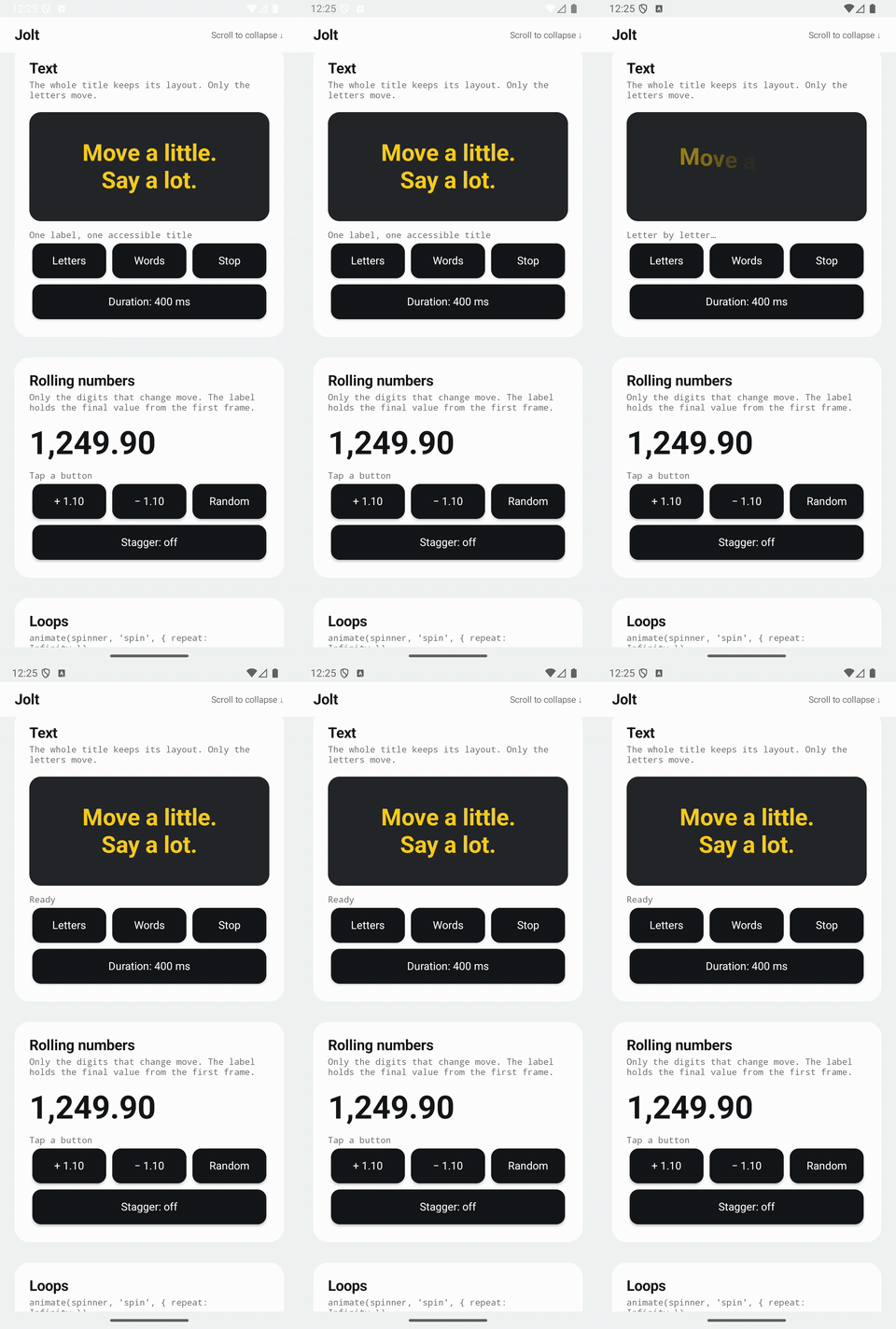
Text
import { animateText } from '@rafaelaugusto/jolt'

await animateText(title)
await animateText(title, { by: 'word', stagger: 100 })
Reveal a Label letter by letter or a word at a time. On iOS, TextKit keeps the complete text layout, including wrapped lines, attributed styles and composed emoji, and Core Animation plays temporary glyph images. On Android, spans that only affect drawing fade and lift each piece under one native animator, keeping the TextView's text, line breaks and truncation. The original Label remains the single accessibility element. Stop restores the full text; Reduce Motion and Android's Remove animations skip the entrance. Rebuild Android apps after upgrading to include the native class. See the text guide for options and limits.
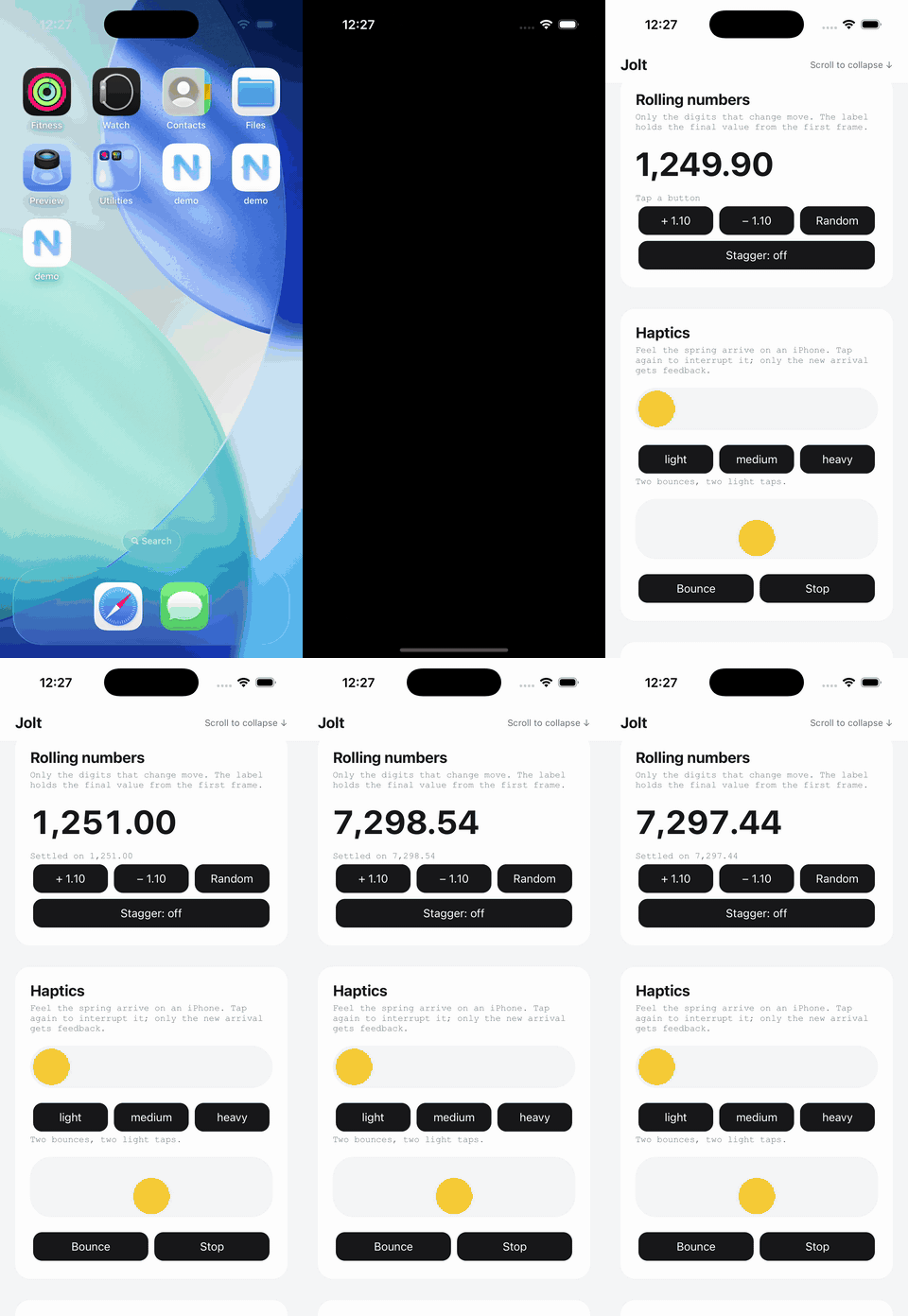
Rolling numbers
import { rollTo } from '@rafaelaugusto/jolt'

await rollTo(balance, 1249.9, { format: (value) => value.toFixed(2) })
Change a Label's number and only the digits that differ roll: each one slides out while its replacement slides in on a spring. Positions align on the units digit, so 99 becomes 100 by rolling two digits and adding one. The label holds the final text from the first frame; glyph layers on iOS and a native span animator on Android do the drawing, and tabular figures keep the width stable. Rebuild Android after upgrading. See the rolling numbers guide for options and limits.
Haptics
animate(card, { y: 0 }, { type: 'spring', haptic: 'light' })
animate(button, 'bounce', { haptic: { style: 'light', times: [0.6, 1] } })
Choose light, medium or heavy. By default, one impact fires when the animation visually arrives. Explicit points can mark each landing of a bounce. Delays and stagger follow the animation; interruptions, stopping and unloading cancel pending feedback. Supported on iOS and Android, respecting device settings. See the haptics guide for timing, platform mappings and physical-device behavior.
Particles and confetti
import { confetti, particles } from '@rafaelaugusto/jolt'

confetti(button, { count: 80, colors: ['#facc15', '#ef4444', '#3b82f6'] })
const stopSnow = particles(scene, { source: 'top', angle: 90, velocity: 45 })
stopSnow() // remove the emitter and its particles
Confetti bursts into the target's window and cleans itself up. particles() adds an emitter for snow, sparks, bubbles or finite effects. Both use native playback without JS simulation/painting per frame: Core Animation on iOS, a bounded Java simulation and Canvas drawable on Android. They respect reduced motion and cancel on unload/backgrounding. Android drawing shares the UI thread; rebuild the app after upgrading. See the guide and native videos.
Scroll-linked animations
import { scrollLinked } from '@rafaelaugusto/jolt'

const unlink = scrollLinked(
  scrollView,
  header,
  { y: [0, -60], opacity: [1, 0] },
  { range: [0, 120] },
)
A paused native animation follows the ScrollView offset in DIPs, with linear interpolation and clamped progress. Scrolling backward restores earlier frames. Use axis: 'x' for horizontal scrolling; descending ranges reverse the mapping. unlink() freezes the current frame and removes the binding; unloading either view also cleans it up. Scroll events update progress through JavaScript, so this binding needs the main thread to remain available. See the guide.
Follow the keyboard
import { followKeyboard } from '@rafaelaugusto/jolt'

const release = followKeyboard(composer)
The view rises by exactly the distance the keyboard would cover it, with the keyboard's own duration and curve, and settles back when it hides. On iOS the keyboard notifications drive a UIView animation; on Android 11+ a native WindowInsetsAnimation callback moves the view on every frame, with and without adjustResize. Android 7 to 10 read the keyboard from the window's visible frame and animate the view with the keyboard's measured timing. The view's translateY is written so later animations start from the position on screen. Rebuild Android after upgrading. See the guide.
To react in other ways, onKeyboard() reports how much of the window the keyboard covers, with a transition that moves in step with it:
const off = onKeyboard(({ visible, transition }) => {
  animate(header, { scale: visible ? 0.8 : 1 }, transition)
})
useKeyboard() from /vue keeps a ref in sync until unmount.
Pause, play and scrub
const animation = animate(card, 'flipInY')
animation.pause()
animation.progress = 0.4
animation.play()
animate() and decay() return a PlaybackAnimation with pause(), play(), progress, paused and duration. Progress runs from 0 to 1 across delays, repeats and stagger. It preserves the paused/playing state; a paused endpoint can scrub backward. Other animations on the same view keep moving. Infinite loops support pause/play but reject progress. Completed and stopped handles remain terminal. Sequence and effect handles keep their existing controls. See playback for lifecycle, haptics and gesture examples.
Time scale and reduced motion
import { configure } from '@rafaelaugusto/jolt'

configure({ timeScale: 0.2 }) // everything five times slower
configure({ reducedMotion: 'always' }) // transforms jump, opacity still fades
Tuning a spring at full speed is guesswork. The scale applies to every engine animation started after the call, on iOS and Android alike: durations, delays, stagger, sequence positions and spring time stretch together, keyframes stay dense, and an interruption still picks up the value and velocity on screen. Native loops such as shimmer and loaders keep their own timing.
With Reduce Motion on iOS or Remove animations on Android, translations, scale, rotation, paths, decorations and decay jump to their end values while opacity and colors still animate. 'user' is the default; 'always' and 'never' override the platform for the whole library. reducedMotion() reads the result, onReducedMotion(callback) watches it, and useReducedMotion() from /vue keeps a ref in sync. See the guide.
Interrupting and stopping
Starting an animation on a property that's already animating takes it over: the new one starts from the value on screen, with the same velocity, so a card can change its mind halfway without a jump. Other properties of the previous animation keep going.
animate() returns an animation you can await. It resolves with true when it played to the end, and false when it was stopped or taken over. It never rejects.
const animation = animate(card, { x: 300 })
animation.stop() // the card stays where it is

stop(card) // stops everything running on the card
stop(card, ['x', 'scale']) // stops translation on x and both scale axes
Selected properties stay at their current values; the others keep animating. scaleX and scaleY can also be stopped separately. Pass an empty array to stop nothing, or omit it to stop everything. This works with arrays of targets too.
If part of an animation is stopped, its finished promise resolves with false once its remaining properties finish.
set() places a view without animating it, and stops whatever animates those properties:
set(logo, { opacity: 1, scale: 1, y: 0 })
It takes one value per property, the same properties as animate(). The next animation starts from there. See setting values.
How it works
When an animation starts, Jolt resolves where each property starts from (the value on screen, or the keyframes you gave), and computes the whole curve: easing, keyframes, spring physics and exponential decay. It samples the curve 60 times per second of motion, and keeps keyframe times exact. Linear numeric segments use only their endpoints. Long tween segments and free decays cap sampling at 6,001 keyframes. Color tracks add intermediate OKLab samples even with linear timing.
The samples go to the platform in one go:
- iOS: a
CAKeyframeAnimationper property on the view's layer (opacity,transform.translation.x,transform.scale.y,transform.rotation.z...). Core Animation composes them, soxandscalecan belong to different animations, and plays them in the render server. - Android: an
ObjectAnimatorper property withKeyframes and a linear interpolator, on the view'salpha,translationX,scaleY,rotation...
Solid colors use CGColor keyframes on iOS and int keyframes through a native Java target on Android. iOS text uses a UILabel alpha mask so glyph positions stay fixed while the color layer animates.
Before playing, the final values are set on the NativeScript view, like view.animate() does, so view.translateX already holds the target while the animation runs. Stopping writes back the values on screen.
Native playback does not isolate Android View animations from a blocked UI thread. Main-runtime JavaScript shares that thread, and withLayer() only caches drawing. Move suitable CPU work to a Worker and keep view updates small. See the busy JavaScript guide and Android diagnostic.
On Android, opacity animations temporarily cache hardware-accelerated containers with children in a hardware layer. Jolt waits for the fade to start and restores the layer on completion, stop, replacement or unload. Existing app-configured layers are preserved; empty, unmeasured and larger-than-screen containers are skipped. See the fade-layer benchmark for measurement and memory tradeoffs.
Each running property remembers its curve and start time. On Android, interruptions read the displayed value and the animator's current play time, so inherited velocity follows the system's animator duration scale. Early spring arrivals use a native timing marker with completion callbacks only; other sequences advance on native completion. Delays, repeats and disabled animations follow the same platform clock, without JavaScript running per frame.
Not there yet
animate()supports transforms, opacity, colors, uniform corners and borders, and platform shadows.animateSize()adds real width/height/auto transitions with per-frame JS layout;animateLayout()animates layout changes through FLIP transforms.- Gesture composition and nested-scroll handoff remain separate work (#51).
- Shared-element navigation remains planned (#24).
API
Animating: animate(target, keyframes | preset, transition?), decay(target, velocity, options?), stop(target, properties?), sequence(steps), press(target, pressed?, transition?), drag(target, options?), symbolEffect(image, effect, options?), shimmer(target, options?), liquid(image, options?), loader(target, options?), reveal(target, options?), conceal(target, options?), confetti(target, options?), particles(target, options?).
animateLayout(container, change?, options?) animates the next layout of direct children; motionScope().animateLayout() owns it through component lifecycle. Cancellation settles temporary offsets into the final layout.
animateSize(view, dimensions, change?, options?) animates actual width/height/auto in StackLayout/GridLayout, including inside ScrollView. Its SizeAnimation supports pause/resume, stop and restoring the original declarations. It runs JS measurement/layout each frame. motionScope().animateSize() owns its lifecycle. See the guide and native videos.
interactionSurface(target) opts a view/subtree into native touch geometry during animation; returns { disposed, dispose() }. Register before playback; rebuild iOS after upgrading.
drag() returns a controller with position, dragging, settling, cancel(), pause(), play() and dispose(). motionScope().drag() owns it through component lifecycle.
liquid() returns a LiquidEffect with pause(), resume() and stop().
Animations from animate(), decay(), sequence(), symbolEffect(), reveal() and conceal(): await, finished, stop(). press(), shimmer(), loader(), confetti() and particles() return cleanup functions.
Helpers: definePreset, presets, springs, cubicBezier, plus the types (Keyframes, Transition, Spring, Tween, Preset, Presets, PresetName, SpringName, Easing, Animation, Target...).
Demo
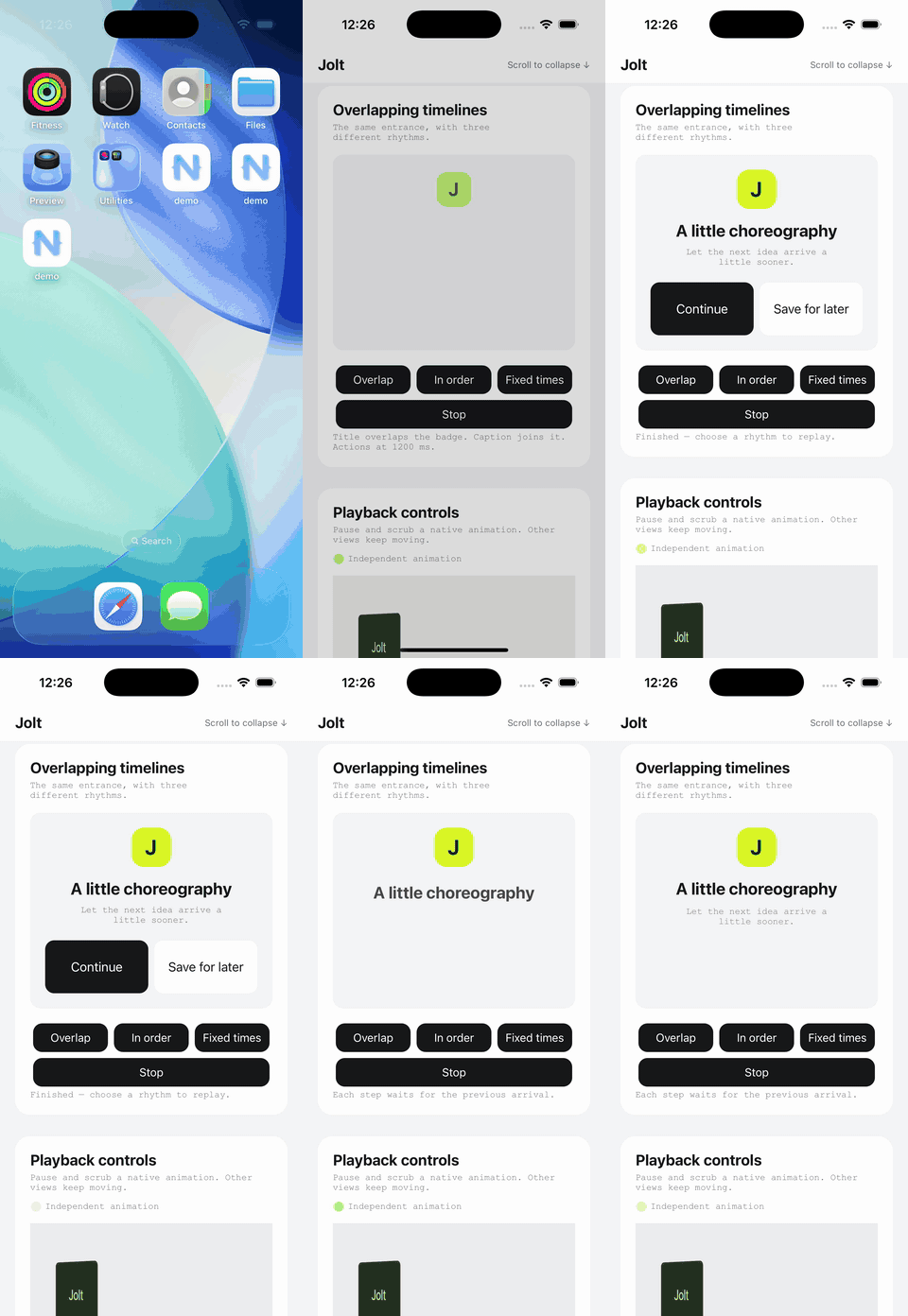
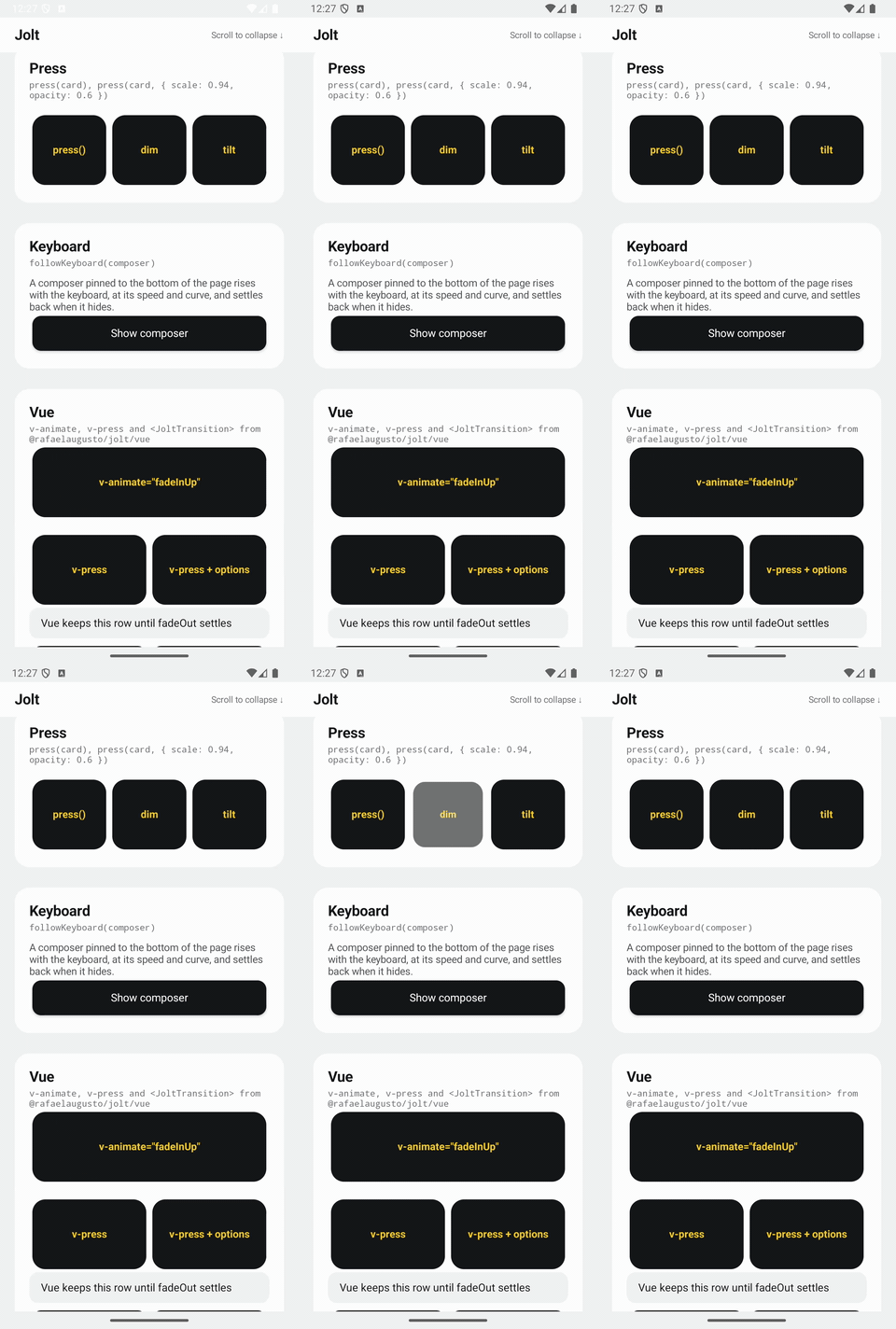
demo/ now opens Jolt Motion Studio: a branded animated splash, a moving home, and 55 searchable experiments with category filters and native page navigation through Vue Router NS. The iOS preview includes the Jolt name and icon; launching normally always opens the collection. See the native walkthrough.
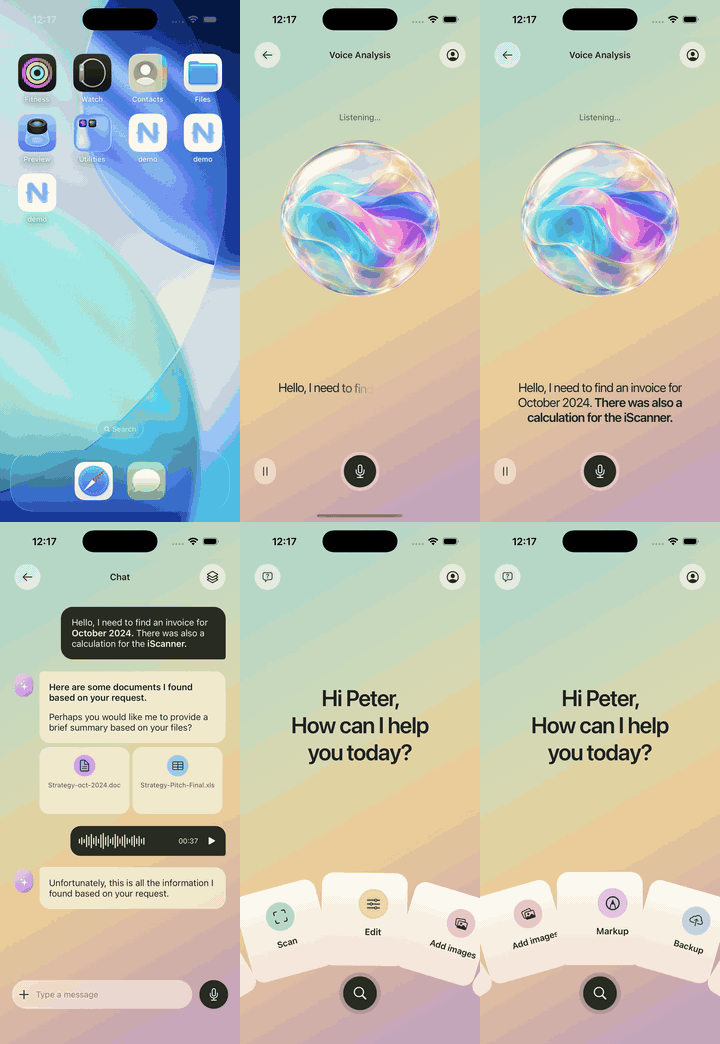
The assistant remains available through --screen=home on iOS or --es screen home on Android: a fan of document tools, a voice screen with letter-by-letter text, and a staged conversation with document previews and a rolling countdown, with the screens cross-fading through the Vue entry. Open Help → Watch demo to replay the flow. The orb is an animated illustration; speech, documents and audio are sample data.
| Assistant | Presets | Springs | Stagger |
|---|---|---|---|
 |
 |
 |
 |
| Sequences | Press (Android) | Rolling numbers | Text (Android) |
|---|---|---|---|
 |
 |
 |
 |
| Layout (iOS) | Drag and snap (iOS) | Image effects (iOS) | Photo zoom (iOS) |
|---|---|---|---|
 |
 |
 |
 |
The animation playground opens with --playground on iOS and --es playground true on Android, with presets, interruptible springs, decay, text, press effects, list rows, the keyboard composer and the native iOS helpers. See the demo guide for preview arguments and implementation notes. Every visual feature guide in the documentation includes a recording of the real native demo, in English and Portuguese.
With the NativeScript CLI installed:
npm install
npm run dev        # builds Jolt in watch mode

cd demo
npm install
ns run ios         # or: ns run android
Development
npm test           # unit tests
npm run typecheck  # including the iOS and Android drivers, against the platform typings
npm run build
npm run docs:check-media
npm run docs:build
Visual changes require reviewed recordings before completion or release. See Contributing.
The tests run the engine against a fake platform driver (test/helpers.ts) with its own clock: it records the keyframes it would play and ends them when the clock passes their end.
For on-device measurements, see the iOS animation startup benchmark.
Releasing
- Bump
versioninpackage.json(npm version <version> --no-git-tag-version) and move the changes under it inCHANGELOG.md. - Merge that into
main. - Publish a GitHub release tagged
v<version>. The release workflow checks the tag againstpackage.json, runs the tests and publishes to npm: undernextwhen the release is marked as a pre-release, underlatestotherwise.
Publishing authenticates with the NPM_TOKEN secret, or with trusted publishing once it's set up for the package on npm.
License
MIT. Maintained by Rafael Augusto and Cortex Labs.
Related Packages
Checkbox: Material 3 MaterialCheckBox on Android, SF Symbols toggle button on iO...
Natively wraps tween.js, a tweening engine for easy animations, incorporating op...
An unified permissions API for NativeScript on iOS and Android.
Alternative to the built-in NativeScript Label but with better performance and a...
Version History
Pre-releases (19)
| Version | Released | License |
|---|---|---|
| 0.1.0-beta.17 | MIT | |
| 0.1.0-beta.16 | MIT | |
| 0.1.0-beta.15 | MIT | |
| 0.1.0-beta.14 | MIT | |
| 0.1.0-beta.13 | MIT | |
| 0.1.0-beta.12 | MIT | |
| 0.1.0-beta.11 | MIT | |
| 0.1.0-beta.10 | MIT | |
| 0.1.0-beta.9 | MIT | |
| 0.1.0-beta.8 | MIT | |
| 0.1.0-beta.7 | MIT | |
| 0.1.0-beta.6 | MIT | |
| 0.1.0-beta.5 | MIT | |
| 0.1.0-beta.4 | MIT | |
| 0.1.0-beta.3 | MIT | |
| 0.1.0-beta.2 | MIT | |
| 0.1.0-beta.1 | MIT | |
| 0.1.0-beta.0 | MIT | |
| 0.0.0-stage |