@nativework/core
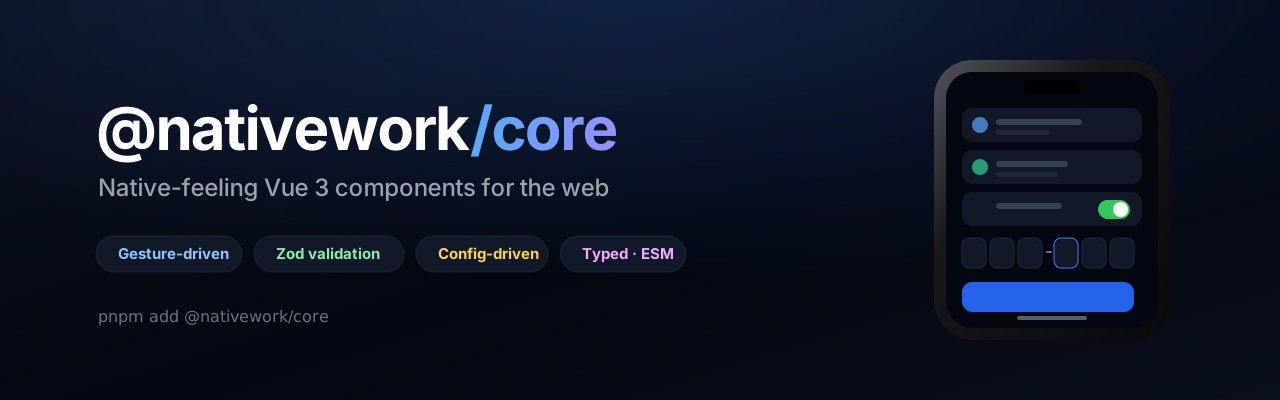


@nativework/core
A Vue 3 component framework for building native-like mobile experiences with web technology: gesture-driven sheets and drawers, reorderable lists, pull-to-refresh, a Zod-validated form kit, date and time pickers, and dialogs.
It is a plain Vue library with no native dependencies, which makes it a natural fit for Capacitor, Ionic or an installed PWA. It works just as well in a browser tab.
📖 Documentation · 🎮 Playground
- Gestures, not approximations. Drag, long-press, fling and rubber-band behaviour built on pointer and touch events, with haptics where the platform allows.
- Webview-ready. Safe areas, the hardware back button, keyboard insets and iOS's missing vibrate API are all accounted for.
- Three config objects drive the type scale, every form control and every dialog. Override them globally or per subtree, reactively.
- Validation is built in. Any control takes a Zod schema, standalone or inside a form.
- Typed all the way through. ESM and CJS, tree-shakeable, and no preflight forced on your app.
 |
 |
 |
| Forms: Zod-validated controls | Pickers: calendar and wheel | Dialogs: pre-built and custom |
 |
 |
 |
| Reorder: drag, auto-scroll, keyboard | PinInput: grouped codes | Typography: one type scale |
pnpm add @nativework/core # or npm install / yarn add
Requirements
| Package | Version | Needed for |
|---|---|---|
vue |
^3.5 |
required |
zod |
^4 |
only if you validate with schemas |
vue-router |
^4 |
only for RouterTransition and useNavigation |
lucide-vue-next comes as a dependency; the components use it for their icons.
Getting started
// main.ts
import '@nativework/core/style.css';
<script setup lang="ts">
import { ref } from 'vue';
import { ActionSheet, Button, TextField } from '@nativework/core';

const open = ref(false);
const email = ref('');
</script>

<template>
  <Button @click="open = true">Open sheet</Button>

  <ActionSheet v-model="open" mode="content">
    <div class="p-4">
      <TextField v-model="email" label="Email" type="email" clearable />
    </div>
  </ActionSheet>
</template>
Styles
@nativework/core/style.css ships the utilities the components use plus their scoped styles.
It deliberately excludes Tailwind's preflight, so it will not reset your app.
Already on Tailwind v4 and would rather generate the utilities yourself? Skip the stylesheet and point Tailwind at the package instead:
@import "tailwindcss";
@source "../node_modules/@nativework/core/dist";
Components
Overlays: Dialog, DialogConfirm, DialogPrompt, DialogHost, DialogActions,
ActionSheet, Drawer, PickerSheet
Gestures & motion: Reorder, PullToRefresh, RouterTransition
Typography: Text, Heading
Forms: Form, TextField, TextArea, ToggleSwitch, RadioGroup, Radio, Slider,
PinInput, FieldShell
Date & time: DatePicker, TimePicker, DateTimePicker, Calendar, TimeWheel
Providers: TypographyProvider, FormsProvider, DialogProvider
Other: Button
Forms
Every control works three ways: bound to a form by name, standalone with v-model and its
own schema, or fully controlled.
<script setup lang="ts">
import { z } from 'zod';
import { Button, Form, TextField, ToggleSwitch } from '@nativework/core';

const schema = z.object({
  email: z.email('Enter a valid email'),
  // false is a legitimate value, so "required" cannot express must-accept
  terms: z.literal(true, { message: 'Accept the terms' }),
});
</script>

<template>
  <Form :schema="schema" @submit="save">
    <template #default="{ isValid, isSubmitting }">
      <TextField name="email" label="Email" required />
      <ToggleSwitch name="terms" label="Accept the terms" required />
      <Button type="submit" :disabled="!isValid" :loading="isSubmitting">Save</Button>
    </template>
  </Form>
</template>
Own the controller when you need the state outside the template:
import { useForm } from '@nativework/core';

const form = useForm({ schema, initialValues, onSubmit });
// form.values / errors / touched / isValid / isDirty / isSubmitting / submitCount
// form.setValue() setError() validate() validateField() reset() handleSubmit()
form.setError('code', 'That code is not right') puts a server-side failure back on a field.
Schema-level rules land on the right control too: a .refine() with path: ['party'] shows
its message on the party field.
No form at all:
<TextField v-model="handle" :schema="z.string().min(3)" validate-on="input" />
Validation timing resolves field prop → form → config, defaulting to validate on blur and then re-check on every keystroke once a field has spoken up.
Dialogs
Three levels, depending on how much you want handed to you.
<!-- Pre-built -->
<DialogConfirm
  v-model="open"
  tone="destructive"        // default | destructive | warning | success
  actions="row"             // or "stacked"
  title="Delete note?"
  message="This cannot be undone."
  :on-confirm="deleteNote"  // promise: the button spins; a rejection keeps it open
/>

<!-- Your own layout; the shell keeps backdrop, focus trap, escape and scroll lock -->
<Dialog v-model="open" size="lg">
  <MyContent />
  <template #footer="{ close }"><Button @click="close">Done</Button></template>
</Dialog>
Awaited, with a single <DialogHost /> mounted near the app root:
const { alert, confirm, prompt } = useDialog();

if (await confirm({ title: 'Delete note?', tone: 'destructive' })) await remove();
const name = await prompt({ label: 'List name', required: true }); // string | null
Configuration
Nothing is hardcoded per component. Sizes, radii, colors, validation timing, haptics, the type scale and the calendar/wheel metrics all come from three config objects.
import { provideTypography, provideFormConfig, provideDialogConfig } from '@nativework/core';

// App.vue setup, reactive, applies everywhere
provideTypography(() => ({ scale: uiScale.value, defaults: { family: 'rounded' } }));
provideFormConfig(() => ({ size: 'lg', variant: 'outlined', validateOn: 'input' }));
provideDialogConfig(() => ({ backdropBlur: 0, labels: { confirm: 'Yes' } }));
<!-- Or scope it; nested providers merge onto their parent -->
<TypographyProvider :scale="1.2">...</TypographyProvider>
<FormsProvider :config="{ datetime: { use24Hour: true, weekStart: 0 } }">...</FormsProvider>
Import the defaults (typography, forms, dialog) to read or extend them.
scale is the Dynamic Type hook: one number resizes every piece of text. selectable
defaults to false, because native body text doesn't select, opt in per element.
Overlays inside a container
Sheets, drawers and dialogs teleport to <body> by default. To keep them inside a container -
a device frame, a modal, an embedded preview, point the portal at it and give that element a
transform, so position: fixed resolves against it:
providePortalTarget(() => screenEl.value); // or per component: <Dialog teleport-to="#frame">
Composables
useForm, useField, useFormConfig, useControlBox, useTypography, useDialog,
useDialogConfig, usePortalTarget, useNavigation, useNativeTransition, plus local-time
date helpers: toISODate, toISOTime, toISODateTime, parseISODate, parseISODateTime,
buildMonth, weekdayLabels, monthLabel, formatDate, localeUses24Hour, isSameDay,
startOfDay, addMonths, clampDate.
The date helpers format by hand in local time, toISOString() shifts the date across midnight
for anyone off UTC, which is the classic date-picker off-by-one.
TypeScript
Types ship with the package. They re-export from .vue modules, which resolves out of the box
with vue-tsc / the Vue language server, the normal Vue setup. A plain tsc build needs
"allowArbitraryExtensions": true.
Development
This package lives in a workspace alongside a playground app:
pnpm install
pnpm dev          # playground, resolving this package from source
pnpm build:lib    # build the package into packages/core/dist
License
MIT © Matthew Pulis
Related Packages
Vue 3 + Tailwind CSS v4 component library for Laravel backends, built on @iankib...
Version History
| Version | Released | Vue | License |
|---|---|---|---|
| 0.1.0 | ^3.5.0 | MIT |