@mailpeek/preview
| Install | |
|---|---|
npm install @mailpeek/preview |
|
| Latest Version: | 0.1.6 |
| Vue: | 3 |
| License: | MIT |
| Last Updated: | Sep 29, 2026 |
| Links: | GitHub · npm |
@mailpeek/preview
Vue 3 component for previewing email HTML across Gmail, Outlook, and dark mode, with compatibility scoring and accessibility checking built in.
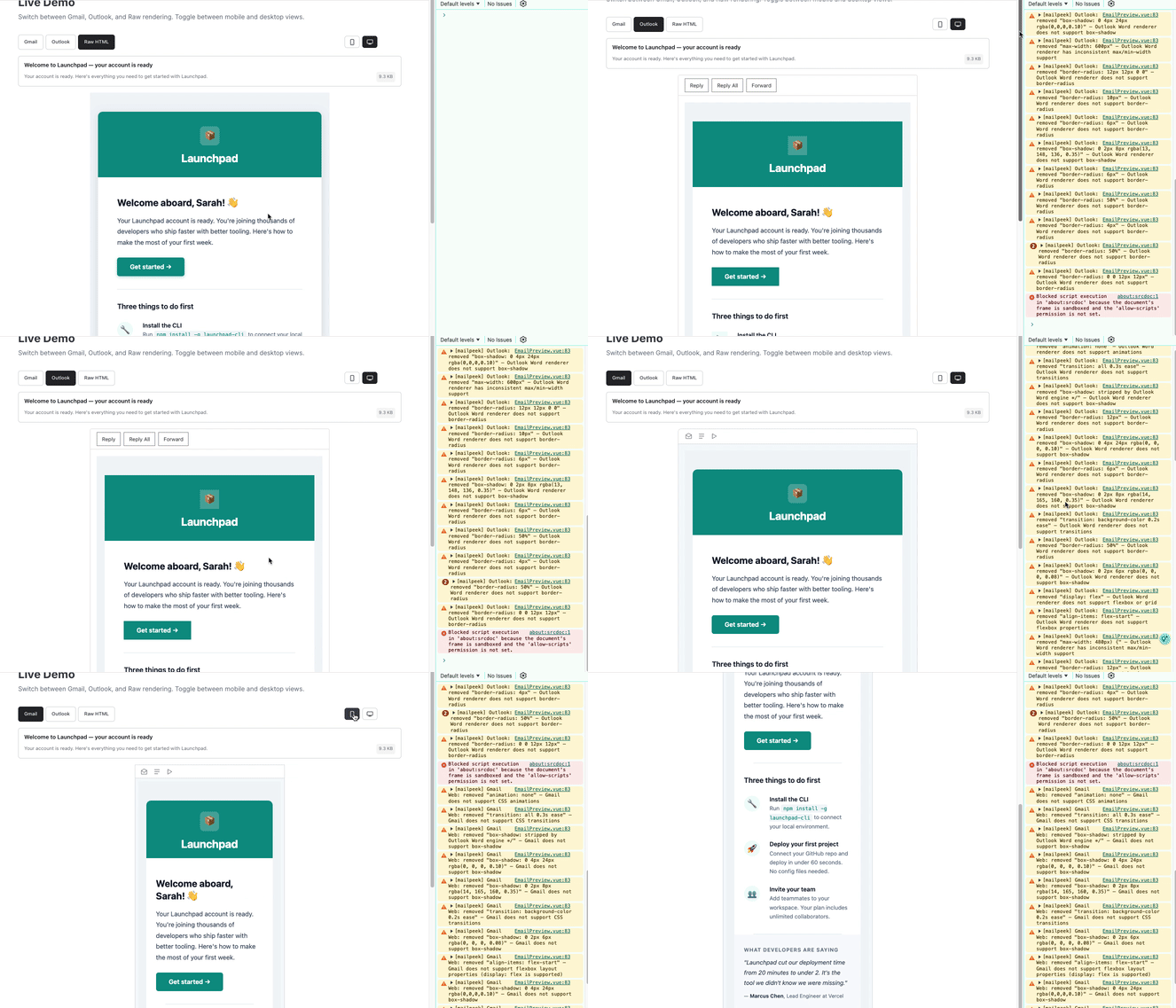
Features
- Gmail & Outlook preview - Per-client CSS filtering strips unsupported properties (
@font-face,@media, positioning, flexbox, grid, and more) - Dark mode - Preview how each client transforms your email in dark mode
- Compatibility scoring - 0-100 score with per-property breakdown of what breaks in each client
- Accessibility checker - 10 WCAG checks for alt text, heading hierarchy, link text, and colour contrast
- Device toggle - Switch between mobile and desktop viewports
- Metadata display - Subject line, preview text, and file size with Gmail 102KB clipping warning
- Zero dependencies - Vue 3 peer dep only, fully typed, SSR compatible with Nuxt 3
Installation
npm install @mailpeek/preview
Quick Start
<script setup lang="ts">
import { EmailPreview } from '@mailpeek/preview'
import '@mailpeek/preview/style.css'

const emailHtml = `
  <html>
    <head><title>Welcome to Our Service</title></head>
    <body>
      <h1>Hello!</h1>
      <p>Thanks for signing up.</p>
    </body>
  </html>
`
</script>

<template>
  <EmailPreview :html="emailHtml" />
</template>
Props
| Prop | Type | Default | Description |
|---|---|---|---|
html |
string |
undefined |
Raw email HTML to preview |
width |
string |
'600px' |
CSS width for the preview container |
client |
'gmail' | 'outlook' | 'raw' |
'gmail' |
Email client to preview |
mobile |
boolean |
false |
Enable mobile chrome variant |
deviceWidth |
'mobile' | 'desktop' |
'desktop' |
Device width preset |
darkMode |
boolean |
false |
Enable dark mode preview |
Events
| Event | Payload | Description |
|---|---|---|
loaded |
Event |
Fired when the iframe finishes loading |
client-change |
'gmail' | 'outlook' | 'raw' |
Fired when user switches email client |
device-change |
'mobile' | 'desktop' |
Fired when user changes device |
darkmode-change |
boolean |
Fired when user toggles dark mode |
CSS Filtering
When previewing in Gmail or Outlook mode, mailpeek removes unsupported CSS properties and logs warnings:
[mailpeek] Gmail Web: removed "position: fixed" — Gmail does not support CSS positioning
[mailpeek] Outlook: removed "border-radius: 4px" — Outlook Word renderer does not support border-radius
Gmail strips: position, transform, animation, transition, box-shadow, display: grid, flexbox sub-properties, @font-face, @media queries, and more. Style blocks over 8,192 characters are removed entirely.
Outlook (Word engine, 2016-2021) strips everything Gmail does, plus: border-radius, display: flex, background-size, max-width, min-width, float, and more.
Also Available
@mailpeek/components - 14 Vue components for building cross-client email HTML with server-side rendering.
mailpeek templates - 45 production-ready email templates (transactional, marketing, and reusable patterns) with typed props, dark mode, and pre-rendered HTML.
License
MIT
Related Packages
A directive developed with Vue.js that sanitizes the entered email address react...
Version History
| Version | Released | License |
|---|---|---|
| 0.1.6 | MIT | |
| 0.1.5 | MIT | |
| 0.1.4 | MIT | |
| 0.1.3 | MIT | |
| 0.1.2 | MIT | |
| 0.1.1 | MIT | |
| 0.1.0 | MIT |