@lutejka/nuxt-otel
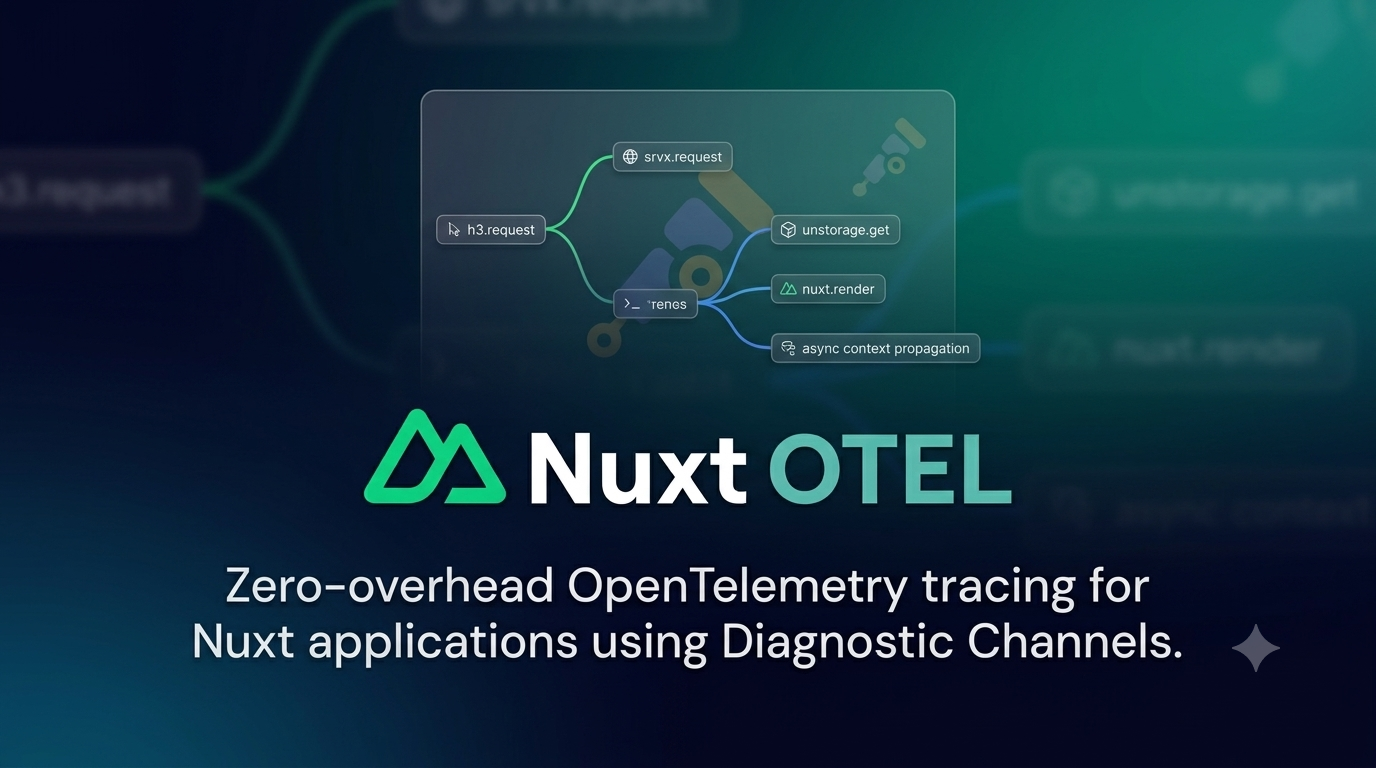


Nuxt OTel
OpenTelemetry tracing for Nuxt applications using Diagnostic Channels.
Features
- 🪡 Built on top of Node.js Diagnostic Channels for zero-overhead instrumentation
- 🎯 Automatic tracing for Nuxt renders, H3 requests, server routes, and Unstorage operations
- 🔗 Proper context propagation across async boundaries using OpenTelemetry AsyncLocalStorage
- 🚀 Lightweight — minimal overhead, no application code changes required
Background
Instrumenting Nuxt applications with OpenTelemetry traditionally requires manual span creation and management. Diagnostic Channels provide a native Node.js mechanism for hooking into internal operations with minimal overhead.
Nuxt OTel leverages these channels to automatically create OpenTelemetry spans for key Nuxt internals — renders, API requests, server route handling, and storage operations — giving you deep observability with zero application code changes.
🚀 Quick Setup
Install the module:
pnpm i @lutejka/nuxt-otel
Then add it to the modules array in your Nuxt config:
export default defineNuxtConfig({
  modules: ['@lutejka/nuxt-otel'],
})
Configuration
Module options
export default defineNuxtConfig({
  nuxtOtel: {
    // Enable built-in OpenTelemetry SDK (Node.js only)
    instrument: true,
    // Enable the OpenTelemetry panel in Vite DevTools
    devtools: true,
  },
})
Tracing channels
The tracing channels themselves are configured via the top-level tracingChannel Nuxt option:
export default defineNuxtConfig({
  tracingChannel: {
    nuxt: true, // Nuxt render lifecycle
    h3: true, // H3 request handling
    srvx: true, // Server route requests
    unstorage: true, // Storage operations
  },
})
Tracing channels are opt-in. Set tracingChannel: true to enable all channels, or false to disable all. An object enables every channel that is not explicitly set to false.
🔧 Instrumentation
The built-in SDK uses @opentelemetry/sdk-node and is designed for Node.js presets.
The module currently loads the Node.js preset whenever
instrumentis enabled, regardless of your Nitro preset. On other presets, setinstrument: falseand provide your own SDK.
Node.js
For node-server (or node_server/nodeServer), bun, or the default preset, the module adds a built-in NodeSDK instance that exports traces via OTLP. The instrumentation can be configured via OTel SDK environment variables:
| Variable | Description |
|---|---|
OTEL_TRACES_EXPORTER |
Trace exporter (otlp, console, none) |
OTEL_METRICS_EXPORTER |
Metrics exporter (otlp, console, prometheus, none) |
OTEL_LOGS_EXPORTER |
Logs exporter (otlp, console, none) |
Custom instrumentation
For presets not listed above, or when you need full control, disable the built-in setup and provide your own:
// nuxt.config.ts
export default defineNuxtConfig({
  nuxtOtel: {
    instrument: false,
  },
})
Install the OpenTelemetry packages used by the example:
pnpm add @opentelemetry/sdk-node @opentelemetry/exporter-trace-otlp-http @opentelemetry/resources @opentelemetry/semantic-conventions
// server/plugins/otel.ts
import { OTLPTraceExporter } from '@opentelemetry/exporter-trace-otlp-http'
import { resourceFromAttributes } from '@opentelemetry/resources'
import { NodeSDK } from '@opentelemetry/sdk-node'
import { ATTR_SERVICE_NAME } from '@opentelemetry/semantic-conventions'
import { defineNitroPlugin } from 'nitropack/runtime'

export default defineNitroPlugin((nitroApp) => {
  const sdk = new NodeSDK({
    resource: resourceFromAttributes({
      [ATTR_SERVICE_NAME]: 'my-nuxt-app',
    }),
    traceExporter: new OTLPTraceExporter({
      url: 'http://my-collector:4318/v1/traces',
    }),
  })

  sdk.start()

  // Flush buffered telemetry when the server shuts down.
  nitroApp.hooks.hook('close', () => sdk.shutdown())
})
You can use any exporter (Console, Jaeger, Zipkin) or add auto-instrumentations like @opentelemetry/instrumentation-http.
🧩 Server Composables
The module provides three composables for manual instrumentation in your server routes.
useOtelTracer(namespace)
Creates a tracer that wraps async operations in OpenTelemetry spans.
import { defineEventHandler } from 'h3'

export default defineEventHandler(async () => {
  const { trace } = useOtelTracer('checkout')

  const result = await trace('process-payment', async () => {
    // this runs inside an OpenTelemetry span named "checkout.process-payment"
    const payment = await processPayment()
    return payment
  })

  return result
})
useOtelLogger()
Returns an OpenTelemetry logger instance for emitting structured logs.
import { defineEventHandler } from 'h3'

export default defineEventHandler(async () => {
  const logger = useOtelLogger()

  logger.emit({
    severityNumber: 9,
    body: 'Payment processed',
    attributes: { amount: 42, currency: 'USD' },
  })
})
useOtelMeter(namespace?)
Returns an OpenTelemetry meter for recording custom metrics.
const quantity = useOtelMeter('orders').createHistogram('orders.quantity', {
  description: 'Quantity of items in completed orders',
  unit: '{item}',
})

export default defineEventHandler(async (event) => {
  const body = await readBody(event)
  const order = await placeOrder(body)

  // Histograms are rendered in DevTools as sum / count,
  // so this metric shows the average order quantity.
  quantity.record(body.quantity)

  return order
})
useOtelMeter works with counters, gauges, and histograms from the OpenTelemetry metrics API.
Spans, metrics, and logs created with these composables automatically appear in the DevTools UI when devtools are enabled.
📡 Traced Events
| Channel | Events | Required Nuxt Version |
|---|---|---|
nuxt.render |
SSR renders | >= 4.5.0 |
nuxt.island |
Island component renders | >= 4.5.0 |
nuxt.data |
Data fetching operations | >= 4.5.0 |
nuxt.plugin |
Plugin initialization | >= 4.5.0 |
h3.request |
HTTP requests via h3 | >= 5.0.0 |
srvx.request |
Server route requests | >= 5.0.0 |
srvx.middleware |
Server route middleware | >= 5.0.0 |
unstorage.* |
Storage operations (get, set, remove, etc.) | >= 5.0.0 |
🏗️ How It Works
Each traced operation follows the Diagnostic Channels lifecycle:
- Start: When an operation begins, a span is created with contextual attributes (URL, method, component name, etc.)
- Async Context: The span is bound to the current async context via
AsyncLocalStorage, ensuring child spans maintain parent relationships - End: On completion, the span is finalized with response metadata (status code, etc.)
- Error: If the operation fails, the span records the exception and marks the status as error
🖥️ DevTools UI
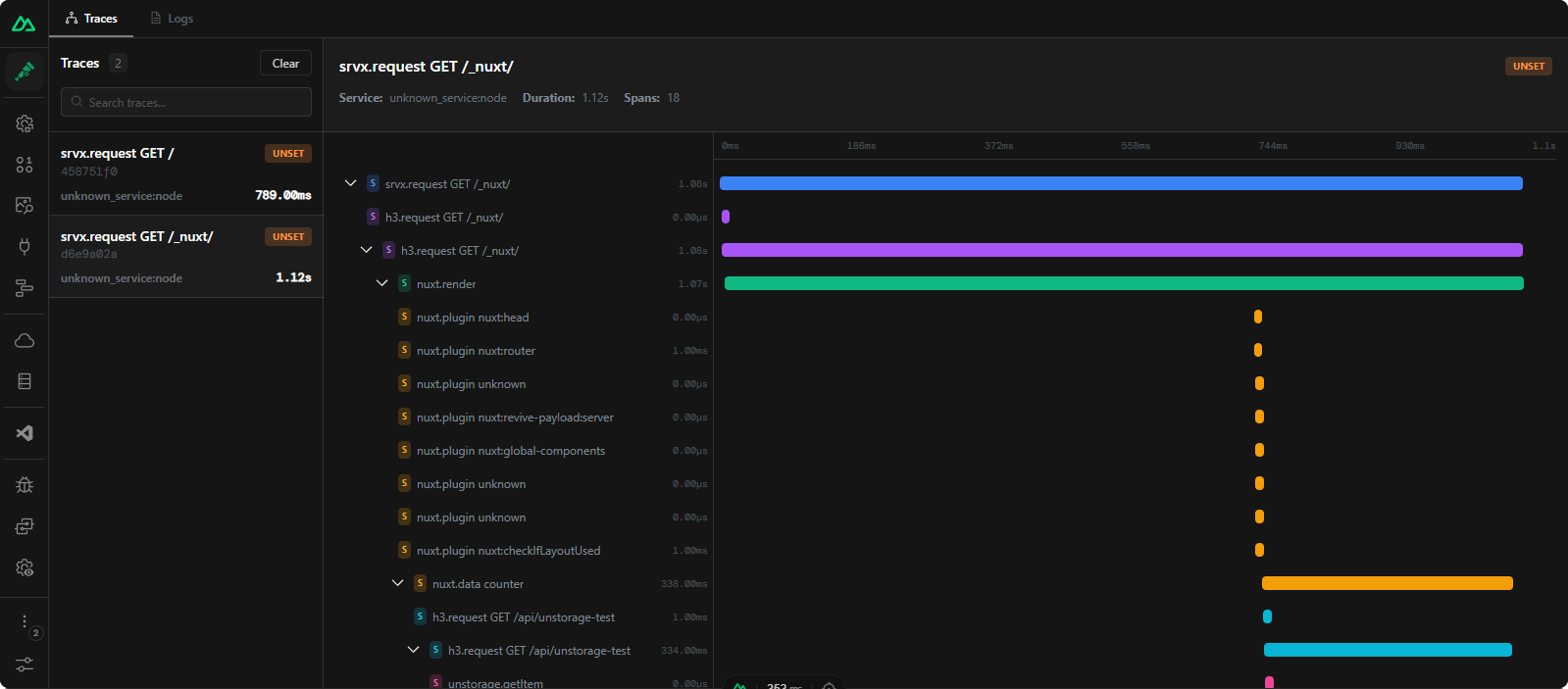
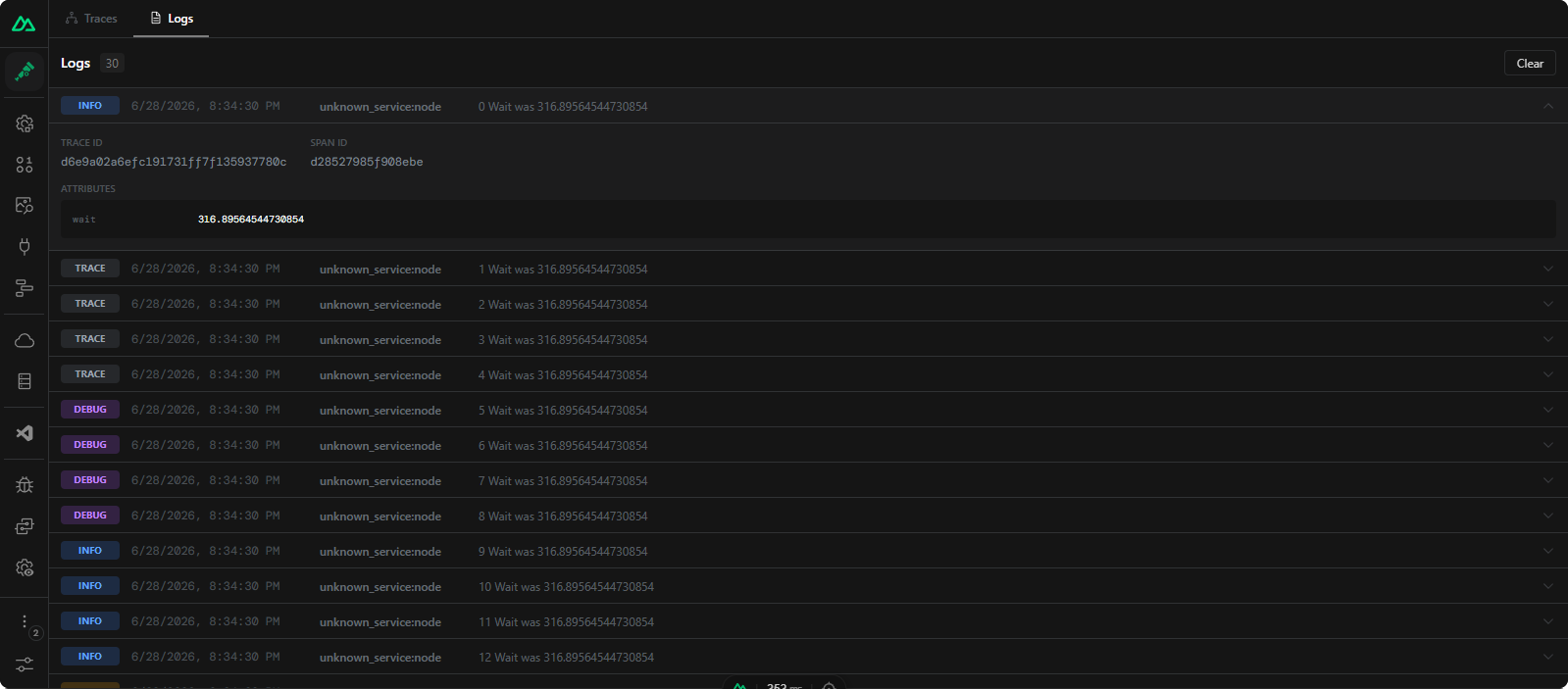
When devtools are enabled (devtools: true in nuxtOtel config), the module adds an OpenTelemetry panel to Vite DevTools for browsing traces, logs, and metrics in real time. It is powered by vite-opentelemetry-inspector.
Traces shows a resizable split panel with a trace list on the left and a waterfall timeline with span details on the right.
Logs provides a scrollable list of log entries with expandable metadata.
Metrics shows one tile per metric with its latest value, a sparkline, and a histogram chart. Histograms are displayed as their average (sum / count), so a histogram named orders.quantity reads as the average order quantity.
When using a custom instrumentation setup (i.e. instrument: false), you can still forward spans, logs, and metrics to the DevTools panel. Point your exporter at the ingest endpoint:
OTEL_EXPORTER_OTLP_ENDPOINT={devServerUrl}/__opentelemetry-ingest
The OTLP HTTP exporter appends the signal path, so traces go to {devServerUrl}/__opentelemetry-ingest/v1/traces, logs to /v1/logs, and metrics to /v1/metrics. You can also use those full URLs directly.
🔌 MCP Server
Note: The MCP integration is development-only. The OTel tools query in-memory trace, log, and metric stores that are populated during development. In production builds, the OTel-specific tools are not available.
The OpenTelemetry panel exposes agent tools (get-traces, get-trace, get-spans, get-logs, get-metrics, clear-traces, clear-logs, clear-metrics) over the devframe MCP adapter provided by vite-opentelemetry-inspector.
Prerequisites
The MCP endpoint is only mounted when the optional @devframes/agentic peer is installed. Without it, devframe logs DF0078, serves no MCP endpoint, and the terminal shows MCP server → disabled.
pnpm add -D @devframes/agentic
Endpoint
Start the dev server with DevTools enabled (nuxtOtel.devtools: true) and look for the Nuxt OTel devtools box in the terminal:
Nuxt OTel devtools:
  OTLP HTTP ingest  → http://localhost:3000/__opentelemetry-ingest
  MCP server        → http://localhost:3000/__opentelemetry/__mcp
Connect an agent
Point your MCP client at the __mcp URL as a remote server. Devframe rejects requests without a matching Origin header, so always set Origin to your dev server origin:
{
  "mcp": {
    "nuxt-otel": {
      "type": "remote",
      "url": "http://localhost:3000/__opentelemetry/__mcp",
      "headers": {
        "Origin": "http://localhost:3000"
      },
      "enabled": true
    }
  }
}
If your dev server runs on a different port or host, update both url and the Origin header to match it.
Available tools
| Tool | Description |
|---|---|
get-traces |
Retrieve all collected OpenTelemetry traces |
get-trace |
Retrieve a single trace and its spans by trace_id |
get-spans |
Retrieve collected spans, optionally filtered by trace_id |
get-logs |
Retrieve all collected OpenTelemetry logs |
clear-traces |
Clear all collected traces and spans |
clear-logs |
Clear all collected logs |
- Endpoint shows
disabled— install@devframes/agenticas a dev dependency and restart the dev server. - Request rejected or forbidden — set the
Originheader to your exact dev server origin (scheme + host + port). - Empty traces or logs — load a page in the browser first so the in-memory stores are populated, then query again.
⛰️ Next Steps
- 📖 Explore the OpenTelemetry Documentation
⚖️ License
Licensed under the MIT license.
Contribution
Local development
# Install dependencies
pnpm install

# Generate type stubs
pnpm dev:prepare

# Develop with the playground
pnpm dev

# Build the playground
pnpm dev:build

# Run ESLint
pnpm lint

# Run Vitest
pnpm test
pnpm test:watch

# Release new version
pnpm release
Related Packages
A Nuxt module for observability: debug server, health checks, and Prometheus met...
Version History
| Version | Released | License |
|---|---|---|
| 0.4.1 | MIT | |
| 0.4.0 | MIT | |
| 0.2.0 | MIT | |
| 0.1.12 | MIT | |
| 0.1.11 | MIT | |
| 0.1.9 | MIT | |
| 0.1.8 | MIT | |
| 0.1.7 | MIT | |
| 0.1.6 | MIT | |
| 0.1.5 | MIT | |
| 0.1.4 | MIT | |
| 0.1.0 | MIT |