@kaveraa/keycloak-sanctum-vue
| Install | |
|---|---|
npm install @kaveraa/keycloak-sanctum-vue |
|
| Latest Version: | 1.1.0 |
| Vue: | 3 |
| License: | MIT |
| Last Updated: | Oct 21, 2026 |
| Links: | GitHub · npm |
Keycloak Sanctum Vue




English - Français
Vue 3 client for Keycloak login (SSO) with a Laravel API. It is the front-end part of the PHP package kaveraa/laravel-keycloak-sanctum.
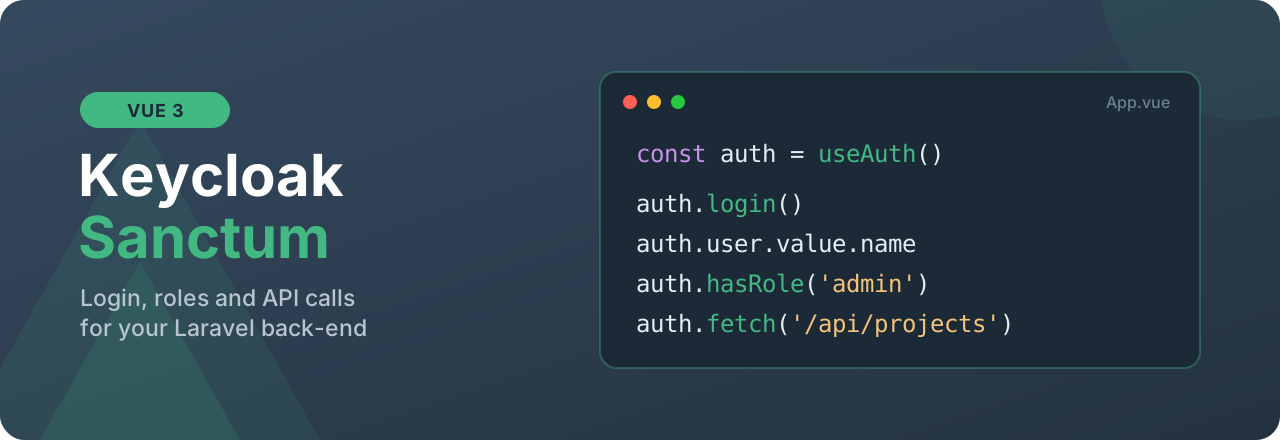
const auth = useAuth()

auth.login()                     // Keycloak login
auth.user.value                  // logged-in user
auth.hasRole('admin')            // roles
auth.fetch('/api/projects')      // API calls with the token
auth.logout()                    // logout (API + Keycloak)
- Ready to use: a Vue plugin, a
useAuth()composable, a guard for vue-router. - Reactive:
user,roles,isAuthenticatedare Vuerefs, you can use them directly in templates. - Secure: the token is only sent to your API, never to another site. The return page after login cannot send the user to an external site.
- Several tabs: a login or a logout in one tab is followed by the other tabs.
- Inactivity (optional): automatic logout, with a warning before.
- fetch or axios: built-in
auth.fetch(), orattachAxios()for an existing axios instance. - Small: no dependency except Vue. Written in TypeScript.
Contents
- Requirements
- Installation
- Setup
- Return page after login
- Protect pages
- Call the API
- User and roles
- Logout
- Inactivity
- All options
- TypeScript
- Security
- Development
Requirements
- Vue 3.3+ (and vue-router 4 or 5 for the navigation guard, optional).
- A Laravel API with kaveraa/laravel-keycloak-sanctum. In its
.env, the return page must point to the front-end:
KEYCLOAK_SANCTUM_FRONTEND_CALLBACK_URL=https://app.example.org/login/callback
Installation
npm install @kaveraa/keycloak-sanctum-vue
Setup
// src/auth.js
import { createKeycloakSanctum } from '@kaveraa/keycloak-sanctum-vue'

export const auth = createKeycloakSanctum({
  apiUrl: import.meta.env.VITE_API_URL, // https://api.example.org
})
// src/main.js
import { createApp } from 'vue'
import App from './App.vue'
import router from './router'
import { auth } from './auth'

createApp(App).use(router).use(auth).mount('#app')
In any component:
<script setup>
import { useAuth } from '@kaveraa/keycloak-sanctum-vue'

const auth = useAuth()
</script>

<template>
  <button v-if="!auth.isAuthenticated.value" @click="auth.login()">Log in</button>
  <span v-else>Hello {{ auth.user.value.name }}</span>
</template>
You can also use the auth object from src/auth.js outside components: router, Pinia stores, services.
Return page after login
After the Keycloak login, the API redirects to the front-end page with ?code=.... This page exchanges the code for the token:
<!-- src/views/LoginCallback.vue (route /login/callback) -->
<script setup>
import { onMounted, ref } from 'vue'
import { useRouter } from 'vue-router'
import { useAuth } from '@kaveraa/keycloak-sanctum-vue'

const auth = useAuth()
const router = useRouter()
const error = ref(null)

const messages = {
  access_denied: 'Login cancelled.',
  user_not_found: 'Your account has no access to this application.',
  no_role: 'You have no role in this application.',
}

onMounted(async () => {
  const result = await auth.handleCallback()

  if (result.ok) {
    router.replace(result.returnTo ?? '/')
  } else {
    error.value = messages[result.error] ?? 'Login failed, please try again.'
  }
})
</script>

<template>
  <p v-if="error">{{ error }} <button @click="auth.login()">Try again</button></p>
  <p v-else>Logging in...</p>
</template>
Error (result.error) |
Meaning |
|---|---|
access_denied |
The user cancelled in Keycloak |
user_not_found |
User unknown to the application (automatic creation turned off in the API) |
no_role |
No role, but the API needs one |
invalid_token, authentication_failed |
Login problem with Keycloak |
invalid_code |
Code expired or already used (page reloaded, for example) |
missing_code |
Page opened without ?code= |
network_error |
The API does not answer |
Protect pages
Add requiresAuth or roles in the route meta, then the guard:
// src/router.js
import { createRouter, createWebHistory } from 'vue-router'
import { createAuthGuard } from '@kaveraa/keycloak-sanctum-vue'
import { auth } from './auth'

const router = createRouter({
  history: createWebHistory(),
  routes: [
    { path: '/', component: Home },
    { path: '/login', name: 'login', component: Login },
    { path: '/login/callback', component: LoginCallback },
    { path: '/projects', component: Projects, meta: { requiresAuth: true } },
    { path: '/admin', component: Admin, meta: { roles: ['admin'] } }, // roles means requiresAuth too
  ],
})

router.beforeEach(createAuthGuard(auth, { loginRoute: { name: 'login' } }))

export default router
- User not logged in: sent to
loginRoutewith?redirect=/requested-page. On this page,auth.login(route.query.redirect)brings the user back to the right place after login. - Without
loginRoute: the Keycloak login starts directly. - Missing role: the navigation is cancelled, or the user is sent to
forbiddenRouteif you set it. - The
metaof parent routes also apply to child routes.
Call the API
With fetch: auth.fetch() adds the token, and paths that start with / go to apiUrl.
const response = await auth.fetch('/api/projects')
const projects = await response.json()

await auth.fetch('/api/projects', { method: 'POST', body: JSON.stringify(data), headers: { 'Content-Type': 'application/json' } })
With axios:
import axios from 'axios'
import { attachAxios } from '@kaveraa/keycloak-sanctum-vue'
import { auth } from './auth'

export const api = attachAxios(auth, axios.create({ baseURL: import.meta.env.VITE_API_URL }))

const { data } = await api.get('/api/projects')
In both cases, a 401 answer from the API (expired token, logout from Keycloak, inactivity) clears the session and calls onUnauthenticated:
export const auth = createKeycloakSanctum({
  apiUrl: import.meta.env.VITE_API_URL,
  onUnauthenticated: () => router.push({ name: 'login' }),
})
User and roles
| Property / method | Use |
|---|---|
auth.isAuthenticated.value |
true if there is a token |
auth.user.value |
User sent by the API, or null |
auth.roles.value |
Roles of the user ([] if none) |
auth.token.value |
Sanctum token, or null |
auth.hasRole('admin', 'editor') |
Has at least one of the roles |
auth.hasAllRoles('admin', 'editor') |
Has all the roles |
auth.fetchUser() |
Reloads the user from the API (GET /sso/user) |
In templates, $auth is also available:
<button v-if="$auth.hasRole('admin')">Administration</button>
Logout
await auth.logout()
logout() deletes the token in the API, clears the local session, then redirects to the Keycloak logout. So the SSO session is closed too. With auth.logout({ redirect: false }), there is no redirect and the Keycloak logout address is returned.
Inactivity
export const auth = createKeycloakSanctum({
  apiUrl: import.meta.env.VITE_API_URL,
  inactivity: { warnBefore: 60 }, // delay read from the API (KEYCLOAK_SANCTUM_IDLE_TIMEOUT)
  // inactivity: { timeout: 30 }, // or a fixed delay, in minutes
  onUnauthenticated: () => router.push({ name: 'login' }),
})
With no mouse, keyboard, scroll or touch during the delay, the user is logged out and onUnauthenticated is called. Activity in one tab counts for all tabs.
Show a warning:
<script setup>
import { useAuth } from '@kaveraa/keycloak-sanctum-vue'

const { inactivity } = useAuth()
</script>

<template>
  <div v-if="inactivity?.warning.value" class="alert">
    Logout in {{ inactivity.secondsLeft.value }} seconds.
    <button @click="inactivity.touch()">Stay logged in</button>
  </div>
</template>
All options
| Option | Default | Use |
|---|---|---|
apiUrl |
'' (same domain) |
Address of the Laravel API |
prefix |
'/sso' |
Prefix of the Laravel package routes |
storage |
'local' |
'local' (keeps the session), 'session' (one tab), 'memory' (nothing is kept), or an object compatible with Storage |
storageKey |
'keycloak-sanctum' |
Key used in the storage |
onUnauthenticated |
- | Called when the session ends (401, inactivity) |
inactivity |
false |
{ timeout?, warnBefore?, events? } |
fetch |
window.fetch |
fetch function to use |
TypeScript
The package is written in TypeScript. Give the shape of your user:
interface User {
  id: number
  name: string
  email: string
  roles: string[]
}

export const auth = createKeycloakSanctum<User>({ apiUrl: import.meta.env.VITE_API_URL })

const auth = useAuth<User>()
auth.user.value?.email // typed
The vue-router meta (requiresAuth, roles) are typed too.
Security
- The token is only sent to the API:
auth.fetch()andattachAxios()only add it to requests to theapiUrldomain. - Return page:
login(returnTo)only accepts paths of the site (/...). An external address is ignored. - Storage: with
'local'(the default), the token is kept inlocalStorage, like most SPAs. So a script injected in the page (XSS) can read it. Protect your front-end against XSS (nov-htmlwith user data, Content-Security-Policy header). To reduce the risk, use'session'or'memory', and a short token lifetime in the API (KEYCLOAK_SANCTUM_TOKEN_EXPIRATION). - The Keycloak tokens are checked in the API, by the Laravel package.
To report a security problem, open a private security advisory, not a public issue.
Development
git clone https://github.com/kaveraa/keycloak-sanctum-vue.git
cd keycloak-sanctum-vue
npm install
npm test
npm run build
To propose a change, read the CONTRIBUTING.md guide. See the CHANGELOG for the list of versions.
License
MIT. See LICENSE.
Related Packages
Nuxt module for Cbox ID — drop-in sign-in / callback / sign-out routes and sessi...
Nuxt 4 module for OIDC/SSO authentication with Laravel Passport or any OIDC prov...
Nuxt 3 module for easy Laravel Sanctum authentication, offering CSRF token manag...
Version History
| Version | Released | Vue | License |
|---|---|---|---|
| 1.1.0 | ^3.3.0 | MIT | |
| 1.0.3 | ^3.3.0 | MIT | |
| 1.0.2 | ^3.3.0 | MIT | |
| 1.0.1 | ^3.3.0 | MIT | |
| 1.0.0 | ^3.3.0 | MIT |