@ispa.io/vrcode
| Install | |
|---|---|
npm install @ispa.io/vrcode |
|
| Latest Version: | 1.5.0 |
| Vue: | 2 |
| License: | MIT |
| Last Updated: | Nov 6, 2022 |
| Links: | GitHub · npm |
vrcode (Vue QR Code)





A Vue component to generate QR Code and download.
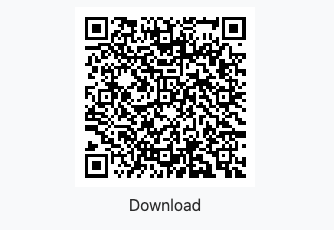
Table of contents
Getting started
Install
npm i @ispa.io/vrcode     // npm
yarn add @ispa.io/vrcode  //  yarn
Usage
import Vue from 'vue';
import vrcode from '@ispa.io/vrcode'

Vue.component('vrcode', vrcode);
Example
<vrcode
  :download="{
    text: 'Download',
    filename: 'file-name.png',
    visible: true, type: 'image/png'
  }"
  value="A Vue component to generate QR Code and download."
  :options="{
    size: 200,
    level: 'Q'
  }"
></vrcode>
Props
value
- Type:
StringorObject - Default:
undefined
The value of the QR code. Object type used for some helpers tool below.
download
Passing download props, to show download button, it support:
-
Type:
Object -
text- button inner text -
visible- setting download button visible or not -
style- setting download button style -
class- setting download button class name -
type- image type, such as image/png; use mime type for exactly force download -
filename- file name to download
You can only download the qrcode to image by using type: canvas
type
- Type:
String - Default:
'canvas'
You can use canvas or svg. But SVG not support to download now.
transparent
- Type:
Boolean - Default:
false
Transparent background for canvas and download png image. If transparent is setted, background option will not work.
Notes: If after you run npm update but the QR Code not generate transparent background, please run npm clean-install and run build again.
logo
- Type:
String - Default:
null
Your Brand Logo URL.
opacity
- Type:
Number - Default:
100
Opacity of Logo, by default 100 ~ opacity: 1. We will division this number to 100 and set opacity to it.
options
-
Type:
Object -
Values:
-
level- Type:
String - Default:
'L'
Possible levels are shown below:
Level Error resistance L (Low) ~7% M (Medium) ~15% Q (Quartile) ~25% H (High) ~30% - Type:
-
padding- Type:
Number - Default:
10
This is padding border of image (Because users is difficult to scan with dark mode/dark background, so we need a white padding/border)
- Type:
-
background- Type:
String - Default:
'#fff'
- Type:
-
foreground- Type:
String - Default:
'#000'
- Type:
-
className- Type:
String - Default:
''
- Type:
-
Helpers
What are helpers?
Helpers are an easy way to create QrCodes that cause a reader to perform a certain action when scanned.
This helper generates an e-mail qrcode that is able to fill in the e-mail address, subject, and body.
<vrcode
  :value="{
    address: 'email@example.com',
    subject: 'Hello',
    body: 'This is body'
  }"
  helpers="email"
></vrcode>
Call a number
This helper generates a QrCode that can be scanned and then dials a number.
<vrcode
  value="+1 98-765-43-21"
  helpers="call"
></vrcode>
SMS (Text Messages)
This helper makes SMS messages that can be prefilled with the send to address and body of the message.
<vrcode
  :value="{
    number: '+1 98-765-43-21',
    message: 'Hello, this message can be null'
  }"
  helpers="sms"
></vrcode>
Geo
This helper generates a latitude and longitude that a phone can read and opens the location in Google Maps or similar app.
<vrcode
  :value="{
    lng: 10.7800965,
    lat: 106.6854548,
    name: 'QR Guiding'
  }"
  helpers="geo"
></vrcode>
Wifi
This helpers makes scannable QrCodes that can connect a phone to a WiFI network.
<vrcode
  :value="{
    encrypt: 'WPA',
    ssid: 'Your SSID or Network Name',
    password: 'Your-Wifi-Password',
    hidden: true
  }"
  helpers="wifi"
></vrcode>
encrypt:WPA,WEPor can benullhidden:trueorfalse
Coin Wallet Address
This helper generates a scannable bitcoin (and other coins) to send payments.
<vrcode
  :value="{
    coin: 'ethereum',
    address: '0x0000000000000000000000000000000000000000',
    amount: 0.00,
    message: 'Hello world'
  }"
  helpers="coin"
></vrcode>
coin: default isbitcoin, you can change it by your own coin code (ethereum,bitcoincash,dash...)coin,address,amounthas requiredmessagehas not required.
Event
This helper generates a scannable event tag to add into calendar events.
<vrcode
  :value="{
    name: 'Event name',
    allDay: false,
    start: '20200702T080000Z',
    end: '20200702T2030000Z',
    location: 'Event location',
    description: 'Event descriptions'
  }"
  helpers="event"
></vrcode>
allDay: if settrue=> start and end has format:20200702startandend: timezone is UTC
meCard AND vCard
This helpers makes scannable QrCodes that add to contact list. You can use mecard or vcard. Notes that mecard has not title value.
<vrcode
  :value="{
    name: 'Your name',
    company: 'Your company name',
    phone: 'Your Phone number',
    url: 'Your Website Url',
    email: 'Your Email address',
    address: 'Your Address',
    title: 'Your Title',
    note: 'Your Notes'
  }"
  helpers="vcard"
></vrcode>
Milestone
- Transparent background (Finished at 2020-08-08)
- PNG transparent background download (Finished at 2020-08-08)
- With centered logo (Finished at 2020-08-28)
Versioning
Maintained under the Semantic Versioning guidelines.
License
Invite me a cup of coffee
If you like this project and want to contribute us, then you can send us a cup of coffee by this ways below:
| PAYPAL.ME | MOMO App (Vietnam) |
|---|---|
 |
 |
Related Packages
Version History
| Version | Released | Vue | License |
|---|---|---|---|
| 1.5.0 | ^2.0.0 | MIT | |
| 1.4.1 | ^2.0.0 | MIT | |
| 1.4.0 | ^2.0.0 | MIT | |
| 1.3.6 | ^2.0.0 | MIT | |
| 1.3.5 | ^2.0.0 | MIT | |
| 1.3.4 | ^2.0.0 | MIT | |
| 1.3.3 | ^2.0.0 | MIT | |
| 1.3.2 | ^2.0.0 | MIT | |
| 1.2.8 | ^2.0.0 | MIT | |
| 1.2.7 | ^2.0.0 | MIT | |
| 1.2.5 | ^2.0.0 | MIT | |
| 1.2.4 | ^2.0.0 | MIT | |
| 1.2.3 | ^2.0.0 | MIT | |
| 1.2.2 | ^2.0.0 | MIT |
Pre-releases (3)
| Version | Released | Vue | License |
|---|---|---|---|
| 1.3.6-readme | ^2.0.0 | MIT | |
| 1.2.3-main | ^2.0.0 | MIT | |
| 1.2.2-readme | ^2.0.0 | MIT |