@git-stats-components/vue
@git-stats-components/vue
Beautiful contribution graphs for Vue 3


Demo
Installation
npm install @git-stats-components/vue
Quick Start
<script setup>
import { ContributionGraph, StatsBreakdown } from '@git-stats-components/vue'
import '@git-stats-components/vue/style.css'
</script>

<template>
  <div>
    <ContributionGraph data-url="/data/git-stats.json" color-scheme="green" />
    <StatsBreakdown data-url="/data/git-stats.json" />
  </div>
</template>
Components
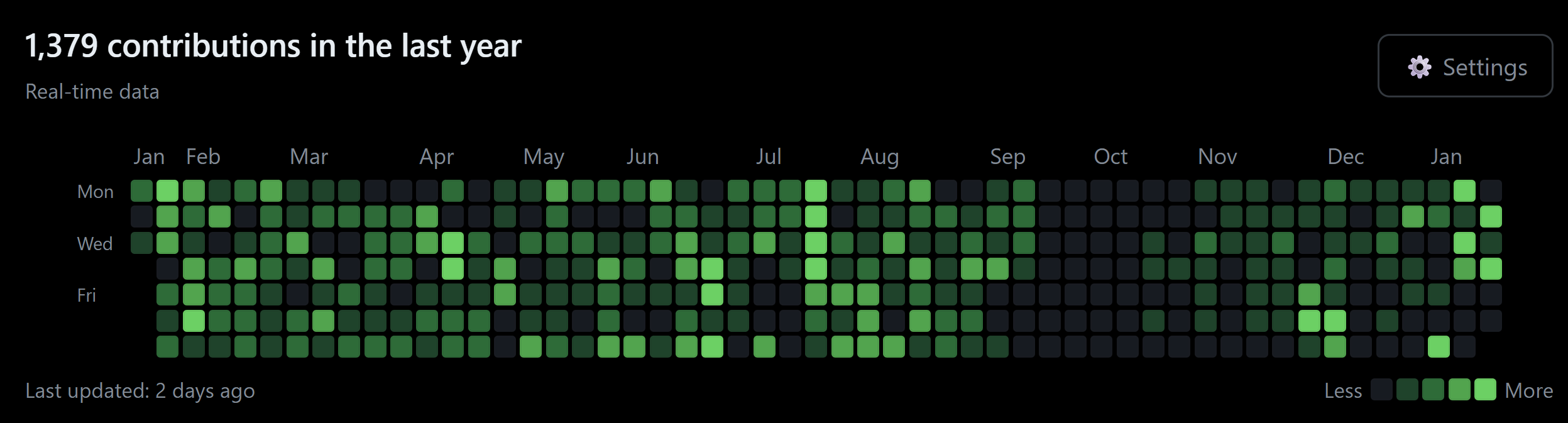
ContributionGraph
GitHub-style contribution heatmap.
Props:
dataUrl(string) - Path to stats JSON file (default:/data/git-stats.json)profileIndex(number) - Which profile to display (default: 0)colorScheme('green' | 'blue' | 'purple' | 'orange') - Color theme (default: 'green')showSettings(boolean) - Show color scheme dropdown (default: true)cacheTTL(number) - Cache duration in milliseconds
Events:
@day-click- Emitted when a day is clicked ({ date: string, count: number })@color-scheme-change- Emitted when color scheme changes
Example:
<template>
  <ContributionGraph
    data-url="/data/git-stats.json"
    :profile-index="0"
    color-scheme="blue"
    :show-settings="true"
    @day-click="handleDayClick"
    @color-scheme-change="handleColorChange"
  />
</template>

<script setup>
const handleDayClick = (data) => {
  console.log('Clicked:', data)
}

const handleColorChange = (scheme) => {
  console.log('Color scheme:', scheme)
}
</script>
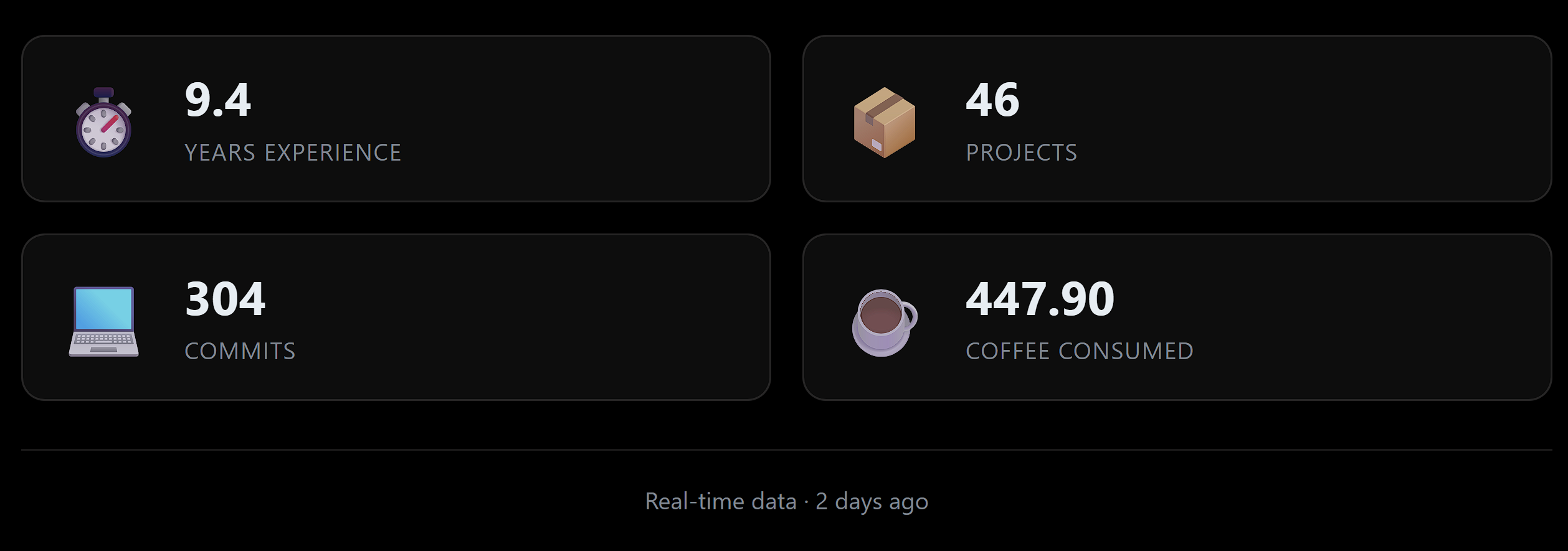
StatsBreakdown
Project and commit count statistics.
Props:
dataUrl(string) - Path to stats JSON fileprofileIndexes(number[]) - Which profiles to aggregate (default: [])experienceData(ExperienceEntry[]) - Work experience for years calculationshowCustomStat(boolean) - Show custom stat (default: true)customStatCalculator(function) - Custom stat calculation function
Slots:
icon-experience- Custom icon for experience staticon-projects- Custom icon for projects staticon-commits- Custom icon for commits staticon-custom- Custom icon for custom statcustom-stat-label- Custom label for custom stat
Example:
<script setup>
const experienceData = [
  {
    startDate: '2020-01-01',
    endDate: null, // current
    skills: ['JavaScript', 'Vue', 'TypeScript']
  }
]

function calculatePizzas({ projects, commits, years }) {
  return (projects * 2 + commits * 0.5 + years * 100).toFixed(0)
}
</script>

<template>
  <StatsBreakdown
    data-url="/data/git-stats.json"
    :experience-data="experienceData"
    :show-custom-stat="true"
    :custom-stat-calculator="calculatePizzas"
  >
    <template #icon-custom>🍕</template>
    <template #custom-stat-label>Pizzas Ordered</template>
  </StatsBreakdown>
</template>
Composable
Access data and state directly with the useGitStats composable:
<script setup>
import { useGitStats } from '@git-stats-components/vue'

const { data, loading, error, dataSourceText, lastUpdatedText, isDummy } = useGitStats({
  dataUrl: '/data/git-stats.json',
  cacheTTL: 3600000, // 1 hour
  useStaleCache: true
})
</script>

<template>
  <div v-if="loading">Loading...</div>
  <div v-else-if="error">Error: {{ error.message }}</div>
  <div v-else>
    <p>{{ dataSourceText }}</p>
    <p>{{ lastUpdatedText }}</p>
    <pre>{{ JSON.stringify(data, null, 2) }}</pre>
  </div>
</template>
TypeScript Support
Full TypeScript support with exported types:
import type {
  GitStatsData,
  ColorScheme,
  Platform,
  ExperienceEntry,
  CustomStatCalculator
} from '@git-stats-components/vue'

const colorScheme: ColorScheme = 'green'

const experienceData: ExperienceEntry[] = [
  {
    startDate: '2020-01-01',
    endDate: null,
    skills: ['JavaScript', 'Vue', 'TypeScript']
  }
]

const customCalculator: CustomStatCalculator = ({ projects, commits, years }) => {
  return (projects * 2 + commits * 0.5).toFixed(0)
}
Plugin Usage
Register globally in your Vue app:
import { createApp } from 'vue'
import VueGitStats from '@git-stats-components/vue'
import '@git-stats-components/vue/style.css'
import App from './App.vue'

const app = createApp(App)
app.use(VueGitStats)
app.mount('#app')
Then use without imports:
<template>
  <ContributionGraph data-url="/data/git-stats.json" />
  <StatsBreakdown data-url="/data/git-stats.json" />
</template>
Nuxt 3
<script setup lang="ts">
import { ContributionGraph, StatsBreakdown } from '@git-stats-components/vue'
import '@git-stats-components/vue/style.css'

const experienceData = [
  {
    startDate: '2020-01-01',
    endDate: null,
    skills: ['JavaScript', 'Vue', 'Nuxt']
  }
]
</script>

<template>
  <div>
    <ContributionGraph data-url="/data/git-stats.json" />
    <StatsBreakdown data-url="/data/git-stats.json" :experience-data="experienceData" />
  </div>
</template>
Styling
Override CSS variables for custom theming:
.git-contribution-graph {
  --graph-bg: #0d1117;
  --graph-text: #e6edf3;
  --graph-border: #30363d;
}

/* Or target specific classes */
.contribution-day.level-4.green {
  background-color: #00ff00 !important;
}
Setup
Quick Setup
Initialize in your project:
npx @git-stats-components/vue init
This creates:
git-stats.config.js- Configuration file.github/workflows/update-git-stats.yml- GitHub Action workflowpublic/data/- Directory for stats data
Configuration
Edit git-stats.config.js:
export default {
  profiles: [
    {
      username: 'your-github-username',
      platform: 'github',
      tokenSecret: 'GITHUB_TOKEN'
    }
  ],
  dataPath: 'public/data/git-stats.json',
  schedule: '0 2 * * *' // Daily at 2 AM UTC
}
Add Secrets
Go to Settings → Secrets and variables → Actions and add your tokens.
That's it! The GitHub Action will fetch your stats daily.
For more details, see the main git-stats-components repository.
License
MIT © Derek Johnston
Related Packages
Vue 3 component and composable for GitHub/GitLab contribution heatmaps
GitHub contributions rendered as glowing three.js bars, standalone or as a space...
Version History
| Version | Released | Vue | License |
|---|---|---|---|
| 1.1.1 | ^3.3.0 | MIT | |
| 1.1.0 | ^3.3.0 | MIT | |
| 1.0.7 | ^3.3.0 | MIT | |
| 1.0.5 | ^3.3.0 | MIT | |
| 1.0.4 | ^3.3.0 | MIT | |
| 1.0.3 | ^3.3.0 | MIT | |
| 1.0.2 | ^3.3.0 | MIT | |
| 1.0.1 | ^3.3.0 | MIT | |
| 1.0.0 | ^3.3.0 | MIT |