@flattype/vue

Flatten API JSON. Get typed models. Save space and tokens.
A tiny TypeScript toolkit that turns backend responses into compact key: value text and maps them to typed models, for any frontend framework and for LLMs such as Claude.





Documentation · Playground · Quick start · Format · Spec · Models · HTTP · React · Vue · Angular · Svelte & Solid · Claude & LLMs · CLI · Benchmarks · Changelog · Roadmap
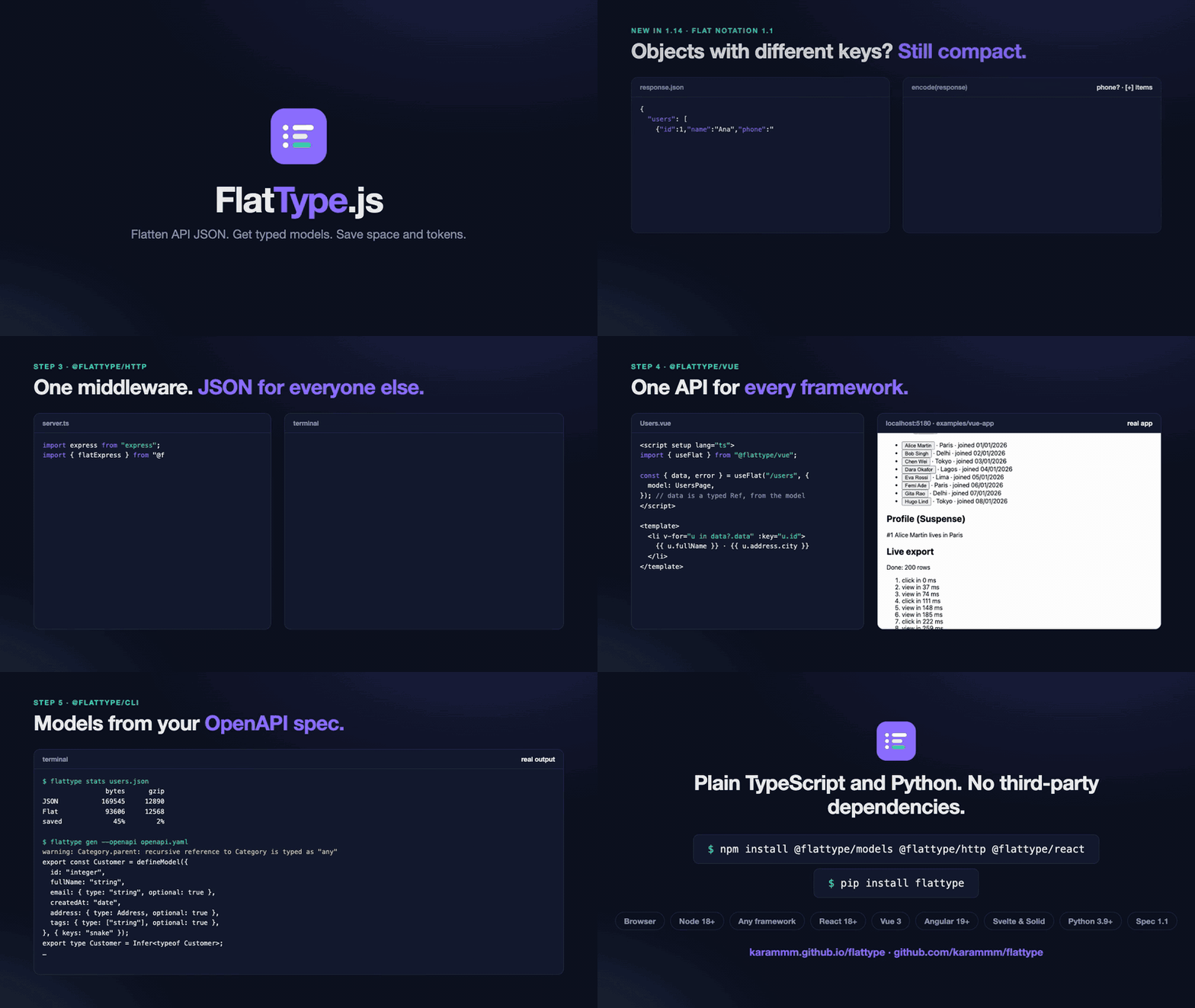
▶ Watch the 92-second intro in full quality. Every result shown is real output, generated by scripts/video/record.mjs.
Quick start
npm install @flattype/core @flattype/models @flattype/http
import { encode, decode } from "@flattype/core";

encode({ name: "John", age: 30, city: "New York" });
// name: John
// age: 30
// city: New York

decode("name: John\nage: 30"); // { name: "John", age: 30 }
No bundler? One script tag puts everything on a FlatType global:
<script src="https://cdn.jsdelivr.net/npm/@flattype/core@1"></script>
<script>
  FlatType.encode({ name: "John" }); // "name: John"
</script>
Lists, the shape of most API responses, become tables. Keys are written once, and nested objects become dot paths:
encode({
  page: 1,
  users: [
    { id: 1, name: "Alice", address: { city: "Paris" } },
    { id: 2, name: "Bob", address: { city: "Delhi" } },
  ],
});
// page: 1
// users[2]{id,name,address.city}:
//   1, Alice, Paris
//   2, Bob, Delhi
Map the response to typed models in one line:
import { defineModel, type Infer } from "@flattype/models";

const User = defineModel({ id: "number", fullName: "string", createdAt: "date" });
type User = Infer<typeof User>; // { id: number; fullName: string; createdAt: Date }

const users = User.parseList(await res.json()); // full_name → fullName, ISO string → Date
Or let both ends speak Flat Notation, with JSON for every other client:
import { flatExpress, flatFetch } from "@flattype/http";

app.use(flatExpress()); // server: res.json() answers in Flat Notation when the client asks

const users = await flatFetch("/api/users", { model: User, list: true }); // client: User[]
And in React, Vue, Angular, Svelte or Solid:
import { useFlat } from "@flattype/react"; // or "@flattype/vue": the same API, with refs

const { data: users, loading, error } = useFlat("/api/users", { model: User, list: true }); // User[] | undefined

// Angular: signals on top of HttpClient
users = flatResource(() => "/api/users", { model: User, list: true }); // users.value(): User[] | undefined

// Svelte: a store, $users.data; Solid: a resource
const users = flatStore("/api/users", { model: User, list: true });
const [users] = createFlatResource(() => "/api/users", { model: User, list: true });
Why FlatType
- About half the size on list payloads. A list of 1,000 users is 45% smaller than minified JSON and 50% smaller than TOON, because keys are written once and nested fields are flattened into the table header.
- Made for LLM context. You pay for every character you send to Claude or another model. Flat Notation is plain
key: valuetext that both models and people read easily, anddecode(text, { strict: false })recovers data from model replies, with a warning for every line it had to repair. - Typed models without boilerplate. Declare the fields you want and get full TypeScript types. snake_case keys, numeric strings, ISO dates, defaults and nullable fields are handled for you, and every problem is reported with its path.
- Drop-in for your API. One middleware for Express, Fastify, Hono or any fetch-API server. Clients that ask get Flat Notation, everyone else still gets JSON, and big lists can be streamed row by row.
- Lossless.
decode(encode(x))always equalsJSON.parse(JSON.stringify(x)). Thousands of random values check this on every test run. - Small and safe. The core is 6.2 KB min+gz, with no third-party dependencies. It's ESM + CJS with full types, works in the browser and Node 18+, and guards against
__proto__pollution.
When JSON is the better choice
- One small object per request. Gzip already removes most of JSON's overhead on the wire, so a three-field object saves only a few bytes. The savings come from lists.
- Data that only machines read and you don't control both ends. Every JSON tool understands JSON. Flat Notation pays off where you own the client and server, or where the text goes to an LLM.
- Mixing the two formats in one value. Decode Flat Notation with
decodeand JSON withJSON.parse; a JSON string inside a Flat Notation value is just a string.
Packages
| Package | What it does | Size (min+gz) |
|---|---|---|
@flattype/core |
encode, decode, createDecoder, flatten, unflatten, stats, and a <script> build for CDNs |
6.2 KB |
@flattype/models |
defineModel, infer, toSource: typed models from JSON or Flat Notation |
+3.2 KB |
@flattype/http |
flatFetch, createClient, flatAxios, streamRows, and flatExpress / flatFastify / flatHono |
+2.3 KB |
@flattype/react |
useFlat, useFlatSuspense, useFlatStream, useModel, FlatProvider |
+1.4 KB |
@flattype/vue |
The same composables for Vue 3, with reactive URLs, plus the createFlat() plugin |
+1.2 KB |
@flattype/angular |
flatInterceptor for HttpClient, the signal-based flatResource / flatStream, the flatModel pipe |
+1.8 KB |
@flattype/svelte |
Svelte stores (flatStore, flatStreamStore, modelStore), and /solid with createFlatResource / createFlatStream |
+1.1 KB / +0.9 KB |
@flattype/ai |
toPrompt, fromModelOutput, countTokens, and MCP / Claude tool results |
+1.3 KB |
@flattype/cli |
The flattype command: encode, decode, stats, and gen (models from samples or OpenAPI) |
Node tool |
@flattype/shared |
Shared TypeScript types | types only |
flattype on PyPI |
The same encode / decode for Python, FlatMiddleware for FastAPI and any ASGI app, and the LLM helpers |
Python 3.9+ |
Everything is documented at karammm.github.io/flattype/docs, and you can try the format on your own data in the playground. See the roadmap.
The format
Flat Notation is line-based. Each line is a path and a value:
name: John
zip: "10001"
user.address.city: Paris
"first name": John
tags[]: admin, editor
empty: {}
none: []
users[2]{id,name,phone?}:
  1, Alice, 555-0100
  2, Bob,
events[+].type: push
.commits[1]{sha}:
  a1f
events[+].type: star
.user: ann
| Rule | Example |
|---|---|
| Nested objects become dot paths | user.address.city: Paris |
| Arrays of primitives go inline | tags[]: admin, editor |
| Arrays of objects become a table: count, fields, then one row per line | users[2]{id,name}: |
A field that some objects lack is marked ?, and its cell is left empty where the key is missing |
{id,name,phone?} |
Other arrays are written item by item: [+] starts the next item, and lines starting with . continue it |
events[+].type: push |
null, true, false and numbers are written as in JSON |
age: 30 |
| Strings are bare unless they could be misread, then JSON-quoted | zip: "10001", note: "" |
Keys that aren't [A-Za-z0-9_$-]+ are quoted |
"first name": John |
Lines starting with # are comments |
# generated 2026-10-16 |
Other delimiters are written into the brackets, as tags[|]: and users[2|]{id|name}:, so decode needs no options.
Shared objects and cycles
JSON can't describe the same object in two places, or an object that contains itself. With refs: true, FlatType can: the object is written once, and path = first.path everywhere else (~ is the root).
const alice = { id: 1, name: "Alice" };
const team = { lead: alice, members: [alice, { id: 2, name: "Bob" }] };
alice.team = team; // a cycle

const text = encode(team, { refs: true });
// lead.id: 1
// lead.name: Alice
// lead.team = ~
// members[+] = lead
// members[+].id: 2
// .name: Bob

const back = decode(text, { refs: true });
back.members[0] === back.lead; // true: the same object, not a copy
back.lead.team === back; // true
References are off by default on both ends. Without refs, shared objects are written out in full each time and a cycle throws, exactly like JSON.stringify. The decoder rejects reference lines unless you pass refs: true, because a few such lines can describe a graph that is endless (a cycle) or enormous when another tool walks it. Only turn it on for text you trust, read by code that expects shared objects.
The same hooks as JSON
encode takes a replacer and decode takes a reviver, with the same signatures and call order as JSON.stringify and JSON.parse, so existing code moves over unchanged:
encode(user, { replacer: (key, value) => (key === "password" ? undefined : value) });
encode(user, { replacer: ["id", "name"] }); // keep only these keys

const order = decode(text, {
  reviver: (key, value) => (key.endsWith("At") ? new Date(value) : value),
});
For typed results with validation, @flattype/models is usually the better fit.
Big integers, dates, bytes and other types
JSON has no type for a 64-bit ID, a date or a byte array. MessagePack solves this with binary extension types. Flat Notation keeps the text plain and solves it at the two ends instead.
Big integers are exact. A BigInt is written as its digits, and decode(text, { bigint: true }) reads any integer beyond 2⁵³ back as a BigInt instead of rounding it the way JSON.parse does. Python reads them exactly with no option. So a 64-bit ID from a Python, Go or Java backend arrives intact:
encode({ id: 18446744073709551617n });           // id: 18446744073709551617
decode("id: 18446744073709551617");               // { id: 18446744073709552000 }  rounded, like JSON
decode("id: 18446744073709551617", { bigint: true }); // { id: 18446744073709551617n }
Smaller integers stay numbers. Models do this automatically (a "bigint" field is always a BigInt), and so do flatFetch and the CLI.
Other types come from @flattype/core/types, a replacer and a reviver that work with encode and decode as well as with JSON.stringify and JSON.parse:
import { parseJson, replaceTypes, reviveDates, stringifyJson } from "@flattype/core/types";

encode({ tags: new Set(["a", "b"]), avatar: new Uint8Array([104, 105]), seen: new Map([["alice", 1]]) }, { replacer: replaceTypes });
// tags[]: a, b
// avatar: aGk=
// seen.alice: 1

decode("at: 2026-01-01T09:00:00.000Z", { reviver: reviveDates }); // { at: Date }
| Helper | What it does |
|---|---|
replaceTypes |
Map → object (or [key, value] pairs), Set → array, Uint8Array / Buffer / ArrayBuffer → base64, other typed arrays → arrays, Error → { name, message } |
reviveDates |
Date-time strings with a zone (…Z, …+01:00, Python's microseconds too) → Date. Date-only strings stay strings. |
parseJson |
JSON.parse that keeps big integers exact (Node 21+, Chrome 114+) |
stringifyJson |
JSON.stringify that writes BigInts as digits instead of throwing |
Python has the same helpers: encode(x, default=flattype.types.default) handles datetime (written exactly as JavaScript writes dates), bytes, set, Decimal, UUID, enums and dataclasses, and flattype.types.revive_dates turns the strings back into datetimes.
Broken input: where the data is wrong
decode is strict by default: the first problem throws a FlatDecodeError with its line and column. With strict: false it repairs what it can instead, and onWarning tells you what it repaired and where:
const people = decode(text, {
  strict: false,
  onWarning: (w) => console.warn(`line ${w.line}, column ${w.column}: ${w.message}`),
});
// line 77, column 1: Expected 5 values, got 4: the missing values are null
Each row of a table is one line, so a slip stays in its line. A missing separator in one record of a 197-record file leaves the other 196 exactly right, and the warning names the record to check. A JSON file with one missing colon can't be read at all; see the Edge demo benchmark.
| Problem | Lenient repair (the warning says so) |
|---|---|
| A row with too few or too many values | Missing values are null; extra ones are dropped |
A missing value (a:) |
null |
| A duplicate key or index | The last value is kept |
A skipped index (a[2] before a[0]) |
The gap is filled with null, up to 1,000 entries |
| Fewer table rows than declared | The table has the rows that are there |
| A table header without its colon | Read as a table anyway |
| A broken quoted string | Kept as text |
With skipInvalidLines: true, a line that isn't Flat Notation |
The line is skipped |
flattype decode --lenient file.flat prints the same warnings, as warning: file.flat:77:1: ….
Specification and other languages
Flat Notation 1.1 is a complete specification, with the grammar, every error message, and the exact text an encoder writes. Any language can implement it. The conformance suite tests an implementation through a small adapter, so a port can show that it reads and writes exactly what this one does:
$ node conformance/run.mjs -- python3 my_adapter.py
  Decoder               2615 / 2615   ✓
  Encoder               1944 / 1944   ✓
  ...
| Language | Package | Conformance |
|---|---|---|
| JavaScript, TypeScript | @flattype/core |
every level |
| Python | flattype |
every level |
To build one for Go, Rust, Java or another language, start with writing a port, then get it listed.
1.1 and older readers. Since v1.14, encode writes Flat Notation 1.1, which adds optional table fields and [+] items. Every 1.0 document still means the same, but a decoder older than 1.14 can't read the new syntax. For such readers, encode(value, { target: "1.0" }) (and --target 1.0 in the CLI) writes exactly the text older versions wrote. The HTTP servers choose for you (see HTTP).
Typed models
import { defineModel, infer, toSource, type Infer } from "@flattype/models";

const Address = defineModel({ city: "string", zip: "string" });

const User = defineModel({
  id: "number",                                  // "7" is coerced to 7
  name: "string",
  createdAt: "date",                             // reads created_at; ISO string or epoch ms → Date
  bio: "string?",                                // string | null, null when missing
  role: { type: "string", default: "viewer" },
  nickname: { type: "string", optional: true },  // left out when missing
  address: Address,                              // nested model
  tags: ["string"],                              // array
  orderId: "bigint",                             // exact 64-bit IDs (BigInt)
  avatar: "bytes?",                              // base64 → Uint8Array
});
type User = Infer<typeof User>;

User.parse(json);          // a JSON value or a Flat Notation string
User.parseList(json.data); // arrays, including Flat Notation tables
User.safeParse(json);      // { ok: true, value } | { ok: false, error }
User.serialize(user);      // back to API JSON (dates as ISO strings, bytes as base64)
User.encode(users);        // straight to Flat Notation
parse throws a ModelError listing every problem with its path, for example address.zip: Required and tags[1]: Expected string, got object. Unknown keys such as password_hash are dropped.
| Option | Default | Effect |
|---|---|---|
keys |
"auto" |
"auto" reads createdAt or created_at. "snake" also serializes back to snake_case. "exact" only reads the field name. |
coerce |
true |
Converts "42" → 42 and "true"/1 → true. Set false to require exact types. |
Generate models from a real response:
console.log(toSource(infer(await res.json()), "UsersPage"));
import { defineModel, type Infer } from "@flattype/models";

export const UsersPageData = defineModel({
  id: "number",
  fullName: "string",
  createdAt: "date",
  bio: "string?",
  vip: { type: "boolean", optional: true },
}, { keys: "snake" });
export type UsersPageData = Infer<typeof UsersPageData>;

export const UsersPage = defineModel({
  page: "number",
  data: [UsersPageData],
});
export type UsersPage = Infer<typeof UsersPage>;
HTTP
@flattype/http adds Flat Notation to an existing API without breaking anyone. A response is re-encoded only when the request says Accept: text/x-flat, and Vary: Accept keeps caches correct.
Server
import { flatExpress, flatFastify, flatHono, negotiate } from "@flattype/http";

expressApp.use(flatExpress());                         // Express: res.json(...)
await fastifyApp.register(flatFastify);                // Fastify: object replies
honoApp.use(flatHono());                               // Hono: c.json(...)
return negotiate(request, Response.json(data));        // Bun, Deno, Next.js route handlers, Workers
Client
import { createClient, flatAxios, flatFetch, streamRows } from "@flattype/http";

const user = await flatFetch("/api/users/7", { model: User });          // typed, throws HttpError on 4xx/5xx

const api = createClient({ baseURL: "https://api.example.com/v1", headers: { authorization } });
const page = await api.get("/users", { query: { page: 2 } });
await api.post("/users", { name: "Chen" });                              // JSON request body

const axiosApi = flatAxios(axios.create({ baseURL: "/api" }));           // axios: response.data is decoded

for await (const { path, index, value } of streamRows("/api/export")) {  // rows while still downloading
  table.append(value);
}
A JSON-only server works with every client helper: the response is just read as JSON.
Mixed versions. Clients from 1.14 send Accept: text/x-flat; version=1.1, and the servers write Flat Notation 1.1 only for them. A client on an older version asks without a version and gets 1.0 text, which it can read, so the server and its clients can be upgraded in any order.
React
npm install @flattype/react @flattype/models
import { FlatProvider, useFlat, useFlatStream, useFlatSuspense } from "@flattype/react";

<FlatProvider baseURL="/api" headers={{ authorization: `Bearer ${token}` }}>
  <App />
</FlatProvider>;

function Users() {
  const { data, error, loading, refetch } = useFlat("/users", { model: User, list: true });
  if (error) return <ErrorMessage error={error} />;   // HttpError, ModelError or a network error
  if (!data) return <Spinner />;
  return <UserList users={data} onRefresh={refetch} />; // data: User[]
}

function Profile({ id }: { id: number }) {
  const { data: user } = useFlatSuspense(`/users/${id}`, { model: User }); // inside <Suspense>
  return <h2>{user.fullName}</h2>;                                          // user: User, never undefined
}

function Export() {
  const { rows, done } = useFlatStream("/export", { model: Row, table: "rows" });
  return <Table rows={rows} footer={done ? "Done" : `Loading… ${rows.length}`} />; // rows appear while downloading
}
| Hook | Returns | Notes |
|---|---|---|
useFlat(url, options) |
{ data, error, loading, refetch } |
A new URL aborts the old request. Old data stays while the next loads. url: null or enabled: false skips the request |
useFlatSuspense(url, options) |
{ data, refetch } |
Suspends, sends errors to an error boundary, and caches by URL (one request for many components) |
useFlatStream(url, options) |
{ rows, done, error, restart } |
One render per network chunk. table picks one table by path |
useModel(data, Model, { list }) |
the mapped value | Memoized. For data from props, stores or sockets |
Works with React 18 and 19, in StrictMode and with any server. A JSON-only API works too. A runnable app with Playwright tests in three browsers is in examples/react-app.
Vue
npm install @flattype/vue @flattype/models
// main.ts
app.use(createFlat({ baseURL: "/api", headers: () => ({ authorization: `Bearer ${token.value}` }) }));
<script setup lang="ts">
import { useFlat, useFlatStream, useFlatSuspense } from "@flattype/vue";

const props = defineProps<{ id: number }>();

// The URL can be a ref or a getter: changing it aborts the old request and loads the new one.
const { data: user, error, loading, refetch } = useFlat(() => `/users/${props.id}`, { model: User }); // Ref<User | undefined>

// Inside <Suspense>, `await` the first response so `data` is always set.
const { data: me } = await useFlatSuspense("/me", { model: User });                                  // Ref<User>

// Big lists render while they download.
const { rows, done } = useFlatStream("/export", { model: Row, table: "rows" });
</script>
| Composable | Returns | Notes |
|---|---|---|
useFlat(url, options) |
{ data, error, loading, refetch } refs |
url and enabled can be refs or getters. Aborts on change and on unmount |
useFlatSuspense(url, options) |
Promise<{ data, error, loading, refetch }> |
For async setup() in <Suspense>. The first error goes to onErrorCaptured |
useFlatStream(url, options) |
{ rows, done, error, restart } refs |
One update per network chunk. table picks one table by path |
useModel(source, Model, { list }) |
a computed ref | For props, Pinia stores and sockets |
Vue 3.3+. A runnable app with Playwright tests in three browsers is in examples/vue-app.
Angular
npm install @flattype/angular @flattype/models
// main.ts
bootstrapApplication(AppComponent, {
  providers: [
    provideHttpClient(withInterceptors([flatInterceptor])), // every HttpClient call can read Flat Notation
    provideFlatType({ baseURL: "/api" }),
  ],
});
@Component({
  imports: [FlatModelPipe],
  template: `
    @for (u of users.value()?.data; track u.id) { <li>{{ u.fullName }}</li> }
    <p>{{ (raw() | flatModel: Address)?.city }}</p>
    <p>{{ events.done() ? "Done" : "Loading… " + events.rows().length }}</p>
  `,
})
export class UsersComponent {
  page = signal(1);
  users = flatResource(() => `/users?page=${this.page()}`, { model: UsersPage }); // refetches when page changes
  events = flatStream(() => "/export", { model: Row, table: "rows" });           // rows while downloading
  raw = toSignal(inject(HttpClient).get("/api/address"));                        // plain HttpClient works too
}
| API | What it does |
|---|---|
flatInterceptor |
Adds Accept: text/x-flat, application/json and decodes either format, error bodies included. Skip a request with FLAT_TYPE_SKIP in its HttpContext |
flatResource(() => url, options) |
value, error and isLoading signals plus reload(). Runs on HttpClient and cancels the old request when the URL changes |
flatStream(() => url, options) |
rows, done and error signals plus restart(). Uses fetch, because HttpClient can't stream |
flatModel pipe, mapModel / mapModelList |
Model mapping in templates and in RxJS pipelines |
Angular 19+ (built with partial compilation, so it works with every later version). A runnable Angular 22 app with Playwright tests in three browsers is in examples/angular-app.
Svelte and Solid
npm install @flattype/svelte @flattype/models
Svelte (3, 4 and 5). The stores follow the Svelte store contract, so $store just works:
<script lang="ts">
  import { createFlat } from "@flattype/svelte";
  import { derived, writable } from "svelte/store";

  const api = createFlat({ baseURL: "/api", headers: () => ({ authorization: `Bearer ${token}` }) });

  const users = api.store("/users", { model: User, list: true });            // $users.data: User[] | undefined
  const id = writable(1);
  const user = api.store(derived(id, (i) => `/users/${i}`), { model: User }); // the URL can be a store
  const events = api.streamStore("/export", { model: Row, table: "rows" });   // rows while downloading
</script>

{#each $users.data ?? [] as u (u.id)}<li>{u.fullName}</li>{/each}
<p>{$events.done ? "Done" : `Loading… ${$events.rows.length}`}</p>
Solid (@flattype/svelte/solid):
import { createFlatResource, createFlatStream } from "@flattype/svelte/solid";

const [user, { refetch }] = createFlatResource(() => `/users/${props.id}`, { baseURL: "/api", model: User });
const events = createFlatStream(() => "/api/export", { model: Row, table: "rows" });

<Suspense fallback={<Spinner />}>
  <Show when={user()}>{(u) => <h2>{u().fullName}</h2>}</Show>
</Suspense>;
| API | What it does |
|---|---|
flatStore(url, options) |
A store of { data, error, loading } plus refetch(). Lazy: it fetches on the first subscriber and aborts when the last one leaves. A URL store change aborts the old request |
flatStreamStore(url, options) |
A store of { rows, done, error } plus restart(). One update per network chunk |
modelStore(source, Model) |
Maps another store's value to a model |
createFlatResource(() => url, options) |
A Solid resource, for <Suspense> and <ErrorBoundary>. Aborts on change and on cleanup |
createFlatStream(() => url, options) |
rows, done and error accessors plus restart() |
The stores also work in Solid, or anywhere else, through the store contract: from(flatStore(...)). Runnable apps with Playwright tests in three browsers are in examples/svelte-app and examples/solid-app.
Claude and LLMs
npm install @flattype/ai
import Anthropic from "@anthropic-ai/sdk";
import { countTokens, fromModelOutput, outputInstructions, toPrompt } from "@flattype/ai";

const client = new Anthropic();

// 1. Data in: Flat Notation inside <data> tags, with a one-line legend the model reads once.
const response = await client.beta.messages.create({
  model: "claude-opus-5-5",
  max_tokens: 16000,
  betas: ["server-side-fallback-2026-07-01"],
  fallbacks: "default", // if a safety classifier declines, retry on the recommended fallback model
  messages: [{
    role: "user",
    content: `${toPrompt(orders, { name: "orders" })}\n\nTotal spent per customer?\n\n${outputInstructions([{ customer: "Alice", spent: 120 }])}`,
  }],
});

// 2. Data out: tolerant of tags, fences, prose and JSON, then validated into typed models.
const reply = response.content.filter((b) => b.type === "text").map((b) => b.text).join("\n");
const totals = fromModelOutput(reply, { model: Total, list: true }); // Total[]

// 3. Measure it with Claude's own tokenizer (count_tokens is free).
const { json, flat, saved } = await countTokens(client, orders);
Tool results shrink too, which matters most for agents that call tools over and over:
import { claudeToolResult, toolResult } from "@flattype/ai";

// MCP server (@modelcontextprotocol/sdk): returns a CallToolResult with Flat Notation text
server.registerTool("list_orders", { description: "…" }, async () => toolResult(await db.orders()));

// Claude API tool loop: a tool_result block for the next user message
messages.push({ role: "user", content: [claudeToolResult(toolUse.id, await runTool(toolUse))] });
| API | What it does |
|---|---|
toPrompt(data, { name, legend }) |
<data format="flat-notation"> plus a one-line legend. The block is still valid Flat Notation; put the legend in your system prompt once with legend: false |
outputInstructions(example) |
Asks the model to answer in Flat Notation and shows the exact shape you expect |
fromModelOutput(reply, { model, list, onWarning }) |
Finds the data (last <data> block, code fence, or the text itself), skips prose lines, and accepts JSON too. Repairs go to onWarning, with their line. JSON that doesn't parse throws ModelOutputError, saying where it breaks: The data is JSON, but it is broken at line 1, column 22261: …"language" ⟶ "Galician"… |
countTokens(client, data, { model }) |
{ json, flat, saved } in real Claude tokens, minus per-message overhead. Takes any client with messages.countTokens |
toolResult(data, { structured }) / claudeToolResult(id, data) |
MCP CallToolResult and Claude API tool_result blocks |
See examples/ai-claude for a token report, a full Claude round trip, and a runnable MCP server (claude mcp add flattype-orders -- node mcp-server.mjs).
CLI
npx @flattype/cli --help # or: npm install -D @flattype/cli, then use `flattype …`
# Convert, in pipes or files
curl -s https://api.example.com/users | npx @flattype/cli encode
npx @flattype/cli decode users.flat -o users.json

# Compare sizes
npx @flattype/cli stats users.json
#                 bytes      gzip
# JSON           169545     12890
# Flat            93606     12568
# saved             45%        2%

# Generate typed models from an OpenAPI spec (3.0, 3.1 or Swagger 2; JSON or YAML)…
npx @flattype/cli gen --openapi openapi.yaml -o src/models.ts

# …or from a real response
curl -s https://api.example.com/users > users.json && npx @flattype/cli gen --sample users.json --name UsersPage
For an OpenAPI schema like
Customer:
  type: object
  required: [id, full_name, created_at]
  properties:
    id: { type: integer }
    full_name: { type: string }
    created_at: { type: string, format: date-time }
    address: { $ref: "#/components/schemas/Address" }
flattype gen --openapi writes:
export const Customer = defineModel({
  id: "integer",
  fullName: "string",
  createdAt: "date",
  address: { type: Address, optional: true },
}, { keys: "snake" });
export type Customer = Infer<typeof Customer>;
It handles $ref between schemas, allOf, required (other fields become optional), nullable and type: [..., "null"], date and date-time formats, enums and inline objects. A recursive reference becomes "any", and the CLI warns you. Exit code 1 means bad input, 2 means a usage error. From code, use fromOpenAPI(spec) together with toSource(models).
Python
pip install flattype gives Python backends the same format, byte for byte. It has no dependencies and supports Python 3.9+. Thousands of shared test cases check that both languages write and read exactly the same text, errors included.
import flattype
from fastapi import FastAPI
from flattype.asgi import FlatMiddleware

flattype.encode({"name": "John", "age": 30})  # "name: John\nage: 30"
flattype.decode("name: John\nage: 30")  # {'name': 'John', 'age': 30}

app = FastAPI()
app.add_middleware(FlatMiddleware)  # JSON responses answer in Flat Notation when the client asks
So a FastAPI backend and a React frontend using useFlat talk Flat Notation with one line on each side. flattype.ai has to_prompt, from_model_output and count_tokens for Claude. See the Python README and the FastAPI example.
Benchmarks
pnpm compare on the fixtures in fixtures/ (Node 24, Apple Silicon):
| Payload | JSON (minified) | TOON | Flat Notation | vs JSON | gzip vs JSON |
|---|---|---|---|---|---|
| List of 100 users | 16,691 B | 18,589 B | 9,151 B | −45% | −6% |
| List of 1,000 users | 169,545 B | 188,544 B | 93,606 B | −45% | −2% |
| 1,000 contacts, some keys missing | 101,947 B | 110,753 B | 59,707 B | −41% | −5% |
| Activity feed, 500 events of 4 kinds | 162,440 B | 184,935 B | 169,092 B | +4% | −3% |
| Mixed-shape events | 3,606 B | 3,785 B | 3,179 B | −12% | −4% |
| Single profile object | 146 B | 133 B | 151 B | +3% | −5% |
| Decode 1,000 users | Time |
|---|---|
JSON.parse (native) |
0.34 ms |
FlatType decode |
0.73 ms |
TOON decode |
5.9 ms |
Numbers measured on every docs build are on the benchmarks page. Some honest notes on them:
- The savings come from lists. A single small object is about the same size as JSON. Lists whose objects have different keys became tables with optional fields (
phone?) and[+]items in v1.14: before that, the contacts list was 18% larger than JSON, and 96% larger after gzip. - Deeply nested, varied objects are about even with JSON. In the activity feed, each event repeats paths like
actor.loginwhere JSON nests them once. - Gzip already removes most of JSON's repeated keys, so gzipped network sizes come out close. FlatType makes the biggest difference where text isn't compressed: LLM prompts and tool results, logs, caches and local storage.
JSON.parseis native code, so it's still faster. FlatType decodes at about half its speed and about 8× faster than the TOON reference decoder.- MessagePack is binary, and bigger than you'd think. It saves 5% before compression on the Edge files below but comes out 11% larger than JSON after gzip, because it repeats every key like JSON does. Flat Notation is text you can read, log and put in a prompt.
Real-world files: Microsoft's Edge demo JSON
Six public files from 64 KB to 5 MB, each a list of people with a long bio text, in both their pretty-printed and -min.json versions:
| File | .json (pretty) |
-min.json |
Flat Notation | Saved vs. pretty | Saved vs. min |
|---|---|---|---|---|---|
| 5MB (15,840 records) | 4.89 MB | 4.43 MB | 3.73 MB | 24% | 16% |
| 1MB (3,168 records) | 1002.2 KB | 906.4 KB | 763.1 KB | 24% | 16% |
| 64KB (197 records) | 62.3 KB | 56.3 KB | 47.5 KB | 24% | 16% |
Long text leaves fewer keys to remove, so the saving is smaller than on typical API lists. Once a response is gzipped, the two are within 2% of each other. Full report, with every size, compression and timing.
Development
pnpm install
pnpm build && pnpm typecheck && pnpm test
pnpm bench        # encode/decode vs JSON
pnpm compare      # size and parse time vs JSON and TOON
pnpm check:size   # bundle budgets
pnpm --filter @flattype/core test:perf                        # linear-time checks on hostile input
FUZZ_RUNS=50000 pnpm --filter @flattype/core exec vitest run  # deep fuzzing, as in CI
pnpm --filter @flattype/docs dev                              # docs site (VitePress)
pnpm --filter @flattype/playground dev                        # playground
pnpm video        # re-render docs/assets/flattype-intro.{mp4,gif} (needs ffmpeg and the Angular example built)
This is a pnpm + Turborepo monorepo built with tsup and tested with Vitest and fast-check. Releases use Changesets, and all @flattype/* packages share one version number. Every release follows the checklist in ROADMAP.md.
Security
The decoder is prototype-safe, runs in linear time on hostile input, and only ever throws FlatDecodeError. Deep fuzzing and timing tests check this on every push, as described on the security page. Please report vulnerabilities privately, following SECURITY.md.
Contributing
Issues and pull requests are welcome. If you have a payload that FlatType handles badly, please open an issue with a sample; it becomes a test fixture.
License
Related Packages
Parse async JSON string chunks into progressively constructed objects, including...
Vue renderer for @xmachines/json-render-core. JSON becomes Vue components.
Nuxt module for generating an OpenAPI SDK, composables, server routes, and headl...
Version History
| Version | Released | Vue | License |
|---|---|---|---|
| 1.14.0 | >=3.3 | MIT | |
| 1.13.0 | >=3.3 | MIT | |
| 1.12.0 | >=3.3 | MIT | |
| 1.11.0 | >=3.3 | MIT | |
| 1.10.0 | >=3.3 | MIT | |
| 1.9.0 | >=3.3 | MIT | |
| 1.8.0 | >=3.3 | MIT | |
| 1.7.0 | >=3.3 | MIT | |
| 1.6.0 | >=3.3 | MIT | |
| 1.5.0 | >=3.3 | MIT | |
| 1.4.1 | >=3.3 | MIT | |
| 1.4.0 | >=3.3 | MIT | |
| 0.0.0 | MIT |
Pre-releases (1)
| Version | Released | License |
|---|---|---|
| 0.0.0-stage |