@covesa/ifex-viewer

Interface Exchange Framework (IFEX) Viewer
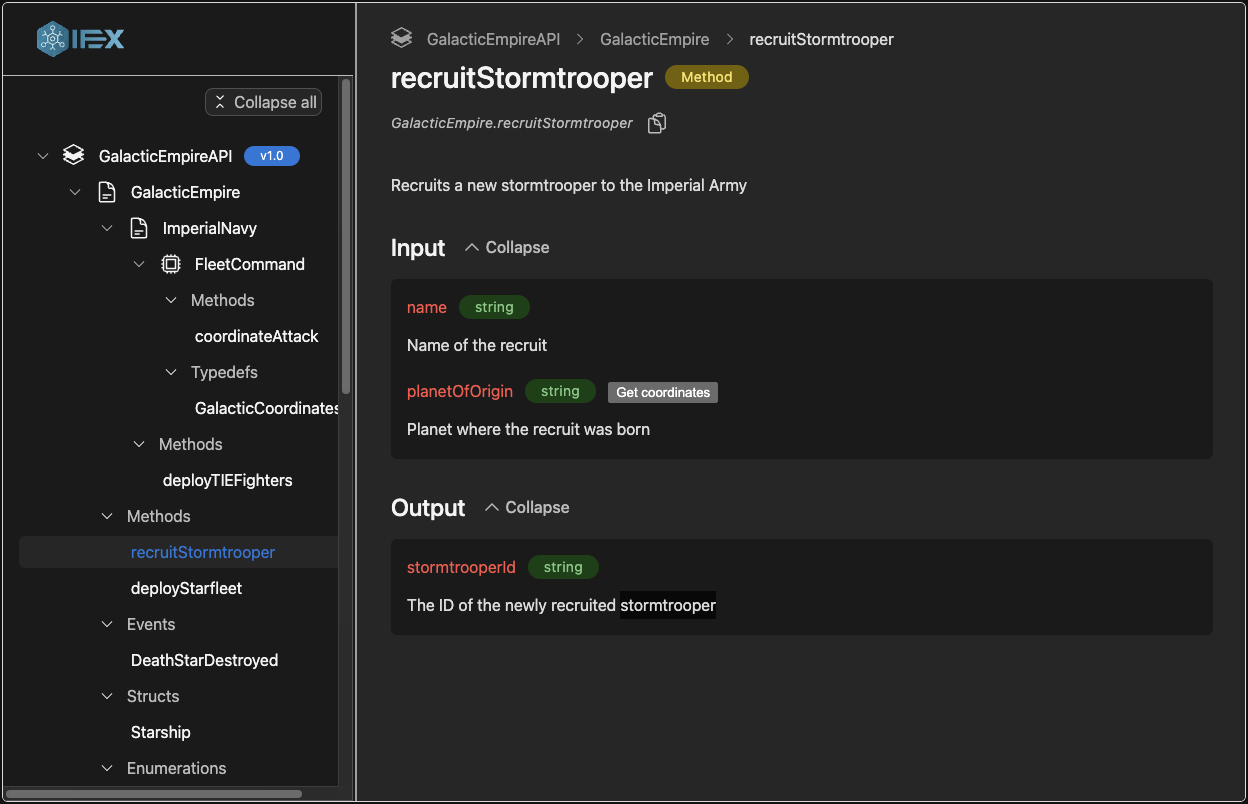
The IFEX Viewer is a web component designed to display API specifications created with the Interface Exchange Framework (IFEX) and is capable of rendering all elements specified in the IFEX Core IDL.
View Documentation
.
Try it out
·
Report Bug
·
Request Feature
Table of Contents
About The Project
Features:
- IFEX Core IDL viewer: Supports and visualizes all properties provided by the IFEX Core IDL
- Easy usage: You can simply use the ifex viewer in any framework because it's a web component.
- Supports multiple files: You can pass multiple files to the viewer and it will render them all.
- Supports custom and deployment layers: You can define custom layers and deployment layers in your specification and the viewer will render them.
Coming soon:
- Customizability: Style the ifex viewer for your indidivdual needs
- Internationalization: Provides different languages
[!TIP] Quickly prototype and validate your IFEX API definitions by using the Playground.
Built With
Source code has been tested solely for our own use cases, which might differ from yours.
Getting Started
Please follow the instructions below to make the library work in your project.
Prerequisites
You need the following software installed to be able to use this library:
Installation
npm i @covesa/ifex-viewer
# or
yarn add @covesa/ifex-viewer
# or
pnpm add @covesa/ifex-viewer
Usage
The viewer can be used in every modern browser because it's built as Web Component. You can use it in your project like a regular html element.
<body>
    <ifex-viewer id="viewer"></ifex-viewer>
</body>
<script>
  const viewer = document.getElementById('viewer');
  viewer.specifications = [{
      filename: 'my-api-specification.yml',
      content:`
name: "GalacticEmpireAPI"
description: "API for the operations and command structure of the Galactic Empire"
major_version: 1
minor_version: 0
namespaces:
  - name: "GalacticEmpire"
    description: "Namespace for operations related to the Galactic Empire"
    methods:
      - name: "recruitStormtrooper"
        description: "Recruits a new stormtrooper to the Imperial Army"
        input:
          - name: "name"
            datatype: "string"
            description: "Name of the recruit"
          - name: "planetOfOrigin"
            datatype: "string"
            description: "Planet where the recruit was born"
        output:
          - name: "stormtrooperId"
            datatype: "string"
            description: "The ID of the newly recruited stormtrooper"
      `
  }];
<script>
For more info about all the configuration options check out the documentation here.
Roadmap
- Visualize deployment layers
- Editable IFEX Spec
- VSCode Plugin for visualizing IFEX APIs right inside your IDE
Contributing
Any contributions you make are greatly appreciated.
See CONTRIBUTING.md for more information.
License
Distributed under the Apache License 2.0. See LICENSE for more information.
Contact
See MAINTAINERS.md for more information.
Related Packages
wrap a vue component as a web component, for IE 11 too.
Version History
| Version | Released | Vue | License |
|---|---|---|---|
| 1.4.0 | 3.5.22 | Apache-2.0 | |
| 1.3.0 | 3.5.18 | Apache-2.0 | |
| 1.2.0 | 3.5.18 | Apache-2.0 | |
| 1.1.0 | 3.5.18 | Apache-2.0 | |
| 1.0.0 | 3.5.16 | Apache-2.0 |