@aivue/tabular-intelligence

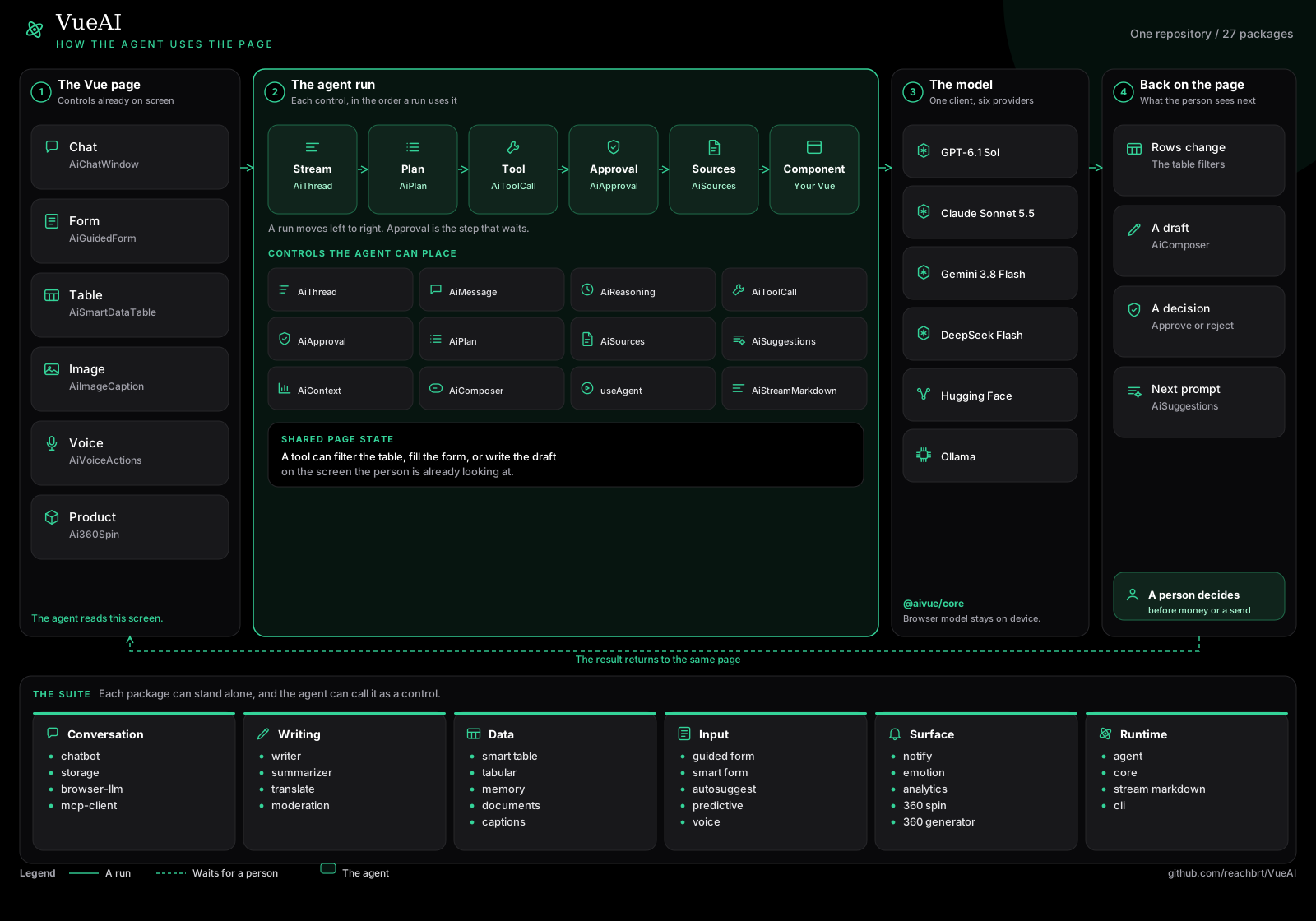
@aivue/tabular-intelligence
The Most Comprehensive Tabular Data Analysis Package for Vue.js Advanced AI, ML, Statistical Analysis, and Data Science capabilities in one powerful package


🚀 What's New in v2.0
Tabular Intelligence is now a complete data science toolkit! We've added 15+ advanced features that make it completely different from @aivue/smart-datatable:
- 📊 Data Quality Profiling - Comprehensive data quality assessment and profiling
- 🧹 Smart Data Cleaning - Intelligent missing value imputation and outlier handling
- 🔧 Feature Engineering - Automated feature generation and selection
- ⏰ Time Series Analysis - Forecasting, trend detection, seasonality analysis
- 🤖 AutoML - Automated model selection and hyperparameter tuning
- 🔍 Model Explainability - SHAP values, feature importance, counterfactuals
- 📈 Statistical Testing - A/B testing, hypothesis testing, significance tests
- 📊 Visualization Recommendations - Smart chart suggestions based on data
- 🔗 Multi-Table Analysis - Table joins, relationship detection, cross-table queries
- 📝 Auto Reporting - Generate comprehensive insights and reports
- 🔒 Privacy & Compliance - PII detection, anonymization, GDPR/CCPA compliance
- 📦 Data Versioning - Snapshots, lineage tracking, transformation pipelines
- 🌊 Streaming Data - Real-time data processing and monitoring
- 🎯 Smart Sampling - Intelligent data sampling strategies
🎯 Core Features
🔌 Foundation & Integration
- Generic TFM Client - Connect to any HTTP-based Tabular Foundation Model API
- Natural Language Q&A - Ask questions about your data in plain English
- Postman Collection Integration - Import Postman collections and query API data with AI
- Table Extraction - Extract data from HTML tables or Vue data grids
- Local Fallback - Built-in statistical analysis when API is unavailable
- Vue Integration - Reactive composables for seamless Vue.js integration
📊 Statistical Analysis
- Descriptive Statistics - Mean, median, mode, std dev, percentiles, distributions
- Anomaly Detection - Statistical and ML-based outlier detection
- Segmentation & Clustering - K-means, DBSCAN, hierarchical clustering
- Predictions - Time series forecasting and predictive modeling
- Correlation Analysis - Pearson correlation matrices and significance testing
- AI Summaries - Generate intelligent summaries of your data
💬 Q&A Capabilities
Ask any question about your Vue tables – AI answers directly from your data.
- "Which region had the highest revenue last quarter?"
- "How many customers churned with tenure < 6 months?"
- "What is the average order value for India vs US?"
- "Show me products with price > $100 and quantity < 10"
The AI analyzes your table data and provides natural language answers with supporting statistics and data.
📮 Postman Collection Integration
Import Postman collections and query API data with natural language.
- Import Postman Collection v2.1 JSON files
- Automatically discover all API endpoints
- Execute API requests with variable substitution
- Convert API responses to tabular format
- Ask questions about API data using AI
Perfect for MarketStack, financial APIs, and any REST API with tabular data!
See POSTMAN-INTEGRATION.md for detailed documentation.
📦 Installation
# npm
npm install @aivue/tabular-intelligence @aivue/core

# yarn
yarn add @aivue/tabular-intelligence @aivue/core

# pnpm
pnpm add @aivue/tabular-intelligence @aivue/core
🔄 Vue Compatibility
- ✅ Vue 2: Compatible with Vue 2.6.0 and higher
- ✅ Vue 3: Compatible with all Vue 3.x versions
The package automatically detects which version of Vue you're using and provides the appropriate compatibility layer. This means you can use the same package regardless of whether your project is using Vue 2 or Vue 3.
🚀 Quick Start
Basic Usage (Local Mode)
import { useTabularIntelligence } from '@aivue/tabular-intelligence';

// Local mode - no API required
const { analyze, getDescriptiveStats, detectAnomalies } = useTabularIntelligence({
  config: {
    provider: 'local',
    baseUrl: '',
  },
  data: ref(yourData),
});

// Get descriptive statistics
const stats = await getDescriptiveStats();

// Detect anomalies
const anomalies = await detectAnomalies(['price', 'quantity'], 0.7);

// Perform clustering
const clusters = await performClustering(['feature1', 'feature2'], 3);
With TabPFN (Prior Labs)
import { useTabularIntelligence } from '@aivue/tabular-intelligence';

const { analyze } = useTabularIntelligence({
  config: {
    provider: 'tabpfn',
    baseUrl: 'https://api.priorlabs.ai/v1/predict',
    apiKey: 'your-tabpfn-api-key', // Get from https://priorlabs.ai/
  },
  data: ref(yourData),
  useLocalFallback: true, // Fallback to local if API fails
});
With Custom TFM API
import { useTabularIntelligence } from '@aivue/tabular-intelligence';

const { analyze } = useTabularIntelligence({
  config: {
    provider: 'custom',
    baseUrl: 'https://your-tfm-api.com/analyze',
    apiKey: 'your-api-key',
  },
  data: ref(yourData),
  useLocalFallback: true,
});
With Smart DataTable
<template>
  <div>
    <SmartDataTable :data="tableData" :columns="columns" />

    <button @click="analyzeData">Analyze Data</button>

    <div v-if="anomalies.length">
      <h3>Anomalies Detected: {{ anomalies.length }}</h3>
      <div v-for="anomaly in anomalies" :key="anomaly.rowIndex">
        Row {{ anomaly.rowIndex }}: {{ anomaly.reasons.join(', ') }}
      </div>
    </div>
  </div>
</template>

<script setup>
import { ref } from 'vue';
import { SmartDataTable } from '@aivue/smart-datatable';
import { useTabularIntelligence } from '@aivue/tabular-intelligence';

const tableData = ref([
  { id: 1, name: 'Product A', price: 100, quantity: 50 },
  { id: 2, name: 'Product B', price: 200, quantity: 30 },
  { id: 3, name: 'Product C', price: 9999, quantity: 1 }, // Anomaly!
]);

const { detectAnomalies } = useTabularIntelligence({
  config: {
    provider: 'custom',
    baseUrl: 'https://api.example.com/tfm',
  },
  data: tableData,
  useLocalFallback: true,
});

const anomalies = ref([]);

async function analyzeData() {
  anomalies.value = await detectAnomalies(['price', 'quantity']);
}
</script>
💬 Q&A Usage
Setup Q&A
import { useTabularIntelligence, QuestionInput, AnswerDisplay, QuestionHistory } from '@aivue/tabular-intelligence';

const {
  askQuestion,
  generateSummary,
  questionHistory,
  lastAnswer,
  clearHistory,
} = useTabularIntelligence({
  config: {
    provider: 'local',
    baseUrl: 'https://api.example.com/tfm',
  },
  data: tableData,
  qaConfig: {
    provider: 'openai',
    apiKey: 'sk-...',
    model: 'gpt-6.1-sol',
  },
});

// Ask a question
const answer = await askQuestion('What is the average price by category?');

// Generate AI summary
const summary = await generateSummary();
Q&A Components
<template>
  <div>
    <!-- Question Input -->
    <QuestionInput
      :loading="loading"
      @submit="handleQuestion"
    />

    <!-- Latest Answer -->
    <AnswerDisplay
      v-if="lastAnswer"
      :answer="lastAnswer"
    />

    <!-- Question History -->
    <QuestionHistory
      :questions="questionHistory"
      @clear="clearHistory"
      @select="handleSelectQuestion"
    />
  </div>
</template>

<script setup>
import { QuestionInput, AnswerDisplay, QuestionHistory, useTabularIntelligence } from '@aivue/tabular-intelligence';

const { askQuestion, questionHistory, lastAnswer, clearHistory } = useTabularIntelligence({
  config: { provider: 'local' },
  data: tableData,
  qaConfig: {
    provider: 'openai',
    apiKey: import.meta.env.VITE_OPENAI_API_KEY,
  },
});

async function handleQuestion(question) {
  await askQuestion(question);
}

function handleSelectQuestion(question) {
  console.log('Selected:', question);
}
</script>
Table Extraction
Extract data from HTML tables or Vue data grids:
// Extract from DOM
const extracted = intelligence.extractFromDOM({
  selector: 'table.my-table',
  includeHeaders: true,
  maxRows: 1000,
  inferTypes: true,
});

// Load from Vue data grid
intelligence.loadFromVueGrid(
  gridData,
  [
    { field: 'name', header: 'Product Name' },
    { field: 'price', header: 'Price' },
  ],
  { inferTypes: true }
);
🚀 Advanced Features
📊 Data Quality Profiling
Comprehensive data quality assessment and profiling:
import { profileData, assessDataQuality, detectDataIssues, suggestCleaningSteps } from '@aivue/tabular-intelligence';

// Profile your data
const profile = await profileData(data, {
  includeDistributions: true,
  detectDataTypes: true,
  findPatterns: true
});

// Assess data quality
const qualityReport = await assessDataQuality(data);
console.log('Quality Score:', qualityReport.overallScore); // 0-100

// Detect specific issues
const issues = await detectDataIssues(data);
// Returns: missing values, outliers, duplicates, type mismatches, etc.

// Get cleaning recommendations
const recommendations = await suggestCleaningSteps(data);
// Returns prioritized list of cleaning actions
🧹 Smart Data Cleaning
Intelligent missing value imputation and outlier handling:
import { imputeMissingValues, handleOutliers } from '@aivue/tabular-intelligence';

// Impute missing values
const imputationResult = await imputeMissingValues(data, {
  strategy: 'knn', // 'mean' | 'median' | 'mode' | 'knn' | 'iterative' | 'ai'
  columns: ['age', 'income']
});

// Handle outliers
const outlierResult = await handleOutliers(data, {
  method: 'cap', // 'remove' | 'cap' | 'transform'
  strategy: 'iqr', // 'iqr' | 'zscore' | 'isolation_forest'
  columns: ['price', 'quantity']
});
🔧 Feature Engineering
Automated feature generation and selection:
import { autoGenerateFeatures, analyzeFeatureImportance, selectBestFeatures } from '@aivue/tabular-intelligence';

// Auto-generate features
const engineeringResult = await autoGenerateFeatures(data, {
  targetColumn: 'sales',
  maxFeatures: 50,
  includeInteractions: true,
  includePolynomials: true,
  includeAggregations: true
});

// Analyze feature importance
const importance = await analyzeFeatureImportance(data, 'sales');

// Select best features
const selection = await selectBestFeatures(data, {
  targetColumn: 'sales',
  k: 10, // Select top 10 features
  method: 'correlation'
});
⏰ Time Series Analysis
Forecasting, trend detection, and seasonality analysis:
import { forecastTimeSeries, detectTrends, detectSeasonality, detectChangePoints } from '@aivue/tabular-intelligence';

// Forecast time series
const forecast = await forecastTimeSeries(data, {
  dateColumn: 'date',
  valueColumn: 'sales',
  horizon: 30, // Forecast 30 periods ahead
  method: 'exponential_smoothing', // 'arima' | 'prophet' | 'exponential_smoothing' | 'lstm'
  seasonality: 'auto',
  confidence: 0.95
});

// Detect trends
const trends = await detectTrends(data, {
  dateColumn: 'date',
  valueColumn: 'sales'
});

// Detect seasonality
const seasonality = await detectSeasonality(data, {
  dateColumn: 'date',
  valueColumn: 'sales'
});

// Detect change points
const changePoints = await detectChangePoints(data, {
  dateColumn: 'date',
  valueColumn: 'sales',
  sensitivity: 0.8
});
🤖 AutoML
Automated model selection and hyperparameter tuning:
import { autoTrain, compareModels, tuneHyperparameters } from '@aivue/tabular-intelligence';

// Auto-train best model
const autoMLResult = await autoTrain(data, {
  targetColumn: 'churn',
  taskType: 'classification', // 'classification' | 'regression'
  metric: 'accuracy',
  timeLimit: 300, // 5 minutes
  models: ['linear', 'tree', 'ensemble', 'neural']
});

// Compare multiple models
const comparison = await compareModels(data, {
  targetColumn: 'price',
  taskType: 'regression',
  models: ['linear', 'tree', 'ensemble'],
  crossValidation: 5
});

// Tune hyperparameters
const tuningResult = await tuneHyperparameters(data, {
  targetColumn: 'sales',
  model: 'ensemble',
  parameterGrid: {
    n_estimators: [50, 100, 200],
    max_depth: [5, 10, 15]
  }
});
🔍 Model Explainability
SHAP values, feature importance, and counterfactuals:
import { explainPrediction, getFeatureImportance, getPartialDependence, generateCounterfactuals } from '@aivue/tabular-intelligence';

// Explain a specific prediction
const explanation = await explainPrediction(data, {
  rowIndex: 0,
  targetColumn: 'churn',
  model: 'ensemble'
});

// Get feature importance
const importance = await getFeatureImportance(data, 'churn');

// Get partial dependence plot
const pdp = await getPartialDependence(data, {
  feature: 'age',
  targetColumn: 'churn'
});

// Generate counterfactuals
const counterfactuals = await generateCounterfactuals(data, {
  rowIndex: 0,
  desiredOutcome: 0, // Want churn = 0
  targetColumn: 'churn',
  maxChanges: 3
});
📈 Statistical Testing & A/B Testing
Hypothesis testing and significance tests:
import { analyzeABTest, testSignificance, calculateSampleSize } from '@aivue/tabular-intelligence';

// Analyze A/B test
const abTestResult = await analyzeABTest({
  controlGroup: controlData,
  treatmentGroup: treatmentData,
  metric: 'conversion_rate',
  confidenceLevel: 0.95
});

// Test statistical significance
const significanceTest = await testSignificance({
  test: 'ttest', // 'ttest' | 'chi2' | 'anova' | 'mann_whitney' | 'kruskal_wallis'
  groups: [group1, group2],
  metric: 'revenue',
  alpha: 0.05
});

// Calculate required sample size
const sampleSize = await calculateSampleSize({
  effect: 0.2, // Effect size
  power: 0.8,
  alpha: 0.05
});
📊 Visualization Recommendations
Smart chart suggestions based on your data:
import { recommendVisualizations, generateChartSpec, detectPatterns } from '@aivue/tabular-intelligence';

// Get visualization recommendations
const recommendations = await recommendVisualizations(data, {
  columns: ['date', 'sales', 'category'],
  purpose: 'exploration' // 'exploration' | 'presentation' | 'analysis'
});

// Generate chart specification
const chartSpec = await generateChartSpec({
  type: 'line',
  xColumn: 'date',
  yColumn: 'sales',
  groupBy: 'category',
  data
});

// Detect patterns in charts
const patterns = await detectPatterns('line', data);
🔗 Multi-Table Analysis
Table joins, relationship detection, and cross-table queries:
import { joinTables, detectRelationships, analyzeCrossTables, inferDatabaseSchema } from '@aivue/tabular-intelligence';

// Join two tables
const joined = await joinTables({
  leftTable: customers,
  rightTable: orders,
  leftKey: 'customer_id',
  rightKey: 'customer_id',
  joinType: 'inner' // 'inner' | 'left' | 'right' | 'outer'
});

// Detect relationships between tables
const relationships = await detectRelationships({
  customers: customersData,
  orders: ordersData,
  products: productsData
});

// Analyze across multiple tables
const crossTableAnalysis = await analyzeCrossTables({
  tables: { customers, orders, products },
  relationships,
  question: 'What is the total revenue by customer segment?'
});

// Infer database schema
const schema = await inferDatabaseSchema({
  customers: customersData,
  orders: ordersData
});
📝 Auto Reporting & Insights
Generate comprehensive reports and insights:
import { generateReport, generateExecutiveSummary, generateInsights } from '@aivue/tabular-intelligence';

// Generate comprehensive report
const report = await generateReport(data, {
  format: 'markdown', // 'markdown' | 'html' | 'pdf' | 'json'
  sections: ['summary', 'stats', 'anomalies', 'trends', 'recommendations'],
  includeCharts: true
});

// Generate executive summary
const summary = await generateExecutiveSummary(data);

// Generate automated insights
const insights = await generateInsights(data, {
  maxInsights: 10,
  priority: 'high'
});
🔒 Privacy & Compliance
PII detection, anonymization, and compliance checking:
import { detectPII, anonymizeData, checkCompliance } from '@aivue/tabular-intelligence';

// Detect PII
const piiDetection = await detectPII(data);
console.log('PII Columns:', piiDetection.piiColumns);
console.log('Risk Level:', piiDetection.riskLevel);

// Anonymize data
const anonymized = await anonymizeData(data, {
  method: 'hashing', // 'masking' | 'hashing' | 'generalization' | 'differential_privacy' | 'tokenization'
  columns: ['email', 'phone', 'ssn']
});

// Check compliance
const complianceReport = await checkCompliance(data, 'GDPR'); // 'GDPR' | 'CCPA' | 'HIPAA' | 'SOC2'
console.log('Compliant:', complianceReport.compliant);
console.log('Score:', complianceReport.score);
📦 Data Versioning & Pipelines
Snapshots, lineage tracking, and transformation pipelines:
import { createSnapshot, compareSnapshots, createPipeline, executePipeline } from '@aivue/tabular-intelligence';

// Create data snapshot
const snapshot1 = await createSnapshot(data, 'Before Cleaning');

// ... perform transformations ...

const snapshot2 = await createSnapshot(cleanedData, 'After Cleaning');

// Compare snapshots
const diff = await compareSnapshots(snapshot1.id, snapshot2.id);

// Create transformation pipeline
const pipeline = await createPipeline([
  { operation: 'impute_missing', params: { strategy: 'mean' } },
  { operation: 'handle_outliers', params: { method: 'cap' } },
  { operation: 'normalize', params: { method: 'minmax' } }
]);

// Execute pipeline
const result = await executePipeline(pipeline, data);
🌊 Streaming & Real-time Data
Real-time data processing and monitoring:
import { connectStream, detectStreamingAnomalies, calculateWindowedAggregations, smartSample } from '@aivue/tabular-intelligence';

// Connect to streaming source
const stream = await connectStream({
  source: 'websocket', // 'websocket' | 'sse' | 'polling'
  url: 'wss://api.example.com/stream',
  updateInterval: 1000
});

// Detect anomalies in real-time
const anomalies = await detectStreamingAnomalies(streamData, {
  columns: ['temperature', 'pressure'],
  threshold: 3,
  method: 'statistical'
});

// Calculate windowed aggregations
const aggregations = await calculateWindowedAggregations(streamData, {
  windowType: 'tumbling', // 'tumbling' | 'sliding' | 'session'
  windowSize: 100,
  aggregations: [
    { column: 'value', function: 'avg', alias: 'avg_value' },
    { column: 'value', function: 'max', alias: 'max_value' }
  ]
});

// Smart sampling
const sample = await smartSample(largeDataset, {
  size: 1000,
  method: 'stratified', // 'random' | 'stratified' | 'systematic' | 'cluster'
  preserveDistribution: true
});
📖 API Reference
useTabularIntelligence(options)
Main composable for tabular intelligence.
Options:
config: TFMConfig- TFM API configurationdata?: Ref<any[]>- Reactive data arrayschema?: Ref<TableSchema>- Optional table schemauseLocalFallback?: boolean- Enable local analysis fallback (default: true)qaConfig?: QAEngineConfig- Q&A engine configuration (optional)maxQuestionHistory?: number- Maximum questions to keep in history (default: 50)
Returns:
client: TabularIntelligence- Core TFM client instanceloading: Ref<boolean>- Loading stateerror: Ref<Error | null>- Error statelastResult: Ref<AnalysisResult | null>- Last analysis resultdata: Ref<any[]>- Data arrayschema: Ref<TableSchema | null>- Inferred or provided schemaquestionHistory: Ref<Question[]>- Q&A question historyanswerHistory: Ref<Answer[]>- Q&A answer historylastAnswer: Ref<Answer | null>- Last Q&A answeranalyze(type, options)- Generic analysis methodgetDescriptiveStats()- Get descriptive statisticsdetectAnomalies(columns?, sensitivity?)- Detect anomaliesperformClustering(features, numClusters?)- Perform clusteringpredict(targetColumn, options?)- Make predictionsaskQuestion(question, options?)- Ask a question about the datagenerateSummary()- Generate AI summary of the dataclearHistory()- Clear Q&A historyextractFromDOM(options?)- Extract table from DOMloadFromVueGrid(data, columns?, options?)- Load data from Vue gridupdateConfig(config)- Update TFM configurationinitializeQA(qaConfig)- Initialize Q&A enginesetData(data, autoInferSchema?)- Set new datareset()- Reset state
Analysis Types
type AnalysisType =
  | 'descriptive_stats'    // Mean, median, std dev, percentiles
  | 'anomaly_detection'    // Outlier detection
  | 'segmentation'         // Data segmentation
  | 'clustering'           // K-means, DBSCAN, etc.
  | 'prediction'           // Forecasting
  | 'correlation'          // Correlation analysis
  | 'summary'              // AI-generated summary
  | 'qa'                   // Question answering
  | 'trend_analysis'       // Trend detection
  | 'outlier_detection';   // Statistical outliers
TFM Configuration
interface TFMConfig {
  provider: 'local' | 'tabpfn' | 'custom';
  baseUrl: string;              // API endpoint
  apiKey?: string;              // API key
  model?: string;               // Model name
  headers?: Record<string, string>; // Custom headers
  timeout?: number;             // Request timeout (ms)
  useCorsProxy?: boolean;       // Use CORS proxy
  corsProxyUrl?: string;        // CORS proxy URL
}
Available TFM Providers
| Provider | Description | API Required | Best For |
|---|---|---|---|
| local | JavaScript-based statistical analysis | ❌ No | Testing, basic stats, offline use |
| tabpfn | TabPFN from Prior Labs - state-of-the-art TFM | ✅ Yes | Production, accurate predictions |
| custom | Your own TFM API endpoint | ✅ Yes | Custom models, enterprise solutions |
Note: OpenAI and Anthropic do NOT offer dedicated TFM APIs. For AI-powered insights, use the Q&A feature with OpenAI/Anthropic instead.
🔧 Advanced Usage
TabPFN Integration
// Get API key from https://priorlabs.ai/
const { analyze } = useTabularIntelligence({
  config: {
    provider: 'tabpfn',
    baseUrl: 'https://api.priorlabs.ai/v1/predict',
    apiKey: process.env.TABPFN_API_KEY,
    timeout: 60000,
  },
  useLocalFallback: true, // Fallback to local if API fails
});

// Perform analysis with TabPFN
const result = await analyze('prediction', {
  targetColumn: 'sales',
  features: ['price', 'quantity', 'category'],
});
Custom TFM API Integration
const { analyze } = useTabularIntelligence({
  config: {
    provider: 'custom',
    baseUrl: 'https://your-tfm.com/api/v1/analyze',
    apiKey: process.env.TFM_API_KEY,
    headers: {
      'X-Custom-Header': 'value',
    },
    timeout: 60000,
  },
});

// Custom analysis
const result = await analyze('clustering', {
  features: ['age', 'income', 'spending'],
  numClusters: 5,
  algorithm: 'kmeans',
});
Local Analysis (No API Required)
const { getDescriptiveStats, detectAnomalies } = useTabularIntelligence({
  config: {
    provider: 'local',
    baseUrl: '', // Not used for local
  },
  data: ref(myData),
  useLocalFallback: true,
});

// These will use built-in statistical methods
const stats = await getDescriptiveStats();
const anomalies = await detectAnomalies();
🎨 Integration with @aivue/smart-datatable
Perfect companion for SmartDataTable:
import { useSmartDataTable } from '@aivue/smart-datatable';
import { useTabularIntelligence } from '@aivue/tabular-intelligence';

const { data, filteredData } = useSmartDataTable({ data: ref(orders) });

const { analyze } = useTabularIntelligence({
  config: tfmConfig,
  data: filteredData, // Analyze filtered data
});
📊 Example: Complete Analysis Pipeline
const pipeline = async () => {
  // 1. Get descriptive statistics
  const stats = await getDescriptiveStats();
  console.log('Statistics:', stats);

  // 2. Detect anomalies
  const anomalies = await detectAnomalies(['price', 'quantity'], 0.8);
  console.log('Anomalies:', anomalies);

  // 3. Perform clustering
  const clusters = await performClustering(['price', 'quantity'], 3);
  console.log('Clusters:', clusters);

  // 4. Make predictions
  const predictions = await predict('sales', {
    predictionHorizon: 30,
    confidenceLevel: 0.95,
  });
  console.log('Predictions:', predictions);
};
🤝 Contributing
Contributions are welcome! Please see CONTRIBUTING.md.
📄 License
MIT © reachbrt
Related Packages
AI-powered image captioning for Vue.js applications using Hugging Face BLIP mode...
This is Vue3 component that can render a table like datatable without jquery. Un...
Version History
| Version | Released | Vue | License |
|---|---|---|---|
| 2.0.3 | ^2.6.0 || | MIT | |
| 2.0.2 | ^2.6.0 || | MIT | |
| 2.0.1 | ^2.6.0 || | MIT | |
| 2.0.0 | ^2.6.0 || | MIT | |
| 1.5.1 | ^2.6.0 || | MIT | |
| 1.5.0 | ^2.6.0 || | MIT | |
| 1.4.0 | ^2.6.0 || | MIT | |
| 1.3.9 | ^2.6.0 || | MIT | |
| 1.3.8 | ^2.6.0 || | MIT | |
| 1.3.7 | ^2.6.0 || | MIT | |
| 1.3.6 | ^2.6.0 || | MIT | |
| 1.3.5 | ^2.6.0 || | MIT | |
| 1.3.4 | ^2.6.0 || | MIT | |
| 1.3.1 | ^2.6.0 || | MIT | |
| 1.3.0 | ^2.6.0 || | MIT | |
| 1.2.0 | ^2.6.0 || | MIT | |
| 1.1.0 | ^2.6.0 || | MIT | |
| 1.0.0 | ^2.6.0 || | MIT |