@aivue/core
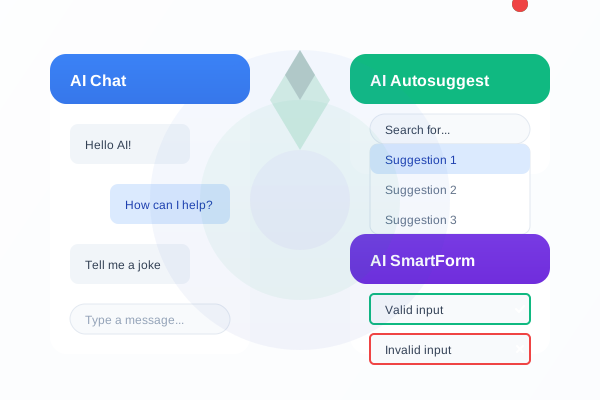
@aivue/core
Core AI functionality for Vue.js components





Overview
@aivue/core provides a unified interface for working with multiple AI providers in Vue.js applications. It serves as the foundation for all VueAI components, offering a consistent API for interacting with various AI services.
✨ Features
- 🔌 Multi-provider support: Works with OpenAI, Claude, Gemini, HuggingFace, Ollama, and more
- 🌐 Fallback mechanism: Continues to work even without API keys during development
- 🔄 Streaming support: Real-time streaming of AI responses
- 🛡️ Type safety: Full TypeScript support
- 🧩 Modular design: Use only what you need
- 🔧 Customizable: Configure providers, models, and parameters
Installation
# npm
npm install @aivue/core

# yarn
yarn add @aivue/core

# pnpm
pnpm add @aivue/core
🔄 Vue Compatibility
- ✅ Vue 2: Compatible with Vue 2.6.0 and higher
- ✅ Vue 3: Compatible with all Vue 3.x versions
The package automatically detects which version of Vue you're using and provides the appropriate compatibility layer. This means you can use the same package regardless of whether your project is using Vue 2 or Vue 3.
Basic Usage
import { AIClient } from '@aivue/core';

// Create a client with your preferred provider
const client = new AIClient({
  provider: 'openai',
  apiKey: import.meta.env.VITE_OPENAI_API_KEY, // Use environment variables for API keys
  model: 'gpt-4o' // Optional - uses provider's default if missing
});

// Chat functionality
async function getResponse() {
  const response = await client.chat([
    { role: 'user', content: 'Hello, can you help me with Vue.js?' }
  ]);

  console.log(response);
}
Streaming Responses
import { AIClient } from '@aivue/core';

const client = new AIClient({
  provider: 'claude',
  apiKey: import.meta.env.VITE_ANTHROPIC_API_KEY,
  model: 'claude-3-7-sonnet-20250219'
});

// Streaming chat functionality
client.chatStream(
  [{ role: 'user', content: 'Write a short poem about Vue.js' }],
  {
    onStart: () => console.log('Stream started'),
    onToken: (token) => console.log(token), // Process each token as it arrives
    onComplete: (fullText) => console.log('Complete response:', fullText),
    onError: (error) => console.error('Error:', error)
  }
);
Using with Vue Composition API
import { ref, onMounted } from 'vue';
import { AIClient } from '@aivue/core';

export default {
  setup() {
    const response = ref('');
    const loading = ref(false);
    const client = new AIClient({
      provider: 'openai',
      apiKey: import.meta.env.VITE_OPENAI_API_KEY
    });

    async function askQuestion(question) {
      loading.value = true;
      try {
        response.value = await client.chat([
          { role: 'user', content: question }
        ]);
      } catch (error) {
        console.error('Error:', error);
      } finally {
        loading.value = false;
      }
    }

    return {
      response,
      loading,
      askQuestion
    };
  }
};
Configuring Multiple Providers
import { registerProviders } from '@aivue/core';

// Register multiple providers at once
registerProviders({
  openai: {
    apiKey: import.meta.env.VITE_OPENAI_API_KEY,
    defaultModel: 'gpt-4o'
  },
  claude: {
    apiKey: import.meta.env.VITE_ANTHROPIC_API_KEY,
    defaultModel: 'claude-3-7-sonnet-20250219'
  },
  gemini: {
    apiKey: import.meta.env.VITE_GEMINI_API_KEY
  }
});
API Reference
AIClient
new AIClient(options: AIClientOptions)
AIClientOptions
| Property | Type | Description | Required |
|---|---|---|---|
| provider | string | AI provider to use ('openai', 'claude', 'gemini', etc.) | Yes |
| apiKey | string | API key for the provider | No |
| model | string | Model to use (e.g., 'gpt-4o', 'claude-3-7-sonnet') | No |
| baseUrl | string | Custom base URL for the API | No |
| organizationId | string | Organization ID (for OpenAI) | No |
Methods
| Method | Description | Parameters | Return Type |
|---|---|---|---|
| chat | Send a chat request | messages: Message[], options?: ChatOptions | Promise |
| chatStream | Stream a chat response | messages: Message[], callbacks: StreamCallbacks, options?: ChatOptions | Promise |
Message Interface
interface Message {
  role: 'system' | 'user' | 'assistant';
  content: string;
}
ChatOptions Interface
interface ChatOptions {
  temperature?: number;
  maxTokens?: number;
  topP?: number;
  frequencyPenalty?: number;
  presencePenalty?: number;
  stopSequences?: string[];
}
StreamCallbacks Interface
interface StreamCallbacks {
  onStart?: () => void;
  onToken?: (token: string) => void;
  onComplete?: (completeText: string) => void;
  onError?: (error: Error) => void;
}
Vue Version Compatibility
The package includes a comprehensive compatibility layer that handles differences between Vue 2 and Vue 3 automatically. If you need to use the compatibility utilities directly:
For Vue 2 and Vue 3 Projects
import {
  // Version detection
  vueVersion,  // 2 or 3 depending on detected Vue version

  // Component utilities
  createCompatComponent,  // Create components that work in both Vue 2 and 3
  registerCompatComponent, // Register components globally in both Vue 2 and 3

  // Plugin utilities
  createCompatPlugin,     // Create plugins that work in both Vue 2 and 3
  installCompatPlugin,    // Install plugins in both Vue 2 and 3

  // Reactivity utilities
  createReactiveState,    // Create reactive state in both Vue 2 and 3
  createCompatRef         // Create refs that work in both Vue 2 and 3
} from '@aivue/core';

// Example: Create a component that works in both Vue 2 and 3
const MyComponent = createCompatComponent({
  // component options
});

// Example: Register a component globally in both Vue 2 and 3
// For Vue 2, this uses Vue.component()
// For Vue 3, this uses app.component()
registerCompatComponent(app, 'MyComponent', MyComponent);

// Example: Create reactive state
const state = createReactiveState({ count: 0 });

// Example: Create a ref
const count = createCompatRef(0);
For Vue 3 Specific Compatibility
If you're working with different versions of Vue 3, the package also provides utilities to handle differences between Vue 3.0.x and Vue 3.2+:
import {
  compatCreateElementBlock,
  compatCreateElementVNode,
  compatNormalizeClass
} from '@aivue/core';

// These functions work across all Vue 3 versions
Demo
Check out our interactive demo to see all components in action.
📦 Related Packages
Explore the complete @aivue ecosystem:
💬 @aivue/chatbot
AI-powered chat components for Vue.js
✨ @aivue/autosuggest
AI-powered suggestion components for Vue.js
📝 @aivue/smartform
AI-powered form validation for Vue.js
🎭 @aivue/emotion-ui
Emotion-aware UI components with sentiment analysis
📄 @aivue/doc-intelligence
Document processing and OCR with AI
🧠 @aivue/predictive-input
AI-powered predictive text input
🔔 @aivue/smart-notify
Intelligent notification system
🎤 @aivue/voice-actions
Voice command integration
📋 @aivue/smart-datatable
Advanced data table components
🖼️ @aivue/image-caption
AI-powered image captioning with OpenAI Vision models
📊 @aivue/analytics
AI-powered analytics and insights
License
MIT © Bharatkumar Subramanian
Related Packages
Automatic i18n translations for Nuxt using LLMs (OpenAI, Anthropic, Gemini, Groq...
Version History
| Version | Released | Vue | License |
|---|---|---|---|
| 1.3.13 | ^2.6.0 || | MIT | |
| 1.3.12 | ^2.6.0 || | MIT | |
| 1.3.11 | ^2.6.0 || | MIT | |
| 1.3.5 | ^2.6.0 || | MIT | |
| 1.3.4 | ^2.6.0 || | MIT | |
| 1.3.3 | ^2.6.0 || | MIT | |
| 1.3.2 | ^2.6.0 || | MIT | |
| 1.3.1 | ^2.6.0 || | MIT | |
| 1.3.0 | ^2.6.0 || | MIT | |
| 1.2.9 | ^2.6.0 || | MIT | |
| 1.2.8 | ^2.6.0 || | MIT | |
| 1.2.7 | ^2.6.0 || | MIT | |
| 1.2.6 | ^2.6.0 || | MIT | |
| 1.2.5 | ^2.6.0 || | MIT | |
| 1.2.4 | ^2.6.0 || | MIT | |
| 1.2.3 | ^2.6.0 || | MIT | |
| 1.2.2 | ^2.6.0 || | MIT | |
| 1.2.1 | ^2.6.0 || | MIT | |
| 1.2.0 | ^2.6.0 || | MIT | |
| 1.1.9 | ^2.6.0 || | MIT | |
| 1.1.7 | ^2.6.0 || | MIT | |
| 1.1.6 | ^2.6.0 || | MIT | |
| 1.1.5 | ^2.6.0 || | MIT | |
| 1.1.4 | ^2.6.0 || | MIT | |
| 1.1.3 | ^2.6.0 || | MIT | |
| 1.1.2 | ^2.6.0 || | MIT | |
| 1.1.1 | ^2.6.0 || | MIT | |
| 1.1.0 | ^2.6.0 || | MIT | |
| 1.0.1 | ^3.0.0 | MIT | |
| 1.0.0 | ^3.0.0 | MIT |