@adapttable/cli
| Install | |
|---|---|
npm install @adapttable/cli |
|
| Latest Version: | 3.3.0 |
| License: | MIT |
| Last Updated: | Oct 22, 2026 |
| Links: | GitHub · npm |
@adapttable/cli
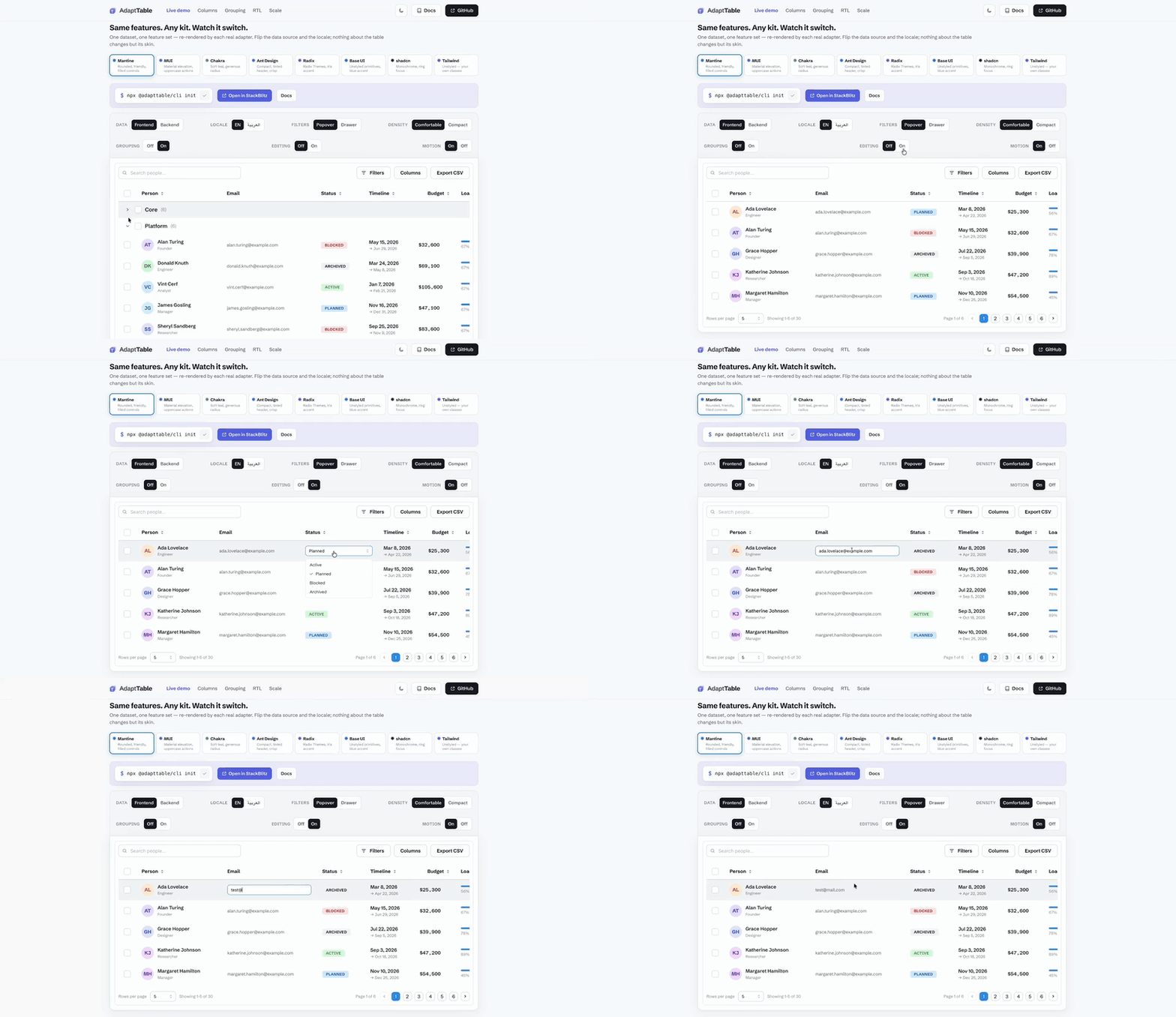
📖 Documentation · 🚀 Live demo · Get started
The scaffolding CLI for AdaptTable. One command detects your framework and UI kit, picks your package manager, writes a starter table, and tells you exactly what to install.
npx @adapttable/cli init
AdaptTable — detected Mantine.

1. Install the packages:
   pnpm add @adapttable/core @adapttable/mantine @mantine/hooks

2. Scaffolded: src/PeopleTable.tsx

3. Render <PeopleTable /> and you're done.
Requires Node.js 22.12.0 or newer; packed releases are tested on Node 22.12 and Node 24.
What it does
- Detects Angular only when
package.jsonlists@angular/corein dependencies or devDependencies andangular.jsonis present. Otherwise a declaredvuedependency selects the Vue scaffold; other projects retain React. Nuxt applications are recognized and receive a module setup link without writing plain Vite provider files. - Detects your UI kit from
package.json— Mantine, MUI, Chakra, Ant Design, Radix Themes, Base UI, shadcn/ui (viacomponents.json), or Tailwind for React; all nine shipped Angular kits; Vue Unstyled, Element Plus, Vuetify, Naive UI, Reka UI, shadcn-vue, Nuxt UI and Quasar for plain Vue/Vite. Kit detection stays within the detected framework, including in mixed projects. - Detects your package manager from the lockfile (pnpm / yarn / bun / npm) and prints the right install command — it never installs anything itself; you run the command it shows.
- Scaffolds
src/PeopleTable.tsxfor React,src/app/peopleTable.tsfor Angular, orsrc/PeopleTable.vuewithsrc/adapttable.tsfor Vue, a sortable starter table wired to the matching adapter (every optional behavior is one feature import away — see the docs). Pass--forceto overwrite an existing file. Use--kit <kit>to choose a kit explicitly within the detected framework. - One step it can't do for you: wrap your app in the kit's provider
(
MantineProvider, MUI'sThemeProvider,ChakraProvider, antd'sConfigProvider, Radix'sTheme) if it isn't already — that's the most common React first-run failure. Angular setup is below.
Vue/Vite setup
Inside a plain Vue 3.5 application:
npx @adapttable/cli init
npx @adapttable/cli init --kit element-plus
Explicit Vue kit identifiers: vue-unstyled, element-plus, vuetify,
naive-ui, reka-ui, shadcn-vue, nuxt-ui, quasar. Dependency detection
stays within Vue. A components.json selects shadcn-vue before its underlying
Reka dependency; a concrete styled-kit dependency still takes priority.
Run the printed install command, then render the generated component:
<script setup lang="ts">
import PeopleTable from "./PeopleTable.vue";
</script>

<template><PeopleTable /></template>
Register the generated host setup once before mounting:
import { createApp } from "vue";
import App from "./App.vue";
import { installAdaptTable } from "./adapttable";

const app = createApp(App);
installAdaptTable(app);
app.mount("#app");
The starter has Name/Role sorting and a native Name filter. Each styled kit
loads its required CSS; Vuetify and Quasar register their plugins, and Nuxt UI
registers its Vue plugin and wraps the table in UApp. Vue Unstyled needs no
stylesheet. Naive UI and Element Plus can inherit your existing theme/locale
providers. shadcn-vue ships its compiled controls and CSS; no Tailwind build is
required for that kit.
For Nuxt UI and Quasar, init also writes adapttable.vite.ts. Merge its native
configuration into your host Vite configuration; it includes the Vue compiler,
so keep only one registration of that compiler:
import { defineConfig, mergeConfig } from "vite";
import { adaptTableViteConfig } from "./adapttable.vite.ts";

export default defineConfig(
  mergeConfig({/* your other settings */}, adaptTableViteConfig)
);
Nuxt UI's generated CSS is processed with its official Tailwind/Vite plugin;
its command includes the default Lucide icon collection and the compatible
unifont@0.7.4 dependency. Enable router integration in the generated plugin
if your host uses Vue Router. The CLI preserves every existing generated file
unless you pass --force; it never rewrites main.ts, App.vue or Vite config.
These templates target plain Vue/Vite browser apps. Nuxt framework applications use their kit's module/plugin conventions instead; init explains that setup and writes nothing there. Quasar SSR/SSG uses Quasar CLI rather than this plain Vite starter. See Vue installation and providers.
The generated applications are verified through native production builds and
rendered interactions. An additional check of every SDK declaration with
skipLibCheck: false currently reports upstream declaration errors for the
Vuetify framework and Nuxt UI Vue plugin. That stronger vendor check is not
claimed as passing; init does not add type suppressions or change your tsconfig.
Angular setup
With both Angular markers present, init writes a standalone PeopleTable
component. Installed SDK dependencies select one of the nine supported Angular
kits; without a matching SDK, it uses @adapttable/angular-unstyled. Use
--kit to choose explicitly, for example
npx @adapttable/cli init --kit angular-material. React kit dependencies,
Tailwind and components.json do not override that Angular selection.
All nine Angular kits are public npm packages. Run the printed install command
with your package manager. The CLI does not check registry availability,
install packages or edit package.json.
In an app component beside the generated file, import and render it:
import { Component } from "@angular/core";
import { PeopleTable } from "./peopleTable";

@Component({
  selector: "app-root",
  standalone: true,
  imports: [PeopleTable],
  template: "<people-table />",
})
export class App {}
The component uses ColumnDef from @adapttable/angular and AdaptDataTable
from the chosen kit, with Ada Lovelace, Alan Turing and Grace Hopper as starter
rows. Name and Role are sortable. The CLI leaves your app component,
angular.json and styles unchanged, and preserves an existing generated
component unless you pass --force.
The NG-ZORRO kit targets Angular 22 and NG-ZORRO 22.1.1. Its host peers are
@angular/cdk, @angular/common, @angular/core, @angular/forms,
@angular/platform-browser, @angular/router and ng-zorro-antd.
The printed command includes missing CDK/forms/router peers with Angular 22
ranges and leaves already declared peers out; match any missing Angular
peers to your installed Angular version. Load the NG-ZORRO stylesheet once
from your app's global CSS:
@import "ng-zorro-antd/ng-zorro-antd.min.css";
The native kit requires no theme stylesheet. For another kit, follow its provider and stylesheet instructions in the Angular setup guide.
Migrate from v2
npx @adapttable/cli migrate-v3 src
npx @adapttable/cli migrate-v3 src --check
The command moves the 72 adapter-contract imports to
@adapttable/react/adapter. Changes that need a behavior choice are reported
with their source locations and left untouched. A second run is a no-op.
Programmatic use
The building blocks are exported and pure (easy to test/automate):
import { detectFramework, detectKit, runInit } from "@adapttable/cli";

detectKit({ "@mui/material": "^6" }).kit; // "mui"

const dependencies = { "@angular/core": "^22.2.0", "ng-zorro-antd": "^22.1.1" };
const framework = detectFramework(dependencies, { hasAngularJson: true });
detectKit(dependencies, { framework }).kit; // "ng-zorro"
runInit reports the detected framework alongside its kit, generated paths
and install command. detectKit defaults to React when its framework option
is omitted, and existing KitInfo values need no new required property.
Features
- Detects your UI kit from
package.json— Mantine, MUI, Chakra, Ant Design, Radix, Base UI, shadcn/ui (viacomponents.json) or Tailwind for React; NG-ZORRO or native controls for Angular. - Prints the exact install command for the matching adapter plus the peer packages it needs; run it yourself with your package manager.
- Scaffolds a working table wired to your kit, not a blank file: sortable out of the box, with the full AdaptTable feature set (filtering, selection, editing, grouping, saved views, CSV export, virtualization, …) each one import away.
- Migrates v2 source safely —
migrate-v3moves adapter-contract imports to@adapttable/react/adapterand reports every behavior-dependent change for manual review. - Programmatic API — call it from your own scripts, not only the terminal.
See it work
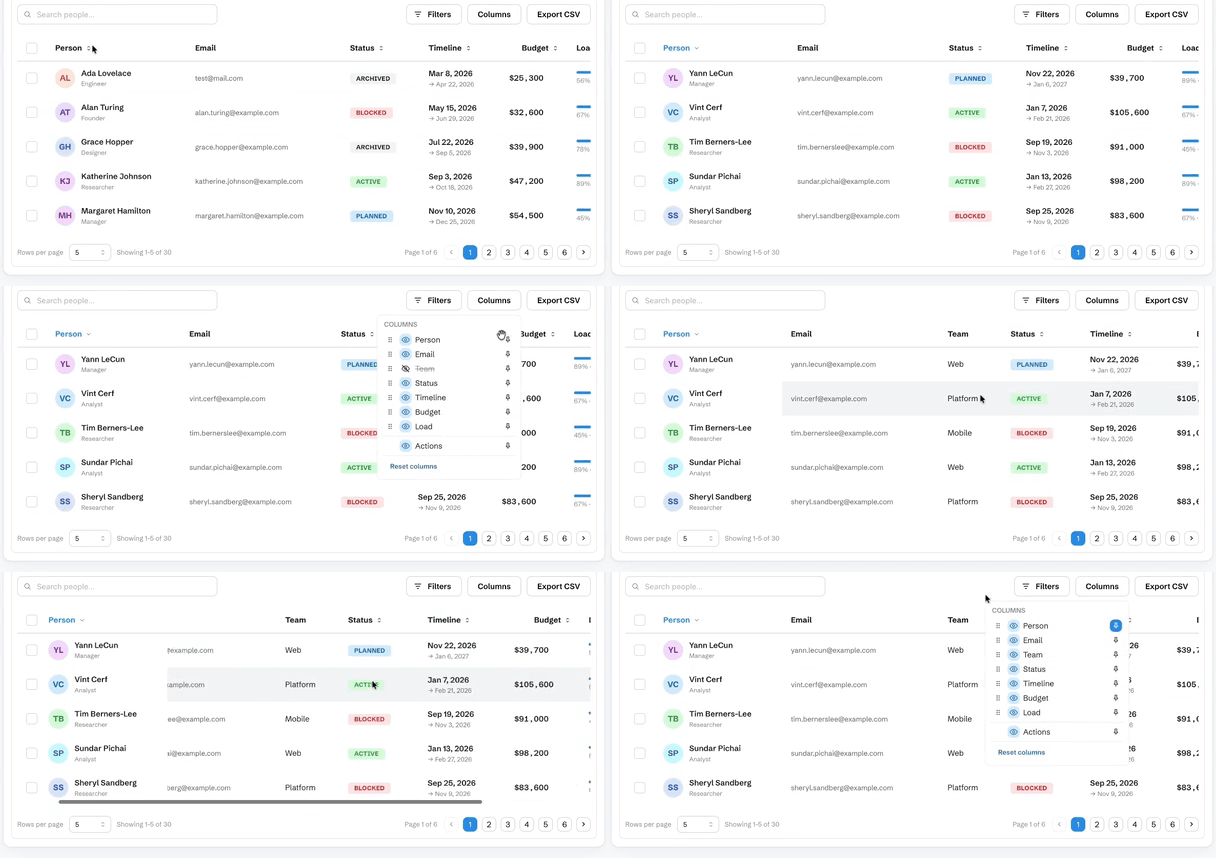
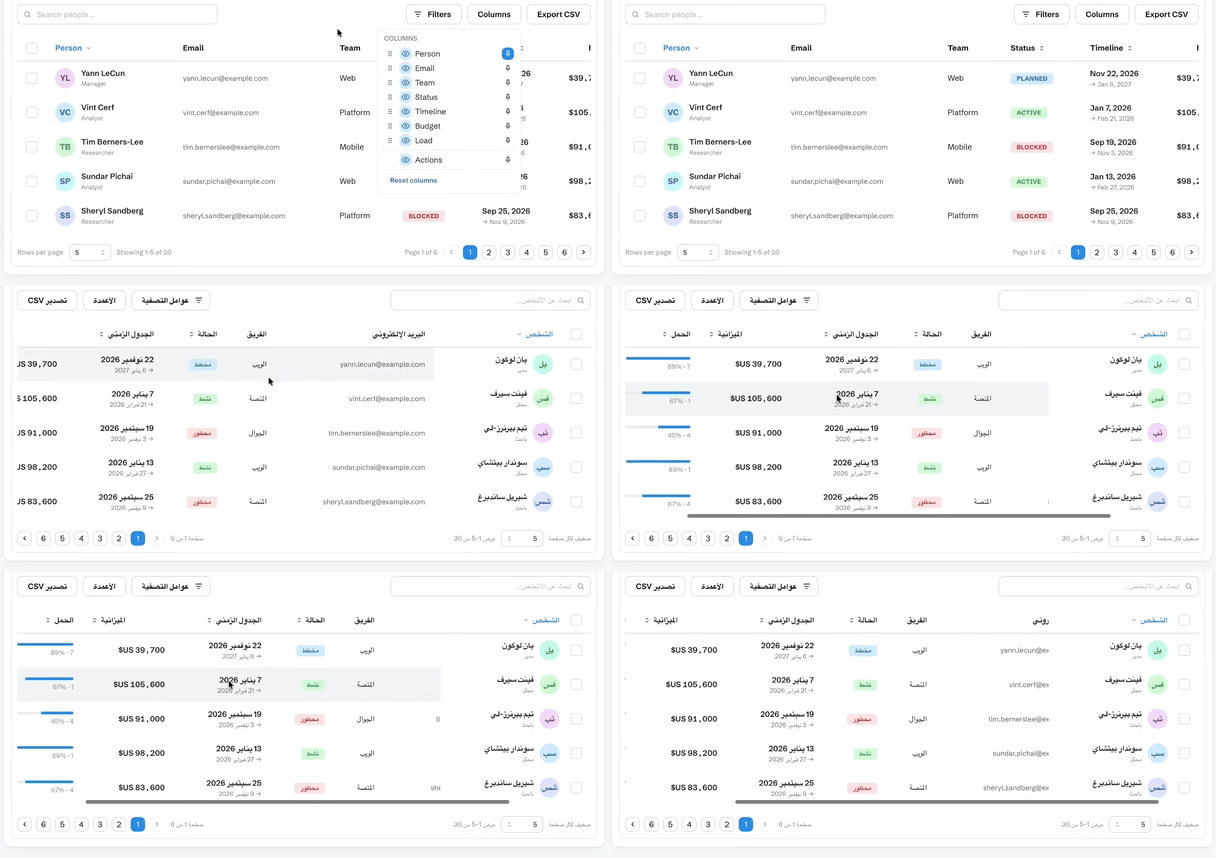
What npx @adapttable/cli init scaffolds, running.
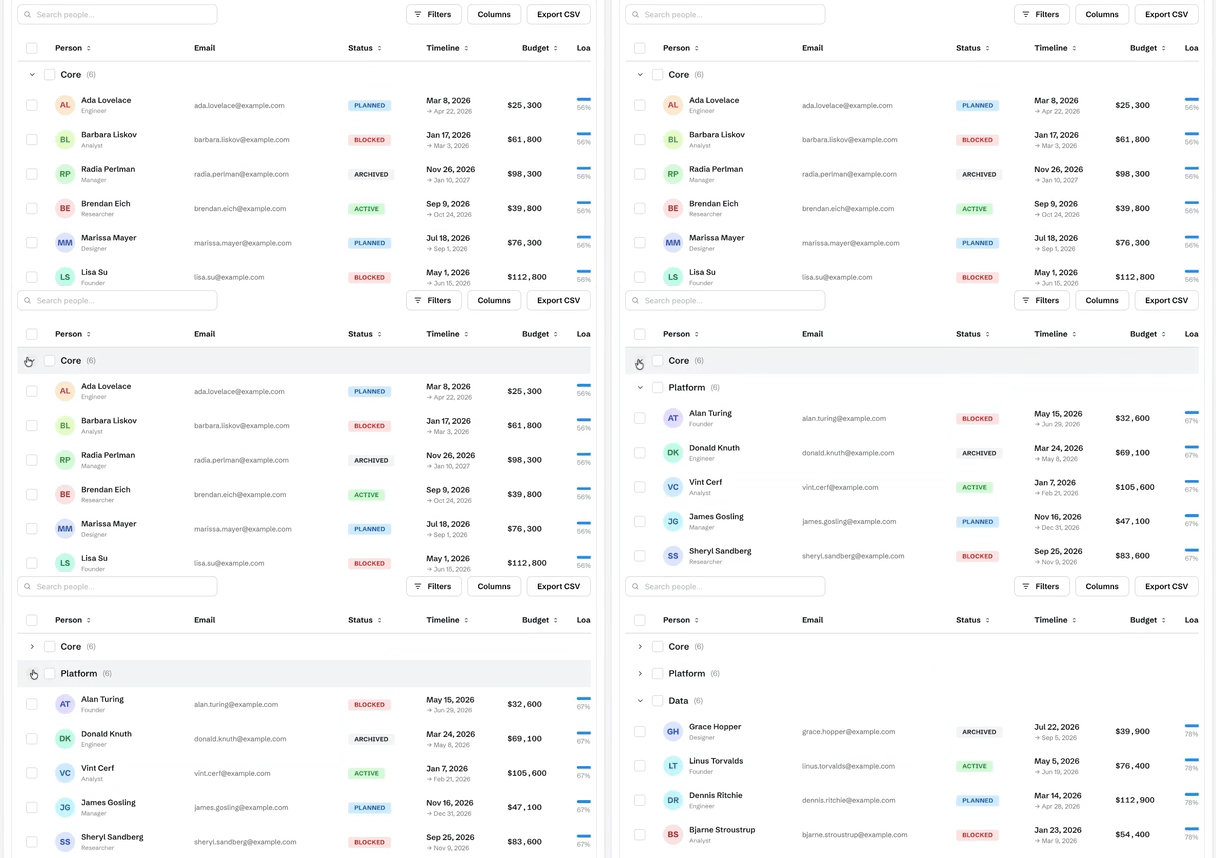
Row grouping — group rows by a column with per-group subtotals
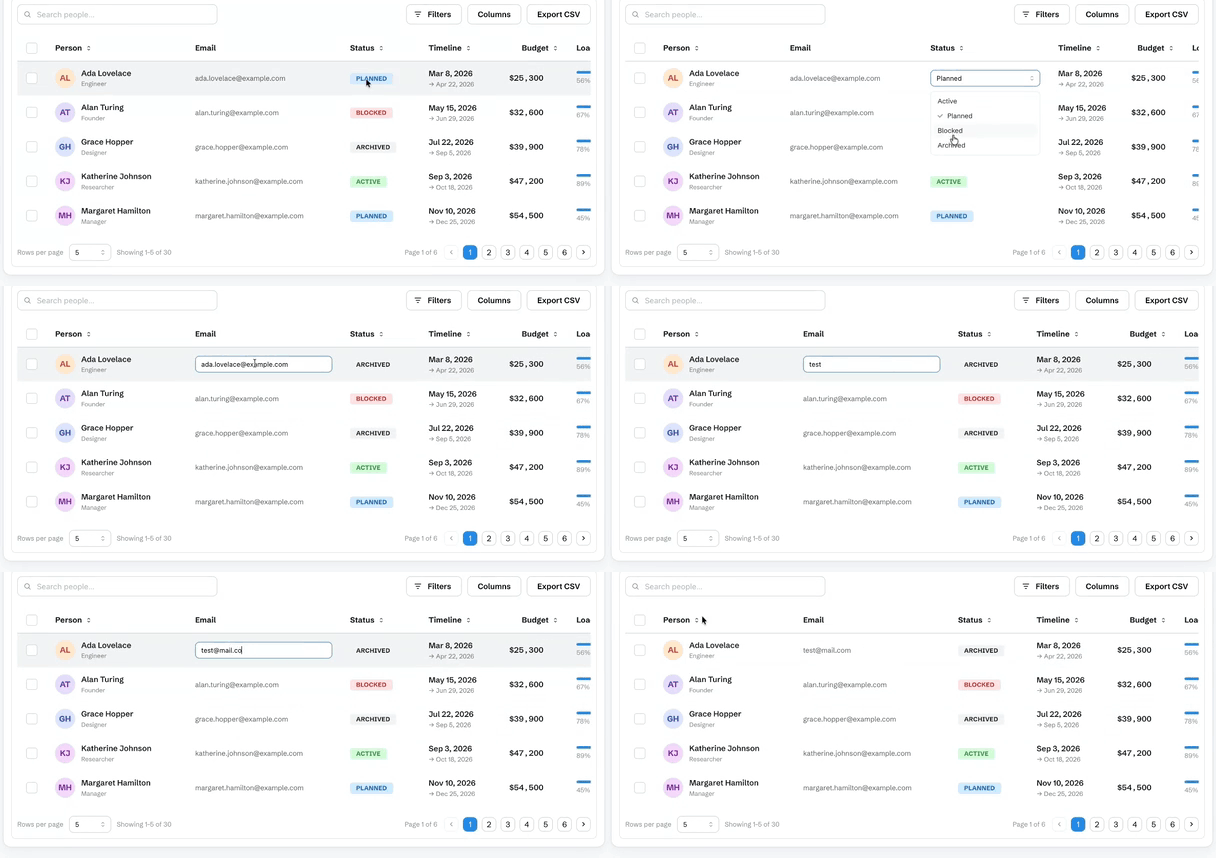
Inline cell editing — double-click a cell; text, number and select editors
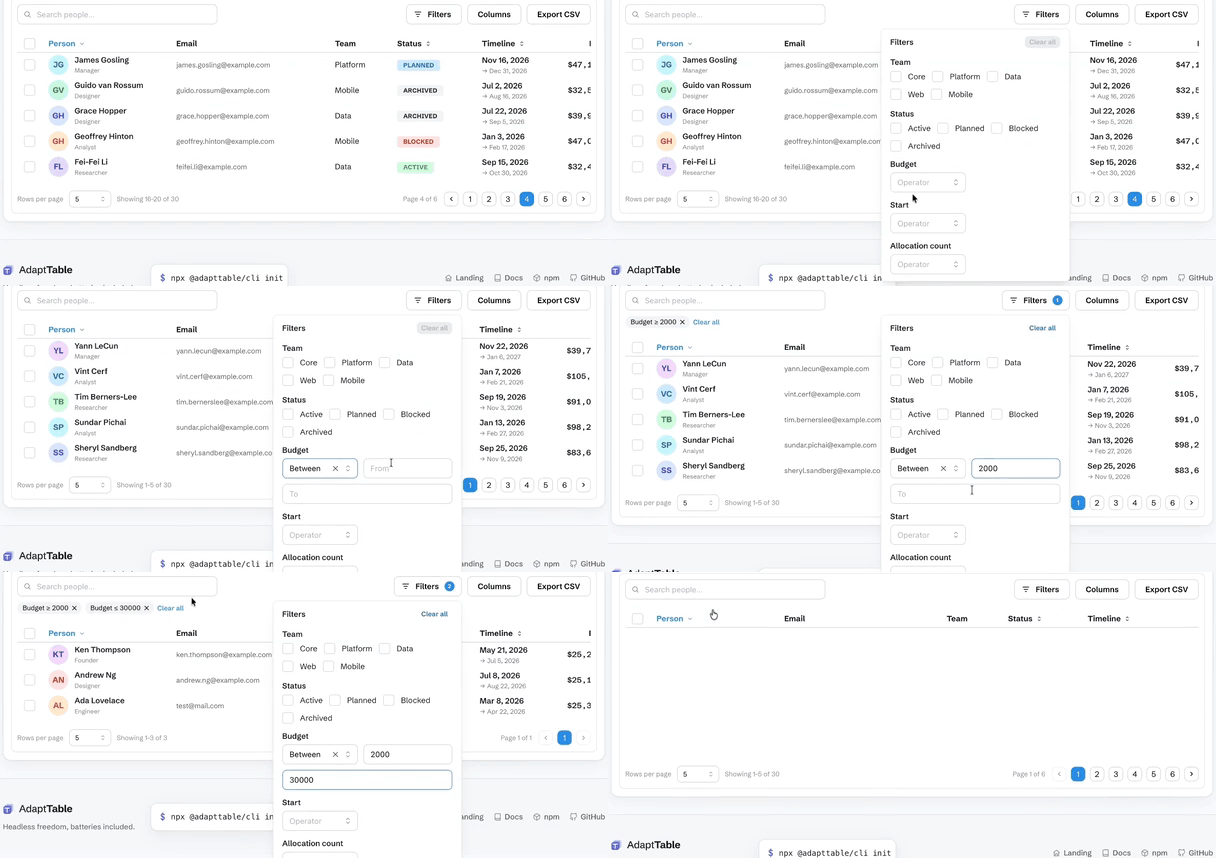
Filtering — type a bound and the table answers as you type
Column management — show, hide, reorder, pin and resize
RTL — the whole table mirrors, not just the text
Documentation
Getting started · Live demo · Comparison vs ag-Grid · MUI X · TanStack
- Data — client vs server tiers · pagination & infinite scroll · URL-synced state
- Interaction — filtering · sorting · selection & bulk actions · row expansion · inline cell editing
- Columns — show/hide · reorder · pin · resize · row grouping & aggregates · CSV export
- More — i18n & RTL · virtualization · customization · API · FAQ
License
Related Packages
Migration tool to automate and report on breaking changes across Ionic Framework...
Version History
| Version | Released | License |
|---|---|---|
| 3.3.0 | MIT | |
| 3.2.0 | MIT | |
| 3.1.0 | MIT | |
| 3.0.1 | MIT | |
| 3.0.0 | MIT | |
| 2.0.0 | MIT | |
| 1.1.4 | MIT | |
| 1.1.3 | MIT | |
| 1.1.2 | MIT | |
| 1.1.1 | MIT | |
| 1.1.0 | MIT | |
| 1.0.0 | MIT | |
| 0.2.0 | MIT | |
| 0.1.3 | MIT | |
| 0.1.2 | MIT | |
| 0.1.1 | MIT | |
| 0.1.0 | MIT |
Pre-releases (1)
| Version | Released | License |
|---|---|---|
| 2.0.0-rc.0 | MIT |